Editor’s Note:Prepared by the Creative Automation & Agency Architecture Desk. When evaluating generative creative software, marketing leads frequently conflate two distinct operational objectives: producing a broad, cross-format collateral pack versus directing a coherent, multi-scene narrative video draft. This comparative analysis examines the architectural divergence between MiniMax Design’s parallel AI agent team and CrePal’s timeline-centric AI Director. Without declaring generic winners, this guide evaluates how each system ingests briefs, coordinates assets, handles client review loops, and exports commercial deliverables.
In commercial campaign development, choosing an AI production stack requires defining the core deliverable. If an agency must deliver an omnichannel launch kit—encompassing social copy variations, banner key visuals, ambient audio beds, and a short teaser clip—the primary bottleneck is cross-format parallel execution. Conversely, if the deliverable is a scripted, multi-scene commercial video where camera blocking, character continuity, and frame-accurate timing dictate success, the bottleneck shifts to sequential scene orchestration.
Comparing MiniMax Design vs CrePal clarifies this operational choice. While both leverage generative AI to eliminate repetitive production friction, They approach creative direction from opposing vectors: campaign-wide multi-agent task delegation versus scene-by-scene cinematic direction.
Quick Choice by Primary Deliverable
To simplify software procurement for creative agencies, solo creators, and brand marketing teams:
- Choose MiniMax Design if your primary goal is generating a balanced, cross-media campaign starter kit (ad headlines, high-resolution key visuals, short video snippets, and background music tracks) decomposed simultaneously from a single high-level marketing brief.
- Choose CrePal if your primary goal is producing a structured, multi-scene video draft (narrative commercials, product explainer videos, or episodic social stories) that requires automated shot planning, multi-model video routing, and iterative, conversational scene revisions.
Compare the Starting Point
How a platform ingests raw creative strategy determines whether pre-production moves smoothly or devolves into prompt clutter.
┌──────────────────────────────────┐
│                   Creative Ingestion Comparison                  │
├───────────────────────────────────┤
│ MINIMAX DESIGN                    │ CREPAL                       │
├───────────────────────────────────┤
│ • Cross-media brief decomposition │ • Script & narrative video goal    │
│ • Strategic multi-task hierarchy  │ • Automated scene-by-scene planner │
│ • Parallel deliverable planning   │ • Shot list & camera blocking      │
│ • Focus: Omnichannel collateral   │ • Focus: Video narrative continuity│
└────────────────────────────────────┘
Campaign Brief and Cross-Media Task Plan
On the official MiniMax Design Hub, the desktop application is engineered around brief decomposition. The user inputs a campaign prompt, brand outline, or seasonal concept. The lead orchestration agent evaluates the marketing angle, establishes target audience parameters, and generates a structured task outline. Rather than diving straight into video frames, it maps out a balanced project scope: headline copy angles, key visual layouts, a 5–10 second video concept, and audio accompaniment.
Video Goal and Scene-by-Scene Direction
According to CrePal’s feature documentation, the intake workflow is built around video narrative goals. When a user inputs a creative treatment or video script, CrePal’s AI Director acts as an automated virtual showrunner. It analyzes the narrative arc, breaks the script into sequential shot lists, suggests visual framing (e.g., medium close-up, tracking wide), establishes timecodes, and prepares individual scenes for video generation.
Compare What Each Workflow Coordinates
The key differentiator between these two platforms lies in what their underlying systems orchestrate.
┌────────────────────────────────────────┐
│                   Workflow Coordination Paradigms                │
├────────────────────────────────────┤
│ MINIMAX DESIGN (Agent Team)       │ CREPAL (Video Orchestration Layer) │
├───────────────────────────────────┼───┤
│ • Copy Agent (Hooks & Captions)   │ • Script-to-Storyboard breakdown   │
│ • Visual Agent (Static Stills)    │ • Multi-model video routing        │
│ • Video Agent (Motion Synthesis)  │ • Scene-level timing controls      │
│ • Audio Agent (Voice & Soundbed)  │ • Conversational prompt refinement │
└───────────────────────────────────┴───┘
Copy, Image, Video, and Audio Asset Tracks
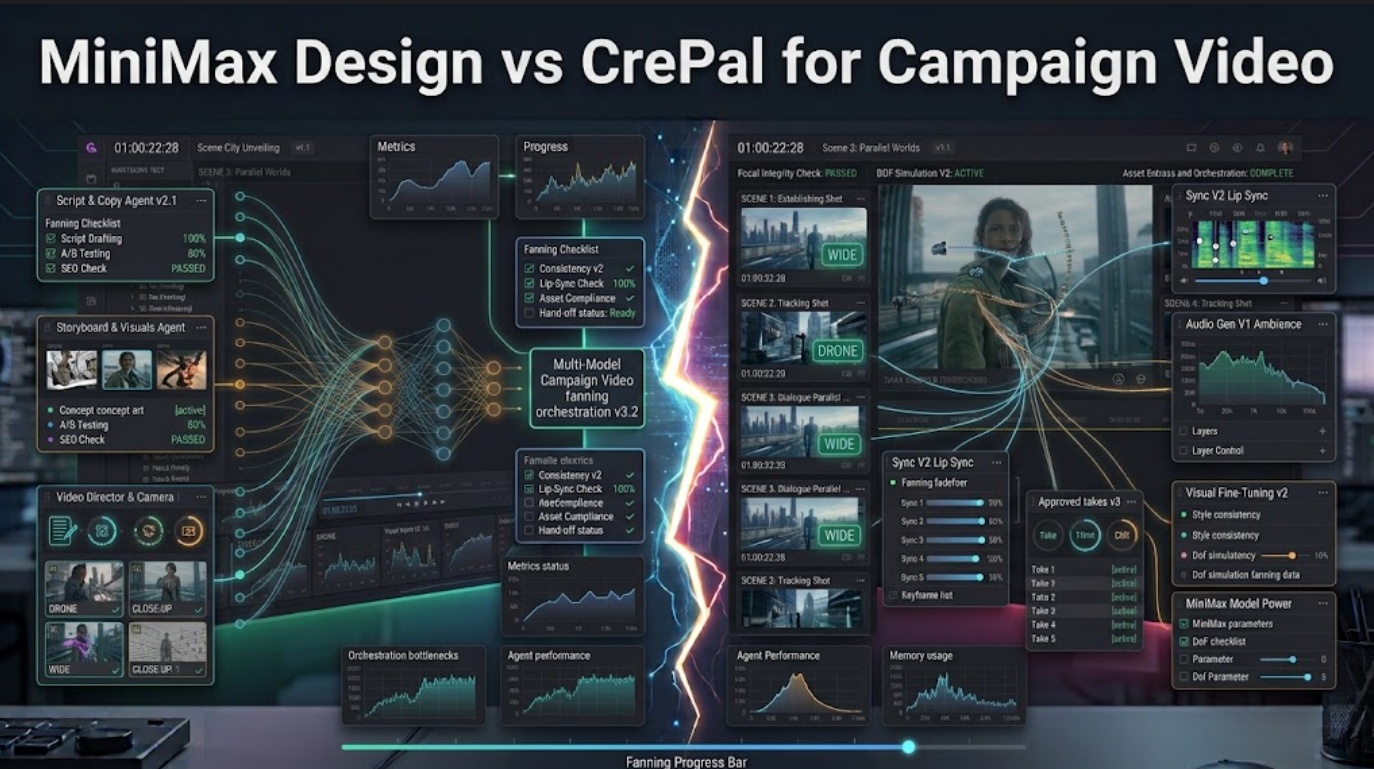
MiniMax Design coordinates a specialized AI agent team. After the brief is decomposed, dedicated sub-agents execute in parallel. The Copy Agent drafts headlines, the Visual Agent synthesizes graphics, the Video Agent generates motion clips utilizing native MiniMax pipelines, and the Audio Agent compiles speech or backing scores. The coordination mechanism ensures thematic synchronization across completely different asset types.
Model Selection, Storyboard, Scenes, and Revisions
CrePal coordinates a dedicated video workflow orchestration pipeline. Rather than generating miscellaneous ad copy or static graphics, its engine coordinates the sequential elements of a timeline. The AI Director orchestrates storyboard cards, determines which generative video model baseline best matches the shot’s aesthetic requirements, and locks character identity tokens across sequential cuts.
Compare Review and Delivery
Review mechanics determine how quickly an agency can incorporate internal or client feedback before final delivery.
Cross-Asset Approval and Packaging
MiniMax Design delivers its outputs into a unified project canvas. Creative directors can review all deliverables side-by-side, approving the hero image while requesting revisions on the caption copy. Final packaging exports a multi-format asset folder (PNG/JPEG imagery, MP4 video, and text copy) ready for staging into social schedulers or ad managers.
Editable Video Draft and Conversational Changes
CrePal delivers an assembled, multi-scene video draft. Review happens dynamically: creators can interact conversationally with the AI Director to adjust specific scene parameters—such as requesting a tighter camera angle on Scene 2 or modifying motion dynamics in Scene 4—without rebuilding the entire narrative timeline. Final delivery centers on an assembled video edit with synchronized scene cuts.
Choose by Campaign Scope and Video Complexity
| Production Scenario | Recommended Workspace | Strategic Justification |
| Omnichannel Product Launch | MiniMax Design | Simultaneously delivers social copy, static ad visuals, and video teasers from one brief. |
| Multi-Scene Commercial Video | CrePal | The AI Director manages narrative continuity, shot transitions, and scene-level pacing. |
| Rapid Social Trend Testing | MiniMax Design | Dispatches parallel agents to test varied angles across text and static media rapidly. |
| Scripted Storytelling & Explainers | CrePal | Scene-by-scene script breakdowns ensure narrative beats match visual delivery. |
Access, Cost, Rights, and Current Limits
Compliance & Licensing Notice:This comparison does not constitute formal legal or licensing advice. Subscription tiers, compute credit consumption rates, commercial usage rights, and synthetic media disclosure policies must be verified directly against the latest terms of service on MiniMax’s official portal and CrePal’s platform terms at the time of deployment.
- MiniMax Design Environment: Operates via a dedicated desktop client for macOS and Windows, utilizing cloud-hosted generation models that deduct media credits based on the asset types generated (text, image, or video compute).
- CrePal Environment: Operates as a cloud-based video orchestration workspace, consuming platform credits based on video scene generation, model selection, and iterative rendering.
FAQ
Can MiniMax Design outputs become CrePal reference assets?
Yes. High-resolution key visuals or character designs generated in MiniMax Design can be exported and uploaded into CrePal as visual character references to maintain aesthetic continuity across a multi-scene video project.
Can MiniMax Design import structured product data from a spreadsheet?
Currently, MiniMax Design is optimized for unstructured natural-language briefs, brand guidelines, and reference imagery; Direct ingestion of structured CSV/ERP product catalogs requires manual brief preparation.
Does CrePal expose per-scene duration controls before video generation?
Yes. CrePal’s scene planning interface allows directors to set intended duration parameters and shot pacing for individual scenes prior to committing credits to video rendering.
Which tool supports editable subtitle files after video export?
CrePal focuses on timeline video delivery and can generate synchronized text/subtitle layers aligned with the spoken script, whereas MiniMax Design exports campaign copy as raw text files alongside separate video assets.
Can CrePal apply one character reference across separate video scenes?
Yes. CrePal’s AI Director allows users to assign persistent reference assets to specific characters, guiding the underlying video models to preserve visual identity across sequential scene generations.
Conclusion
The decision between MiniMax Design vs CrePal is an architectural choice between breadth and depth. MiniMax Design excels as a multi-agent creative platform for cross-media campaigns, coordinating parallel agents to draft copy, imagery, and video snippets simultaneously. Conversely, CrePal functions as an AI Director built specifically for sequential video workflow orchestration, guiding creators from initial scripts through multi-scene assembly. By auditing whether your commercial brief requires a broad collateral pack or a structured narrative timeline, You can deploy the right AI workspace for maximum production efficiency.