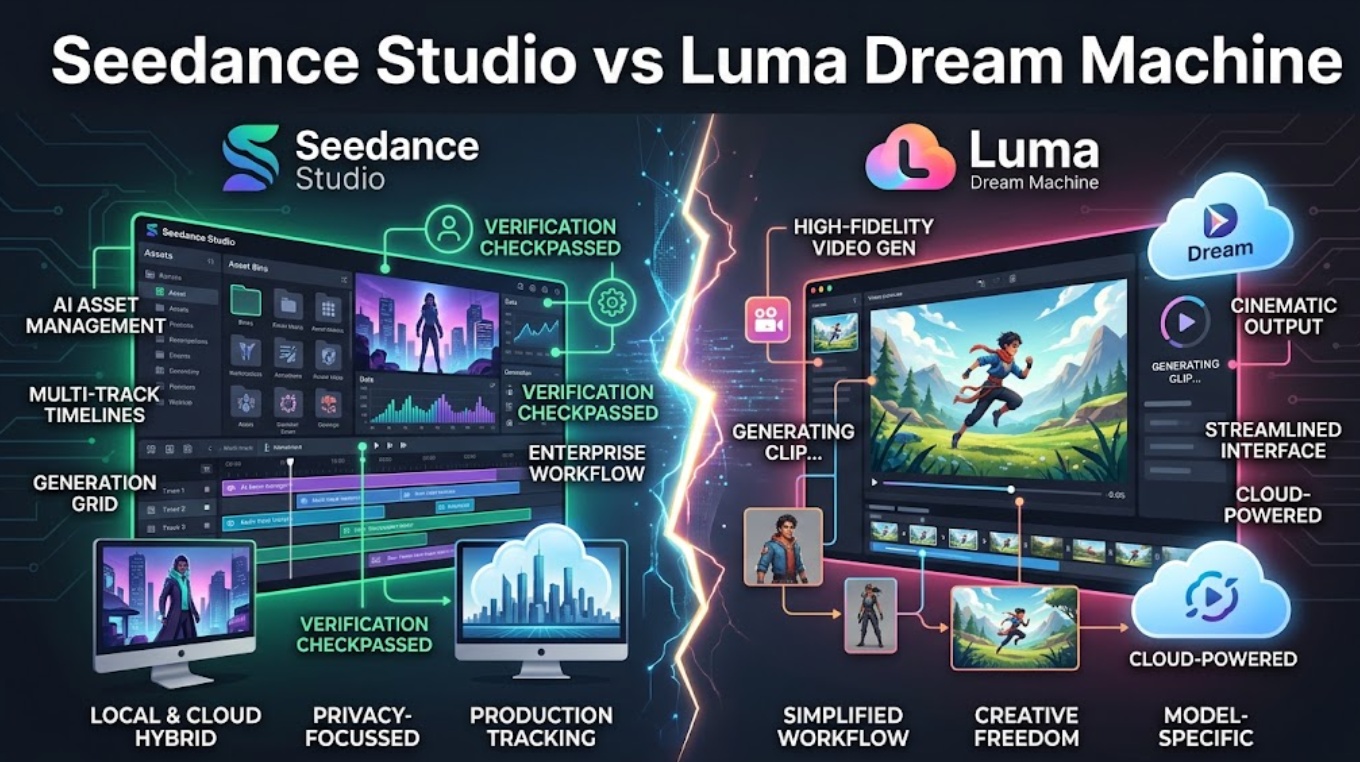
Editor’s Note: Prepared for solo creators, freelancers, and small production teams building visual concepts, character references, short AI-generated shots, and social video drafts. This comparison evaluates workflow architecture and publicly documented capabilities, not overall model quality. We do not rank Seedance models against Luma Ray models because no controlled same-brief benchmark is presented here. Product features, model availability, pricing, credits, and rights can change; details should be verified on each platform’s current official pages before purchase or production use.
For creators producing short social videos, concept films, product mockups, or pitch visuals, the biggest bottleneck is often not generating the first clip.The harder part is what happens next.
How do you explore several visual directions without losing the best idea? How do you keep references organized? When one shot is almost right, do you regenerate it from scratch or continue refining it? And when a project needs several related shots, how do you reduce continuity drift?
That is the useful way to approach Seedance Studio vs Luma Dream Machine.
The two workflows can overlap, but their main creative value is different. Seedance Studio is better understood as a generation-first environment where creators can explore available models and generation approaches. Luma Dream Machine is more strongly organized around visual ideation, Boards, References, Brainstorm, Keyframes, Modify, and connected iteration.
Quick Choice for Solo Creators and Small Teams
| Decision Criterion | Choose Seedance Studio | Choose Luma Dream Machine |
| Primary Workflow Focus | Multi-model prompt exploration & model comparison. | Integrated visual ideation, boards, and iterative shot continuity. |
| Ideation Canvas | Tabular/grid prompt management across engines. | Spatial Boards with Brainstorm and concept pill exploration. |
| In-Workspace Iteration | Sequential re-prompting per selected model. | Direct Modify commands, Extend, and Start/End Keyframes. |
| Asset Consistency | Dependent on individual underlying model inputs. | Built-in Character Reference and image-to-video bridging. |
| Best For | Model benchmarking, multi-engine testing, rapid prompt checks. | Visual moodboards, sequential shot planning, narrative mockups. |
Understand What Each Workspace Is Built Around
To pick the right tool, creators must understand the core design philosophy anchoring each interface.
Multi-Model Generation in Seed Dance Studio
Seedance Studio is structured around multi-model access. Rather than locking creators into a single neural rendering pipeline, it acts as an operational hub to dispatch prompts to different underlying video generation models.
This setup allows creators to quickly test prompt variations across diverse model strengths—evaluating which engine interprets specific camera angles, physics, or lighting styles most effectively. However, the workspace prioritizes horizontal generation options over deep, intra-platform shot manipulation tools.
Visual Ideation and Creation in Dream Machine
Luma Dream Machine is engineered around an end-to-end visual canvas powered by Luma AI’s proprietary generative engines (including the Ray series).
Rather than treating generation as disconnected, single-shot text-to-video requests, Dream Machine organizes the creative process into a cohesive workspace. Creators move smoothly from exploratory concept boards to still image generation, convert those stills into video sequences, and iteratively refine existing clips without jumping between separate third-party utilities.
Compare Ideation and Asset Preparation
The quality of an edited video depends heavily on the preparation phase: organizing references, exploring styles, and locking in character aesthetics.
Boards, Brainstorming, and Visual References
- Luma Dream Machine: Features a dedicated board environment paired with a Brainstorm feature. Creators can generate visual concepts, tap highlighted prompt pills to explore style variations (e.g., cinematic, 3D render, anime), and cluster visual references on a spatial canvas.() Its Character Reference tool allows creators to pin a specific face, wardrobe, or visual style to guide subsequent shots.
- Seedance Studio: Operates primarily via standard prompt input fields and preset library lists. Ideation is driven by executing parallel runs across different engines to see how varying models interpret the brief. Creators organize visual references manually within individual generation batches or external folders rather than on an interactive moodboard canvas.
Text, Image, and Video Starting Points
Both platforms support standard multimodal inputs:
- Text-to-Video: Supported across both ecosystems for initial concept drafts.
- Image-to-Video: Dream Machine allows creators to generate concept stills directly within its canvas using integrated image models (such as Photon) before animating them. Seedance Studio allows creators to upload source images to guide generation across supported models.
Compare Iteration and Continuity
Maintaining visual continuity across consecutive cuts is the most challenging aspect of AI video production.
Start and End Frames, References, and Extensions
Dream Machine provides dedicated structural control over shot transitions:
- Start and End Keyframes:Creators can supply a starting image and an ending image, allowing the AI to generate a physically coherent transition between two fixed visual states.
- Extend:Allows editors to lengthen an existing shot by generating additional frames forward while preserving the original camera motion and lighting.
- Looping:Offers a native toggle to produce seamless looping clips for social and background media.()
Seedance Studio relies on the native capabilities of whichever underlying model is selected for the task. If a specific integrated model lacks native keyframing or native extension endpoints, the creator must regenerate shots sequentially or bridge continuity manually in an external video editor.
Modifying Shots and Managing Variants
One of Dream Machine’s defining workflow tools is the Modify feature.() When a generated shot is visually strong but requires adjustments—such as “brighten background lighting” or “slow down the camera pan”—creators can apply natural-language modifications to the existing clip.
In Seedance Studio, shot iteration typically involves adjusting prompt text, tweaking motion weight parameters where supported by the specific model, and initiating a new generation pass.
Compare the Path From Generation to Edit
Neither workspace replaces a professional Non-Linear Editor (NLE) like Premiere Pro or DaVinci Resolve, but their handoff mechanics differ significantly.
Organizing Scenes and Selecting Takes
- Dream Machine: Keeps the entire creative lineage intact within a Board. Editors can view prompt iterations, intermediate still references, extended takes, and modified clips in a single visual hierarchy.
- Seedance Studio: Displays results in a centralized asset feed or batch grid, making it straightforward to compare generation outputs across three or four different AI models side by side to pick the best take.
Exporting Clips for a Finished Video
Both platforms provide standard .MP4 export options suitable for import into video editing software. For complex projects requiring script alignment, timecoded storyboard assembly, and multi-model shot orchestration, standalone generation outputs can be organized within an orchestration layer like CrePal before final timeline assembly, tying into broader creator video workflows.
Choose by Creator Use Case
| Creator Profile | Primary Tool Recommendation | Strategic Workflow Reason |
| Narrative Filmmakers & Animators | Luma Dream Machine | Start/End frames and character reference tracking provide strict narrative continuity. |
| Social Media & Agile MCN Creators | Seedance Studio | Rapid generation speed and multi-model variations suit fast-paced content volume. |
| Brand Concept Designers | Luma Dream Machine | Visual Boards and prompt Brainstorming accelerate early-stage visual pitch development. |
| Multi-Style Explorers & Technologists | Seedance Studio | Access to broader generative foundations allows rapid cross-aesthetic testing. |
When to Choose Seedance Studio
- Model Explorers & Prompt Engineers: If your workflow relies on testing prompts across multiple model architectures to find the best engine for a specific niche visual style.
- Fast Multi-Engine Benchmarking: When you need a single dashboard to evaluate how different models handle complex physics, crowds, or typography.
- Asset Diversification: When you prefer not being tied to a single proprietary rendering pipeline for all client concepts.
When to Choose Uma Dream Machine
- Solo Narrative Creators & Animators: When you need to build a multi-scene short film or commercial pitch that requires consistent character appearance across scenes.
- Visual Thinkers & Moodboarders: If your creative process starts with visual brainstorming, concept clustering, and interactive style manipulation on a visual board.
- Iterative Shot Refiners: When you frequently need to extend short clips, define exact start/end keyframe transitions, or make targeted natural-language tweaks with the Modify tool.
Access, Credits, Rights, and Limits
Compliance & Legal Notice: This comparison does not constitute formal legal, copyright, or commercial procurement advice. Content ownership rights, commercial usage permissions, credit consumption rates, and platform usage limits must be verified directly against the current Terms of Service and subscription policies of each respective platform at the time of use.
- Luma Dream Machine: Accessible via modern web browsers and official mobile applications. Paid subscription tiers grant higher monthly generation credits, priority processing queues, higher-resolution export options, and commercial usage rights.
- Seedance Studio: Operates through its web platform, utilizing unified credit systems to allocate generation tokens across integrated model providers. Credit deduction rates vary depending on the chosen model and target resolution.
FAQ
How should freelancers price uncertain AI revision rounds?
Freelancers should quote a fixed rate for a defined number of generation/modification iterations (e.g., up to 3 Modify passes per scene), with any subsequent generation passes billed at an hourly post-production rate plus direct credit pass-through costs.
What should a proposal say about human review responsibility?
Proposals should explicitly state that while AI tools are utilized for concept ideation and visual generation, the lead human artist remains entirely responsible for curation, quality control, editorial assembly, and brand compliance.
When should concept art be labeled as a mockup rather than a deliverable?
Any visual asset generated during exploratory ideation—especially early board explorations or single-frame concept tests—should be watermarked or labeled as “Pre-Production Concept Mockup / Non-Final” in client review decks.
How should agencies describe AI-assisted ideation in a pitch?
Agencies should position AI tools as rapid prototyping accelerators that enable faster visual exploration and richer creative moodboarding during the concept development phase, leading into bespoke final production.
How should agencies budget for concepts that never enter production?
Include a standardized “Creative R&D / Concept Exploration” line item in the project budget to account for the platform credit expenditure and operator time spent generating discarded concept paths.
Conclusion
Choosing between Seedance Studio vs Luma Dream Machine comes down to whether your bottleneck is model access or iterative control.
If your goal is to compare prompt results across multiple independent AI engines from a single interface, Seedance Studio provides a flexible generation gateway. If your goal is to build an interconnected visual concept—starting with boards, locking character references, guiding transitions with start/end frames, and refining clips with natural-language modifications—Luma Dream Machine offers a more cohesive, end-to-end ideation workspace for solo creators and small video teams.