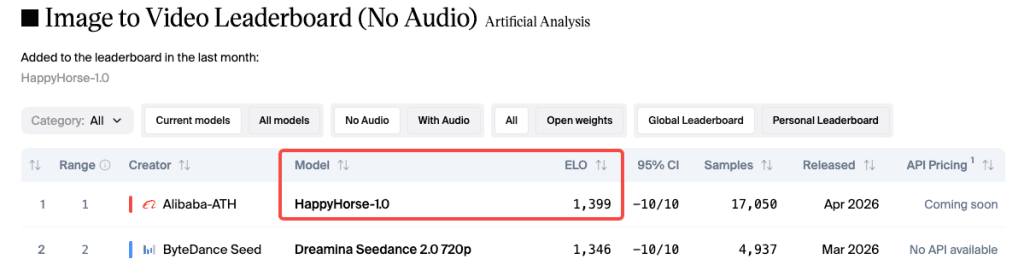
I was scrolling through my usual Friday feed when I saw it — a mystery model called HappyHorse sitting at #1 on the Artificial Analysis leaderboard. No team name. No GitHub link. No announcement. Just an Elo score of 1,399 in the image-to-video category, sitting more than 50 points above Seedance 2.0.
My first instinct? Leaderboard spam. My second? Okay, let me actually test this.
Hey everyone, it’s Dora. I’ve been tracking AI video models for a while, and I’ll be honest — I didn’t expect the results to hold up under real use. But they mostly did.
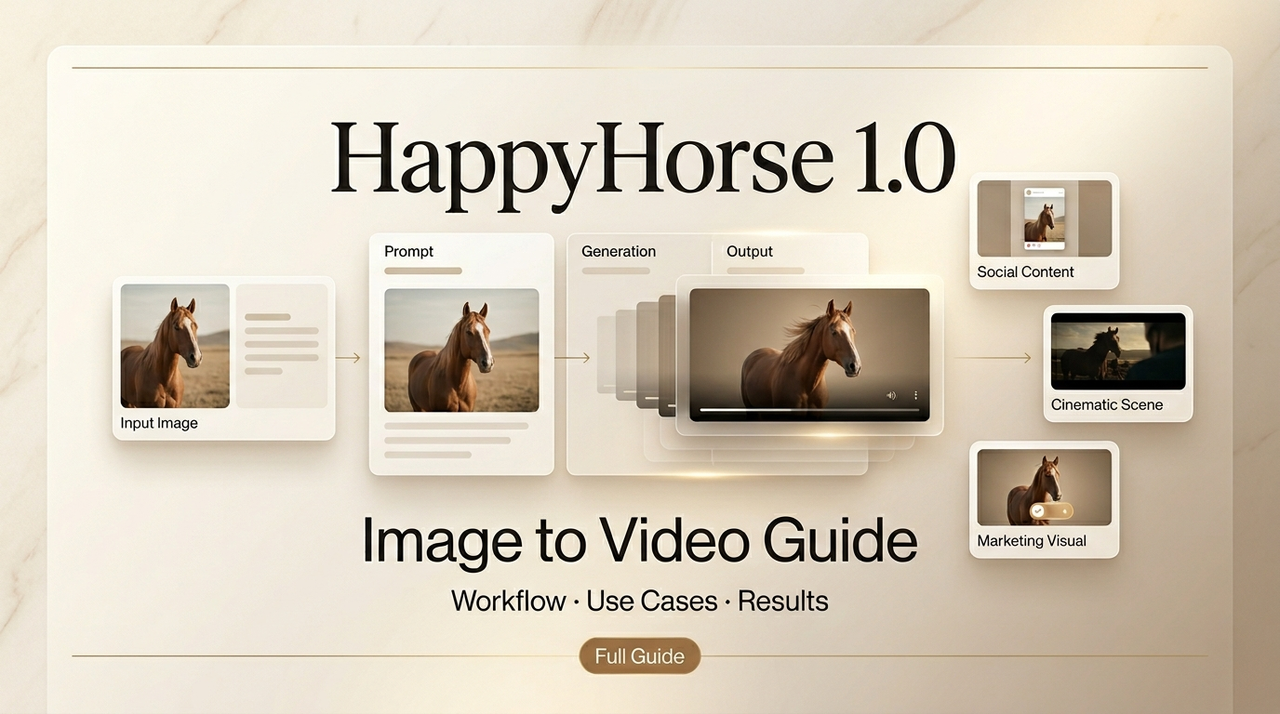
Here’s what I figured out: how to use HappyHorse for image-to-video, which source images work, where it falls apart, and how it stacks up against Kling, Seedance, and Wan 2.6.
Why HappyHorse’s Image-to-Video Is Ranked #1
Elo 1,399 on the No-Audio Category
The Artificial Analysis Video Arena runs fully blind pairwise comparisons — you see two clips from the same prompt, pick the better one, and never know which model made which. Every vote feeds into an Elo rating system — the same math used in chess — where a 40-point gap means the higher-rated player wins roughly 58% of head-to-head matchups. That’s consistent, meaningful signal. Not noise.
HappyHorse appeared on the leaderboard around April 7–8, 2026, submitted pseudonymously. Within days, Artificial Analysis confirmed it came from Alibaba’s Taotian Future Life Lab, led by Zhang Di — formerly the technical architect of Kling AI at Kuaishou.
What the Leaderboard Actually Measures
Elo measures preference, not perfection. Users vote based on motion naturalness, visual quality, and lighting coherence. A higher score means the model wins more blind matchups — it doesn’t guarantee it’s right for your specific use case. A model that wins a general arena with richer color might read as over-saturated in product video context.
These numbers also shift daily. Always check the live I2V leaderboard directly rather than trusting article screenshots.
How to Use It — Step by Step
Step 1: Choose a Strong Reference Image
This is where most people get into trouble. HappyHorse’s I2V mode uses your image as a conditioning anchor for the entire generation. The model can’t manufacture visual information that isn’t there. Blurry face? The output will have a blurry face. Blown-out highlights? That stays in.
The reference image is your ceiling, not your floor.
What works:
- Resolution: At least 720p. Lower than that and fine details get mushy.
- Clarity: Sharp focus on the main subject. Soft edges produce inconsistent motion.
- Background: Clean or clearly separated from the subject.
- Lighting: Directional light with visible shadows. Flat lighting makes movement look weightless.
- Framing: Subject fully visible. Cropped faces or cut-off hands confuse the motion engine.
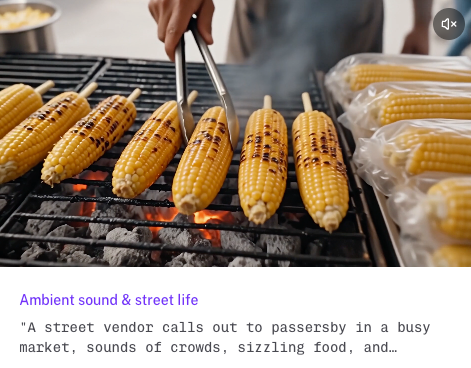
I spent an embarrassingly long time trying to animate a product shot with a glossy reflective background. The reflections kept shifting in weird directions mid-clip. Switched to matte white, same product — completely different result. This matches what I2V model comparisons have found broadly: clean backgrounds and a fully-visible subject are the minimum bar before any model can do its best work.
Step 2: Write a Motion Prompt
“Make this move” tells the model nothing useful. A good AI video prompt structure layers subject action, camera behavior, and mood separately — which maps directly to how HappyHorse processes motion direction.
A template that works:
[Subject action] + [Camera movement] + [Lighting/mood] + [Speed/pacing]
Examples:
- “Subject slowly turns head, subtle hair movement, rack focus from background to face, soft window light, unhurried pace”
- “Product rotates 30 degrees, gentle hold, clean studio lighting, no camera movement”
One thing I noticed: HappyHorse holds onto prompt specifics noticeably better than most models I’ve tested. Describe something unusual and it usually actually does it. Don’t over-constrain though — 3–4 key details work better than 12 simultaneous requirements.
Don’t describe the image you already have. The image is already conditioning the generation. Describe what changes from the static state.
Step 3: Set Duration and Aspect Ratio
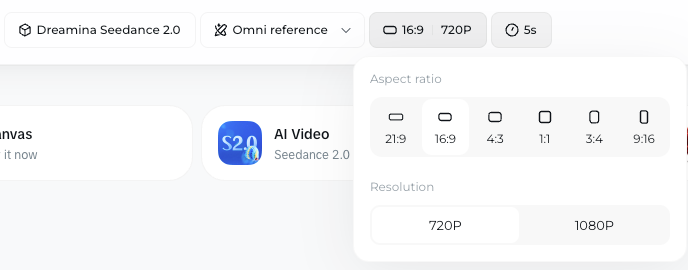
HappyHorse supports 5–8 second clips. For most creator use cases that’s plenty. Pick your aspect ratio before generating — cropping after never gives you what you want.
- 16:9 — YouTube, horizontal social
- 9:16 — Reels, TikTok, Stories
- 1:1 — Feed posts
- 21:9 — Cinematic widescreen
Step 4: Generate and Review
Treat the first generation as a draft. Watch for subject drift (a face that morphs mid-clip), background behavior in complex scenes, and motion physics — fabric, hair, and liquid are the three I check first. If something’s off, adjust the prompt rather than regenerating with the same instructions.
Best Use Cases for Creators
Product Photo → Promo Clip
This is where I’ve gotten the most consistent value. Clean product shot, clear background, motion prompt focused on camera drift or slow push-in — and you’ll often get something that works directly in ads without an extra editing step.
HappyHorse’s subject consistency is the key here. The product tends to stay the product. Other models I tested introduced subtle shape drift or texture shifts after 3–4 seconds that rendered clips unusable for commercial work.
Portrait → Social Short Hook
A portrait with clear facial features and decent lighting animates well. The model handles subtle facial movement and natural breathing in a way that reads as human rather than uncanny valley. Works well for talking head thumbnails, personal brand content, character intro clips.
Avoid: unusual angles like extreme profiles or upward chin shots — more motion artifacts than straight-on or slight three-quarter views.
Illustration → Narrative Opener
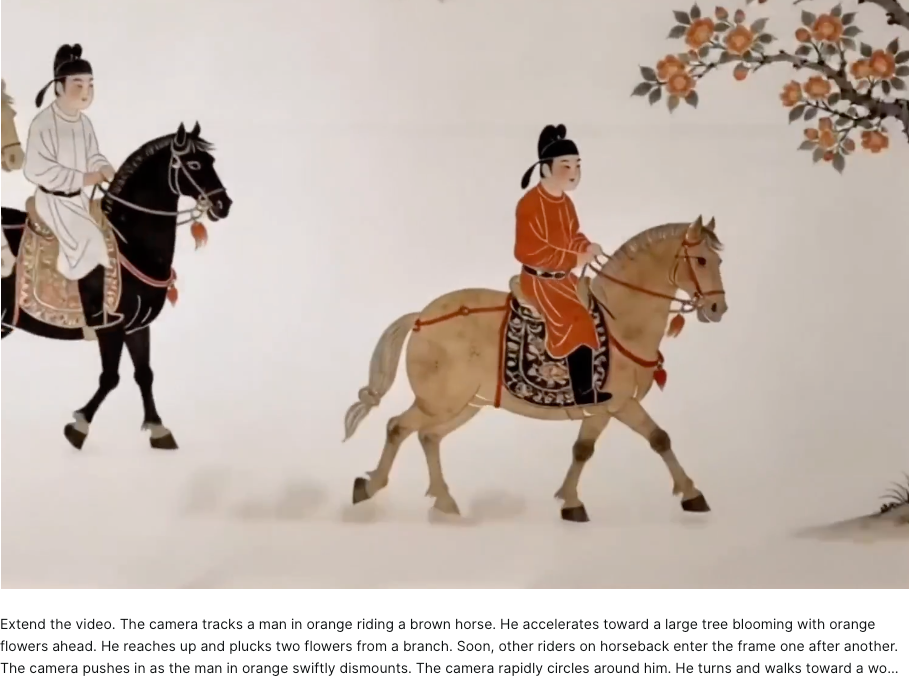
This one surprised me most. Feed HappyHorse a well-rendered illustration and the motion tends to respect the artistic style rather than trying to “realism-ify” everything. I tested this with several illustration types and it held up for moody establishing shots, fantasy scene openers, and character reveals.
Prompt Tips Specific to Image-to-Video
A few things specific to how HappyHorse handles I2V vs text-to-video:
- Name the subject’s action explicitly even though the image is already there — “the woman slowly raises her gaze” produces more intentional motion than letting the model infer.
- Specify camera and subject motion separately — “subject breathes naturally, slow push-in, camera holds steady” is clearer than “gentle natural movement.”
- Skip audio prompts if you don’t need audio — in the no-audio category HappyHorse’s lead is clearest. If you’re adding audio in post, don’t clutter the motion prompt with sound direction.
- Shorter prompts often win — “slow camera pull, subject looks up, warm afternoon light” has outperformed 200-word descriptions in my tests.
Limits & What Doesn’t Work
Complex multi-subject scenes. More than two subjects introduces inconsistency fast. Character consistency across multiple people in one frame degrades noticeably.
Audio still lags Seedance in I2V-with-audio. Here’s the honest version: in the without audio category, HappyHorse’s lead over Seedance 2.0 is around 40–50 Elo points — real and consistent. In the with audio I2V category, that lead collapses to essentially a tie (within 2 Elo points as of mid-April 2026). If synchronized dialogue or lip-sync quality is your primary requirement, the practical difference between these two models is currently marginal. Seedance also supports up to 9 reference images and 3 audio files per generation — multimodal control HappyHorse doesn’t match right now.
Source image quality bottleneck. I keep coming back to this. I’ve seen creators blame the model for output issues that were actually input issues. The model cannot reconstruct detail that wasn’t in the source image. Before blaming a generation, ask: would a professional photographer be proud of that source image?
How It Compares to Kling I2V, Seedance I2V, Wan 2.6 I2V
| Model | I2V Elo (No Audio) | I2V Elo (With Audio) | Key Strength | Key Limit |
| HappyHorse 1.0 | ~1,399 (#1) | ~1,167 (#2) | Visual quality, subject consistency | No audio edge over Seedance |
| Seedance 2.0 | ~1,346 (#2) | ~1,180 (#1) | Multi-reference control, audio | Global rollout paused |
| Kling 3.0 | ~1,283 | — | Native 4K, multi-character | Higher cost |
| Wan 2.6 | ~1,204 | — | Open-source, accessible | ~200 Elo below HappyHorse |
(Scores from mid-April 2026 — check the Artificial Analysis I2V leaderboard for current numbers.)
Kling 3.0 is the right call if you need native 4K, multi-character consistency, or shot-level control. Seedance 2.0 wins on multi-reference workflows and audio quality. Wan 2.6 is the practical open-source option for volume over polish.
Conclusion
HappyHorse’s I2V lead on the Artificial Analysis leaderboard is real. At ~1,399 Elo in the no-audio category, with a 50+ point gap over second place, blind preference signal is consistent. In practice, that means more natural motion, more cinematic output, and better anchoring to the source image — especially for portraits, product shots, and illustrations.
But the single biggest predictor of your output quality isn’t which model you use. It’s whether your source image was worth animating in the first place. Start with an image you’ve actually been proud of. That’s where the #1 Elo score will show up most clearly in your own work.
FAQ
Q: What is HappyHorse in AI video generation? HappyHorse is an image-to-video AI model that recently ranked #1 on the Artificial Analysis leaderboard. It focuses on generating short video clips (5–8 seconds) from a single reference image, with strong performance in motion realism, lighting consistency, and subject stability.
Q: Why is HappyHorse ranked higher than other models? HappyHorse currently leads in the no-audio category with an Elo score around 1,399, outperforming models like Seedance 2.0 and Kling 3.0 in blind comparisons. Its advantage comes from more natural motion, better adherence to prompts, and stronger consistency with the source image.
Q: Does HappyHorse support audio or lip sync? HappyHorse performs best in the no-audio category. While it can generate motion effectively, it currently does not match Seedance 2.0 in audio-driven workflows like lip sync or dialogue alignment. For projects requiring synchronized speech, other models may be more suitable.
Previous Posts: