Leo. Someone dropped a clip in our group chat last week — a slick little 8-second product spin — and asked “is this real or AI?” I had it half pulled apart in my head before I finished my coffee. That reflex is basically my job. So when people ask me how does text to video work, I don’t open with architecture diagrams. I start with what the machine is actually guessing, because once you see that, every weird glitch and every “wow” moment suddenly makes sense.
This is the no-jargon version. By the end you’ll know what’s happening under the hood, why a reference image changes everything, what the big tools actually do in 2026, and where this stuff still falls on its face. No hype, just what I’ve seen running these tools on real projects.
The Short Answer
AI video predicts motion, frames, and visual changes from inputs
Here’s the whole thing in one breath: a text-to-video model takes your words and predicts a sequence of frames that should follow from them. It’s not pulling clips from a library. It’s generating each frame from scratch and trying to keep them visually consistent so the result moves like a video instead of flickering like a slideshow.
Think of it like an intern who’s watched millions of hours of footage. You say “golden retriever shaking off water in slow motion,” and it doesn’t find that video — it imagines what those frames should look like, one after another, based on patterns it learned.
And yes — to answer the question a lot of people actually type — there is an AI video maker for basically every flavor now: standalone models, chatbot features, companion apps. The mechanics underneath are more similar than the marketing suggests.
How Text-to-Video Models Work
Prompt interpretation, temporal consistency, and frame generation
Three things happen. First, the model reads your prompt and turns it into a kind of meaning-map — subject, action, setting, lighting. Second, it generates the visuals. Third — and this is the hard part — it keeps those visuals stable across time.
Most modern systems are diffusion models. They start with random noise and clean it up step by step until an image emerges. OpenAI’s original Sora research breakdown explains the clever bit: video gets chopped into small “patches” of data, treated almost like words in a sentence, so the model can learn across different lengths and resolutions at once.
The thing that separates video from images is temporal consistency — making sure the character’s jacket stays the same color in frame 90 as it was in frame 2. Newer models like xAI’s handle this with an autoregressive design, where each frame is generated conditioned on the ones before it, so camera moves carry through instead of being re-solved from nothing every frame. When that breaks, you get the classic AI drift: a face that subtly morphs, a hand that grows a finger. That’s not a bug they forgot to fix. It’s the core problem of the whole field.
How Image-to-Video Differs
Using a reference image to control subject and composition
This is the part I wish I’d understood a year earlier, because it saved me hours.
With pure text-to-video, you’re asking the model to invent both the look and the motion. With image-to-video, you hand it a finished still — your product shot, your character, your key art — and you only ask it to add movement. The look is locked before the model even runs.
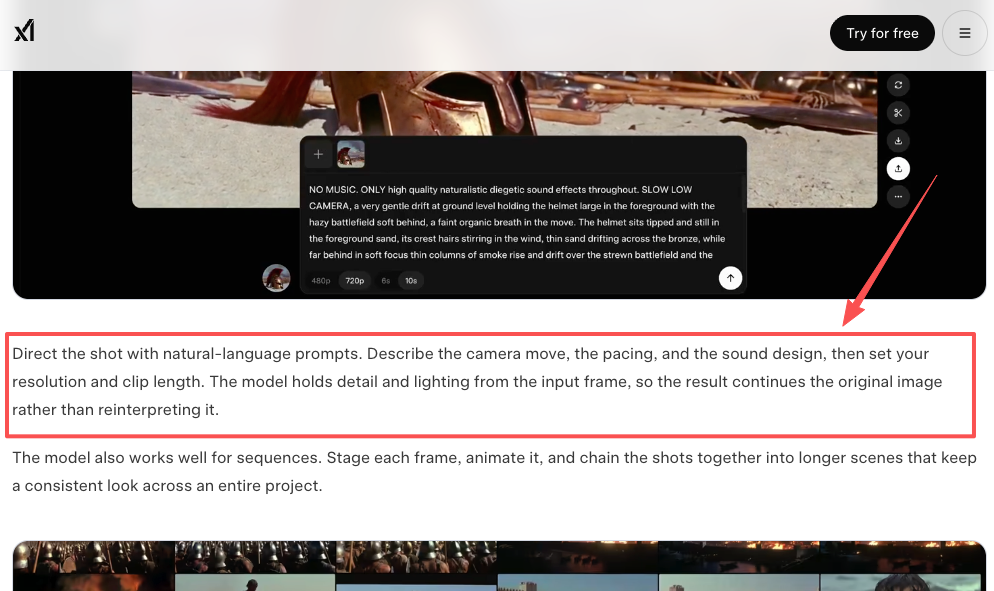
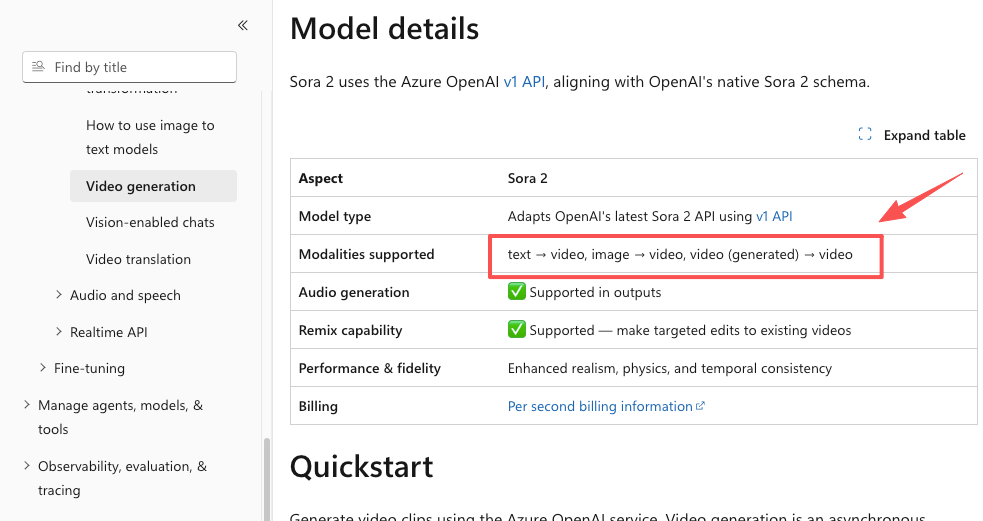
For client work, that’s a different game. I drop in an approved product photo, write one line describing the camera move, and the brand stays on-brand. xAI built its whole Grok Imagine 1.5 image-to-video model around exactly this idea — start from a real frame, preserve its lighting and detail, animate on top. Most platforms now support both modes; Microsoft’s Sora 2 modality docs list text-to-video, image-to-video, and even video-to-video as separate paths.
My rule of thumb: if I care what it looks like, I start from an image. If I’m just exploring an idea, I start from text. Don’t make the model guess about things you already know.
What Tools Like Grok, Sora, and Other Models Add
Chat interfaces, multimodal inputs, and editing controls
The raw model is the engine. The tools wrapped around it are the car — and in 2026 the car matters more than ever.
Quick reality check on the big names, because this changes fast:
- Grok (xAI Imagine): Yes, Grok makes video. Its newest model went to wide release on June 17, 2026 with synchronized audio and 720p output, though the latest version is image-to-video rather than text-to-video, and the whole suite sits behind paid tiers. Worth knowing if your plan assumed free generations.
- Sora (OpenAI): Here’s the plot twist most articles miss. The consumer Sora app was shut down on April 26, 2026, and OpenAI’s own Videos API guide lists the API as deprecated with a September 24, 2026 shutdown date. The tech was a landmark; the product is winding down. Plan accordingly.
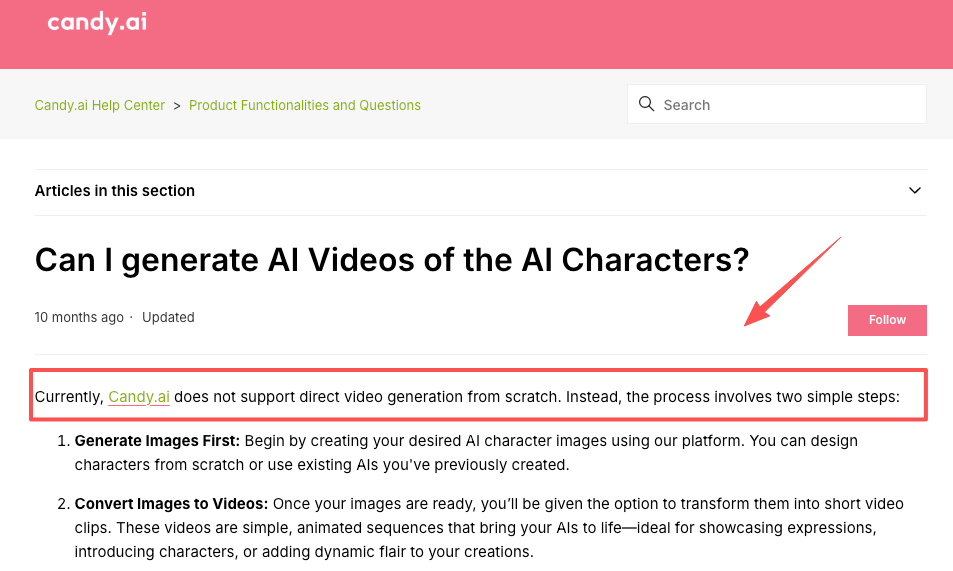
- Companion apps: This is where “does Candy AI make videos” comes up a lot. Per Candy’s own help center, it doesn’t do text-to-video from scratch — it generates an image first, then animates it into short clips. Same image-to-video pattern, different audience.
So what apps do people use to make AI videos beyond these? The working set right now leans on Google Veo, Runway, Kling, and Seedance for raw generation, plus agent-style tools (CrePal among them) that chain scripting, generation, and editing into one flow so you’re directing instead of tool-hopping. The editing controls, chat-to-revise, and multi-step workflow are what separate “fun toy” from “I shipped a client deliverable with this.”
What AI Video Is Good At
Short concepts, social hooks, visual experiments, and pre-viz
I’ll be blunt about where this actually earns its keep, because it’s narrower than the demos imply — and that’s fine.
It’s genuinely great for short stuff: 5–15 second social hooks, B-roll, mood pieces, concept tests. When a client wants to see an idea before approving a real shoot, I can pre-visualize a scene in twenty minutes instead of booking a crew. That used to need three apps open and half a day. Now I write a sentence, sip my coffee, and it’s roughly there.
The sweet spot is “good enough to communicate the idea,” not “final broadcast master.” Treat it as the fastest sketchpad you’ve ever owned and it rarely disappoints.
Current Limits
Long continuity, physics, faces, hands, and exact edits
Now the part the marketing pages skip.
Length is still the wall. Most tools generate short base clips and stretch them by chaining extensions — and quality visibly degrades after a few passes, with the look drifting over time. Real physics is hit-or-miss; models have gotten better at things like a ball rebounding off a backboard, but complex interactions still go uncanny. Faces and hands remain the usual suspects — fine in a wide shot, weird in a close-up.
And precise edits? Still painful. “Make only her scarf blue and leave everything else identical” is the kind of surgical change these tools fight you on. I ran one revision six times last month — three came out clean, three were a mess. Right now prompt phrasing and plain luck both still matter more than I’d like to admit.
So where does that leave you? If you need short, punchy, visual-first content, text-to-video is the fastest path I’ve found. If you need long, controlled, frame-perfect footage, we’re not there yet — and anyone telling you otherwise hasn’t shipped on a deadline. Pick the job that fits the tool, run a real test before you bet a project on it, and you’ll dodge most of the pain I learned the hard way.
FAQ
Does Grok AI make videos?
Yes — through its Grok Imagine feature. As of mid-2026, Grok supports image-to-video generation with synchronized audio on paid plans. It’s stronger at animating a reference image than generating complex scenes purely from text. Check your subscription tier, as video generation is not available on all plans.
Does Candy AI make videos?
Candy AI can generate short animated clips, but it works differently: it first creates an image and then animates it into a brief video. It is not a full text-to-video model like Veo or Kling. It’s more suited for character-focused short animations than complex scene generation.
What apps do people use to make AI videos in 2026?
Popular choices include Runway, Kling, Google Veo (via Gemini or Google Ads), Grok Imagine, and orchestration tools like CrePal that combine multiple models. Many creators also use CapCut or DaVinci Resolve as the final editing layer after generation. The exact mix depends on whether you need speed, control, or commercial rights.
Is there an AI video maker for every need?
Yes — there are now many AI video makers covering different use cases: standalone models (Veo, Kling), chat-based tools (Grok Imagine), avatar platforms (HeyGen), and full workflow tools (Runway, CrePal). The real question is matching the right tool to your specific job — short hooks, product videos, long-form, or faceless content.