It’s Leo. Last month, I burned through a free tier in about eleven minutes. One prompt, one 540p clip, and a watermark parked in the corner like it paid rent. I’d gone in hunting for what the best free AI text to video generators 2026 actually deliver — not a demo reel with a paywall taped to the back.
If you’re reading this, you’ve hit the same wall. The prompt goes through, the preview looks fine, then export locks, or a logo lands on your clip, or your whole free allowance vanishes on one test. So this isn’t a “10 tools, all amazing” list. I ran real prompts through these in May and June 2026, tracked the credits, and checked the export.
Quick version: among the best free text to video ai tools, no hosted platform gives you clean, unlimited, watermark-free output forever. The closest things to truly free are open-source models you run yourself, daily-refreshing credit tiers for testing, and a handful of no-card sign-ups.
What “Free” Actually Means
“Free” is doing a lot of heavy lifting in this category, and the gap between the four meanings is where people get burned.
Free tier, trial, watermark-free export, and no-credit-card access
These are four different things, and a tool can be one without being the others:
- Free tier — a permanent plan with recurring (usually daily) credits. You can keep using it. Kling, Hailuo, and PixVerse work this way.
- Trial — a one-time credit dump, then a paywall. Useful for one curiosity test, useless for ongoing work.
- Watermark-free export — whether the clip leaves the platform clean. This is the one tool most tools quietly reserve for paid plans.
- No-credit-card access — whether you can sign up and generate without handing over payment details up front.
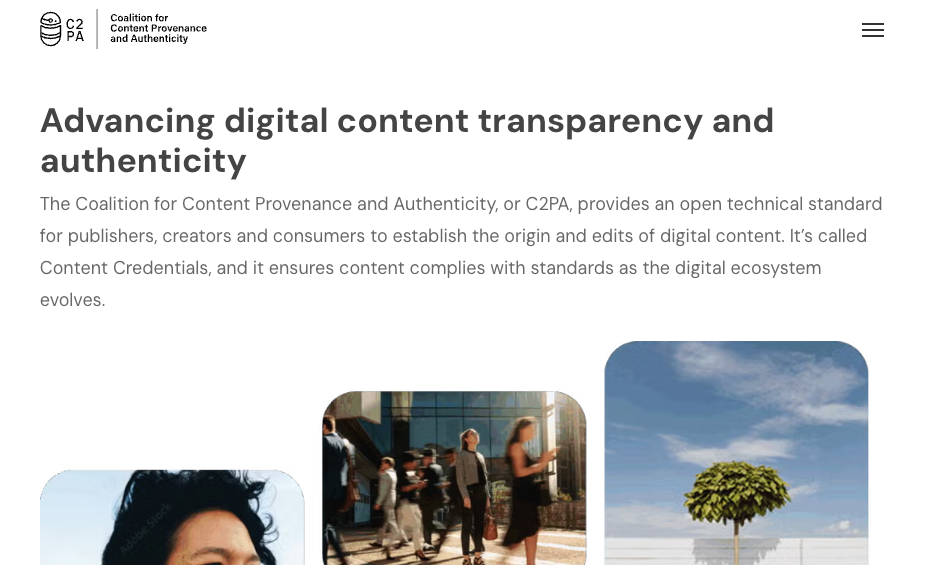
Here’s the part nobody puts on the homepage: even a visually “clean” export can carry an invisible provenance watermark. That’s not paranoia — it’s policy. The EU AI Act, in force across 2026, pushes disclosure of AI media, and the industry’s answer is the C2PA provenance standard backed by Adobe, Google and Microsoft. So “no watermark” and “untraceable” aren’t the same sentence — keep them apart and the rest of this gets clearer.
Best Free Text-to-Video Tools
There’s no single winner among the best free AI text to video generators 2026 has produced — so I’m splitting this by what you’re actually optimizing for, because the “best” tool changes completely depending on whether you need a clean export, no card, or fast social clips.
Best no-watermark option
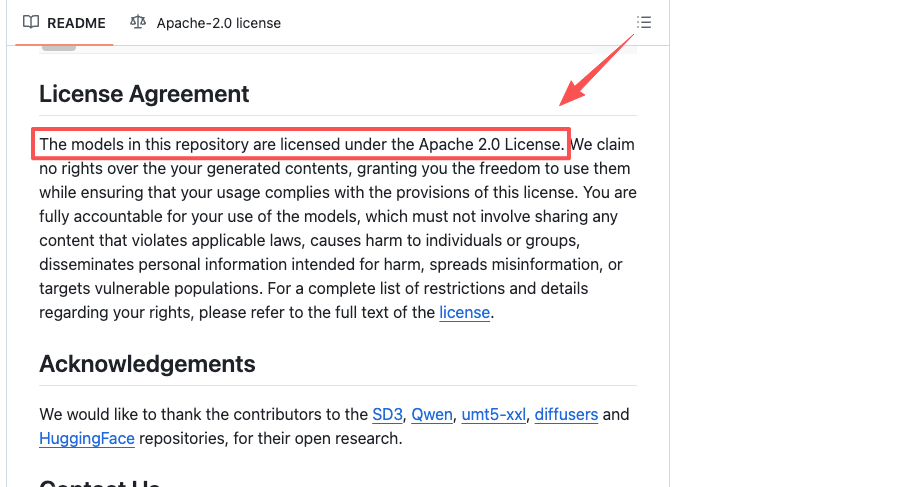
Straight answer: if you want output that is genuinely watermark-free for free — no logo, no asterisk — the only consistent route in 2026 is running an open-source model locally. Alibaba’s Wan series is the one I keep coming back to. The Wan open-source repository on GitHub ships under Apache 2.0, runs on a consumer NVIDIA GPU, and there are no credits, no queue, and no watermark by default. The software is free. Your hardware is the real cost.
That’s the catch. No decent GPU and some patience for setup, and this isn’t your tool. But for anyone after the best completely free ai text to video tools 2026 — the actually-free, actually-clean kind — local open source is the honest answer. Everything hosted is a tradeoff.
Among cloud tools, “no watermark for free” mostly means “watermark removed once you pay ~$7–10/month.” More on that lie-by-omission in the next section.
Best no-credit-card option
Hailuo (MiniMax’s video tool) is my pick. Sign up with an email, no card, and you get daily bonus credits — enough for two to three short clips a day at 720–768p. Those credits refresh, so it behaves like a real free tier, not a one-and-done trial. Free output is watermarked and not licensed for commercial use, but for prompt testing and learning the model’s quirks, it’s one of the more usable no-card setups going.
You’ve got company on the no-card front. Kling (66 credits a day), Google’s Flow studio for Veo, and ByteDance’s Dreamina all let you start without payment details. I rotate between them when I’m stress-testing a concept and don’t want one daily cap to box me in.
Best for quick social clips
PixVerse is what I reach for when I need fast vertical clips and don’t care about a watermark on a draft. The free plan gives you 100 starter credits plus 60 that recharge every 24 hours — that daily top-up is the whole point, because it means you can keep going at a steady pace instead of hitting a one-time wall. Motion is handled well, the style presets are social-friendly, and 540p is honestly fine for a TikTok or Reels test pass.
Two things to watch. Free output is 540p with a watermark, and heavy settings — 1080p, 8 seconds, audio — can eat ~195 credits in one generation. Stick to 540p on the free plan or you’ll torch your daily allowance on a single clip. Done that. Wasn’t fun.
No Watermark Options: The Truth
This is the section the SEO roundups skip, so let me be blunt about it. When you search for the best free ai video generator no watermark 2026, most of the top results are quietly redefining “no watermark” to mean “no watermark, on the plan we want you to buy.”
When watermark-free still comes with quality or usage limits
Three patterns show up over and over once you actually test the exports:
- The watermark removal is the upsell. Kling, Hailuo, PixVerse and Dreamina all watermark free output and unlock clean export on a paid tier. That’s not a scam — $7–10/month for commercial-grade clips is genuinely cheap — but a free tier that watermarks everything is for evaluation, not delivery. Call it what it is.
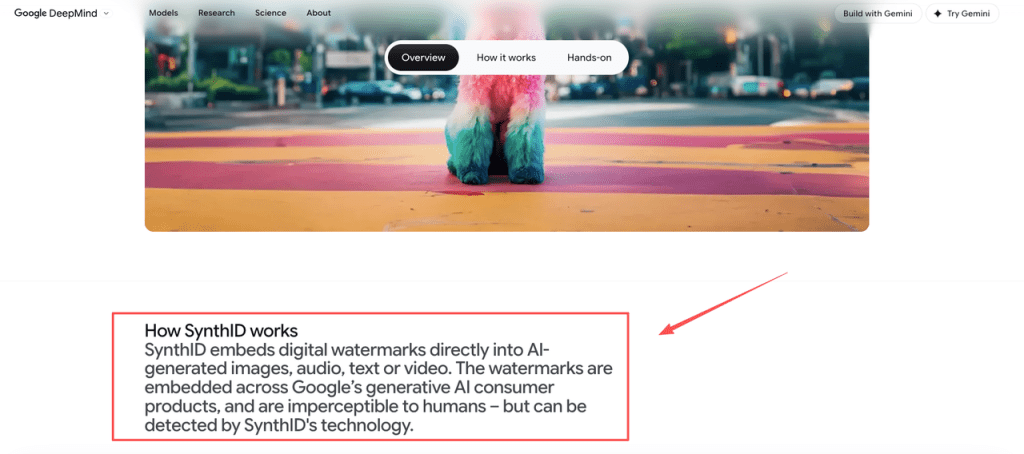
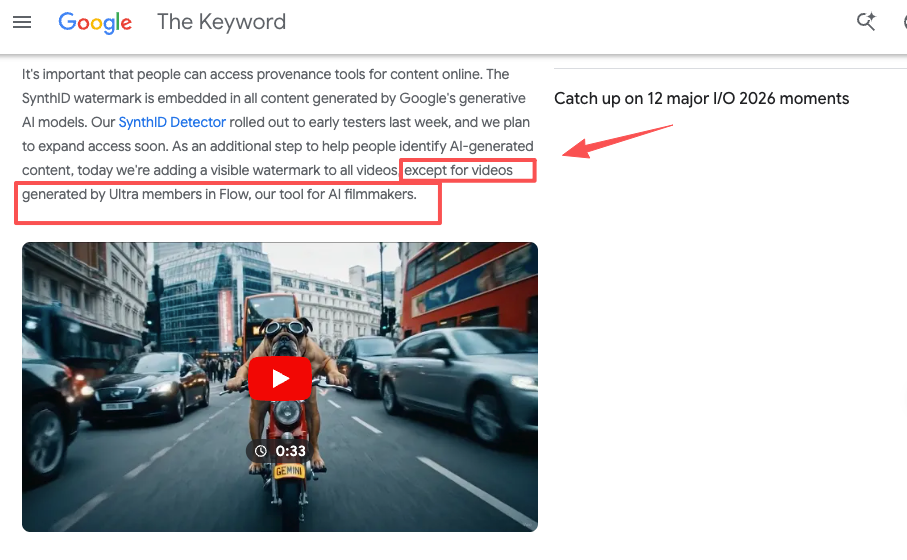
- The invisible watermark never leaves. Google is the clearest case. Every Veo clip carries a SynthID watermark from Google DeepMind, embedded at the pixel level and invisible to the eye. On top of that, Google’s own policy adds a visible watermark to all videos except those made by Ultra members in Flow. So even paid output is “traceable but logo-free,” and free output usually carries both. ByteDance does the same with C2PA marks on Seedance output.
- The “no watermark free” claim often isn’t the official platform. A lot of sites ranking for Seedance “no watermark free” are reseller dashboards wrapping someone’s API, not ByteDance’s actual product — where free and trial output is watermarked. When a claim sounds too generous, check whether it comes from the model’s real owner or a middleman selling you credits.
The regulatory direction matters here too. With the EU AI Act’s transparency obligations ramping through 2026, expect more invisible provenance marking, not less — across free and paid tiers alike. The visible logo is negotiable. The provenance signal increasingly isn’t.
Free-Tier Limits Compared
Watermark is only one of five walls you’ll hit. Here’s how the main free tiers actually stack up, based on my own test runs and each platform’s current public terms (verified June 2026 — these change constantly, so re-check before client work).
| Tool | Free credits | Max resolution (free) | Clip length | Watermark on free | Credit card to start |
| Hailuo (MiniMax) | Daily refresh (~2–3 clips) | 720–768p | up to ~6–10s | Yes | No |
| Kling | 66 credits/day (no rollover) | 720p | 5s | Yes | No |
| Google Veo (Flow) | ~50 credits/day (+100 first use) | up to 1080p | ~8s | Visible + SynthID | No |
| PixVerse | 100 + 60/day | 540p | ~5s | Yes | No |
| Seedance (Dreamina) | Shared daily token pool | up to 1080p | 5s | Yes + C2PA | No |
| Wan 2.x (local) | Unlimited (your GPU) | VRAM-dependent | Render-dependent | None | No (runs locally) |
Export quality, queue time, length, and account restrictions
The table misses the friction. Queue time: free users sit in the slow lane, and at peak a Kling generation can stall near completion. Length: most cap free clips at five seconds — enough to test a look, not finish a scene. Credit math: the newest models (native audio, higher res) cost several times more credits, so “6 videos a day” becomes one or two. Account rules: most free tiers forbid commercial use outright — the line that trips up freelancers who assumed a clean clip was safe to bill for.
When Paid Is Worth It
I’ll squeeze a free tier until it squeaks. But there’s a point where free stops saving money and starts costing time, and spotting it early is its own skill.
Signs a free tool is blocking your workflow
You’ve crossed the line when:
- You’re re-running prompts just to dodge the watermark, or screen-recording to crop a logo out. That’s unpaid labor.
- You’re juggling three or four free accounts across tools to stitch one project together, and the coordination is eating more hours than the generation saves.
- The five-second cap or 540p ceiling is forcing you to fake your way around a limitation a $10 plan would erase.
When the bottleneck is no longer “can the model do it” but “can I get a clean clip out without a workaround,” paying for one tool beats babysitting five free ones.
Worth naming the one problem free clip generators don’t solve at any price: stringing script, shots, generation, edits and export into one pass. That’s the gap CrePal works in — less “another free generator,” more a director layer that orchestrates the steps so you stop tool-switching. Its paid tiers include watermark-free export and multiple models in one place; its free plan exists, but the public pages don’t spell out watermark behavior for every workflow, so verify that before any client delivery. If your problem is “I can generate clips fine, I just can’t assemble them without ten tabs open,” that’s the upgrade that pays for itself.
FAQ
How many daily generations can I realistically get on Hailuo free tier?
Hailuo free tier usually gives enough for 2–4 short clips per day with daily refresh, depending on length and settings. Higher quality or longer clips (with audio) consume credits much faster. Free outputs are watermarked and not for commercial use. Check current allowance after signup as MiniMax adjusts limits frequently.
Does Google Veo in Flow add invisible watermarks even on paid plans?
Yes. All Veo generations include Google’s SynthID invisible digital watermark embedded in every frame, regardless of tier. It survives cropping and compression. Visible logo may be removed on higher plans, but the traceable SynthID remains for provenance and compliance.
What hardware do I need to run Wan open-source locally for unlimited free video?
Wan 2.x models typically need an NVIDIA GPU with 12–24GB VRAM (RTX 3060/4070 minimum for lighter versions, 4090 recommended for better quality/speed). Setup uses ComfyUI or similar. Generation time is several minutes per clip on consumer hardware.
Can I use free tier clips for commercial or client work?
Almost never. Most platforms (Kling, Hailuo, PixVerse, etc.) explicitly forbid commercial use on free/watermarked tiers. Even clean paid exports may have usage restrictions. Always read the terms — violating them risks account ban. Local open-source Wan offers the clearest commercial rights.
So that’s the real map of the best free AI text to video generators 2026 actually offers. Want to learn a model and test ideas? Grab a no-card daily tier and iterate. Need genuinely watermark-free output for free? Get comfortable with local open source. And the moment you’re fighting your tools instead of using them, that’s not a sign to find a better free option — it’s a sign the free part has done its job. Go run a real project through one this week and watch where it breaks. That’s the only test that tells you the truth.
Previous posts: