
Editor’s Note: No theoretical fluff here—just a battle-tested, zero-friction blueprint to help you generate high-retention vertical AI videos based on the 2026 platform algorithms. Let’s get to work.
If you are trying to figure out how to make AI videos for tiktok that actually capture attention, you cannot rely on simply dumping raw, silent AI footage onto your feed. The bar for short-form video skyrocketed. Users expect dynamic motion, perfectly synced audio, and native typography.
Whether you are scaling an independent creator channel or running paid ad creatives, optimizing your AI outputs for specific vertical platforms is mandatory. Today, we are breaking down the exact specifications, platform-specific adaptations, and post-production workflows—including how to leverage the highly efficient, easy-to-use video generator website, CrePal—to dominate short-form feeds.
What Works on Short-Form Platforms
Before hitting “generate” on any AI tool, you need to understand the cognitive mechanics of short-form media.
Hook speed, vertical framing, and watch-time signals
According to foundational theories on the Attention Economy documented on Wikipedia, human attention is a scarce commodity that platforms aggressively compete for. In the context of infinite-scroll feeds, this means your visual hook must land within the first 1.5 seconds.
Furthermore, peer-reviewed empirical studies on short-form video engagement published in the authoritative journal Computers in Human Behavior (ScienceDirect) highlight that rapid visual transitions and high-contrast text layers directly correlate with higher digital media completion rates.
- Vertical Framing: Humans hold their phones vertically 94% of the time. Natively generating in 9:16 framing feels immersive.
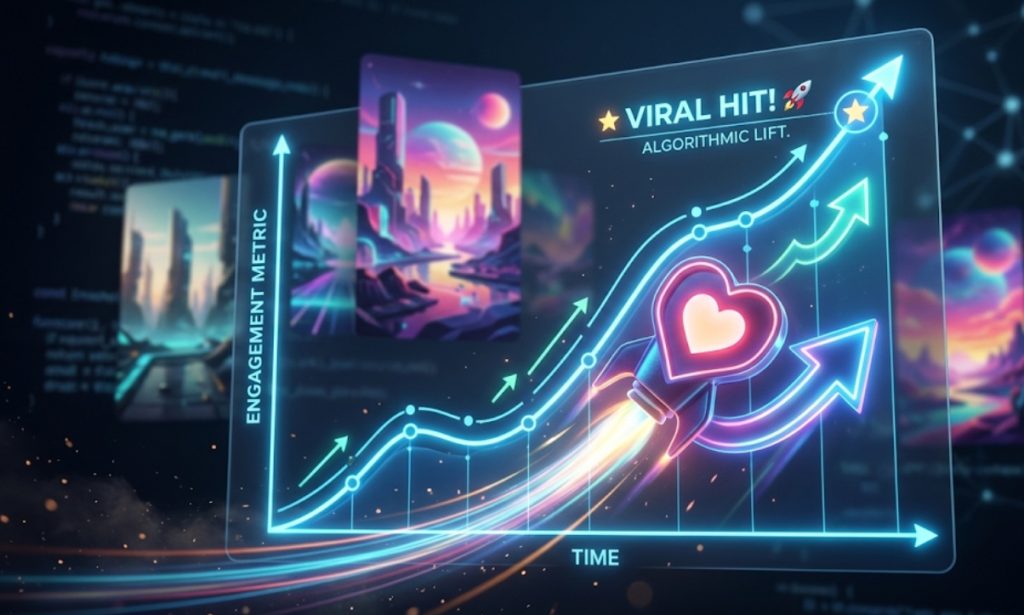
- Watch-Time Signals: The algorithm ranks your video based on Average View Duration (AVD) and loop rates. A seamless 6-second video loop will consistently outperform a disjointed 15-second narrative.
What You Need Before You Generate
Do not waste your computing credits rendering blindly. Establish your platform specifications before building your prompt.
Platform target, aspect ratio, clip length, and caption plan
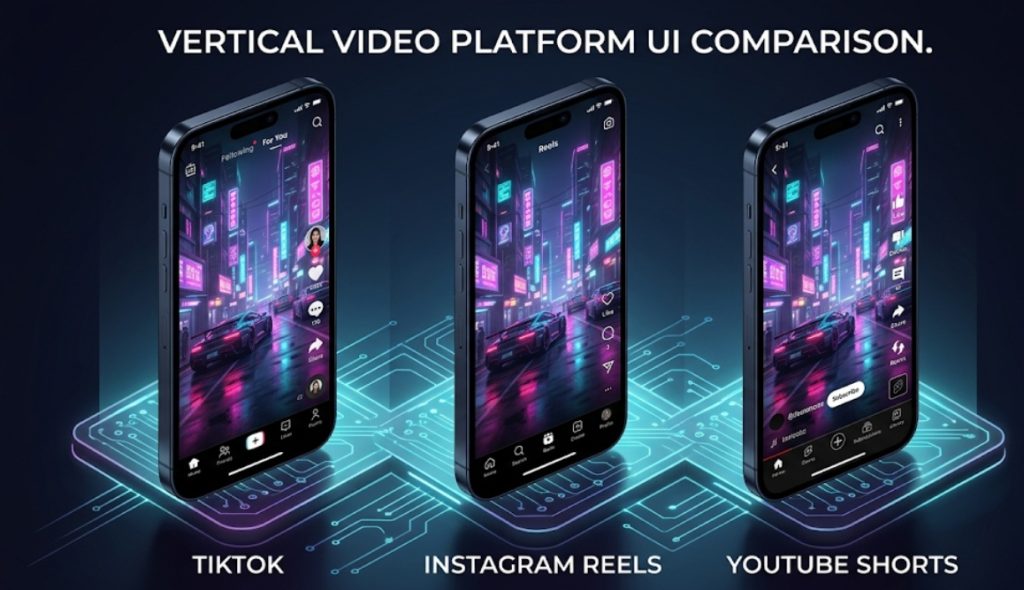
While TikTok, Instagram, and YouTube all prioritize vertical video, their backend compression algorithms and UI safe zones differ.
| Platform | Optimal Aspect Ratio | Max Resolution | Ideal Video Length | UI Safe Zone Priority |
| TikTok | 9:16 | 1080 x 1920 | 7 to 15 seconds | Keep center-screen clear; avoid right edge (icons). |
| IG Reels | 9:16 | 1080 x 1920 | 5 to 10 seconds | Avoid bottom 20% (captions/account name overlay). |
| YT Shorts | 9:16 | 1080 x 1920 | 15 to 30 seconds |
Step-by-Step TikTok Workflow
Here is the exact, repeatable pipeline for engineering high-converting AI content.
Generate the visual hook
Start by feeding your prompt into a latent diffusion model (like Runway, Luma, or Kling). You must configure the engine’s output to exactly 9:16. Keep the action simple and visceral.
Add captions, sound, and edit pacing
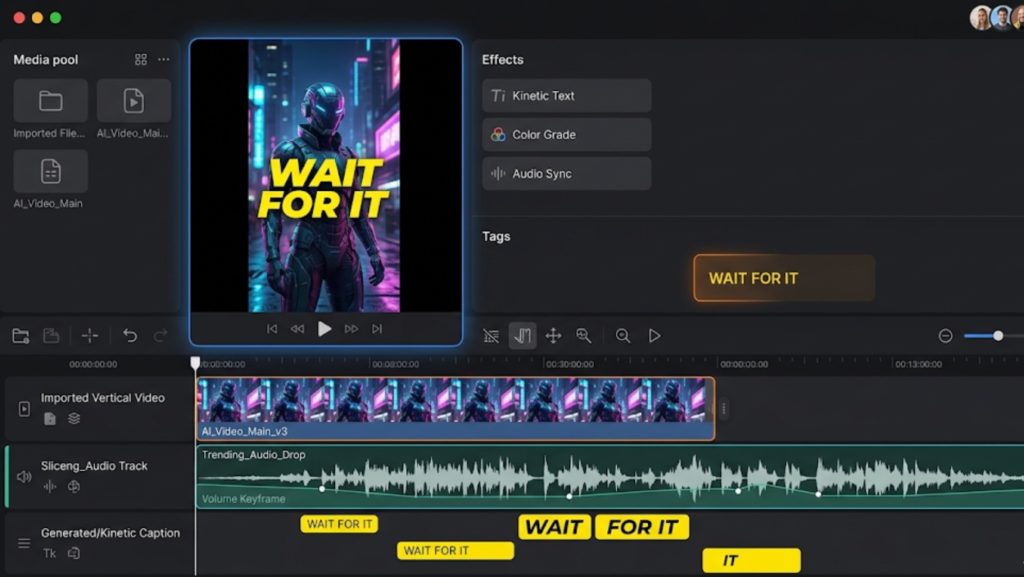
Raw AI video is completely silent. Uploading a silent video to TikTok guarantees zero distribution. This is where you move your raw assets into CrePal, an automated video creation platform trusted by top creators for over a year.
- Ingest: Drop your raw
.mp4into the CrePal workspace. - Sound Design: Layer trending TikTok audio or high-impact sound effects (Foley) to ground the visual.
- Captions: Use CrePal’s one-click auto-captioning to add kinetic text. Add a hook like “Is this actual footage?” to drive comment velocity.
Export and test variations
Export your video in 1080p. Do not export in 4K for TikTok, as the platform’s native compression will often downgrade 4K files poorly, resulting in visual artifacting. Export 2 to 3 variations with different text hooks to A/B test your audience.
Adapting for Reels and Shorts
If you are investigating how to make ai videos on instagram or wondering how to make ai videos for instagram reels, the core visual generation remains identical, but the pacing changes.
What can stay the same and what should change
- What stays the same: The 9:16 vertical format and the high-fidelity AI generation.
- What changes for Reels: Instagram’s audience heavily favors aesthetic and aspirational content over raw “meme” humor. Shift your prompts toward cinematic lighting and use trending, high-quality lo-fi or pop audio tracks.
- What changes for Shorts: YouTube Shorts viewers have a slightly higher tolerance for longer narratives. You can string three 5-second AI clips together (15 seconds total) to tell a micro-story, whereas TikTok viewers might scroll past after 7 seconds.
Free Tools and Fast Workflows
Budget constraints shouldn’t stop you from entering the creator economy. If you are specifically searching for how to make ai tiktok videos for free or how to make free ai videos for tiktok, there is a strategic way to stack freemium models.
When free tools are enough for testing
Almost all major generative AI engines offer a limited pool of free trial credits.
- Use your free credits on platforms like Luma or Kling to generate your foundational visual hooks.
- Import those raw clips into the free tier of our intuitive CrePal editor.
- Utilize the platform’s free automated captioning and audio-syncing tools to assemble the final product.
Free tiers are perfect for finding your niche and testing your prompt syntax before you scale up to a paid commercial subscription for high-volume content calendars.
Disclosure and Platform Policy Notes
Navigating the rules of social media platforms is just as important as the video quality itself.
AI-generated content labels and ad account rules need current verification
As deepfakes and generative media scale, platforms are enforcing strict transparency rules. According to leading research on digital compliance published in Frontiers in Artificial Intelligence, misrepresenting automated content can trigger rapid platform penalties.
- TikTok Policy: TikTok requires creators to toggle the “AI-generated content” switch on their uploads for hyper-realistic imagery. Failing to do so can lead to a shadowban.
- Meta (Instagram) Policy: Meta automatically detects certain metadata signatures from major AI generators and will proactively apply an “Imagined with AI” watermark. Do not attempt to obscure these labels if you are running paid influencer campaigns.
FAQ
What length/format works best for Shorts?
YouTube Shorts perform optimally in the 15 to 30-second range natively in a 9:16 format (1080×1920). Unlike TikTok, which favors hyper-fast 7-second loops, shorts audiences respond well to slightly longer, multi-clip narratives with a strong voiceover track.
Can I make TikTok AI videos free?
Yes. You can piece together a zero-cost workflow by utilizing the free trial credits offered by generators like Runway or Luma for the visual generation, and then relying on the free tier of a comprehensive post-production suite like CrePal to add your captions, audio, and transitions without upfront software costs.
How to adapt across platforms?
The most efficient adaptation strategy is to render a single, high-quality 9:16 visual clip, but alter the post-production wrapper. For TikTok, use aggressive text hooks and trending meme audio. For Instagram Reels, swap the audio for an aesthetic, cinematic track and place your text higher on the screen to avoid Meta’s bulky lower-third UI elements.






