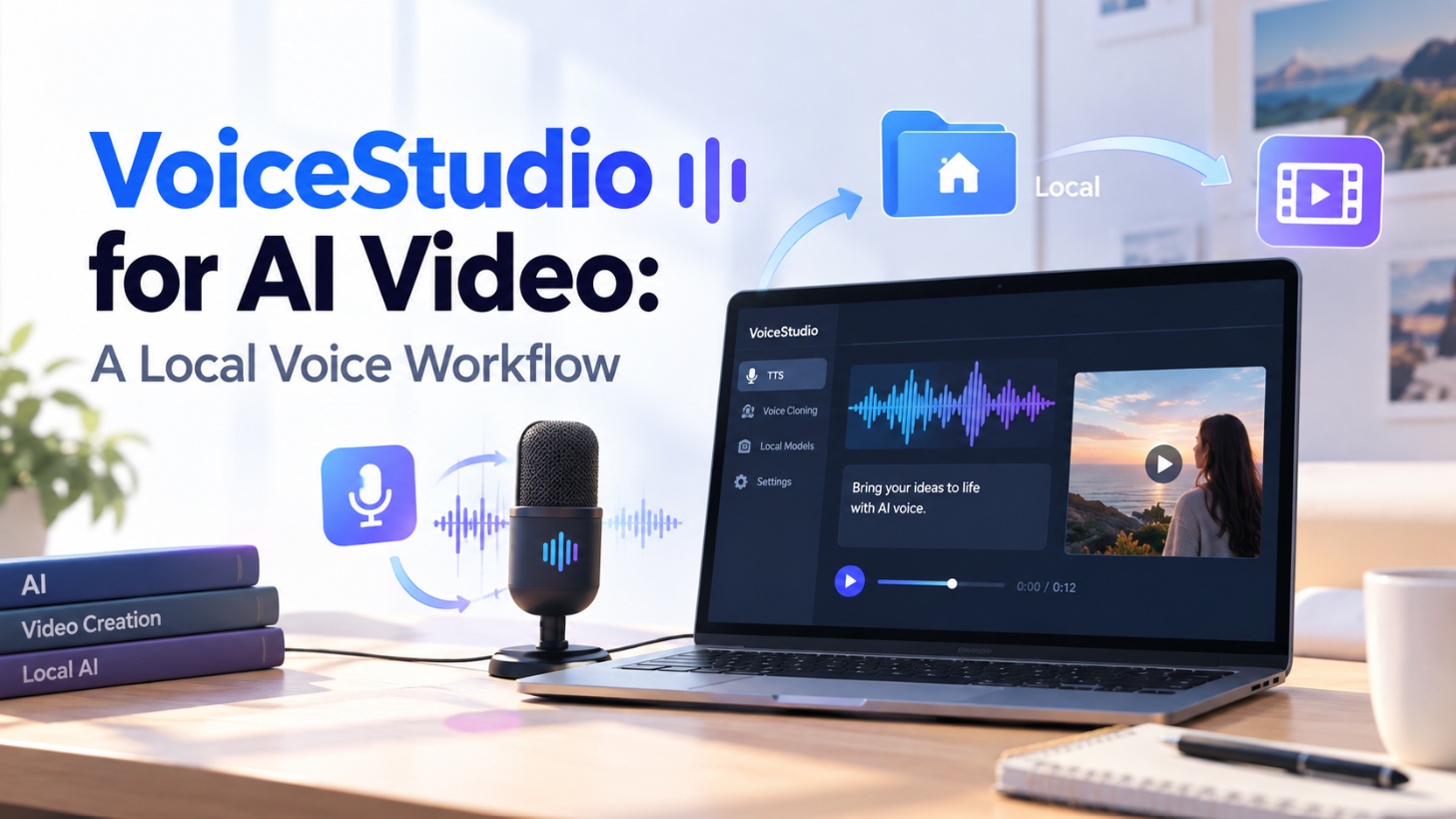
Editor’s & Operational Methodology Note :Running local text-to-speech and voice-cloning engines eliminates ongoing SaaS API token fees and third-party cloud data exposure. However, creators frequently mistake synthetic audio generation for a finished commercial video cut. This operational guide establishes a rigorous, production-grade workflow bridging VoiceStudio—an AGPL-3.0 open-source desktop and local API suite developed by Palash Debnath (debpalash/VoiceStudio on GitHub)—with video editing timelines.
Compliance & Legal Notice: Biometric voice cloning and reference audio ingest require explicit, documented consent from the voice talent. Unauthorized cloning, likeness impersonation, and deceptive dubbing violate software licensing and international publicity rights. This article does not constitute legal counsel.
For technical creators, commercial motion designers, and video editors, moving speech generation to local hardware has become an essential strategy. Relying on centralized cloud voice platforms introduces recurring per-character billing, potential data retention on proprietary voice models, and sudden rate throttling during crunch-time exports.
Yet, raw local audio synthesis is only half the battle. A freshly synthesized dialogue track is an unmastered stem, not a finished video cut. Unchecked sibilance, slight timing misalignments against visual keyframes, and robotic pacing across sentence transitions can instantly ruin an otherwise cinematic video sequence.
VoiceStudio has emerged as a comprehensive open-source local audio workstation. Offering an Electron-based desktop interface, local REST/WebSocket APIs, and an OpenAI-compatible TTS server across 16 pluggable TTS engines and 11 ASR engines, it brings multi-lingual speech tools into a private environment.
This guide details the end-to-end procedural workflow for executing an authorized VoiceStudio AI video voice task, inspecting the output for timeline readiness, and handing off clean assets to your video editor.
Define One Authorized Voice Task
Before launching a local inference engine, you must define the acoustic scope and verify authorization. Attempting to generate dialogue without clear constraints leads to endless re-rolls and timing mismatches.
┌────────────────────────────────────────────────────────────────────────┐
│                      Voice Task Decision Matrix                        │
├───────────────────┬────────────────────────────────────────────────────┤
│ TASK TYPE         │ OPERATIONAL CONSTRAINTS                            │
├───────────────────┼────────────────────────────────────────────────────┤
│ 1. Narration / VO │ • Script-driven, flexible pacing                   │
│                   │ • Prioritizes timbre consistency and clean cadence │
│                   │ • Output: Continuous master dialogue stem          │
├───────────────────┼────────────────────────────────────────────────────┤
│ 2. Video Dubbing  │ • Video-driven, rigid frame-accurate boundaries    │
│                   │ • Prioritizes lip-flap timing & transcript sync    │
│                   │ • Output: Segmented audio stems matched to cuts    │
└───────────────────┴────────────────────────────────────────────────────┘
Choose Voiceover or Dubbing
- Voiceover (VO): Best suited for product explainers, animatic scratch tracks, and documentaries. Spoken pacing dictates the visual rhythm; visual scenes are later cut to match vocal transients.
- Dubbing: Used when replacing or translating an existing on-screen actor’s dialogue. Here, the synthesized speech must conform strictly to existing visual scene cuts and mouth movements.
Prepare the Script and Reference Audio
For voice cloning via VoiceStudio’s From Audio tab, the reference file determines synthesis quality:
- Reference Audio Hygiene: Ingest a 5- to 15-second mono
.WAVfile recorded in a dry acoustic environment. The sample must have a Signal-to-Noise Ratio (SNR) above 45 dB, free from background music, room reverberation, or aggressive compression. - Explicit Consent Logging: Maintain a countersigned biometric release form from the voice owner specifying project scope, platform distribution rights, and non-commercial or commercial usage parameters.
- Script Text Conditioning: Remove visual brackets (e.g.,
[Scene 02: Cut to product]). Expand abbreviations, currencies, and technical terms into plain phonetic English (e.g., replace$45Mwith “forty-five million dollars” and write “Kree-Pal” for “CrePal”).
Set Up the Local VoiceStudio Path
VoiceStudio provides pre-built desktop binaries for macOS (Apple Silicon MPS/MLX), Windows x64 (CUDA), and Linux, as well as a local development path.
| Runtime Engine | Compute Backend | Target Hardware Profile | Production Fit |
| OmniVoice (Default) | CUDA / MPS / CPU | RTX 3060 (12GB) / Apple M-Series | Fast general narration, low VRAM footprint |
| ChatTTS / CosyVoice | CUDA / ROCm | RTX 4080/4090 (16GB–24GB VRAM) | High emotional expressiveness, conversational dialogue |
| OpenAI-Compatible API | Localhost Port 8000 | Automated script queues / pipelines | Headless batch generation from terminal scripts |
Navigate to Model Catalogue (Ctrl+E or Cmd+E) and verify your hardware acceleration is active. The engine matrix will sort available engines based on detected GPU drivers, preventing out-of-memory (OOM) crashes during generation.
Generate and Review One Voice Track
Navigate to the Voice workspace. Depending on your licensing status, choose From Audio (cloning with consent) or By Design (synthetic voice persona generated from descriptive prompts).
┌────────────────────────────────────────────────────────────────────────┐
│                   VoiceStudio Generation Pipeline                      │
├────────────────────────────────────────────────────────────────────────┤
│ INPUT SCRIPT ──► VoiceStudio (Desktop UI or Local REST API)            │
│                         │                                              │
│                         ├──► Generate Single Pass                      │
│                         │                                              │
│                         ├──► Acoustic Audit Gate                       │
│                         │    • Consonant Sibilance (6–8 kHz)           │
│                         │    • Phonetic Glitches / Dropped Words       │
│                         │    • Cadence Pacing (< 4.5 syllables/sec)    │
│                         │                                              │
│                         └──► VERIFIED AUDIO STEM (48kHz WAV Export)     │
└────────────────────────────────────────────────────────────────────────┘
Check Pronunciation, Timing, and Speaker Match
Immediately audition the generated audio through flat studio monitor headphones:
- Acoustic Intelligibility: Verify that proper nouns and branded acronyms do not slur. If a word sounds distorted, insert explicit phonetic respellings into the text input.
- Cadence & Breath Realism: Ensure sentence boundaries feel organic. If the delivery sounds rushed, add commas (inducing a ~250ms pause) or ellipses to force natural breath intervals.
Reject Unclear or Unlicensed Results
Apply strict quality control gates before accepting a take:
| Quality Gate | Failure Symptom | Actionable Production Remedy |
| Sibilance Distortion | Piercing /s/ and /t/ consonants | Lower model guidance scale; apply dynamic de-esser at 6.5 kHz. |
| Phonetic Hallucination | Dropped syllables or synthetic sighs | Re-seed inference; add phonetic hyphenation to complex words. |
| Speaker Drift | Tone changes noticeably between sentences | Re-anchor reference clip; ensure reference audio transcript is 100% verbatim. |
Hand the Audio Into the Video Draft
VoiceStudio outputs high-quality uncompressed audio. However, raw speech assets must be integrated cleanly into your non-linear video editor (Premiere Pro, DaVinci Resolve, or Final Cut Pro).
┌────────────────────────────────────────────────────────────────────────┐
│                   NLE Video Timeline Track Layout                      │
├────────────────────────────────────────────────────────────────────────┤
│ V2 [OVERLAY]  ├── Subtitle / Title Graphic Cards ────────────────────┤ │
│ V1 [VIDEO]    ├── Generated AI Video Takes (Scene 01 ➔ Scene 04) ────┤ │
│ A1 [DIALOGUE] └───────────── Master VoiceStudio Stem (48kHz WAV) ────┘ │
│ A2 [SFX/BGM]  └───────────── Ducked Ambient Background Track ────────┘ │
└────────────────────────────────────────────────────────────────────────┘- Format Standardization: Export your synthesized audio from VoiceStudio as an uncompressed 48 kHz / 24-bit linear PCM
.WAVfile to match broadcast video timeline standards. - Dialogue Placement (Track A1): Lay the master dialogue stem onto Audio Track 1. When creating an animatic or explainer, allow the vocal cadence to guide where visual cuts occur on Video Track 1.
- Automated Audio Ducking: When layering ambient background music on Audio Track 2, apply sidechain compression ducking: lower the music bed by
-6 dB to -10 dBwhenever speech is present on Track A1.
When production teams build complex, multi-scene video campaigns requiring coordinated visual generation, they route approved dialogue stems into specialized video orchestration environments like CrePal. Within CrePal, creators utilize an AI Director workflow to align scene-by-scene script breakdowns, manage visual consistency across generative models (such as MiniMax or Google Veo), and lock scene timings directly to the pre-mastered voiceover stem.
Know Where Local Processing Helps and Where It Stops
Operating a local voice pipeline offers distinct advantages, but creative directors must respect its technical and architectural boundaries:
| Dimension | Where VoiceStudio Excels | Where Local Processing Stops (Studio Boundaries) |
| Data Privacy | 100% offline execution; audio never leaves your local hardware. | Cloud teams cannot collaborate live without local network port-forwarding. |
| Operating Cost | Zero per-character token fees; unlimited draft renders. | High initial local GPU hardware overhead (requires 12GB–24GB VRAM). |
| Workflow Scope | Speech-to-text, cloning, dubbing, and timed subtitle prep. | Does not assemble video timelines, render visual pixels, or master final video. |
| Licensing | Application code is open under AGPL-3.0. | Individual model checkpoints carry their own distinct upstream license terms. |
FAQ
Does VoiceStudio support batch generation for multi-scene scripts?
Yes. Through its batch job features and local OpenAI-compatible API endpoint (/v1/audio/speech), developers can pass structured JSON arrays to synthesize dialogue across multi-scene scripts programmatically.
Can VoiceStudio reuse speaker profiles between dubbing projects?
Yes. VoiceStudio saves analyzed speaker embeddings and reference recipes into a local profile library, allowing you to cast the same voice profile across multiple project sessions without re-analyzing the reference audio.
Which audio formats can VoiceStudio export for video editors?
VoiceStudio supports uncompressed .WAV (PCM), .FLAC, and web-compressed .MP3 exports. For video timeline assembly, always export uncompressed 48 kHz .WAV to maintain broadcast timeline synchronization.
Does VoiceStudio expose pronunciation controls for branded names?
The Dubbing workspace includes a glossary and transcript editor, but for direct text-to-speech cloning, pronunciation is guided via phonetic spelling directly within the input prompt string.
Can a VoiceStudio profile move between computers safely?
Yes. Speaker profiles and project configuration files are stored locally in application directories. You can copy the profile assets and reference audio files to another machine running VoiceStudio, provided matching engine dependencies are installed.
Conclusion
The VoiceStudio AI video workflow gives technical creators and independent studios complete sovereignty over synthetic voice production. By managing voice cloning and narration locally, teams eliminate recurring cloud API bills while ensuring sensitive client scripts remain strictly private.
However, professional results depend on maintaining disciplined production boundaries: securing signed consent for voice references, validating phonetics, standardizing audio containers to 48 kHz BWF, and utilizing downstream platforms like CrePal to anchor visual storytelling to spoken pacing. When integrated with care, local voice synthesis becomes one of the most powerful leverage points in the modern video creator’s stack.