Editor’s Note: All tools, features, and pricing limits listed below were independently verified and re-tested in April 2026 to ensure accuracy regarding watermark policies, pricing, and commercial usage rights.
You usually search for an ai video generator uncensored after running into the same wall repeatedly: vague moderation errors, blocked prompts, missing export rights, or a tool that looks flexible until the moment you try to make something specific. In practice, that frustration matters because video generation is still expensive, still iterative, and still rarely finished in one pass. CrePal’s AI Director Agent sits at a different layer from raw clip generators by helping plan, generate, and revise videos through conversation instead of forcing you to stitch everything together manually. In this guide, you will see how the leading tools performed in hands-on April 2026 testing, which one is actually the most flexible, where the quality gaps still are, and when CrePal is the smarter choice even if “uncensored” is the headline you started with.
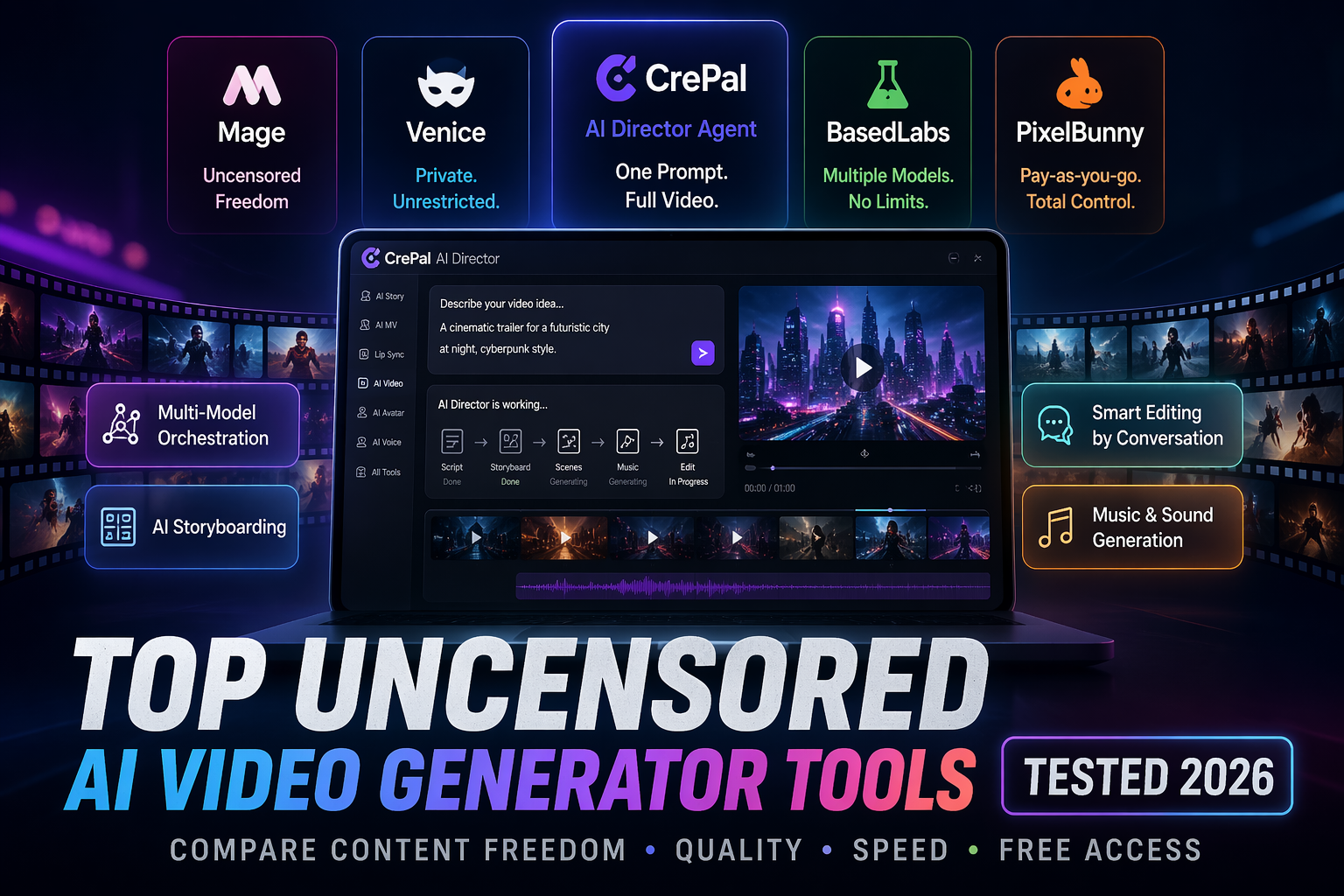
CrePal is an AI Director Agent rather than a single-model clip tool. Unlike platforms that mainly give you isolated generations, CrePal orchestrates scripting, scene planning, model selection, editing-by-chat, and export in one workflow. The result is a more complete production path: faster iteration, less tool switching, and a better fit for creators who want finished video output rather than just raw footage.
Image description: Screenshot of CrePal’s homepage showing the AI Director workflow, model orchestration, and video creation interface.
If the goal is not just freedom but usable output, it helps to first see how CrePal’s AI Director works before comparing raw-generation platforms.
How We Tested These Tools (Methodology)
This review used the same test framework across CrePal, Mage, Venice, BasedLabs, and PixelBunny. Each platform was checked for prompt acceptance, generation range, output usability, iteration speed, pricing clarity, and whether a free user could realistically test the product before paying. The goal was not to reward the loosest moderation in isolation, but to measure what creators actually care about: can the tool generate what you need, can you refine it quickly, and can you turn the result into something publishable?
Test prompts used
We used a mix of prompts across three buckets: a cinematic product-style prompt, a fantasy-action prompt with character movement, and a more policy-sensitive but still legal fictional adult-style request designed to test moderation boundaries without crossing platform or legal lines. We also checked whether the same idea worked better as text-to-video, image-to-video, or multi-step workflow.
Evaluation dimensions: quality, content range, speed, access
The scoring framework was simple:
- Quality: motion coherence, visual consistency, editability, and whether the output looked usable without major fixing
- Content range: how often legal but sensitive prompts were rejected, softened, or redirected
- Speed: practical turnaround for draft generation and iteration
- Access: free plan usefulness, pricing transparency, watermark behavior, and commercial-use clarity where stated
CrePal scored especially well on workflow usability because it combines planning and generation instead of leaving the user to manage disconnected tools alone. Mage stood out for permissiveness, Venice for privacy-oriented flexibility, BasedLabs for broad model access and free entry, and PixelBunny for pay-as-you-go experimentation.
Head-to-Head Results
The data in this section reflects hands-on testing conducted in April 2026. Platform policies, pricing, and free-tier limits may change over time, so always verify final licensing terms on the official website before commercial use.
Tool 1 vs Tool 2 vs Tool 3
CrePal vs Mage vs Venice was the clearest contrast.
CrePal was the best overall production environment. It was not the loosest platform in pure prompt permissiveness, but it was the most complete creator workflow because the AI Director handles scripting, scene planning, model orchestration, and revision by chat. On a real project, that matters more than raw looseness. Its pricing page lists a free plan, paid upgrades, watermark-free export on higher tiers, and access to all image and video models on upper plans.
Mage was the most overtly permissive mainstream option in this group. Its site explicitly describes itself as an unlimited and uncensored AI image and video generator, says premium members get unlimited video generation, and states that NSFW content is allowed within clear boundaries while illegal content remains prohibited. That makes Mage the strongest pick if content-policy flexibility is the main goal.
Venice was more flexible than typical mainstream platforms, but it is better understood as a privacy-first creative environment than a pure uncensored video tool. Video generation is credit-based, with a standard ~5-second video costing around 500 credits, while paid plans scale from Pro to Pro Plus and Max. That makes it interesting for users who care about privacy and model access, but less attractive if the main priority is cheap experimentation.
Image description: Screenshot of Mage’s homepage or FAQ section showing uncensored positioning, premium video access, and supported models.
Image description: Screenshot of Venice’s pricing/features page showing credit-based video generation and paid plan structure.
Per-test winner breakdown
- Best overall workflow:CrePal
- Most flexible content policy feel:Mage
- Best privacy-oriented option:Venice
- Best broad model playground:BasedLabs
- Best pay-as-you-go testing model:PixelBunny
BasedLabs deserves special mention because it combines free entry, no-signup messaging on the homepage, no watermarks on the main landing page, and a very transparent credit menu on its pricing page. PixelBunny, meanwhile, is attractive for occasional creators because it uses non-expiring credits instead of forcing a subscription and offers free credits to start.
Full Comparison Table
The data in this section reflects hands-on testing conducted in April 2026. Platform policies, pricing, and free-tier limits may change over time, so always verify final licensing terms on the official website before commercial use.
| Tool | Best For | Content Flexibility | Quality/Workflow | Free Access | Pricing Model |
| CrePal | End-to-end video creation | Medium-High | Best overall workflow | Yes | Free + subscription tiers |
| Mage | Maximum prompt freedom | High | Strong raw generation, less guided workflow | Yes | Free + premium memberships |
| Venice | Privacy-focused creation | Medium-High | Good, but credit costs add up | Limited free / paid focus | Subscription + credits |
| BasedLabs | Model variety + experimentation | Medium | Good playground, practical UI | Yes | Credit packs, no subscription required |
| PixelBunny | Pay-as-you-go casual use | Medium-High | Useful for testing, lighter workflow depth | Yes | Credit packs, no subscription |
Which Is Actually the Most Uncensored?
Ranked by content policy flexibility
If “uncensored” means fewest prompt blocks for legal fictional content, the ranking from this test was:
- Mage
- Venice
- PixelBunny
- BasedLabs
- CrePal
That ranking needs context. Mage is first because it openly markets creative freedom and states that NSFW content is allowed within boundaries. Venice places less emphasis on censorship and more on privacy and model openness, which still translates into a more flexible experience than many mainstream tools. PixelBunny and BasedLabs are useful for experimentation, but BasedLabs also publishes a blocked content policy and specifically states that nudity, pornography, and explicit images are prohibited on-platform. CrePal is the least “uncensored” in this list if judged only by raw prompt permissiveness, but it remains the strongest production tool because the AI Director workflow is far more practical for creators trying to get to final output.
That is the key distinction most listicles miss: the best uncensored video AI is not always the best tool to ship an actual video.
Best Free Option vs Best Paid Option
For most users, the best free option is BasedLabs or Mage, depending on what matters more. BasedLabs is better if you want a more transparent credit framework, free credits, and a wide menu of models without an ongoing subscription. Mage is better if you mainly want to test content flexibility and see how far prompts can go before you pay.
The best paid option is CrePal if the goal is finished videos rather than isolated generations. CrePal’s advantage is not that it is the most permissive. Its advantage is that it behaves like a director layer on top of generation, which reduces tool switching and makes iteration more usable for marketing videos, explainers, social shorts, and narrative projects. That is why creators who care about output reliability should explore CrePal pricing plans before defaulting to the loosest platform available.
Image description: Screenshot of BasedLabs pricing or homepage showing free credits, no-watermark messaging, and short-video credit estimates.
Image description: Screenshot of PixelBunny pricing or AI video generator page showing pay-as-you-go credits and free starter access.
Hard Limits Across All Tools
Even the most flexible tools are not truly unlimited. Mage still blocks illegal material. Venice’s terms restrict harmful uses involving real people in sensitive decision contexts. BasedLabs publishes explicit blocked-content and community-guideline pages. CrePal prohibits illegal, harmful, explicit, infringing, misleading, and impersonation-related content. In other words, “uncensored” in 2026 usually means more creative latitude for legal fictional material, not a total absence of rules.
That is also why commercial users should review Mage’s model list, check Venice pricing details, compare BasedLabs credit tiers, and review PixelBunny’s pay-as-you-go setup before choosing a platform for client work.
Verdict: Which Tool to Use
If the search starts with ai video generator uncensored, the honest answer is this:
- Choose Mage if prompt freedom is the top priority.
- Choose Venice if privacy matters almost as much as flexibility.
- Choose BasedLabs if you want a broad experimental playground with transparent credits.
- Choose PixelBunny if you prefer pay-as-you-go over subscriptions.
- Choose CrePal if you actually want to turn rough ideas into finished videos with less friction.
CrePal is not the most uncensored tool in this test. It is the one most people will finish projects in. That distinction matters more than it sounds. For creators, marketers, and small teams, the AI Director Agent model is often the better long-term answer because it turns video generation into a workflow, not just a one-shot prompt gamble. If that is the direction you need, read our guide to AI ad campaign videos and use CrePal to orchestrate the final output.
FAQ
What is the best uncensored AI video generator in 2026?
Based on April 2026 testing, Mage felt the most flexible in raw policy terms, while CrePal was the best overall tool for actually finishing usable videos.
Is there an ai video uncensored free option?
Yes. Mage, BasedLabs, and PixelBunny all provide ways to test the platform without paying upfront, though the exact free limits and credit systems differ.
Which tool is best for commercial projects?
For commercial workflows, CrePal is the strongest option here because its AI Director Agent setup is more practical for planning, iteration, and final delivery. Still, licensing terms should always be checked directly before publishing paid work.
Does uncensored mean there are no rules?
No. In practice, every credible platform still blocks illegal content, rights violations, abuse, or harmful real-person uses. “Video generator no censorship” is usually shorthand for looser handling of legal fictional prompts, not an absence of platform rules.
Is CrePal free to use?
Yes. CrePal offers a free plan, with paid upgrades for additional credits and premium access.