Transparency & Ground Truth Disclosure: This comparison evaluates four alternatives to HeyGen for teams turning written scripts into finished videos: Synthesia (structured avatar explainers), InVideo Agent (multi-scene script production), CrePal (AI-directed multi-scene video drafts), and Descript (script-led editing of recorded footage). Rather than treating every tool as an identical avatar clone, this guide separates direct presenter replacements from workflows that replace talking heads with generated scenes or real camera recordings. All product capabilities, localization features, and governance rules reflect official vendor documentation as of November 2026. Summaries of avatar consent, likeness rights, and commercial terms are provided for general orientation only, do not constitute legal advice, and must be verified against each platform’s latest Terms of Service prior to commercial distribution.
Source Verification & Ground Truth:
HeyGen Platform Capabilities: Verified against official product tutorials and documentation (HeyGen Video Creation Guide and HeyGen Video Agent Guide). Confirmed features include conversational Video Agent wireframing, AI Studio scene-by-scene editing, stock/photo/Digital Twin avatars, voice cloning, and brand kits.
Synthesia Documentation: Verified via official product pages (Synthesia Script to Video Maker and Synthesia AI Video Generator). Confirmed features include document/PPTX/URL-to-video ingestion, Syren AI video assistant, 140+ translation languages, and live scene refinement.
InVideo Agent & Editor: Verified against official documentation (InVideo Script-to-Video Docs and InVideo Agents). Confirmed workflows include script-to-timeline cutting, chat-based scene adjustments, stock library integration, and generative B-roll routing.
Descript Specifications: Verified via official platform pages (Descript Video Editing). Confirmed features include text-transcript video trimming, Underlord AI co-editor, Studio Sound audio cleanup, Regenerate voice/lip-sync fixes, and multi-format social clipping.
CrePal Video Workspace: Documented at CrePal Features and our pre-production guides (Photo-to-Video AI Storyboarding and Best AI Video Tools for Product Launches).
HeyGen has become one of the fastest ways to turn a written script into a talking-head video. Between its Video Agent wireframing, AI Studio timeline, Digital Twin avatars, and multilingual voice cloning, small marketing and training teams can ship presenter-led updates without booking a camera crew.
Yet as teams produce more video, many run into a simple realization: not every script belongs in the mouth of an on-screen presenter.
Sometimes your audience gets tired of watching a talking head read bullet points. Other times, your script requires dynamic visual storytelling, multi-scene B-roll, or real software demonstrations that a presenter window simply gets in the way of. Even when you do want an avatar, enterprise governance, localization volume, or post-production flexibility can push teams to look elsewhere.
Evaluating HeyGen alternatives works best when you separate two distinct decisions: finding another avatar platform with different enterprise or localization controls, or leaving the avatar format behind in favor of multi-scene video generation or real recorded footage.
Using a single shared brief—a 60-second product update and onboarding script for a B2B workflow app—this guide compares four practical alternatives across inputs, revisions, migration costs, and handoff boundaries.
Why Look Beyond HeyGen for a Script-to-Video Project?
Teams usually explore alternatives to HeyGen for one of three operational reasons:
- Presenter Fatigue in Marketing: Talking-head videos work well for executive announcements and training modules, but social ads and product teasers often perform better when visual scenes carry the story instead of a stationary speaker.
- Heavy Post-Production Needs: While HeyGen’s AI Studio lets you arrange slides, B-roll overlays, and text scene by scene, teams that want deep multitrack audio mixing, custom camera trajectories, or complex visual transitions often hit browser layout limits.
- Compliance and Localization Governance: Large knowledge teams producing hundreds of training modules across global regions often prioritize strict SOC-style enterprise permissions, standardized slide-deck ingestion, or collaborative review workspaces.
Before switching platforms, clarify whether your script actually needs a digital human on screen—or whether a visual scene or screen recording tells the story better.
How We Compare Script-to-Video Alternatives
To keep this comparison grounded in real production work, we evaluate each tool against two practical questions using our 60-second onboarding script:
Presenter and Scene Requirements
What raw materials must you bring to the table? Does the tool build the video around a synthetic spokesperson, generate full visual scenes from text prompts, or rely on real camera and screen recordings that you trim by editing the transcript?
Revisions, Localization, and Handoff
When a stakeholder asks to rewrite paragraph two, translate the video into three languages, or export clean assets for an external editor, how painful is the revision loop? And what does it actually cost to migrate away from the current HeyGen workflow?
- Synthesia — Structured Avatar Explainers
Synthesia is the closest direct competitor to HeyGen in the AI presenter category. Built heavily around corporate learning, internal communications, and structured product explainers, it pairs realistic AI avatars with Syren, an AI video assistant that plans scripts, scenes, and motion graphics live.
+-------------------------------------------------------------+
|               SYNTHESIA SCRIPT-TO-VIDEO FLOW                |
|                                                             |
|  [ Paste Script, PDF, PPTX, or Reference URL ]              |
|         │                                                   |
|         ▼                                                   |
|  [ Syren Plans Scenes, Slide Layouts & Avatar Presenter ]   |
|         │                                                   |
|         ▼                                                   |
|  [ Refine via Chat & Translate Across 140+ Languages ]      |
+-------------------------------------------------------------+
Best Fit and Workflow Difference
Synthesia is the strongest direct alternative when your team still wants an on-screen presenter, especially for training decks, SOP walkthroughs, and multi-language knowledge libraries.
For our 60-second onboarding brief, a content manager can paste the written script or upload an existing PowerPoint or PDF deck. Syren builds a structured, scene-by-scene draft complete with slide typography, subtle motion graphics, background music, and an AI spokesperson. Revisions happen either by clicking elements directly on the canvas or typing conversational requests—such as asking Syren to shorten the intro or change the presenter’s tone. Once approved, teams can translate and dub the entire video across more than 140 languages.
Main Trade-Off
Synthesia shares the same fundamental boundary as HeyGen: it is still built around a presenter-and-slide visual grammar. If your script calls for cinematic environmental storytelling or dynamic camera movement, Synthesia feels structured rather than cinematic. Additionally, migrating from HeyGen requires rebuilding your custom avatars and brand templates from scratch, as Digital Twins cannot be exported between platforms.
- InVideo Agent — Multi-Scene Script Production
InVideo takes a completely different route by moving away from talking-head presenters and focusing on full-screen visual storytelling driven by scripts, stock libraries, and generative video models.
+-------------------------------------------------------------+
|              INVIDEO AGENT SCRIPT-TO-VIDEO FLOW             |
|                                                             |
|  [ Input Written Script or Chat Prompt ]                    |
|         │                                                   |
|         ▼                                                   |
|  [ Agent Cuts Stock Footage, Generative B-Roll & Voiceover ]|
|         │                                                   |
|         ▼                                                   |
|  [ Edit via Chat Replies or Multitrack Browser Timeline ]   |
+-------------------------------------------------------------+
Best Fit and Workflow Difference
InVideo Agent is the better choice when your 60-second onboarding script works better as a fast-paced narrated explainer with visual B-roll rather than a stationary speaker.
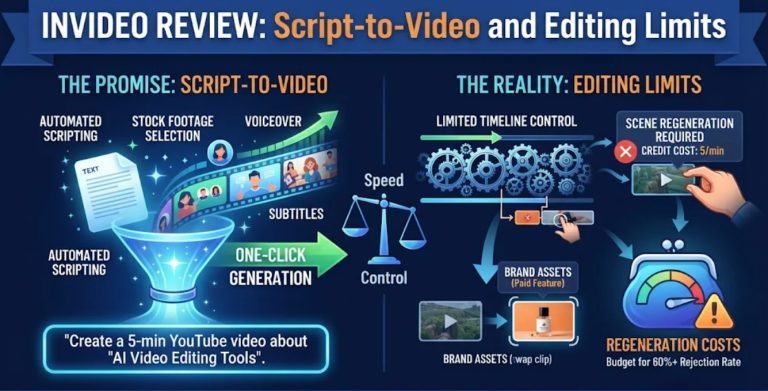
Instead of placing an avatar in the corner, InVideo parses your script sentence by sentence, generates a natural voiceover, and fills every scene with matching licensed stock clips or AI-generated video shots. Teams can refine the cut by replying in chat—asking the agent to swap a specific clip, change background music, or tighten pacing—or by opening the multitrack browser timeline to trim handles and adjust captions manually.
Main Trade-Off
Because InVideo relies on stock libraries and generative video models rather than a consistent on-screen host, maintaining visual continuity across scenes takes careful review. Stock footage can feel generic if prompts are vague, and high-resolution generative B-roll consumes monthly compute credits quickly during heavy revision rounds.
- CrePal — AI-Directed Scenes From a Script
CrePal approaches script-to-video as an AI Director workspace designed for multi-shot visual planning, storyboard anchoring, and iterative scene assembly rather than single-presenter templates.
+-------------------------------------------------------------+
|               CREPAL AI-DIRECTED SCRIPT FLOW                |
|                                                             |
|  [ Break Script into Scene Cards & Camera Directions ]      |
|         │                                                   |
|         ▼                                                   |
|  [ Pin Approved Product or Character Reference Images ]     |
|         │                                                   |
|         ▼                                                   |
|  [ Route Shots to Video Engines & Assemble Editable Draft ] |
+-------------------------------------------------------------+
Best Fit and Workflow Difference
CrePal fits best when your script requires custom visual scenes, deliberate camera framing, and strict visual consistency across multiple shots—such as a product launch teaser or brand story.
Instead of locking your script into a talking-head layout, CrePal breaks the 60-second narrative into discrete shot cards. Creators attach approved product photos or character reference frames to anchor visual identity, specify camera movements for each shot, and route prompts to external video generation engines. When a stakeholder requests a change to Scene 3, editors revise that single scene card without disturbing the rest of the timeline. For deeper guidance on locking visual references before animating shots, explore our photo-to-video AI storyboarding workflow.
Main Trade-Off
CrePal is built for directed multi-scene visual storytelling, not instant one-click talking-head generation. Teams must spend upfront effort defining visual references and reviewing generated shots for physical continuity, and final broadcast sound mixing still happens in external post-production tools.
- Descript — Script-Led Editing of Recorded Video
Descript flips the script-to-video concept around. Instead of generating synthetic avatars or stock scenes from text, it lets teams record real human speakers or real screen demos and edit the video as easily as editing a text document.
+-------------------------------------------------------------+
|              DESCRIPT SCRIPT-LED EDITING FLOW               |
|                                                             |
|  [ Record Real Camera / Screen Footage or Import Take ]     |
|         │                                                   |
|         ▼                                                   |
|  [ Edit Video by Deleting or Typing Text in Transcript ]    |
|         │                                                   |
|         ▼                                                   |
|  [ Apply Studio Sound, Eye Contact & Regenerate Voice Fixes]|
+-------------------------------------------------------------+
Best Fit and Workflow Difference
Descript is the strongest alternative when authenticity matters most—such as software tutorials, founder walkthroughs, and customer onboarding videos where viewers want to see your real product interface and hear a real teammate.
For our 60-second onboarding script, a product specialist simply reads the script while recording their screen and webcam. Descript transcribes the recording in seconds. To cut mistakes, filler words (“ums” and “uhs”), or long pauses, the editor highlights and deletes the words in the text transcript. If the speaker mispronounces a feature name, Descript’s Regenerate tool lets you type the corrected word, cloning the speaker’s voice and adjusting lip movement to match. Features like Studio Sound and Eye Contact polish rough home-office recordings into studio-grade clips.
Main Trade-Off
Descript requires real source footage. While it includes stock media, basic avatars, and AI B-roll generators, its primary superpower is accelerating the editing of recorded human performances and screen captures rather than conjuring entire cinematic worlds from an empty page.
When HeyGen Is Still the Right Choice
Leaving HeyGen is not always the smartest move. HeyGen remains a strong fit when your workflow centers on three specific strengths:
- Rapid Digital Twin Turnaround: If a founder or creator wants to record a quick 30-second training clip and immediately deploy a personal Digital Twin with voice cloning across weekly social updates, HeyGen’s onboarding speed is tough to beat.
- Conversational Avatar Wireframing: HeyGen’s Video Agent allows beginners to describe a presenter video in plain English, review a scene-by-scene wireframe, and queue batch edits before committing to a final render.
- Interactive and Live Avatar Use Cases: If your roadmap extends beyond pre-recorded marketing videos into real-time conversational avatars for customer support or interactive web embeds, staying inside HeyGen’s ecosystem avoids splitting your avatar infrastructure.
FAQ
Can a HeyGen custom avatar be transferred to Synthesia?
No. Custom Digital Twins and studio avatars are proprietary neural models trained inside each vendor’s platform. If you switch from HeyGen to Synthesia, your presenter must record new training footage and submit a fresh consent verification video inside Synthesia before you can generate videos with their likeness.
Can InVideo Agent build scenes without an on-screen presenter?
Yes. InVideo Agent is built primarily for full-screen visual storytelling rather than talking-head templates. When you input a script, the agent constructs scenes using licensed stock video, generative AI video clips, kinetic typography, and voiceover narration without requiring an avatar on screen.
Can CrePal import a HeyGen-exported video for further editing?
Yes. Because HeyGen exports standard MP4 video files, teams can bring rendered presenter clips into external editing timelines or organize them alongside generated B-roll shots inside a broader multi-scene project. For a broader look at combining presenter clips with product demos and generative teasers, see our guide on best AI video tools for product launches.
Can Descript replace only the narration in an existing recording?
Yes. Using Descript’s text-based editing and Regenerate features, you can highlight a specific word or sentence in the transcript, type new copy, and generate a matched voice clone patch without re-recording the entire video. You can also mute the original audio track and lay down a completely new voiceover script over your existing screen recording.
What consent rules apply when switching avatar providers?
Every reputable AI avatar platform enforces strict identity and consent verification before creating a custom digital twin. Whenever you onboard a presenter onto a new platform, that individual must record an explicit live consent statement confirming permission to clone their face and voice. Note: Platform governance rules vary and do not constitute legal advice; always verify current Terms of Service and talent release agreements before commercial publication.
Conclusion
Choosing the best HeyGen alternative comes down to diagnosing what your script actually needs on screen.
If you still want a reliable digital spokesperson with deep slide ingestion and 140+ language localization, Synthesia offers the cleanest lateral move. If your script works better without a talking head, InVideo Agent turns text into full-screen stock and generative video cuts, while CrePal gives creative teams shot-by-shot directorial control over multi-scene visual drafts. And if real human authenticity and live software demos matter most, Descript lets you edit real camera and screen recordings as effortlessly as a text document.
Match the tool to the visual job of your script, keep your source assets organized, and avoid paying for an avatar when a great visual scene tells the story better.