Editor’s & Production Systems Note:
Transparency & Ground Truth Disclosure: This guide compares multi-shot video production alternatives for creators who are evaluating options outside of Runway’s ecosystem. It explicitly distinguishes between platforms that replace Runway’s entire end-to-end workflow (such as storyboard-driven pre-vis suites) and tools designed to accept generated clips for downstream timeline assembly. Runway features active multi-shot generation recipes (such as its Multi-Shot Video Recipe and Runway Agent workflows) (https://help.runwayml.com/hc/en-us/articles/51601639579667-Creating-with-Runway-Agent and https://help.dev.runwayml.com/recipes/multi-shot-video/), meaning Runway is no longer restricted to isolated single clips. All pricing structures, feature limits, and licensing terms cited reflect official vendor documentation as of late 2026. Licensing summaries are provided for general orientation, do not constitute legal advice, and must be verified against current vendor terms before commercial release.
Source Verification & Ground Truth:
Runway Multi-Shot & Agent Capabilities: Verified against official Runway developer and help documentation (https://help.runwayml.com/hc/en-us/articles/51601639579667-Creating-with-Runway-Agent and https://docs.dev.runwayml.com/recipes/multi-shot-video/). Confirmed features include auto/custom multi-shot prompt decomposition, sequential shot generation recipes, and conversational Agent workflows.()
Alternative Workflows: Verified against official vendor guides for LTX Studio (https://ltx.io/studio/pricing), InVideo AI (https://docs.invideo.io/), and CrePal Features.
CrePal Video Workspace: Documented at CrePal Features as a video-first AI Director framework coordinating scene-by-scene script breakdowns, shot list tracking, and timeline video handoffs.
For a long time, generative video tools forced creators into a repetitive trap: typing a prompt, waiting thirty seconds for a single-shot clip, saving the file, and starting over for the next scene.
While Runway has evolved past this limitation by introducing conversational Agent workflows and structured multi-shot generation recipes, many creators and production teams still look outward when building complex, multi-scene video projects. They want different approaches to script breakdown, visual asset locking, and timeline assembly.
If you are exploring Runway alternatives for multi-shot video workflows, the right choice depends entirely on which part of your production pipeline needs a stronger structure.
This guide compares three distinct workflow alternatives against Runway, examining how they handle storyboard planning, cross-scene reference control, local scene revisions, and final timeline assembly.
Which Part of Your Runway Workflow Needs Replacing?
Before switching platforms, you must isolate where your current multi-shot workflow slows down. Multi-shot AI video production generally breaks down into four stages:
- Pre-Planning and Storyboarding: Translating a script into an organized sequence of shots with consistent characters, lighting, and camera movements before spending generation credits.
- Cross-Scene Continuity: Maintaining identical subject features, wardrobe, and environment textures as the narrative cuts from a wide establishing shot to a tight close-up.
- Targeted Revisions: Fixing a single defective second in a multi-second clip or modifying a character’s dialogue without re-rolling the entire scene from scratch.
- Timeline Assembly: Trimming, pacing, audio-ducking, and exporting the finished multi-scene sequence into a clean master file.
Some platforms excel at pre-production storyboarding, while others focus on automated script-to-video drafting or manual timeline control.
How We Compare Multi-Shot Alternatives
To evaluate these alternatives fairly, we assess them across two operational standards:
Storyboard and Reference Control
Does the tool allow you to map out an entire multi-shot sequence visually before rendering? Can you pin persistent character assets and environmental references so subjects do not morph between cuts?
Revision and Final Assembly
When a generated shot needs adjustment, can you execute a local retake or trim clips on an editable timeline? Or does the platform leave you with isolated video files that require an external non-linear editor (NLE)?
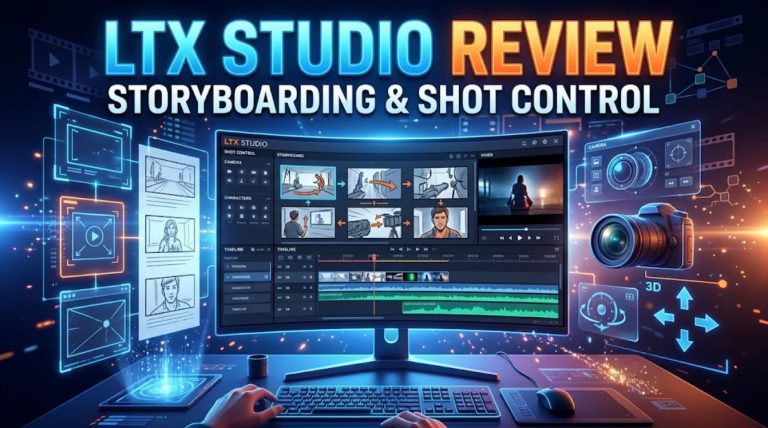
- LTX Studio — Storyboard-Led Production
LTX Studio (developed by Lightricks) approaches multi-shot video creation through a pre-production lens, treating AI generation like a virtual film studio.
+-------------------------------------------------------------+
|                LTX STUDIO MULTI-SHOT FLOW                   |
|                                                             |
|  [ Script Input ──► Automated Scene Breakdown ]             |
|         │                                                   |
|         ▼                                                   |
|  [ Storyboard Grid: Tag Elements & Set Camera Directives ]  |
|         │                                                   |
|         ▼                                                   |
|  [ Render Shots ──► Storyboard-to-Timeline Assembly ]       |
+-------------------------------------------------------------+
Best Fit and Workflow Difference
LTX Studio is the best fit for directors and small studios who think in terms of scripts, storyboards, and precise camera blocking rather than raw text prompts.
While Runway relies heavily on conversational agent prompts and recipe-based multi-shot generation, LTX Studio forces a structural pre-production step. You paste your script, and the system parses it into distinct scenes and sequential storyboard cards.
You can define persistent character and prop assets (called Elements) and tag them across shots. This ensures that when your script cuts across multiple angles, the character’s clothing and facial features remain stable. You approve the storyboard layout before committing generation credits to video rendering.
Main Trade-Off
- Credit Consumption and Plan Gates: LTX Studio operates on monthly credit tiers (such as Lite at $15/mo or Standard at $35/mo).Commercial-use rights require active subscription to paid plans starting at the Standard tier, and heavy multi-shot rendering can drain monthly credit pools quickly.
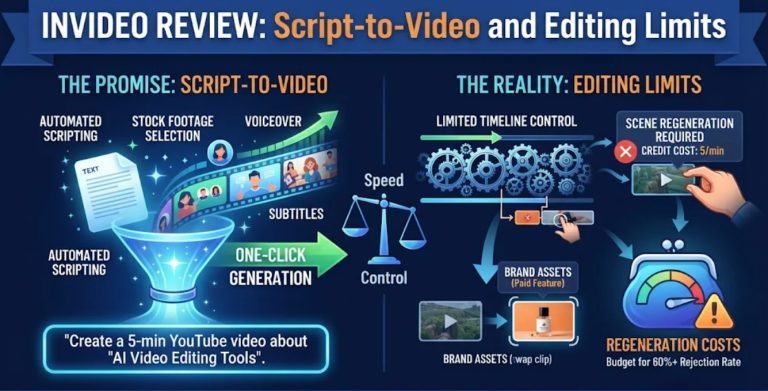
- InVideo Agent — Context-Led Scene Production
InVideo combines conversational script parsing (via Agent Two) with a browser-based multitrack timeline (invideo Editor), making it a strong choice for marketing and social content teams.
+-------------------------------------------------------------+
|                INVIDEO AGENT MULTI-SHOT FLOW                |
|                                                             |
|  [ Paste Script ──► Agent Two Scene & Voiceover Parsing ]   |
|         │                                                   |
|         ▼                                                   |
|  [ Lock Character & Location Rules in Project Memory ]      |
|         │                                                   |
|         ▼                                                   |
|  [ Multitrack Editor: Trim, Duck Audio & Export Master ]    |
+-------------------------------------------------------------+
Best Fit and Workflow Difference
InVideo Agent is ideal for creators who want to jump straight from a written script to a fully assembled rough cut complete with voiceovers, stock media, and AI-generated B-roll.
Unlike Runway, which emphasizes high-end cinematic generation models and custom workflow nodes, InVideo is built for speed and editorial practicality. Agent Two breaks your script down, pulls licensed stock media, and routes shot prompts to integrated video models.
Crucially, project memory lets you lock character sheets and style rules across scenes, while the browser-based timeline gives editors traditional NLE controls to trim clip handles, adjust audio ducking, and swap media without re-generating the entire video.
Main Trade-Off
- Generative Fidelity vs. Stock Reliance: InVideo relies heavily on mixing AI-generated shots with professional stock footage. If your project demands 100% custom generative continuity across a complex narrative, stock clips can disrupt the visual style.
- CrePal — Guided Multi-Scene Video Drafts
CrePal serves as an AI Director workspace designed to coordinate multi-scene script breakdowns, shot list tracking, and revision handoffs across external generative video engines.
+-------------------------------------------------------------+
|                 CREPAL VIDEO DRAFT FLOW                     |
|                                                             |
|  [ Script Breakdown & Scene Card Organization ]             |
|         │                                                   |
|         ▼                                                   |
|  [ Pin Product / Character Packshots as Visual Anchors ]    |
|         │                                                   |
|         ▼                                                   |
|  [ Multi-Engine Generation & Timeline Handoff ]             |
+-------------------------------------------------------------+
Best Fit and Workflow Difference
CrePal is best suited for creative teams managing multi-shot commercial and narrative projects where visual accuracy and brand packshot consistency are critical.
While Runway manages generations inside its proprietary ecosystem, CrePal acts as an organizational orchestration layer. You break your script into structured scene cards, pin verified product reference images or character turnarounds as visual anchors, and route generation tasks to specialized external models.
This gives production teams granular control over prompt variations, multi-engine comparisons, and timeline conformity before exporting final drafts. For deeper pre-production techniques, read our guide on photo-to-video AI storyboarding.
Main Trade-Off
- External Finishing Requirement: CrePal organizes drafts, scene cards, and multi-shot continuity notes, but final broadcast audio mastering and color grading conform must be completed in dedicated finishing suites.
When Runway May Still Be the Better Fit
Despite the strengths of these alternatives, Runway remains a powerful industry standard for specific production needs. You should stick with Runway if:
- You rely on native model bleeding-edge features: Runway’s proprietary video models deliver exceptional optical realism, lighting consistency, and motion dynamics that match high-end cinematic aesthetics.
- You prefer an integrated all-in-one generation suite: If your team is already fluent in Runway’s motion brushes, camera controls, and multi-shot recipes, migrating to a new interface may disrupt active production schedules.
Choose an Alternative by the Work You Need to Move
To select the right path for your next project, match your primary production bottleneck to its ideal platform:
- If your bottleneck is pre-visualization and narrative shot planning: Choose LTX Studio to organize scripts into structured storyboard grids and lock character elements before rendering.
- If your bottleneck is rapid script-to-rough-cut assembly with stock and voiceovers, chooseInVideo Agent to parse scripts automatically and refine cuts on a multitrack timeline.
- If your bottleneck is multi-engine prompt organization and visual packshot anchoring, chooseCrePal to manage scene cards, reference pins, and collaborative workflow drafts.
The video workflow below highlights how structured scene planning keeps multi-shot sequences visually coherent across edits.
FAQ
Can existing Runway clips be imported into LTX Studio projects?
Yes. You can export generated video clips from Runway and import them as media assets or storyboard reference frames into LTX Studio projects, allowing you to incorporate Runway renders into a structured storyboard timeline.
Can InVideo Agent reuse reference images exported from Runway?
Yes. You can upload character references, product packshots, or style frames exported from Runway into InVideo Agent to guide stock selection and AI-generated B-roll matching.
Can CrePal continue editing a Runway-generated clip?
Yes. CrePal functions as an AI Director workspace that accepts external video clips, allowing creators to drop Runway-generated takes into scene cards, organize them alongside new generations, and assemble an editable timeline draft.
Do Runway prompts transfer between these platforms without changes?
Not entirely. While core descriptive language carries over, different platforms utilize unique parameter structures, camera syntax tags, and model routing architectures. Prompts optimized for Runway may need minor adjustments to fit LTX Studio’s element tagging or InVideo’s script-parsing syntax.
How do commercial-use terms differ for imported and newly generated footage?
For imported footage (such as clips made in Runway or real camera takes), you retain your original ownership and licensing rights. For newly generated footage, commercial use is governed by the active subscription terms of the platform where the generation occurred (for example, LTX Studio requires paid Standard tiers or higher for commercial work).Note: Licensing terms are subject to change; this summary does not constitute legal advice, and creators must verify current vendor T&Cs prior to commercial distribution.
Conclusion
Moving beyond Runway does not mean abandoning AI video—it means choosing a workflow structure that matches how your team actually builds stories.
Whether you prefer the storyboard-first pre-production control of LTX Studio, the rapid script-to-timeline drafting of InVideo, or the structured scene-card orchestration of CrePal, matching the right tool to your production bottleneck turns multi-shot video generation into an organized, professional process.