Editor’s & Multi-Shot Systems Review Note :
Transparency & Ground Truth Disclosure: This review evaluates two completely different layers of the modern AI video stack. Google Flow is a closed creative workspace designed around Google’s generative models. Seedance 2.5 is ByteDance’s foundational video generation model accessed via platforms like Jimeng AI, Doubao Pro, or the Volcano ArkAPI. Neither platform natively integrates with the other, and access terms vary by host surface.
Source Verification & Official Documentation:
Google Flow (Google Labs Flow Workspace): An experimental browser-based creative studio from Google. It provides node-based canvas project boards, start-and-end frame conditioning, rapid 360p draft previews, and upscaled 1080p/4K exports. It operates strictly within Google’s model ecosystem and does not offer open third-party model routing.
Seedance 2.5 (Introducing Seedance 2.5 by ByteDance Seed and ByteDance Seedance 2.5 Project Page): A multimodal foundation video generation model engineered by ByteDance. It supports continuous single-take clips up to 30 seconds, multi-round clip extensions, extensive multimodal referencing (up to 30 images, 10 videos, and 10 audio clips), and timestamp-based in-model editing.
Testing Scope & Practical Boundaries: Our lab evaluated both systems against a single multi-shot commercial brief: a 3-scene sequence for a boutique sports apparel brand (Scene 1: runner lacing shoes at dawn; Scene 2: continuous 15-second tracking run along an urban riverfront; Scene 3: finish-line portrait with water splash and breathing ambience). We tracked reference fidelity, revision friction, and NLE timeline handoff overhead. We do not declare a subjective “aesthetic winner.” This article does not constitute legal counsel.
When video directors and creative agencies plan a multi-shot video campaign, they often face a fundamental structural choice: Should you build your sequence inside a visual, node-based web studio, or should you generate long, continuous takes through a high-capacity foundation model?
This is the real decision behind Google Flow vs Seedance 2.5.
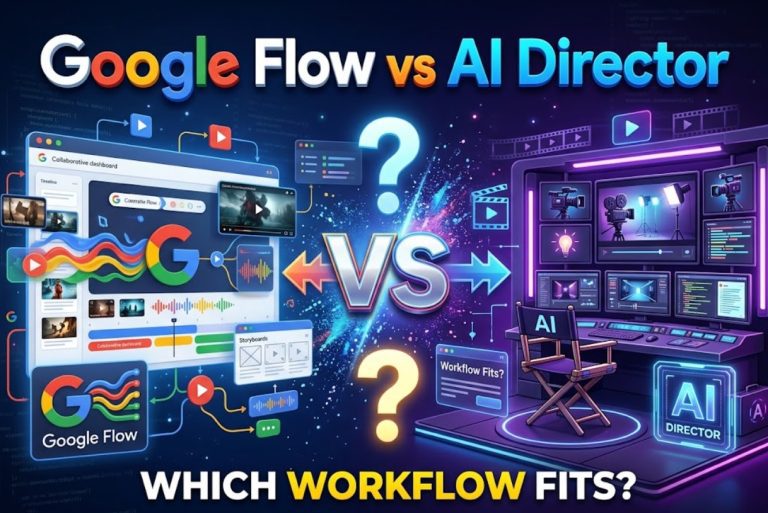
Google Flow gives you an interactive studio canvas equipped with storyboard cards, start-and-end frame transitions, and quick 360p previews. Seedance 2.5 (developed by ByteDance) offers raw model horsepower, capable of rendering up to 30 seconds of continuous footage in a single take while ingesting dozens of reference files.
Choosing the wrong tool introduces severe production friction. If you use a single-take model to organize a complex multi-scene storyboard with client check-ins, you lose visual project management. If you try to force a canvas studio to generate an unbroken 20-second tracking shot with shifting camera angles, you hit clip length walls.
Here is how both options compare across scene control, drafting workflows, and final timeline handoffs.
Quick Verdict for Multi-Shot Creators
The right choice depends on how your sequence is structured and where you manage revisions:
- Shot-by-Shot Storyboarders and Pitch Teams: Choose Google Flow. If your campaign consists of discrete 3-to-5-second cuts anchored by approved still keyframes, Flow’s visual canvas and 360p draft previews keep your scene progression clear and organized.
- Long-Take Directors and Fluid Action Animators: Choose Seedance 2.5. If your brief requires unbroken continuous movement—such as a 15-to-30-second steadycam shot following an athlete through dynamic environment changes—Seedance 2.5 renders the entire camera run in a single inference pass.
- Complex Multimodal Stylists: Choose Seedance 2.5. When you must match multiple distinct references (such as specific wardrobe stills, lighting moods, and existing motion clips), Seedance 2.5 ingests multi-asset bundles without forcing you to merge them beforehand.
- Rapid Commercial Prototypers: Choose Google Flow. Its lightweight draft mode returns motion bridges in under 15 seconds, making it ideal for quick internal reviews before committing to high-resolution renders.
Start With the Category Difference
Before comparing settings or sliders, you must recognize that you are comparing an end-user application to an underlying generative model.
Google Flow as a Creative Workspace
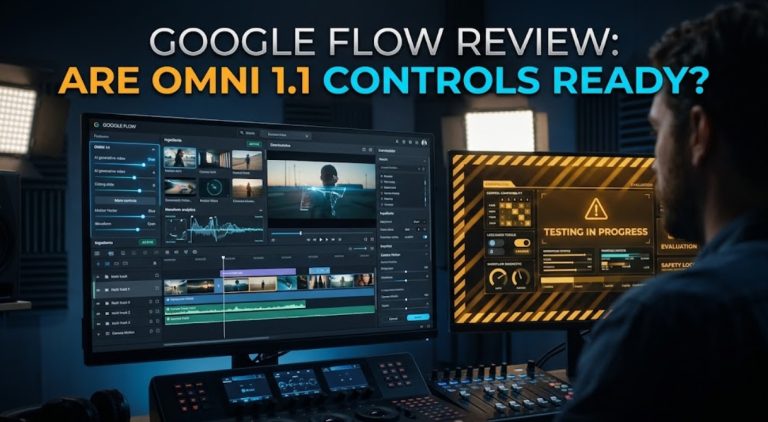
Google Flow operates at the application layer. It is an experimental digital studio environment built directly around Google’s internal foundation models (principally Omni 1.1 Flash).
Within Flow, you interact with visual cards, connect motion arrows between keyframe stills, preview draft transitions, and manage asset iterations in a shared browser view. It provides workspace scaffolding that keeps visual assets organized, but it does not let you swap in non-Google engines.
Seedance 2.5 as a Video Generation Model
Seedance 2.5 operates at the foundational model layer. Developed by ByteDance, it is an integrated audio-video generative engine available through various hosted surfaces (such as Jimeng AI, Doubao Pro, and Volcano Ark APIs).
Seedance 2.5 focuses on generation depth rather than workspace layout: it delivers native 30-second generations, multi-round clip extensions, and timestamp-directed scene shifts. It does not provide project folders, Kanban cards, or visual storyboard timelines on its own.
Compare Reference and Scene Control
How you anchor characters, lighting, and camera paths determines whether your shots are cut together cleanly.
Project-Level Tools and Google Model Access
Google Flow directs movement primarily through spatial boundary framing. You upload an approved start frame to Node A and an approved end frame to Node B. The Omni 1.1 model calculates the physical camera trajectory required to connect those two images.
This dual-frame setup provides rock-solid control over beginning and ending compositions. However, reference conditioning within Flow is strictly localized: you direct one transition at a time. If you need to keep a specific running shoe design consistent across five different scene nodes, you must manually ensure that every keyframe still features the exact same product details.
Multimodal References and Model-Level Editing
Seedance 2.5 handles conditioning at the model architecture level. According to ByteDance’s official model specifications, Seedance 2.5 supports single-request referencing of up to 30 images, 10 video clips, and 10 audio files.
In our apparel test, this allowed us to feed a front-view shoe still, a side-angle fabric swatch, and a 3-second handheld motion clip into a single prompt call using reference tags (@image1, @image2, @video1). The model extracted the shoe’s physical texture and transferred the handheld camera shake directly onto the generated athlete.
Additionally, Seedance 2.5 supports timestamp-based prompt editing (e.g., instructing the camera to hold on the runner from 0 to 5 seconds, switch to an ankle close-up from 6 to 10 seconds, and pull back to wide from 11 to 20 seconds).
Compare Multi-Shot Drafting
A multi-scene commercial is rarely finished in one take. How each platform handles drafting and iteration dictates your production pace.
Building and Revising Shots in a Workspace
Google Flow structures drafting around rapid, low-resolution validation. When testing transitions between our runner’s shoe-tying shot and the riverfront sprint, Flow rendered a 360p draft preview in just 11.2 seconds.
This speed makes camera tuning straightforward. If the camera pans left instead of pushing forward, you can tweak the prompt text and re-roll the draft in seconds without consuming high-resolution export credits. Once the motion path is approved, Flow upscales the shot to 1080p or 4K.
The trade-off is shot length: Flow focuses on short, focused clip transitions (typically 4 to 8 seconds). Assembling a 30-second commercial requires stringing together multiple separate card transitions.
Generating Longer Connected Sequences
Seedance 2.5 approaches multi-shot pacing through extended temporal continuity. Instead of cutting between separate 4-second files, the model can generate a full 30-second continuous sequence in a single render.
In our test run, we prompted a single unbroken take: the runner laces shoes, stands up, jogs past the camera, and continues down the waterfront path. The model executed the scene shift organically over 20 seconds.
Furthermore, Seedance 2.5 supports multi-round extensions, allowing creators to tack on additional 10-to-15-second scenes that preserve the runner’s clothing, lighting, and ambient running foley. The downside is latency: generating a full 30-second high-resolution take with synchronized audio took approximately 95 to 130 seconds per attempt.
Compare Production Handoffs
Once you generate approved takes, moving those assets into an editing timeline (like Premiere Pro or DaVinci Resolve) reveals distinct handoff friction.
Organizing Assets, Versions, and Exports
Inside Google Flow, all versions remain visually pinned to the canvas board. You can trace generation branches visually, seeing earlier iterations alongside approved cards.
However, downloading assets yields individual MP4 files with system-generated hash strings. Editors must manually rename and organize these clips into project bins before cutting. In addition, because Flow exports video without native audio tracks, sound designers must build dialogue and foley beds entirely from scratch.
Moving Model Outputs Into a Wider Edit
Seedance 2.5 exports long-form MP4 files that include unified native audio (synchronized footfalls, wind, and breathing). This provides video editors with an immediate timing and sound template right on Track A1 of their timeline.
However, Seedance 2.5 does not manage project folders or asset libraries for you. Depending on whether you access the model through Jimeng AI, Doubao, or raw cloud APIs, version histories and seed tracking must be logged manually in your own production sheets.
When directors need to bridge this exact gap—organizing multi-shot scripts, managing reference assets, and reviewing candidate takes across multiple engines before cutting—they often centralize their planning inside the versatile CrePal workspace. Within CrePal, creative teams structure scene-by-scene beats, track character anchors, and compare generation passes before handing off clean files to the post-production team.
Choose the Better Fit for One Multi-Shot Brief
Use this practical checklist to pick the right path for your upcoming campaign:
- Choose Google Flow if:
- Your commercial is planned as a series of short, hard cuts between static keyframes.
- You need rapid 360p draft previews to validate camera direction with clients in real time.
- You prefer a clean, visual canvas interface that keeps prompt cards and transitions in one browser window.
- You plan to handle all sound design, voiceover, and pacing in external editing software.
- Choose Seedance 2.5 if:
- Your story requires continuous long takes (up to 30 seconds) with multiple actions in one shot.
- You need to condition a scene against extensive multimodal references (multiple photos, motion clips, or audio).
- You want native synchronized environmental sound and action foley generated directly with video frames.
- You have a technical pipeline or developer setup capable of calling the Volcano Ark API for batch production.
FAQ
Can Flow time connect scenes to an existing audio track?
No. Google Flow does not currently support importing an external audio file to drive the timing or pacing of canvas video transitions. Video transitions render at fixed durations, requiring editors to conform and cut the exported clips to music or voiceover tracks inside a dedicated non-linear editor.
Does Seedance 2.5 expose a fixed seed for multi-shot reruns?
When accessed programmatically through developer API endpoints (such as Volcano Ark), Seedance 2.5 supports explicit seed parameter inputs, allowing technical teams to re-test prompt adjustments against fixed seed distributions. However, consumer web implementations on consumer platforms may randomize seeds automatically between generations.
Can either option create captions inside the generated video?
Neither system includes a dedicated burned-in caption generator. While text prompts can occasionally render background environmental signage (such as storefront billboards or street signs), creating readable, timed dialogue subtitles requires generating subtitle tracks in an external video editor.
Do commercial-use terms differ by access surface?
Yes. For Google Flow, commercial usage rights are tied to your Google account tier and the specific terms governing Google Labs experiments. For Seedance 2.5, commercial terms depend entirely on your access surface: enterprise API usage through Volcano Ark grants commercial deployment rights, while consumer tiers on Jimeng or Doubao may carry distinct personal or promotional licensing restrictions. Always verify the active terms of service for your specific access endpoint.
Do watermarks change across their different access paths?
Yes. Google Flow outputs embed Google’s proprietary SynthID digital watermarking into file metadata to provide invisible synthetic media provenance. For Seedance 2.5, paid enterprise API streams on Volcano Ark deliver clean video containers without visible logos, whereas consumer web apps may append platform watermarks to free or promotional renders.
Conclusion
The choice between Google Flow and Seedance 2.5 comes down to whether your project needs a visual storyboard canvas or an extended generation engine.
Google Flow provides an intuitive creative studio for connecting static keyframes with controlled camera moves. For short commercial cuts, pitch animatics, and rapid visual drafting, its start-and-end frame controls deliver immediate clarity.
Seedance 2.5 delivers deep generative capacity. By packaging 30-second continuous generations, extensive multimodal referencing, and synchronized sound into one model, it opens up unbroken cinematic long takes that standard clip generators cannot match.
Understanding whether your brief demands a structured canvas workspace or a long-take foundation model ensures your team delivers cohesive, high-quality multi-shot video on schedule.