Legal & Compliance Disclaimer: This article is strictly for educational, administrative, and technological workflow optimization purposes. It does not constitute legal counsel, regulatory auditing, or platform compliance advisory services. The generation, modification, management, and distribution of digital assets—especially those involving human likenesses or mature themes—are governed by complex federal, international, and regional intellectual property statutes alongside strict third-party platform terms of service. Likeness rights, copyright, adult content, and hosting platform rules are subject to the latest official guidelines. Always consult qualified legal counsel and review individual platform policies before generating, editing, or publishing digital video content.
Editor’s Note: Let’s get straight to the operational reality: when professional visual artists, VFX editors, and mature media creators search for a reliable no restriction image to video ai generator, they are rarely trying to break the law. They are trying to escape automated moderation loops that freeze legitimate production pipelines. In standard video generation platforms, complex anatomical studies, high-fashion swimwear photography, and dark fantasy concept art routinely trigger false-positive blocks or cause character geometry to melt during animation. However, removing algorithmic safety guardrails means your production team must take 100% ownership of quality control, data privacy, and legal boundaries. Here is the exact boundary workflow for moving from a static visual asset into a dynamic video draft safely and systematically.
What Flexible Image-to-Video Workflows Need
When a production studio migrates away from moderated, consumer-grade tools toward an unconstrained ai image to video no restrictions pipeline, the safety net disappears. Without automated filters blocking problematic inputs, the burden of technical and legal validation falls entirely on the creative team. Establishing a flexible workflow requires implementing strict internal engineering protocols before a single frame is animated.
Source image review
Never ingest an unverified still image into an animation engine. Before initiating motion rendering, the technical editor must conduct a rigorous provenance audit of the source file. This involves three mandatory checks:
- Synthetic vs. Photographic Origin: Document whether the still image is a real-world photograph or an algorithmic render. Under formal guidance from the United States Copyright Office (USCO) regarding AI-generated works, synthetic images lack inherent copyright protection unless substantial human authorship—such as extensive multi-layer compositing or manual digital overpainting—can be proven.
- Likeness Clearance: If the image depicts a recognizable human face or body, verify that an active, signed commercial release form is archived in the studio’s database.
- Asset Resolution and Depth: Ensure the source image is a lossless, uncompressed file (such as a 16-bit PNG or TIFF) with clean edge geometry. Low-resolution JPEGs introduce compression artifacts that cause severe spatial hallucinations when processed by a video generator.
Motion intent
An unrestricted animation tool will do exactly what it is instructed to do—including tearing a character’s anatomy apart if the temporal parameters are poorly defined. When utilizing a powerful uncensored image to video generator, creators must map out a explicit “Motion Intent” document before generating video drafts.
Instead of relying on generic text prompts like “make the character move,” editors must define precise physical constraints. This includes assigning numerical motion scale values (keeping camera kinetic scale low, between 2 and 3 out of 10), specifying structural rigidity for background architecture, and dictating fluid dynamics for hair or clothing. Defining these physics beforehand prevents the latent space from morphing the subject’s identity during temporal frame interpolation.
Output destination
A video draft does not exist in a vacuum; its production standards must align with its final distribution environment. Before rendering, identify the regulatory requirements of your target publishing destination.
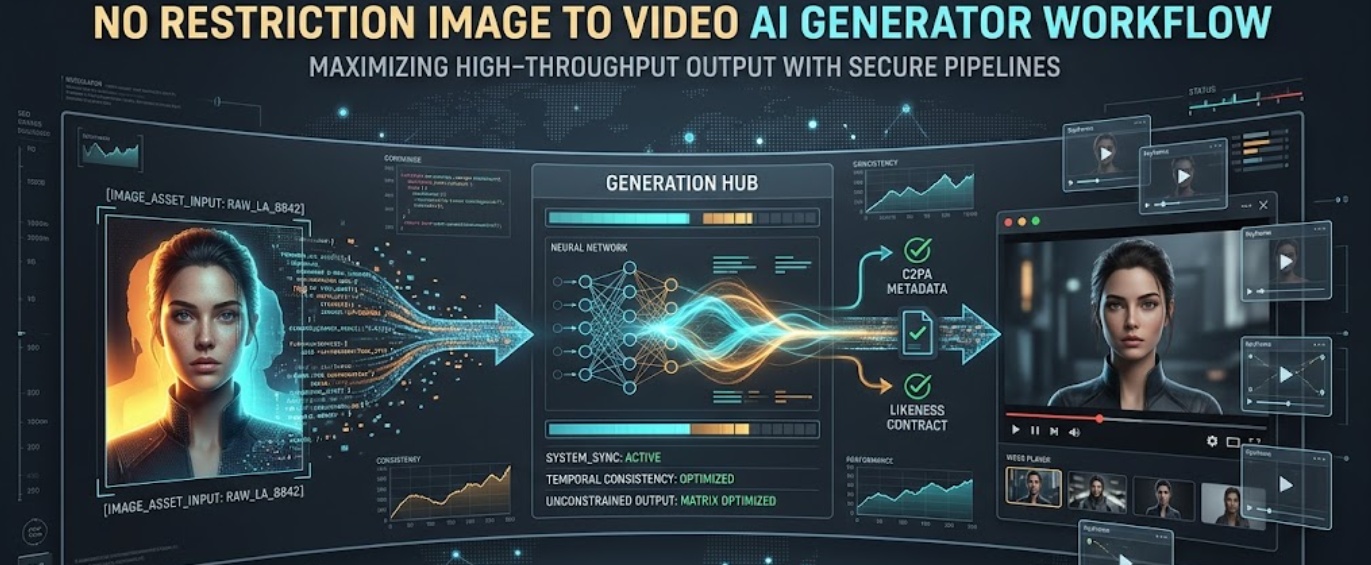
If the video is intended for commercial broadcast or digital ad spend within the European Union, your workflow must comply with EU AI Act Article 50 transparency obligations. Enforceable starting in 2026, these regulations mandate that synthetic video outputs must embed machine-readable watermarks (such as C2PA provenance metadata) and display clear user-facing disclosures. Designing your rendering pipeline to natively format outputs for age-gated hosting, merchant payment processors, or public broadcast ensures your assets do not trigger downstream account terminations.
From Adult or Flexible Images to Video Drafts
The physical handoff from a static visual asset—whether a mature digital art piece, a high-fashion editorial photo, or a complex concept rendering—into a dynamic video timeline is the most fragile phase of production. To execute an image to video ai no restrictions conversion successfully, teams must standardize their scene construction methodology.
Scene purpose
Every animated sequence must serve a defined narrative or commercial utility. Anualizing a still image simply because the technology permits it often results in floating, aimless camera pans that degrade the viewer’s experience. Classify each video draft by its functional role:
- Atmospheric Loop: Subtle, seamless environmental motion (e.g., fog rolling, lighting shifts) designed for background visual engagement.
- Narrative Action: Direct character movement or physical interaction requiring precise frame-by-frame temporal consistency.
- Technical Demonstration: Exploded views or structural transitions where camera focus must remain locked on specific product or architectural details.
Camera movement
In a flexible AI video workflow, controlling virtual camera physics is essential to prevent artifacting. When an engine operates without boundary limitations, aggressive camera prompts (such as “rapid drone fly-through” or “180-degree orbital pan”) force the AI to invent occluded spatial data from scratch, causing severe visual distortion.
To maintain structural integrity, restrict camera mechanics to linear, predictable vectors. Utilize slow optical push-ins (dolly zooms), subtle lateral tracking shots, or locked-tripod pans. When prompting the video engine, explicitly define the focal length (e.g., 35mm cinematic lens, shallow depth of field, zero camera shake) to force the model to respect the spatial geometry established in the original source image.
Continuity notes
When managing a multi-clip sequence, keeping character identity and lighting consistent across scenes requires centralized orchestration. Rather than relying on scattered spreadsheets and manual seed tracking, many studios integrate an intuitive video creation suite like CrePal into their pipeline. In this ecosystem, the AI Director workspace acts as the management layer—coordinating script timing, sequencing camera shots, tracking structural revision loops, and packaging final exports. By linking static reference frames directly to temporal generation nodes, the team ensures that visual identity remains locked from the first establishing shot to the final fade-out.
Review Before Export
Once the video drafts are rendered, they must undergo a rigorous pre-flight compliance audit before leaving the studio server. Executing an image to video no restrictions rendering pass grants creative freedom, but the resulting files must be heavily scrutinized before commercial deployment.
Identity and likeness risks
The most critical liability in modern video generation is the unauthorized simulation of real human performers. Under strict statutory frameworks—such as California’s AB 2602 and AB 1836 digital replica laws alongside global biometric data privacy mandates—utilizing synthetic tools to animate a real person’s likeness without explicit, contractual authorization carries severe financial penalties and immediate legal exposure. During the pre-flight review, auditors must verify that any recognizable face or vocal track present in the video draft maps directly to an executed commercial release that explicitly grants digital simulation and AI manipulation rights.
Platform fit
Even technically flawless video drafts can threaten a studio’s revenue if they violate downstream merchant banking or hosting policies. Payment processors and content delivery networks enforce zero-tolerance acceptable use guidelines regarding mature, violent, or unregulated synthetic content.
Before export, match the video’s content profile against the target platform’s compliance guidelines. Ensure that all mature or sensitive drafts are correctly flagged with internal metadata age-ratings, that explicit visual triggers are properly segmented, and that the delivery wrapper contains no unverified external links that could trigger automated spam filters or merchant account freezes.
Version archive
Professional accountability requires an immutable audit trail. When finalizing a project, studios must implement a standardized archiving protocol for every approved video draft:
| Archive Layer | Required Technical Specification | Operational Purpose |
| Master Video File | Uncompressed ProRes 422 HQ or 16-bit Image Sequence | Preserves maximum visual fidelity for future broadcast re-rendering or remastering. |
| Cryptographic Hash | SHA-256 Checksum Log | Proves file immutability, linking the final video directly to the initial approved source image and talent release. |
| Provenance Metadata | Digitally-Signed C2PA / Coalition Manifest | Embeds creation history, tool disclosure, and ownership data natively within the file structure. |
When Not to Animate an Image
True operational maturity is demonstrated by knowing when to halt production. A studio must enforce strict negative boundaries, immediately rejecting an animation request if an image triggers any of the following operational red flags:
- Unverified Human Likeness: If an image contains a realistic human face and the project manager cannot produce a verified, time-stamped commercial talent release within 24 hours, the asset must be quarantined. Never attempt to animate or manipulate an unverified likeness.
- Lossy, Artifact-Heavy Source Data: If the source image is a heavily compressed JPEG or an AI upscale suffering from severe visual noise and blurred edge boundaries, do not attempt to animate it. Unrestricted video models will amplify these surface defects, resulting in severe spatial warping and unusable footage.
- Absence of Clear Commercial Intent: If animating a still image adds zero narrative clarity, instructional value, or aesthetic enhancement to the project, halt the render. Generating superfluous motion simply to pad video duration increases compute overhead and degrades viewer retention.
FAQ
Who owns client sign-off after motion delivery?
In a standard commercial production structure, formal sign-off ownership rests with the client’s designated Project Stakeholder or Brand Director once the final master video files are delivered and accepted. However, legal liability regarding underlying rights clearance (such as talent likeness and training data provenance) remains governed by the indemnification clauses executed in the original Master Services Agreement (MSA) between the production studio and the client.
How should motion permissions be written in briefs?
Creative briefs and talent licensing agreements must abandon vague terminology like “all media known or hereafter devised.” Under modern statutory frameworks (such as California AB 2602), motion permissions must explicitly state: “Grantor authorizes the creation and commercial deployment of a digital replica and synthetic video animation generated from the reference photography, specifically utilizing generative artificial intelligence and temporal frame interpolation for the explicit commercial purposes outlined in Schedule A.”
What should happen to unused motion variants?
All unused video generations, outtakes, and experimental latent renders must be systematically purged from shared cloud staging environments within 30 days of project completion. Master studio archives should retain only the approved final video files and their corresponding cryptographic checksums. Retaining unapproved, flexible motion variants on networked servers increases data breach liability and risks accidental publishing.
Who handles version access after project handoff?
Post-handoff version access must be governed by the Studio Data Custodian or Lead IT Administrator enforcing the principle of least privilege. External contractors, freelance animators, and temporary visual editors must have their network access credentials revoked immediately upon project delivery. Ongoing read-only access to archived master video files should be restricted exclusively to internal legal, compliance, and executive account management personnel.
Conclusion
Navigating a no restriction image to video ai generator workflow is a test of a creative studio’s internal discipline. Advanced visual creators require flexible, unconstrained software that respects architectural geometry, preserves complex artistic themes, and outputs uncompressed video files without algorithmic interference. However, moving away from moderated consumer platforms shifts the entire burden of quality control, biometric privacy, and legal compliance onto your team. By replacing automated blocklists with a rigorous boundary workflow—enforcing strict provenance audits, documenting explicit motion intent, utilizing management layers like CrePal, and executing pre-flight compliance reviews—studios can achieve exceptional visual results without exposing their business to catastrophic legal or platform risks. True creative sovereignty is built on operational precision.