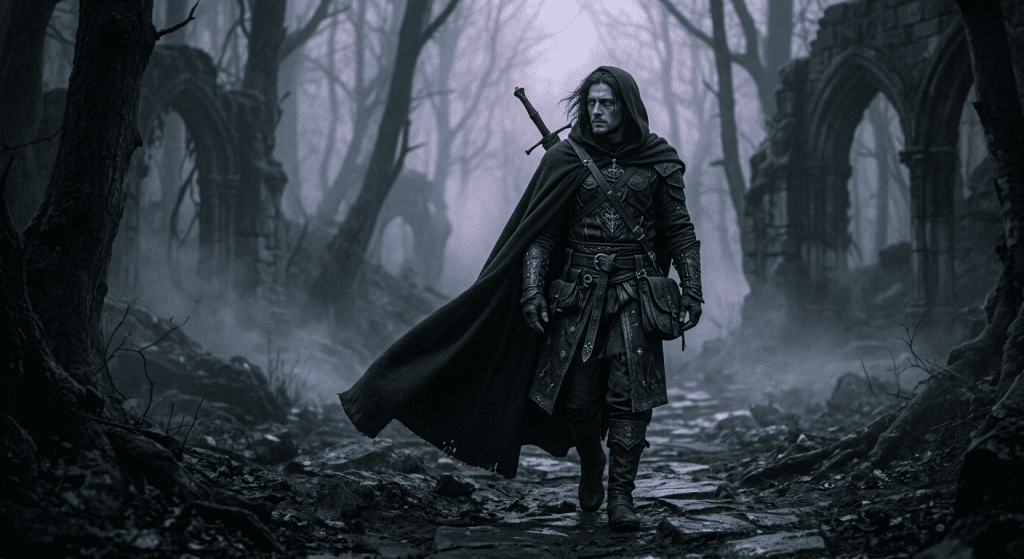
Hi, I’m Dora. I had an image. Nothing wild — a stylized dark fantasy character in a moody fog scene. I uploaded it to three different I2V tools. Two blocked the animation. One gave me a softened, washed-out version with the fog mysteriously removed.
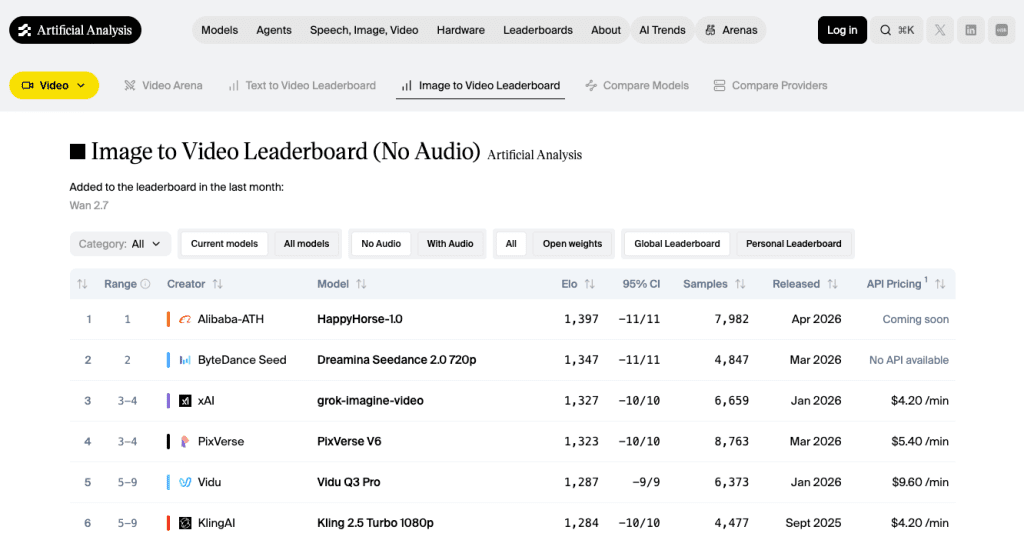
That’s what pushed me to map out the uncensored image-to-video space properly. Not as a rant, but because the real picture is more nuanced than “tool X has no filters.” The Artificial Analysis image-to-video leaderboard is one of the few places tracking this category with actual benchmark data — and even there, most platforms marketed as “uncensored” don’t appear at all. Here’s what I found.
What “Uncensored” Actually Means for I2V
Relaxed filters vs no rules
Let me clear this up before anything else, because the word “uncensored” gets stretched past its limit in marketing copy.
In practice, “uncensored” for image-to-video tools means one of a few things. Some platforms run lighter automated moderation — they’re not blocking prompts based on keyword lists or conservative classifier thresholds. Others expose open-weight models where you control the whole pipeline locally. A handful are cloud tools specifically positioned around adult content or minimal filtering for dark/mature creative themes.
What “uncensored” does not mean: no rules at all. One constant across every platform tested: illegal or harmful content — including anything involving minors or non-consensual imagery — is prohibited everywhere. “Uncensored” never means bypassing those rules.
I2V is specifically trickier than text-to-video for one structural reason. When you upload a still image, the platform has to evaluate both the source image and the requested motion together. The frustration is real: the still image uploads fine, the motion prompt looks harmless, and the render still gets blocked or downgraded. That is a bigger issue in image-to-video than in text-to-video because the platform has to judge both the source image and the requested motion.
That’s why tools advertised as “uncensored” can still reject perfectly legitimate dark fantasy prompts — the classifier fires on the image content, not your intent.
How We Compare These Tools
Access and free tier
I care about free tiers because they tell you whether a platform actually wants you to test before paying — or just wants your credit card. A real free tier means you can evaluate output quality on your own prompts before committing.
For I2V specifically, I’m looking at: does the free tier let you test the actual image upload → animation workflow, or does it only offer text-to-video?
Motion quality and consistency
For uncensored I2V, motion quality often lags behind the major commercial tools. That tradeoff is real. I tested specifically for character movement fluidity, subject consistency between source image and output, and whether backgrounds degrade. Most uncensored platforms don’t publish ELO benchmark data at all — which is worth noticing when you’re trying to compare them to tools like Kling or Runway that do.
Best Uncensored Image to Video AI Tools

CrePal — If your goal is a workflow you can actually build around, CrePal is the strongest cloud recommendation in 2026. It’s structured differently from most tools: rather than a single “animate image” button, it works as an AI Director Agent that coordinates the full pipeline from upload to export. For stylized or dark creative content that isn’t illegal, this approach means more flexibility — you’re working with a system that lets you chat-refine results rather than resubmit and pray.
ComfyUI + Wan2.2/2.6 (local) — The honest answer for maximum freedom is still local. The official ComfyUI workflow templates repository (maintained by Comfy-Org) includes dedicated video workflows for Wan 2.1 and later models, making it the clearest starting point for users who want maximum control over image-to-video generation. If you have an RTX 4090 (24GB VRAM) or better, Wan 2.2 Remix runs cleanly with full prompt control, no moderation layer, and nothing logged externally. The Wan 2.2 Remix model is specifically built for uncensored I2V with improved anatomical accuracy and motion realism. The setup cost is real — expect a half-day of configuration if you’re new to ComfyUI. But once it’s running, it’s the most stable long-term option for creators who keep hitting cloud walls.
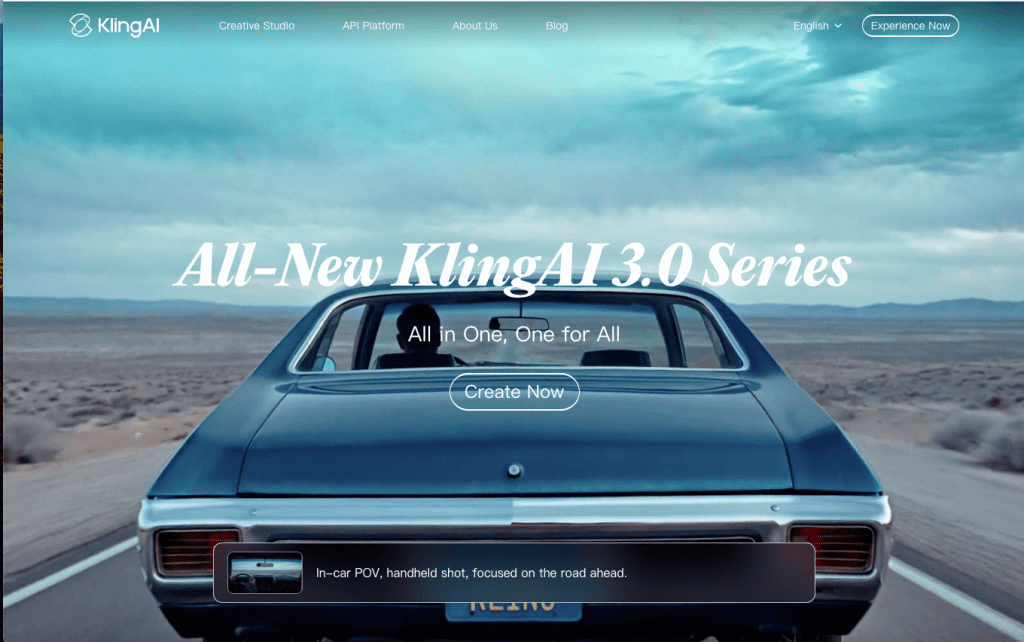
Kling AI — The strongest image-to-video tool with a real free tier in 2026. It’s not marketed as uncensored, and its content policy is real. But it’s significantly more permissive than Runway or Pika for stylized, dark, or mature-adjacent content that doesn’t cross hard lines. Kling AI‘s free tier offers 66 daily credits, enough for about 6 five-second watermarked videos per day — among the most generous free tiers in the AI video space. The image-to-video pipeline supports 1080p on paid plans, and the character motion quality is — genuinely — the best in its class right now. The watermark on free outputs is annoying, but the quality is real enough to evaluate properly.
Mage.space — Worth knowing about for lighter I2V use. Mage.space offers a free tier with unlimited image generation and some video capabilities. It offers NSFW-capable tools and an NSFW editor, but actively blocks non-consensual deepfake content and uses detection tech to enforce its Terms & Conditions. The video generation depth isn’t as strong as Kling or Crepal, but for creators who want a browser-based option with more permissive filtering for artistic or stylized content, Mage is easy to test without commitment.
Higgsfield — Built on Wan 2.5, which is genuinely impressive for cinematic motion and subtle facial animation. The problem: moderation has tightened considerably since early rollouts. Some prompts that worked six months ago now get flagged without clear explanation. I’d call it a tool to test carefully on your specific use case before building any workflow around it.
Comparison Table
| Tool | Freedom Level | Free Tier | I2V Quality | Workflow Depth |
| ComfyUI + Wan 2.2 | Maximum (local) | Free if you own the GPU | High (hardware dependent) | Full control |
| CrePal | High (cloud) | Limited credits | Good | Agent workflow, chat-edit |
| Kling AI | Medium-high | 66 credits/day (watermarked) | Excellent | Prompt-based, no in-app editor |
| Mage.space | Medium | Unlimited (basic models) | Moderate | Browser-based, simple |
| Higgsfield | Inconsistent | Small trial | High (Wan 2.5) | Cinematic presets |
Real Limits Creators Still Hit
Even on the most permissive tools, certain things consistently cause trouble:
Source image quality matters more than you think. AI generation artifacts, unusual compositions, or anything that looks poorly upscaled causes moderation systems to fire more aggressively. Clean inputs get fewer blocks.
Motion prompts are interpreted literally. “She turns her head slowly” is fine. Phrasing that implies physical contact or ambiguous distress fails faster on cloud tools regardless of the source image’s visual content.
The free tier ceiling is real. On Kling’s free tier, credits expire daily and you’re capped at 720p. Enough to test whether prompts work, not enough to evaluate full quality.
Platform policies shift. Higgsfield is the clearest example. What was permissive in Q3 2025 tightened significantly by Q1 2026. Verify recently, not based on six-month-old reviews.
Limits, Risks, and Compliance Boundaries
A few things that are worth saying clearly regardless of which tool you use:
Real-person images used without consent — including for animation — create legal exposure in many jurisdictions regardless of whether the tool allows it technically. The platform not blocking something is not the same as you having the right to do it.
Adult content generation is legal in many places for adults, but platform terms vary. Some tools that allow it in their positioning still prohibit commercial use of the output, or require age verification workflows you’d need to implement separately.
Data handling differs dramatically between cloud tools and local setups. If content privacy matters for your work, local generation via ComfyUI is the only option where nothing leaves your machine. Cloud tools — even ones marketed around privacy — send your image data to external servers for inference.
FAQ
Are uncensored I2V tools truly unrestricted?
No. The term is informal and inconsistent across platforms. What it usually signals is lighter automated filtering compared to mainstream tools like Runway or Pika — not the absence of any rules. Illegal content (especially anything involving minors or non-consent) is prohibited on every legitimate platform regardless of how they market themselves.
Which uncensored Al image to video generators have free access?
Kling AI has the most substantive free tier for actual I2V testing — 66 credits daily, enough for 5-6 short clips. Mage.space offers unlimited free image generation with some video access. ComfyUI is free if you already own the hardware. Most other options in this space have limited trials or require payment to fully evaluate.
Can I use real-person source images?
Technically, some tools will process them. Whether you should is a different question. Using a real person’s likeness without their consent for AI video generation raises consent, privacy, and potentially legal issues depending on your jurisdiction and how the output is used. “The tool didn’t block it” is not legal clearance.
Conclusion
The best uncensored I2V tool in 2026 depends entirely on what you need. If raw freedom is the criterion, local ComfyUI with Wan 2.2 Remix is the real answer — setup cost and hardware requirements are real, but once it’s running, nothing interferes. For cloud-based workflow with meaningful flexibility, CrePal’s agent approach and Kling’s output quality are both worth testing.
Test before you build anything around a tool. Platform policies shift, free tiers tighten, and the thing that worked last quarter might not work today. I keep learning that the hard way.
Previous Posts: