
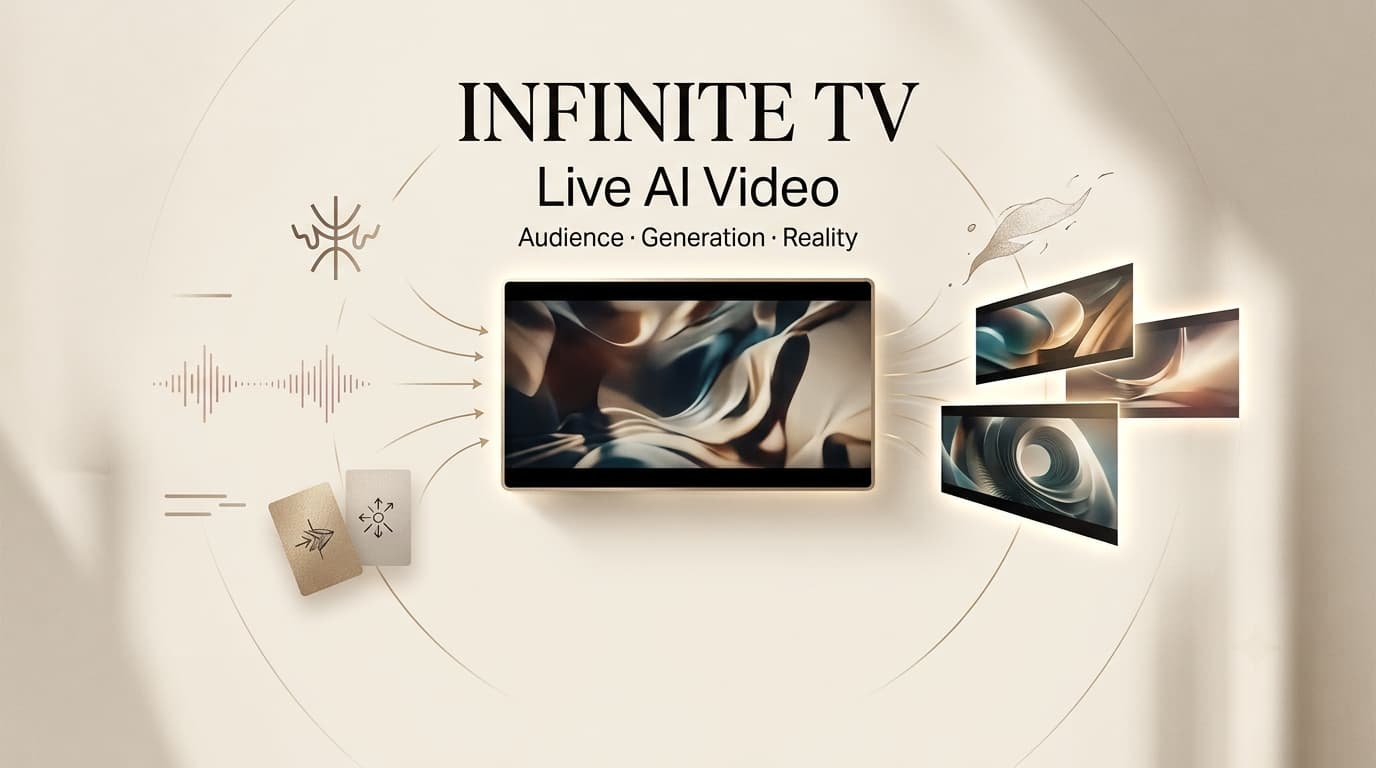
Infinite TV AI video is an open-source live generative video demo, not a finished broadcast platform. Its value is specific: it shows how audience input can move from Twitch chat into prompts, generated video, overlays, and an RTMP livestream. For creators, the interesting question is not whether it replaces television. It is whether audience-driven AI video can become a reliable live format after moderation, latency, cost, and failure recovery are tested.
What Infinite TV Demonstrates
The current Infinite TV open-source repository presents a real-time LTX video generation system with a Python streaming pipeline, a React dashboard, FAL deployment, Twitch chat input, frame processing, text overlays, and RTMP output. That makes it best understood as an open-source system for experimentation.
Twitch Chat as a Live Creative Input
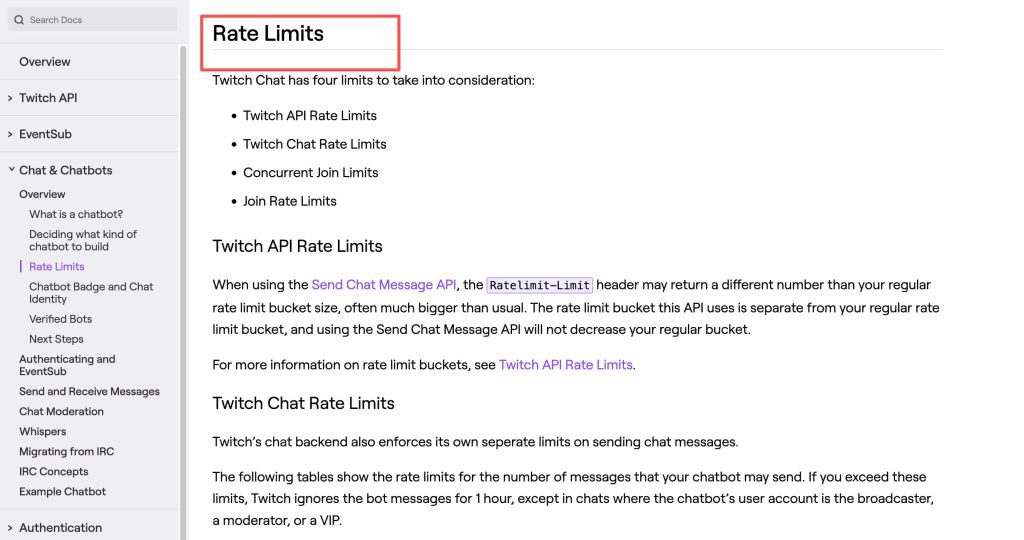
The demo turns chat into creative direction. In a normal livestream, chat reacts to content already happening. Here, chat becomes part of the content source. That changes the producer’s job: the team must decide which messages are usable, which should be ignored, and how much control the audience should have over tone, characters, and scene direction. Twitch chat integration also brings rate limits, authentication, chatbot identity, and moderation requirements into the production plan.
Continuous Generation and RTMP Delivery
Infinite TV connects generated clips to a live RTMP stream, so output can flow toward Twitch or another RTMP endpoint. The system relies on FFmpeg for stream handling and frame processing, while the repo describes continuous generation and text overlays. This is the core promise of AI livestream generation: the stream is not merely playing back finished clips; it is being assembled as live output.
How the Live Generation Loop Works
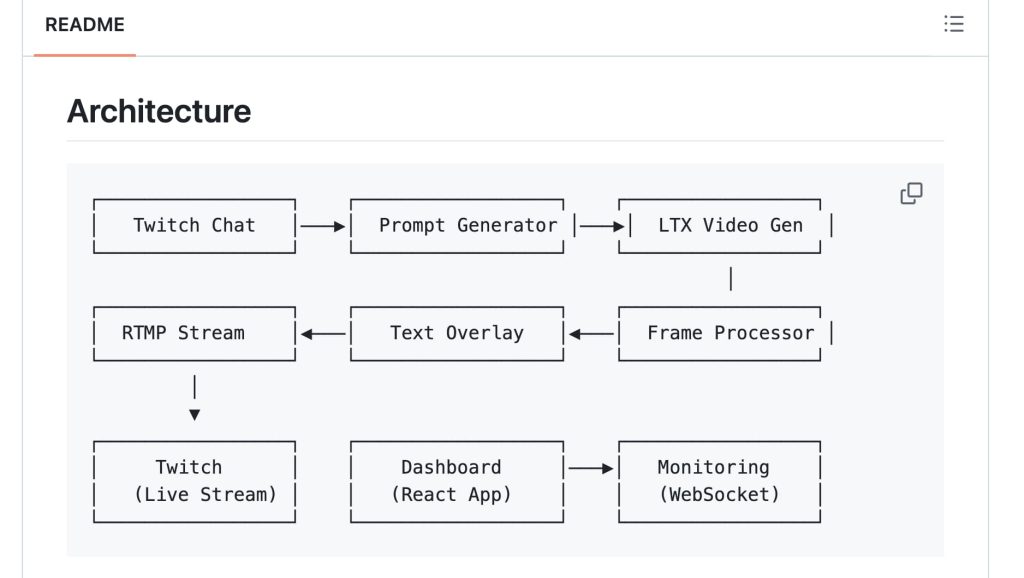
The loop has three creative steps and several engineering steps. Chat arrives, a prompt is formed, video is generated, frames are processed, overlays are added, and the queue feeds the stream.
Chat Selection and Prompt Formation
A usable live system cannot let every chat message become a prompt. A producer needs moderation filters, topic rules, safety boundaries, and fallback prompts. In a real event, I would test with a small audience first and label the show’s safe creative lanes in advance, because unclear audience freedom usually becomes chaos during live production.
Video Generation, Queuing, and Streaming
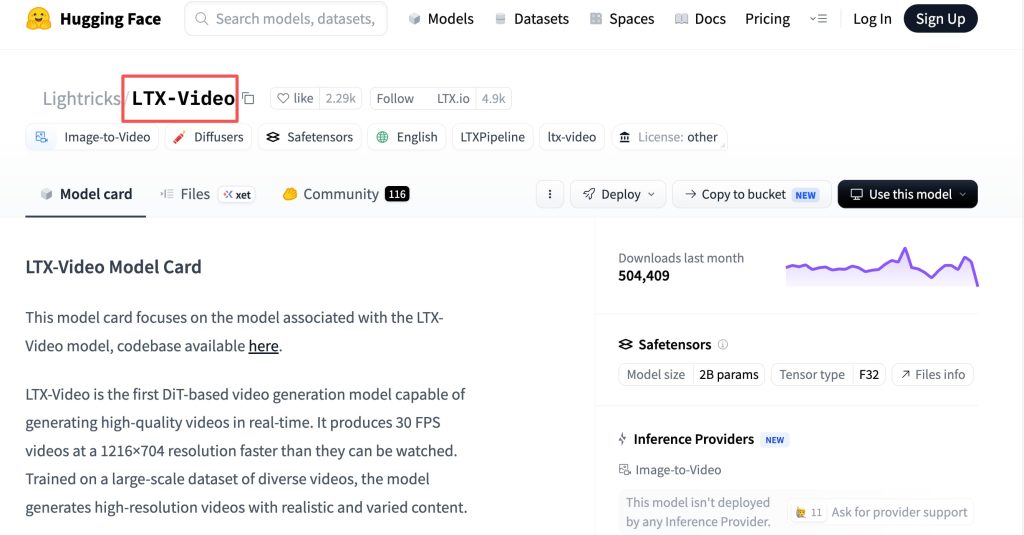
The repository supports local LTX v1 and hosted LTX 2.3 through fal. The LTX Video model and fal serverless GPU workflow are enabling parts of the pipeline, but they should not be treated as Infinite TV’s own model technology. Producers should measure generation time, queue depth, failed jobs, stream stability, and recovery behavior before using it beyond a demo.
What Changes for Creators and Audiences
Interactive video generation changes the contract between creator and audience. The creator no longer publishes a fixed timeline and waits for comments. The audience can influence what appears next.
Audience Participation Replaces a Fixed Timeline
This is exciting for community events, but it weakens story control. A director must decide whether the show is a guided game, a prompt battle, a collaborative story, or a chaotic visual channel. Without those boundaries, the audience may generate funny moments but not a coherent show.
The Stream Becomes the Production Output
In conventional video work, production creates source footage and editing creates the final output. With real-time AI video, the stream itself becomes the production output. That means errors are visible immediately. Bad prompts, artifacts, unsafe suggestions, dead air, and broken queues are not just internal issues; they become part of the live experience.
Where the Demo May Fit
Infinite TV is most useful where experimentation matters more than perfect continuity.
Live Experiments and Community Events
Creators could test it for prompt-driven watch parties, game-like community nights, AI cinema jams, or experimental Twitch segments. The format works best when viewers understand that the output is a live system under human supervision.
Prototype Entertainment Formats
Studios can use the demo to prototype interactive show mechanics before building custom infrastructure. It can help teams learn where audience control feels fun, where moderation slows the format, and where costs rise too quickly.
Production Limits to Verify
The current repo is useful, but several production details remain unproven for professional use.
Latency, Continuity, Cost, and Failure Recovery
Latency decides whether the audience feels heard. Continuity decides whether the stream feels like a show instead of isolated clips. Cost depends on model use, GPU infrastructure, retries, and stream length. Failure recovery needs testing around timeouts, queue stalls, RTMP drops, dashboard errors, and fallback media.
Moderation, Rights, and Platform Rules
This article is not legal or platform compliance advice. Audience prompts, generated visuals, music, likeness, recorded streams, and short-form reuse require rights review, disclosure review, and human moderation. Twitch community rules should be checked before live deployment, and recorded synthetic content may also need platform-specific disclosure review before reposting.
What an AI Director Still Handles Before Going Live
An AI Director workflow still matters before the stream starts. The team should define the audience goal, visual world, allowed prompt boundaries, blocked content categories, fallback scenes, moderator roles, title cards, archive rules, and short-form clipping plan. Infinite TV can connect input to output, but it does not replace show design.
FAQ
Can recorded Infinite TV streams become short-form clips?
Yes, but clipping should be treated as a new publishing step. Review the recorded segment for rights, unsafe chat influence, synthetic-media disclosure needs, and whether the clip still makes sense without live context.
Does the repository include a reusable producer dashboard?
The repository includes a React dashboard for monitoring and control. Teams should verify whether it fits their production needs before calling it a reusable producer console.
Can several moderators share control of one live session?
The public materials do not establish a full multi-moderator production workflow. Teams should test permissions, handoff behavior, and emergency stop procedures before a live event.
Are captions preserved in archived Infinite TV recordings?
That depends on the streaming and recording setup. Teams should test whether overlays, captions, and chat-derived text survive in the archived file before relying on them.
Does Infinite TV expose analytics for audience-triggered segments?
The repository references metrics and monitoring, but teams should verify whether those records answer production questions such as which prompts triggered clips, which segments retained viewers, and which inputs were blocked.
Conclusion
Infinite TV shows a useful live AI video loop: Twitch chat becomes prompt input, the system generates clips, frames are processed, overlays are added, and RTMP carries the result into a live stream. Its promise is not polished television replacement. Its promise is a testable format for real-time AI video, interactive storytelling, and audience-shaped livestream experiments. Before using it seriously, creators still need moderation, rights checks, latency testing, cost controls, recovery plans, and a clear show design.




[…] Infinite TV: Live AI Video With Audience Input AI Video Workflow: From Brief to Final Cut Seedance Studio Review: Is It a Complete AI Workspace? LTX-2.5 Review 2026: Is Native Multi-Shot Useful? AI Video Review Checklist Before Export […]