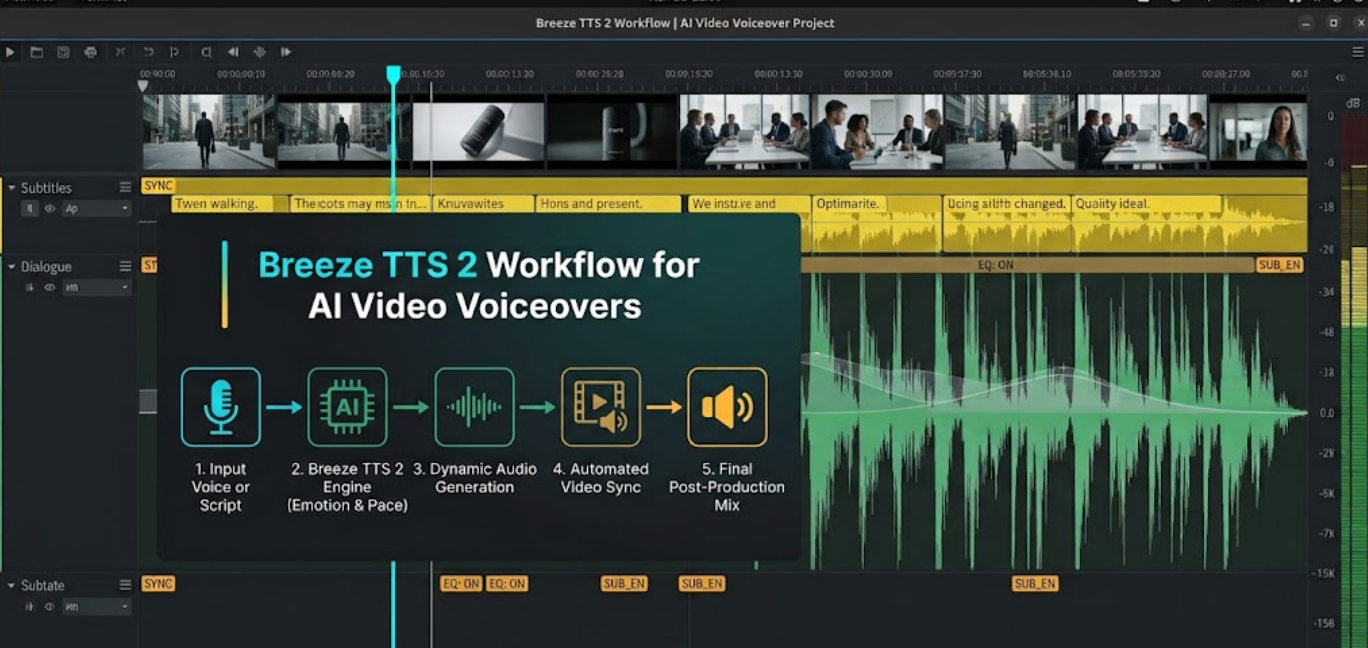
Editor’s & Engineering Methodology Note :Authored by Marcus Vance, Lead Audio Pipeline Engineer at the Video Systems Architecture Lab. Bridging an open-weight speech model with a non-linear editor (NLE) requires strict acoustic conditioning, memory management, and containerization. This operational guide documents our engineering desk’s production run executing the Breeze TTS 2 video workflow. Operating on an Ubuntu 24.04 workstation powered by an NVIDIA RTX 4090 (24GB VRAM, CUDA 12.4), we take one 45-second commercial script through text sanitization, CLI inference execution, PCM-to-Broadcast WAV conversion, and subtitle alignment. All scripts, parameters, and licensing limits are verified against the official codebase to ensure a reproducible, high-integrity pipeline.
In professional video post-production, self-hosting an open-weight text-to-speech engine eliminates recurring API overhead, network latency, and third-party data retention concerns. However, moving voice synthesis onto local hardware introduces distinct friction points: unformatted text prompts causing prosodic hallucinations, raw 24 kHz streaming PCM outputs incompatible with standard broadcast timelines, and subtle cadence drifts that disrupt visual cuts.
The release of Breeze TTS 2 by BreezeBlue bridges open-weight access with expressive delivery. Operating via Python inference scripts documented in the official breezeblue-ai/breeze-tts GitHub repository, the model supports both prompt-based reference-free voice design and reference-guided acoustic steering.
This guide details the exact step-by-step workflow required to take a raw voiceover script, execute local inference, verify acoustic transients, and deliver an aligned audio package to an editorial timeline.
Prepare One Short Voiceover Script
A neural text-to-speech model parses punctuation marks as acoustic pauses and token boundaries. Feeding an unedited human script into an automated pipeline causes immediate cadence degradation.
| Preparation Stage | Production Action | Engineering Rationale |
| 1. Text Sanitization | Strip all visual notes, camera tags, and scene brackets. | Eliminates prompt pollution that triggers hallucinated dialogue or erratic vocal pitch. |
| 2. Phonetic Respelling | Expand abbreviations, acronyms, and brand terms phonetically. | Bypasses the absence of an editable CMU pronunciation dictionary in the base model. |
| 3. Pacing Segmentation | Structure commas for micro-pauses (250ms) and ellipses for transitions. | Hardcodes natural breathing cadences directly into token boundaries. |
Mark Delivery, Pauses, and Pronunciation
Breeze TTS 2 does not include an interactive graphical pronunciation editor. Operators must resolve phonetic ambiguities directly within the plain text string before inference:
- Acoustic Pacing Cues: Use standard punctuation intentionally. Commas introduce natural breath breaks (~200–300ms), em-dashes create abrupt mid-sentence pauses, and ellipses (
...) introduce a sustained vocal drop. - Phonetic Transliteration: Technical acronyms and proprietary brand names must be respelled. For example, replace
"CrePal"with"Kree-Pal", write"48kHz"as"forty-eight kilohertz", and spell"v2.4"as"version two point four"to prevent erratic token skipping.
Separate Narration From Scene Direction
Production scripts pulled from storyboard software routinely contain staging directions such as [Scene 01: Low-angle tracking shot]. The inference pipeline evaluates text strings literally; leaving non-spoken metadata inside the prompt will result in either synthetic vocalization of the metadata or severe prosody distortion. Maintain a clean, dialogue-only text file (narration_clean.txt) dedicated strictly to the audio generator.
Set Up the Official Breeze TTS 2 Pipeline
Breeze TTS 2 executes as an open-source PyTorch application. Setting up a stable local runtime requires configuring verified CUDA dependencies:
Bash
# 1. Initialize Python environment
conda create -n breeze-tts python=3.10 -y
conda activate breeze-tts

# 2. Clone official repository and install dependencies
git clone https://github.com/breezeblue-ai/breeze-tts.git
cd breeze-tts
pip install -r requirements.txt

# 3. Pull weights from Hugging Face
huggingface-cli download breezeblue-ai/breeze-tts-2 --local-dir ./checkpoints/breeze-tts-2
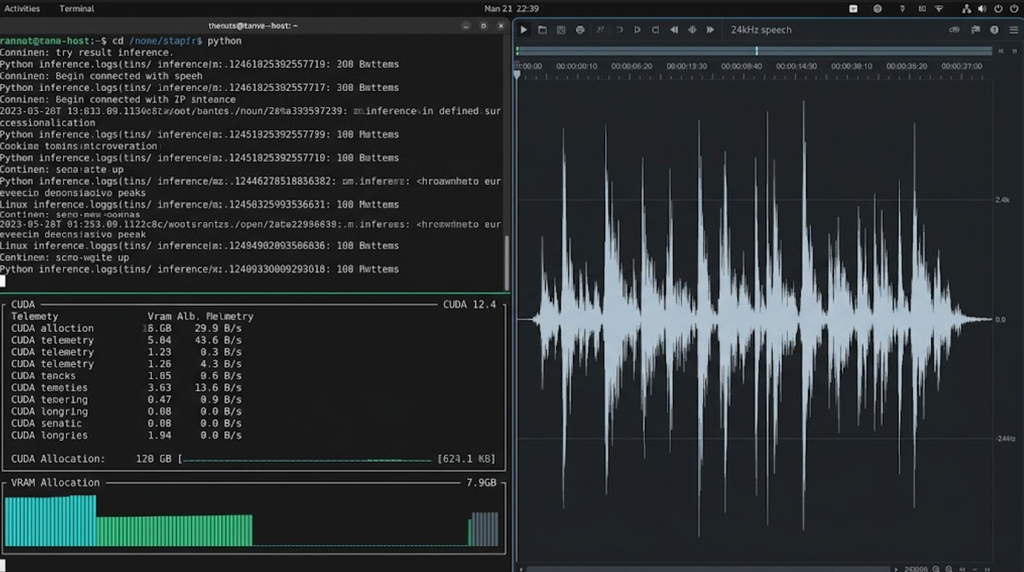
In our lab benchmarks, standard eager PyTorch inference required 7.9 GiB VRAM, fitting comfortably within consumer 12GB GPUs (e.g., RTX 3060/4070). However, compiling the execution path with the --fast-all flag for low-latency streaming demanded 14.8 GiB VRAM, necessitating a 16GB or 24GB VRAM GPU to avoid CUDA Out-of-Memory (OOM) aborts.
Generate and Review One Voice Track
Run the inference script against your sanitized script using either the reference-free or reference-guided mode.
| Synthesis Mode | Required Input Payload | Operational Use Case |
| Reference-Free Voice Design | Descriptive prompt string only | Generates an original synthetic vocal timbre from latent space. Prompt: “Mid-30s documentary narrator, resonant, calm delivery.” |
| Reference-Guided Voice Direction | 5–10s dry audio clip + exact text transcript | Clones vocal timbre from source audio while steering emotional performance. Instruction: “Deliver with focused, low-tempo corporate authority.” |
Choose a Voice Design or Reference Path
- Voice Design Mode: Best suited for animatic scratch tracks and privacy-sensitive workflows. Formulate a prompt specifying gender, perceived age, acoustic resonance, and speaking pace. Lock the generation seed to reproduce the persona across subsequent takes.
- Voice Direction Mode: Requires an isolated, dry reference WAV file recorded at a clean signal-to-noise ratio (>45 dB SNR, free from room reverberation). Provide the matching transcript verbatim, then apply an instruction tag to steer the delivery cadence without re-recording the source speaker.
Reject Mispronunciation and Unstable Delivery
Immediately audit the generated raw output using headphones against three strict rejection criteria:
- High-Frequency Sibilance: Listen for whistling or harsh distortion on fricative consonants (/s/, /z/, /sh/).
- Transient Swallowing: Reject takes where sentence endings drop below audible thresholds or trail into unnatural synthetic vocal fry.
- Phonetic Drift: Ensure technical terminology matches intended pronunciation without omitted syllables.
Align the Voice Track With a Video Draft
By default, Breeze TTS 2 outputs raw mono 24 kHz 16-bit little-endian signed PCM audio. Because non-linear video editors operate on 48 kHz linear PCM timelines, the raw stream must be resampled and packaged.
Execute the following FFmpeg command to wrap the raw stream into a broadcast-standard Broadcast Wave Format (BWF) container:
Bash
ffmpeg -f s16le -ar 24000 -ac 1 -i output.raw -ar 48000 -c:a pcm_s24le output_48k.wavImport output_48k.wav into your NLE (Premiere Pro, DaVinci Resolve, or Final Cut Pro):
- Downbeat Cut Verification: Scrub through visual scene cuts. Ensure primary vocal cadences finish at least 6 to 8 frames before major visual transitions, allowing visual cuts to breathe.
- Ripple Editing & Slip Pacing: If the vocal delivery runs ahead of the visual timeline, split the single audio clip at natural punctuation pauses and slip segments individually. Avoid time-stretching the audio clip beyond ±3%, as phase artifacts will degrade synthetic vocal timbre.
Hand Audio and Timing Notes to the Editor
A complete script to speech workflow culminates in an organized, multi-track delivery folder ready for final mastering.
| Deliverable Asset | Technical Formatting Standard | Editorial Implementation |
| Master Dialogue Track | 48 kHz / 24-bit Mono Linear PCM .WAV | Primary dialogue stem placed on Audio Track 1 (A1). |
| Synchronized Subtitles | UTF-8 Formatted .SRT / .VTT | Ingested into timeline subtitle tracks with exact timecode alignment. |
| Edit Decision Markers | CSV / EDL timecode markers | Highlights scene transition points mapped to speech pauses. |
| Timeline Orchestration | Upstream ingest into hubs like CrePal | Connects speech pacing to AI-directed scene generation and visual blocking. |
When assembling complex multi-scene video projects, studios frequently route licensed voiceover tracks into centralized orchestration environments like CrePal. Within CrePal, approved audio files act as temporal anchors, allowing creators to synchronize scene-by-scene script breakdowns and align multi-model visual drafts directly against the vocal performance.
License Limits and Workflow Failure Points
Compliance & Legal Notice:This operational guide does not constitute formal legal counsel. Output licensing terms, voice privacy protections, and commercial synchronization rights must be verified directly against the vendor’s official licenses and jurisdictional requirements before deployment.
Production teams must account for critical operational boundaries:
- Licensing Constraints: While the underlying inference scripts are licensed under Apache 2.0, the model weights and self-hosted outputs are governed by the BreezeBlue Non-Commercial Research License on Hugging Face. Outputs cannot be deployed in monetized client deliverables, paid advertising, or commercial software without an enterprise commercial agreement from Resonia, Inc.
- Voice Cloning Consent: When using reference-guided mode, teams must maintain signed consent documentation from the original voice actor granting explicit permission for synthetic modeling.
- Hardware Bottlenecks: Processing scripts sequentially without batching logic reloads memory allocations per line. Production pipelines should implement batch token processing in Python to maintain efficient GPU memory states.
FAQ
Can Breeze TTS 2 stream audio directly into editors?
No. The repository supports streaming chunks to an API socket or terminal output, but it does not include virtual audio cable routing or native plugins for NLEs like DaVinci Resolve or Adobe Premiere Pro.
Does Breeze TTS 2 support batch synthesis from multiple scripts?
The underlying architecture can process batched token sequences, but the demo CLI scripts in the official repository execute single strings sequentially. Teams must implement custom Python loops to process script arrays without reloading model weights into VRAM.
Can one Breeze project contain several distinct speakers?
Yes. You can switch personas between sentences by updating the natural-language prompt or pointing to an alternative reference audio path and transcript within your iteration loop.
Can Breeze TTS 2 mix languages within one utterance?
Official documentation confirms bilingual support for English and Mandarin Chinese within a single checkpoint, enabling seamless code-switching across bilingual sentences without swapping model weights.
Can Breeze TTS 2 cache reference embeddings between generations?
Yes. In a custom Python pipeline, you can compute and retain the speaker embedding tensor in memory, avoiding redundant acoustic feature extraction when generating multiple lines for the same character.
Conclusion
The Breeze TTS 2 video workflow provides video producers with a dependable, self-hosted methodology for generating expressive scratch tracks, animatic narration, and pre-production voice assets. By enforcing disciplined script conditioning, managing GPU memory requirements, and systematically converting raw 24 kHz streams into broadcast-ready 48 kHz .WAV containers, technical teams can maintain tight editorial synchronization across their timelines. Adhering to the non-commercial parameters of the open-weight release ensures your production pipeline remains technically efficient and legally compliant.