An H3 Max workflow makes the most sense when H3 Max has one narrow job: producing fast candidate clips before a team selects, refines, and finishes a direction elsewhere. In multi-model video production, speed is useful upstream, but it should not decide the entire pipeline. This guide focuses on handoff, review, and production control rather than repeating a general H3 Max speed review.
Give H3 Max One Clear Job in the Pipeline
fal describes H3 Max as a post-trained version of MiniMax H3, optimized with a custom inference stack. Its official launch description positions it around prompt adherence, visual quality, and faster generation.
For creators, the clearest role is fast concept generation. Use it to explore motion, framing, pacing, or a visual interpretation of a brief. Do not automatically treat the first successful clip as the final asset.
That distinction prevents a common workflow mistake. A model can be excellent at producing candidate directions while still requiring another tool for continuity, audio editing, compositing, captions, brand review, or final delivery.

Define an Approved Shot Brief
Lock the Subject, Motion Goal, and Acceptance Criteria
Before submitting a job, write one approved shot brief. It should identify the subject, setting, action, camera intention, output format, and the reason the shot exists.
Add acceptance criteria that a reviewer can actually check. For a product ad, the product may need to remain recognizable, the main action may need to happen within the opening seconds, and the camera movement may need to leave space for text. For a social clip, the team may prioritize a readable hook and a clean vertical composition.
The current H3 Max API schema exposes fields such as duration, resolution, aspect ratio, seed, prompt expansion, and safety checking. These fields can support a controlled test, but they do not replace a creative brief.
Separate Draft Quality From Delivery Quality
A draft only needs to answer a creative question. Does the reveal work? Is the movement too fast? Does the scene communicate the product benefit?
Delivery quality has a higher bar. It may require stable subject details, clean transitions, approved audio, brand-safe text, color matching, and an export format suitable for the destination platform.
Keeping these standards separate makes review faster. A rough clip can be approved as a direction without being mistaken for an approved final asset.
Generate and Compare Fast Variants
Keep Prompts and Review Criteria Consistent
For a useful creator iteration workflow, keep the brief, aspect ratio, duration, and review criteria stable while testing motion directions. Change one meaningful variable at a time when possible.
If one version changes the camera, subject, style, and pacing together, the team cannot tell which change helped. A simple comparison record should connect each output to the brief version, model endpoint, seed if used, and reviewer decision.
This also protects later AI video handoff. The editor or finishing model receives context instead of a folder full of unnamed clips.
Select a Direction Instead of Chasing Every Rerun
The goal is not to collect every possible variation. It is to select a direction that deserves more work.
A useful review question is, “Which clip gives the next stage the clearest starting point?” The answer may be a visually imperfect clip with the right movement, not the most polished-looking result.
Once a direction is selected, freeze the rejected alternatives as reference material. Do not keep regenerating simply because the pipeline makes another attempt inexpensive. More outputs can create slower decisions.
Route the Selected Direction to Finishing
Preserve the Brief, References, and Decision Notes
The selected clip should move with its production context. Preserve the approved brief, prompt version, reference assets, seed where available, endpoint name, output settings, reviewer comments, and known defects.
This record helps the next tool solve the right problem. An editor may need to fix timing. An image-to-video model may need a stronger source frame. An audio tool may need to work from a locked duration. Without the decision notes, the next operator may regenerate the wrong shot.
A platform such as CrePal can be used as a neutral AI Director example for coordinating briefs, shot selection, model routing, and revision notes. That does not imply native H3 Max integration.
Choose a Model or Editor for the Final Requirement
The selected direction should be routed according to the delivery need. Use another video model when the shot needs a different reference-image behavior or continuation method. Use an editor when the problem is trimming, sound, captions, color, or sequencing.
This is the main value of a multi-model video production setup. Each tool receives a defined responsibility instead of being asked to solve the entire project.
Manage Audio and Revision Handoffs
Audio needs its own approval path. If the chosen model produces native audio, record whether that audio is temporary, review-only, or approved for delivery. Do not assume that a successful video generation includes a production-ready soundtrack.
The current text-to-video input schema does not list a dedicated audio-off control. A prompt instruction is not the same as a documented switch. Verify the active endpoint before promising silent output or a specific audio workflow.
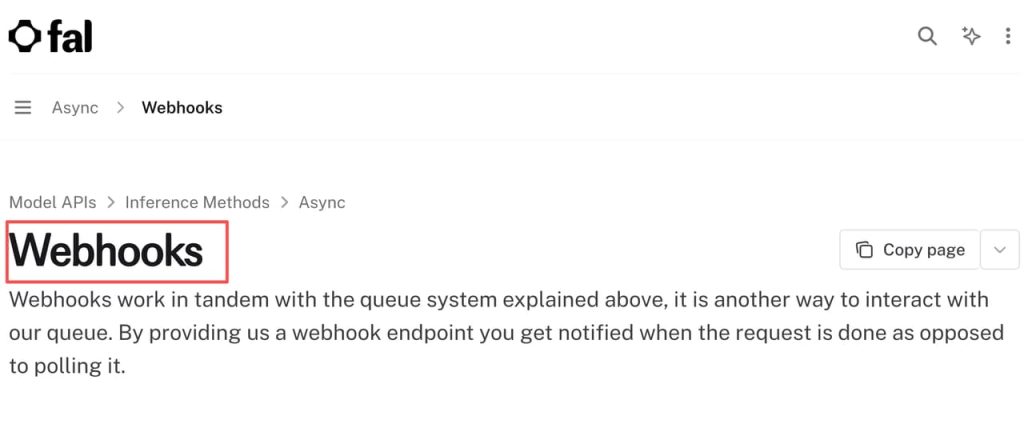
For asynchronous jobs, signed callbacks matter when a pipeline automatically moves outputs into review. fal’s webhook verification process includes request identifiers, timestamps, signatures, and public keys. A team should verify callbacks before accepting a result as complete.
Know When H3 Max Is the Wrong Pipeline Stage
H3 Max may be the wrong choice when the project starts with a locked performance, strict character continuity, complex multi-shot coverage, or a final edit that cannot tolerate large visual changes.
It may also be unsuitable when the team cannot preserve source assets, model settings, or approval records. In those cases, rapid generation creates traceability problems instead of solving a creative bottleneck.
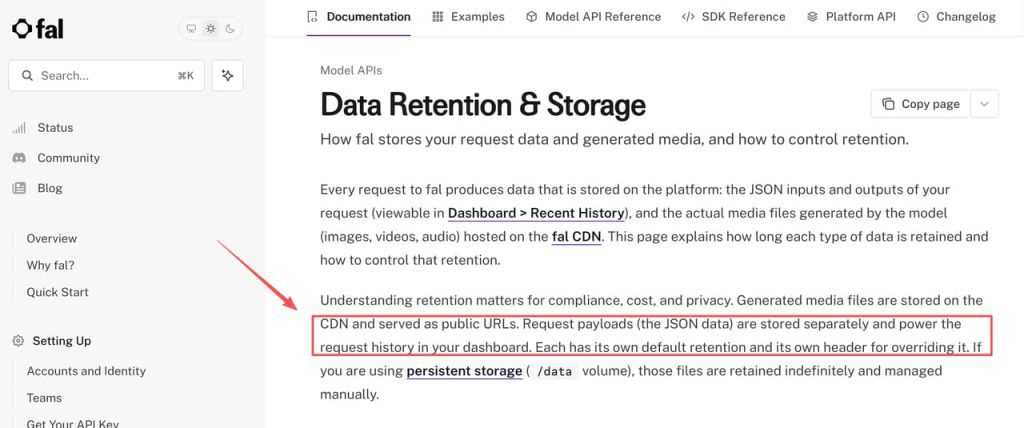
Before sending client material, review storage and retention requirements. fal’s input and output retention controls explain how request payloads and media files are stored and how teams can control expiration. Sensitive assets should not enter a shared pipeline without an approved data-handling decision.
FAQ
Can a pipeline pin a specific H3 Max model version?
The current endpoint identifies the model through its endpoint path, but the public schema does not establish an immutable version-pinning mechanism. Record the endpoint name, schema snapshot, date, and key settings. Ask fal directly about version guarantees before promising reproducibility.
Can native audio be disabled for a pipeline job?
Do not assume that it can. The documented text-to-video inputs do not expose a clear audio-off field. Treat audio control as endpoint-specific and verify the current schema before designing an automated branch around it.
Does fal sign H3 Max webhook callbacks?
fal documents signed webhook requests, but the exact verification behavior belongs to the webhook system rather than the H3 Max model itself. A pipeline should validate the signature and request timestamp before processing a callback.
Can moderation failures be distinguished from technical failures?
They should be logged as separate categories, but the exact error payload can vary. Store the request ID, status, error type, and response payload so a content rejection is not confused with a timeout, invalid input, or infrastructure failure.
Are H3 Max inputs used to improve provider models?
Do not make a universal assumption. Review the provider’s current privacy policy, account terms, team settings, and endpoint-specific disclosures. If client inputs cannot be used for model improvement, obtain that position in writing before relying on it.
Conclusion
An H3 Max video workflow works best when the model produces candidate directions, not when it becomes the entire production system. Lock the brief, compare variants consistently, preserve decision notes, and route the selected idea to the tool that matches the final requirement. That keeps speed useful without allowing fast generation to replace creative judgment, asset control, or review.