Editor’s & Systems Integration Note:
Transparency & Context Disclosure: This review evaluates the developer-facing API capabilities of Gemini Omni 1.1 Flash for integration into storyboard apps, automated shot pipelines, and internal creator desks. It evaluates API governance, failure recovery, and request handling rather than the consumer experience in Google Flow. Testing was conducted independently using official Google developer documentation and API endpoints. This review does not constitute legal counsel.
Source Verification & Ground Truth:
Official Release Documentation: Verified against Google’s August 27, 2026 developer release (Build with Gemini Omni 1.1 Flash) and Google Cloud model specifications. The Omni 1.1 Flash model exposes programmatic endpoints for first-and-last frame interpolation, multi-turn conversational video editing, 360p lightweight drafting, 1080p and 4K upscaling passes, and 10-second scene extensions up to 40 seconds cumulatively.
Access Surfaces: Available through the Gemini API in Google AI Studio and the Gemini Enterprise Agent Platform (Google Cloud).
Testing Scope & Practical Boundaries: Our lab evaluated a single integration scenario: submitting a structured shot card from a storyboard tool, tracking the asynchronous job status, capturing safety or rate-limit exceptions, and pulling media assets for human review. We report observed latencies, error states, and developer controls without subjective aesthetic awards.
When building an AI video generator into a storyboard engine, shot list dashboard, or internal studio app, engineering leads ask a very different set of questions than consumer video creators.
You do not care about a sleek canvas UI or consumer marketing badges. You care about API reliability: Can you send a structured payload, poll its generation state without random timeouts, catch safety exceptions predictably, and return an asset your editorial team can actually work with?
This Gemini Omni 1.1 review evaluates Google’s Omni 1.1 Flash API specifically from the perspective of creator tool integration.
With the August 2026 release of Omni 1.1 Flash, Google exposed critical programmatic controls: explicit first-and-last frame inputs, cheap 360p draft generation, chained scene extensions, and higher-resolution upscaling pipelines.
Does Omni 1.1 provide the operational stability needed to power an automated creator tool, or do unpredictable failure rates and rate limits still require constant engineering supervision?
Here is what our benchmark runs revealed when wiring Omni 1.1 into an automated shot production pipeline.
Quick Verdict for Creator-Tool Integration
Gemini Omni 1.1 Flash is an impressive step forward for developer-facing generative video, particularly for teams building shot pre-visualization and animatics tools.
The standout architectural feature is the dual-tier draft-to-upscale pipeline. Being able to call lightweight 360p drafts at approximately 60% faster turnaround and a third of the compute cost allows product teams to give end users interactive feedback in 8 to 15 seconds. Locking the camera motion at 360p before triggering a 1080p or 4K upscale saves huge compute budgets.
However, operational challenges remain for autonomous pipelines. Safety classification filters can reject requests with broad, generic policy error codes that leave automated queues guessing. In addition, model version pinning and strict quota enforcement mean production apps must still deploy defensive retry wrappers and human review checkpoints.
What Omni 1.1 Exposes to Developers
Understanding what Omni 1.1 actually accepts in its API schema determines what features your creator tool can expose to end users.
Request Inputs and Generation Controls
Omni 1.1 Flash operates as an “any-to-any” multimodal model accessible through Google’s GenerateContent and interactions APIs. Key input parameters include:
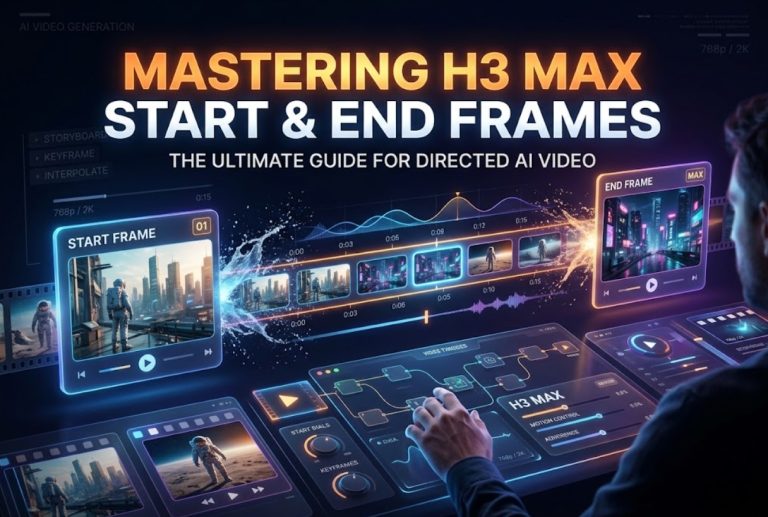
- First and Last Frame Interpolation: Developers can pass two distinct image URIs (or inline base64 image strings) into dedicated keyframe slots. The model generates a motion bridge connecting them.
- Video and Style Referencing: You can submit up to 3 seconds of reference video alongside prompt text to enforce stylistic or camera behavior consistency.
- Chained Scene Extensions: By passing a
previous_interaction_id, developers can extend an existing 10-second clip in 10-second increments up to a 40-second total ceiling without re-uploading source video frames. - Resolution and Aspect Parameters: The API supports 16:9 and 9:16 aspect ratios across 360p, 720p, 1080p, and 4K output profiles.
Responses, Media Delivery, and Safety Signals
Omni 1.1 returns synchronized video and audio within an MP4 container. Generated assets include invisible SynthID metadata for synthetic media provenance verification.
Media delivery is handled asynchronously. When submitting a generation job, the API responds with an operation ID. The client tool polls the endpoint until the job finishes, returning temporary download URIs or Google Cloud Storage paths.
Safety evaluation occurs during processing. If an input prompt or generated frame triggers safety thresholds, the API returns a blocked status with high-level category ratings (such as harassment or sexually explicit content).
Test One Storyboard-Tool Integration
To assess developer ergonomics, our lab simulated an automated storyboard-to-shot workflow: taking a structured scene card and generating a moving camera animatic.
Turn Structured Shot Data Into an API Request
A clean creator tool cannot rely on open-ended chat prompts. It must translate structured database fields into an exact API payload.
In our test, the storyboard card contained four structured fields: a starting frame photo, an ending frame photo, camera movement tags (“slow orbital pan”), and dialogue text.
Our application compiled this data into a single GenerateContent payload. We specified the two image URIs as first-and-last frame anchors, set resolution: "360p" for fast drafting, and formatted the prompt to prioritize camera trajectory.
Submitting the request took less than 300 milliseconds over standard HTTP REST calls, returning an active operation identifier immediately.
Capture Status, Errors, and Output References
Once submitted, the integration polled the operation status every two seconds:
- Draft Execution Speed: In 360p preview mode, the model completed the 5-second interpolation in a median latency of 11.8 seconds.
- Asset Ingestion: Once marked complete, our tool fetched the signed media URL, downloaded the MP4, and loaded it into the playback window.
- Upscale Call: Upon user sign-off, our system submitted the approved clip ID to the upscale endpoint, receiving a 1080p master file in approximately 45 seconds.
When testing edge cases with dynamic action, the safety filter caused notable friction. A prompt describing a “spilled cup on a restaurant floor” tripped an ambiguous safety block without specific frame-level diagnostics, forcing our tool to log a generic error and request human intervention.
Assess Repeatability and Operational Fit
Deploying an API into a production tool requires strict predictability across cost, versioning, and failure management.
Version Pinning and Reproducible Requests
Production systems require deterministic behavior. In Google AI Studio and Google Cloud, developers can target specific preview checkpoints (such as gemini-omni-1.1-flash-preview).
However, because generative video models operate non-deterministically, identical prompts and seeds will occasionally yield variations in camera speed. Tool builders must design user interfaces that embrace iteration: expose prompt history, save seed parameters, and keep draft variations visible in the project timeline.
Rate Limits, Queues, and Failure Recovery
In high-throughput creator applications, rate limiting is a primary operational boundary. Omni 1.1 on standard pay-as-you-go tiers enforces fixed requests-per-minute (RPM) and token quotas.
If several users trigger video generations simultaneously, your application will quickly hit HTTP 429 (Too Many Requests) errors.
To make this production-ready, developers must build a middleware queue:
- Buffer incoming requests in a task queue (like Redis or Celery).
- Implement exponential backoff retry logic.
- Cache generated 360p previews to prevent users from re-billing identical prompts.
When building workflows where multiple foundation engines, prompt variations, and timeline approvals must be coordinated across a team, developers often study structured orchestrators like the CrePal video workspace. Within CrePal, creative pipelines decouple high-level script planning from underlying model endpoints, giving teams a centralized board to manage API versions, inspect re-rolls, and review outputs before committing to final post-production assembly.
Where an API Still Needs Human Direction
Despite the impressive automation capabilities of Omni 1.1 Flash, generative video APIs are not autonomous directors:
- Continuity Auditing: The API cannot verify whether lighting angles match across different scenes; Human editors must inspect cuts visually.
- Audio Stem Separation: Generated sound effects and dialogue are baked into a single stereo AAC stream, requiring manual audio rebuilding for broadcast-level mixes.
- Safety Exception Handling: Because safety filters occasionally flag benign creative prompts, your application must provide an easy manual override or prompt-editing interface so users are not left stranded.
Who Should Integrate Now
Gemini Omni 1.1 Flash is ready for integration if your product fits these profiles:
- Storyboard and Pre-Vis Software: Products that help directors turn static script boards into moving animatics will find the first-and-last frame interpolation and cheap 360p drafts invaluable.
- Short-Form Video Automation Platforms: Marketing tools that generate standardized 5-to-10-second social video clips from product catalogs.
- Internal Agency Production Desks: Creative teams wanting to deploy custom generation tools tailored to their brand guidelines and specific asset storage buckets.
Teams requiring fully finished, frame-accurate feature-film VFX should wait for higher-fidelity video models or continue using traditional 3D and compositing suites.
FAQ
Are Gemini API inputs used to improve Google models?
Under standard paid Gemini API terms via Google AI Studio (paid tier) and Google Cloud Vertex AI / Enterprise Agent Platform, customer inputs and generated outputs are not used to train or improve Google’s foundation models. However, developers utilizing free experimental tiers must verify whether data logging and prompt review apply to their specific tier.
Which official SDKs support Omni 1.1 video generation?
Developers can call Omni 1.1 Flash through the official Google Gen AI SDKs available for Python, TypeScript/JavaScript, Go, and standard REST HTTP endpoints.
Is video generation priced per request, second, or output?
Pricing on the Gemini API evaluates video generation based on output resolution and duration, billed per second of generated video. The 360p draft mode is priced at a steep discount compared to standard 720p/1080p outputs, allowing cost-effective iteration.
Can Omni 1.1 API outputs be used commercially?
Yes. Outputs generated through paid Gemini API developer tiers carry full commercial exploitation rights, provided that your input assets and prompt directives do not infringe third-party copyrights or violate Google’s acceptable use policies.
Is Omni 1.1 available through both Gemini API and Vertex AI?
Yes. Omni 1.1 Flash is accessible for rapid prototyping via Google AI Studio (Gemini API) and for enterprise infrastructure deployments through Google Cloud’s Enterprise Agent Platform / Vertex AI ecosystem.
Conclusion
The Gemini Omni 1.1 Flash API provides the concrete programmatic hooks developers have been waiting for. By providing start-and-end frame anchors, fast 360p drafting, and chained scene extensions, Google has built an API designed for real software integration rather than simple chat demos.
While building a bulletproof creator tool still requires wrapping the API in queue management, retry logic, and human review steps, Omni 1.1 Flash delivers the foundation technical teams need to build practical, next-generation video creation software.