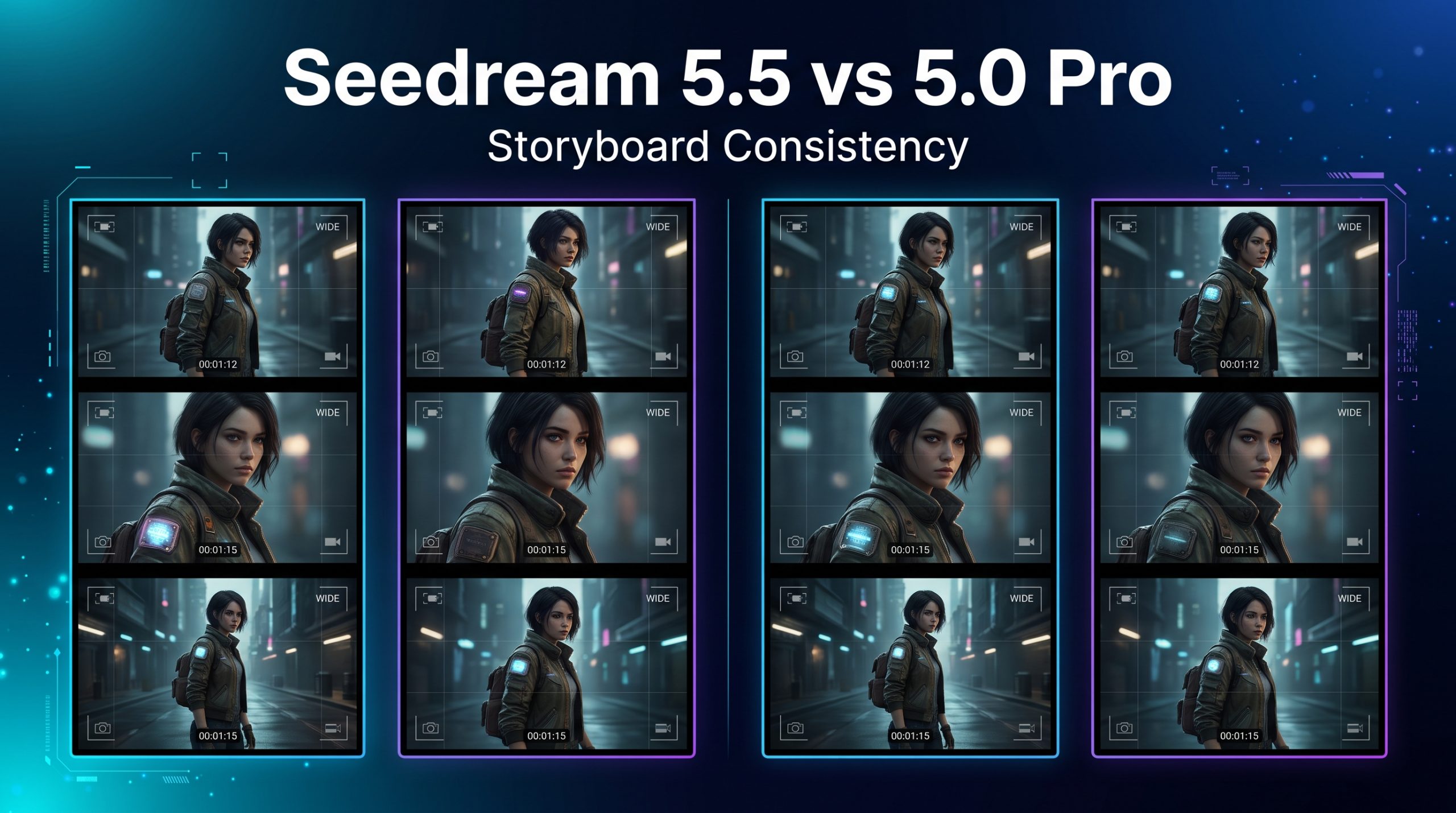
Editor’s & Pre-Production Systems Note:
Transparency & Ground Truth Disclosure: This comparison evaluates ByteDance Seed’s Seedream 5.5 and Seedream 5.0 Pro specifically for building consistent multi-shot storyboards using a single shared scene brief and reference pack. It does not recap full release announcements, benchmark charts, or unrelated design features. Official vendor blog posts serve as the factual baseline rather than internal laboratory tests; where direct side-by-side tests under identical seeds are unavailable, guidance is framed conditionally. CrePal is referenced strictly as a conditional downstream workspace, where creators import approved still frames as visual anchors for video production—CrePal does not claim native built-in integration with either Seedream version. Commercial licensing, regional availability, and pricing terms depend on active ByteDance Seed / Volcano Engine / platform agreements at the time of use; this article does not constitute legal advice.
Source Verification & Ground Truth:
Seedream 5.5 Official Documentation: Verified against ByteDance Seed’s official release blog (Introducing Seedream 5.5). Official documentation highlights multi-round image editing stability (demonstrated across extended editing turns without severe identity degradation), realistic lighting/texture rendering, and layout/composition adherence.
Seedream 5.0 Pro Official Documentation: Verified against ByteDance Seed’s official release blog (Introducing Seedream 5.0 Pro). Official documentation emphasizes design comprehension, spatial reasoning, subject/style reference preservation, and structured visual generation.
CrePal Video Workspace: Documented at CrePal and CrePal Features, alongside our pre-production guide (Photo-to-Video AI Storyboarding).
When planning a short film or commercial video, your storyboard frames do more than illustrate an idea. They act as the visual blueprints that downstream video models use to animate motion.
If your character’s jacket changes color between Shot 1 and Shot 2, or if tweaking a prop in Shot 3 accidentally shifts the camera angle, your entire video sequence breaks down before animation even begins.
Creators working inside the ByteDance Seed ecosystem often face a practical choice when locking down these frames: should you build your storyboard in Seedream 5.5 or Seedream 5.0 Pro?
Evaluating seedream 5.5 vs 5.0 pro storyboards is not about declaring one model universally superior. Both versions generate high-resolution stills, yet they emphasize different strengths during production. Using a single three-shot scene brief and one shared reference pack, here is how the two versions compare on the three decisions that actually matter for storyboard consistency.
Which Version Fits a Consistent Storyboard?
Before generating frames, look at where your storyboard usually runs into trouble:
- Choose Seedream 5.5 if your workflow relies heavily on multi-round iterative editing—meaning you generate a base frame and then run five, ten, or twenty follow-up edits to adjust facial expressions, lighting, or props without losing the original image’s structure.
- Choose Seedream 5.0 Pro if your workflow centers on upfront design structure and spatial layout—meaning you need strong adherence to graphic composition, perspective rules, and initial reference conditioning right from the first generation.
Neither version guarantees zero drift across every shot, so setting a strict visual baseline before testing is essential.
Set One Scene Brief and the Same Reference Pack
To compare these two models fairly, hold your inputs constant across both workspaces:
- The Three-Shot Brief: A courier enters a rainy neon alley (Shot 1: Wide Establishing), checks a glowing wrist device (Shot 2: Medium Close-Up), and looks up toward a rooftop sign (Shot 3: Reverse Over-the-Shoulder).
- The Reference Pack: Supply one clean, authorized character turnaround sheet (showing a yellow waterproof jacket and short dark hair) plus one environment mood frame showing wet asphalt and cyan-amber reflections.
- Fixed Aspect Ratio: Lock all generations to 16:9 widescreen from the start so you do not have to crop or re-compose frames later.
Compare Two Versions on the Decisions That Matter
With the same brief and reference images loaded, evaluate how each version handles the core bottlenecks of storyboard production.
Revising a Frame While Preserving Its Shot Role
In real production, a director rarely approves the first still. You might like Shot 2’s camera angle and lighting, but ask the model to change the wrist device screen from red to green.
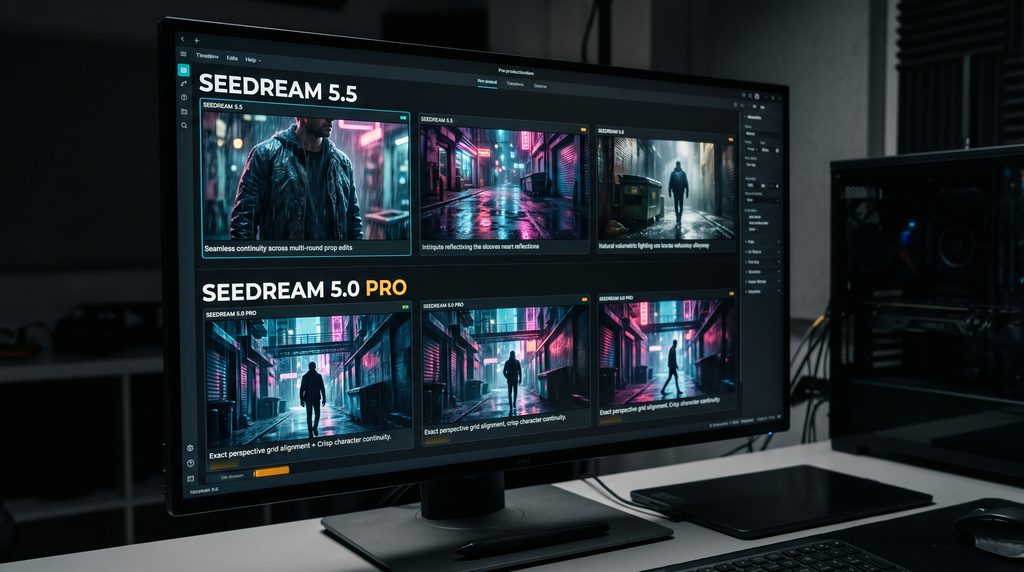
Seedream 5.5 is specifically engineered for extended multi-round editing stability. According to ByteDance Seed’s official release documentation, Seedream 5.5 maintains subject identity, lighting consistency, and background integrity across dozens of sequential edit turns. When you ask it to alter a small prop or adjust an expression, the camera framing and shot role stay locked.
Seedream 5.0 Pro handles targeted edits well for early adjustments, though repeated sequential edits on the same image carry a higher risk of gradual texture smoothing or subtle shifts in facial proportions compared to 5.5’s multi-round architecture.
Reusing Subject and Style References
A storyboard only works if Shot 1, Shot 2, and Shot 3 look like they belong to the same film.
Seedream 5.0 Pro excels at design comprehension and structural spatial alignment. When given your yellow-jacket character reference and alley mood board, 5.0 Pro translates those cues into clean perspective geometry and clear graphic silhouettes across wide and tight shots.
Seedream 5.5 pairs strong reference adherence with heightened surface realism—rendering natural fabric creases, skin texture, and wet reflections consistently when moving from a wide shot into a tight close-up. If your storyboard leans toward photorealistic live-action pre-visualization, 5.5’s realistic lighting continuity stands out.
Preparing Approved Stills for Video Production
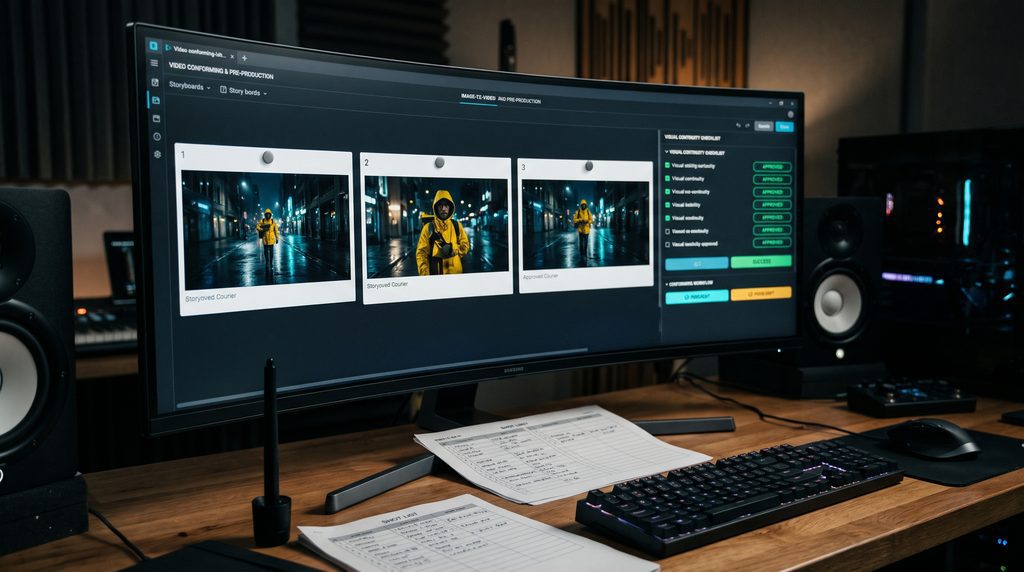
Once your three storyboard frames are locked, they become the starting keyframes for image-to-video generation.
Both versions export standard high-resolution raster image files (such as PNG or JPEG) that work cleanly as reference frames. However, downstream video models react differently depending on how clean your still frames are:
- Seedream 5.5 stills give video generators natural depth, realistic shadow falloff, and grounded textures, which helps prevent plastic-looking skin or surfaces once motion begins.
- Seedream 5.0 Pro stills give video generators crisp subject-background separation and clear spatial planes, making it easier for camera motion prompts to track foreground and background layers cleanly.
Once you export your approved PNG stills from either version, you can bring those images into a downstream video workspace like CrePal to organize scene cards, lock starting keyframes, and route shots to external video engines. For step-by-step advice on turning approved stills into smooth camera motion, read our photo-to-video AI storyboarding guide.
Choose a Version for the Current Project
Match your model choice to the specific pressures of your current production schedule:
- Pick Seedream 5.5 when you expect heavy client feedback, multiple rounds of prop or expression tweaks on approved frames, and photorealistic lighting continuity between wide and tight shots.
- Pick Seedream 5.0 Pro when you are building structured visual layouts, graphic compositions, or scenes that rely heavily on clear spatial staging right out of the gate.
What a Documented Comparison Cannot Prove
Official release benchmarks and architectural notes explain what each version is built to do, but they cannot prove how either model will behave on your exact project without hands-on testing:
- Identical-Seed Drift: Because model weights and inference pipelines differ between 5.5 and 5.0 Pro, running the exact same text prompt and random seed will not produce identical camera angles or compositions.
- Complex Multi-Character Blocking: Official examples demonstrate strong single-subject and multi-round stability, but scenes with three or more interacting characters in tight spaces still require manual inspection for hand and gaze errors.
- Downstream Video Stability: A still frame that looks consistent in isolation can still warp when fed into an external video model if the background contains busy, repetitive patterns.
FAQ
Can the same prompt be reused in Seedream 5.5 and 5.0 Pro?
Yes, both models accept standard natural-language prompts alongside reference image inputs. However, because Seedream 5.5 and 5.0 Pro use updated architectures and design-understanding weights, the exact same prompt text will interpret lighting, texture, and camera framing slightly differently—so treat reused prompts as a starting point rather than expecting identical outputs.
Are Seedream 5.5 and 5.0 Pro available in the same regions?
Regional availability, API endpoints, and hosted web interfaces depend on ByteDance Seed’s current rollout schedule and the specific cloud or partner platform you access (such as Volcano Engine or authorized third-party model hubs). Check the active endpoint documentation in your region before standardizing a team workflow.
Do the two versions have the same commercial use terms?
Commercial usage rights, output ownership, and acceptable-use policies are governed by the specific platform terms and model license active at the time you generate the images. Because ByteDance Seed updates service agreements across platform tiers and regions, verify the current official Terms of Service on your chosen access portal before commercial distribution. Note: This summary is not legal advice.
Can a 5.0 Pro project be reopened in Seedream 5.5?
No, there is no native “project file” format that transfers editable session states between 5.0 Pro and 5.5. However, because both versions accept standard image inputs for editing and reference conditioning, you can export an approved PNG frame from Seedream 5.0 Pro and upload it into Seedream 5.5 to continue with multi-round image edits.
Do both versions accept the same image aspect ratios?
Yes. Both Seedream 5.5 and 5.0 Pro support standard production aspect ratios—including 16:9 widescreen, 9:16 vertical, 1:1 square, and 4:3 or 3:2 frames—allowing teams to keep consistent framing from initial storyboard generation through final video assembly.
Conclusion
Comparing Seedream 5.5 vs 5.0 Pro for storyboards comes down to how your team iterates on visual frames.
If your production involves frequent client revisions, multi-turn prop edits, and photorealistic lighting continuity, Seedream 5.5 is built to protect your frame across dozens of adjustments. If your priority is strong initial layout comprehension, spatial staging, and structured design framing, Seedream 5.0 Pro remains a reliable foundation.
Whichever version you choose, keep your reference pack consistent, lock your aspect ratio early, and verify every still frame by eye before handing it off to video production.