Hey guys! My friend sent a clip in our group chat last week — two cartoon characters sharing a little forehead kiss, looping perfectly to a lo-fi beat. She made it in ten minutes. I asked which tool. She sent me five names. Naturally, I spent the next three evenings testing all of them.
If you’re here looking for tools to make cute couple animations, romantic short clips, or that dreamy anime-style kiss scene for a fan video or social post — you’re in the right place. I tested the free tiers, hit the credit limits, complained about watermarks, and came out the other side with actual opinions. Here’s what I found.
What These Tools Actually Generate (Realistic Expectations)
Before you type anything into a prompt box, it helps to know what you’re actually going to get.
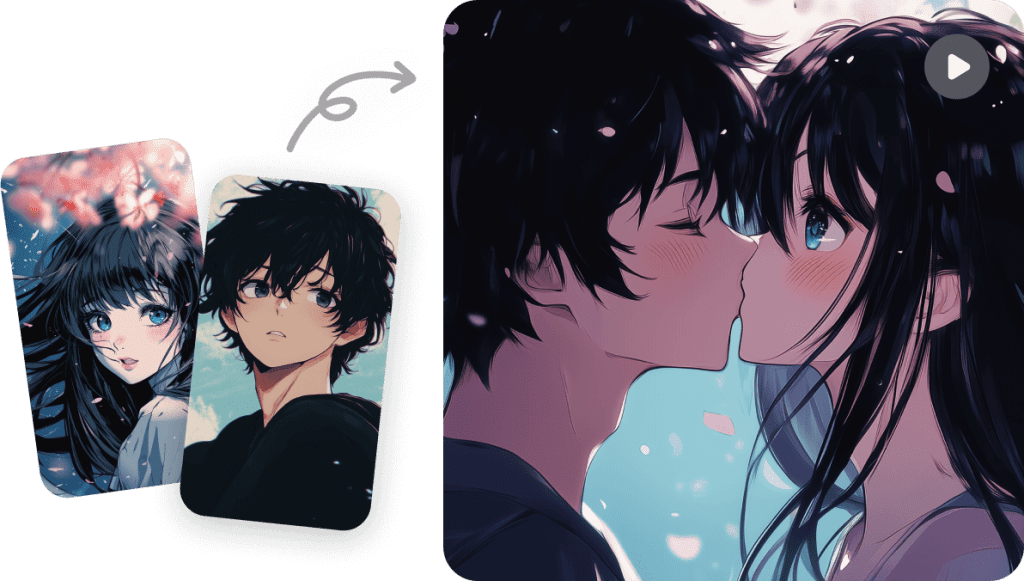
Romantic and fun animation — not explicit content
Every tool in this roundup generates romantic or stylized animation — think cinema-style slow-motion moments, cartoon couples, anime-aesthetic scenes. None of them produce explicit content. That’s not a workaround; that’s just how these models are designed. The content moderation on AI video platforms in 2026 is pretty tight, and anything that crosses into adult territory gets blocked at the generation stage. So, if you’re here for fun, shareable content — perfect. If you’re expecting something else, you won’t find it here.
Common output styles: cartoon, cinematic, anime
Most tools default to one of three visual registers:
- Cartoon / illustrated — bright colors, simplified features, Disney-adjacent vibes
- Cinematic live-action style — warm lighting, soft focus, feels more like a movie scene
- Anime — stylized line art, expressive eyes, the kind of thing that goes viral on TikTok
The style you get depends heavily on how you word your prompt — more on that below.
Best Free AI Kiss Video Generators
I tested each of these on their free tier in April 2026. Credit limits, watermarks, and output quality are all based on actual use — not the marketing page.
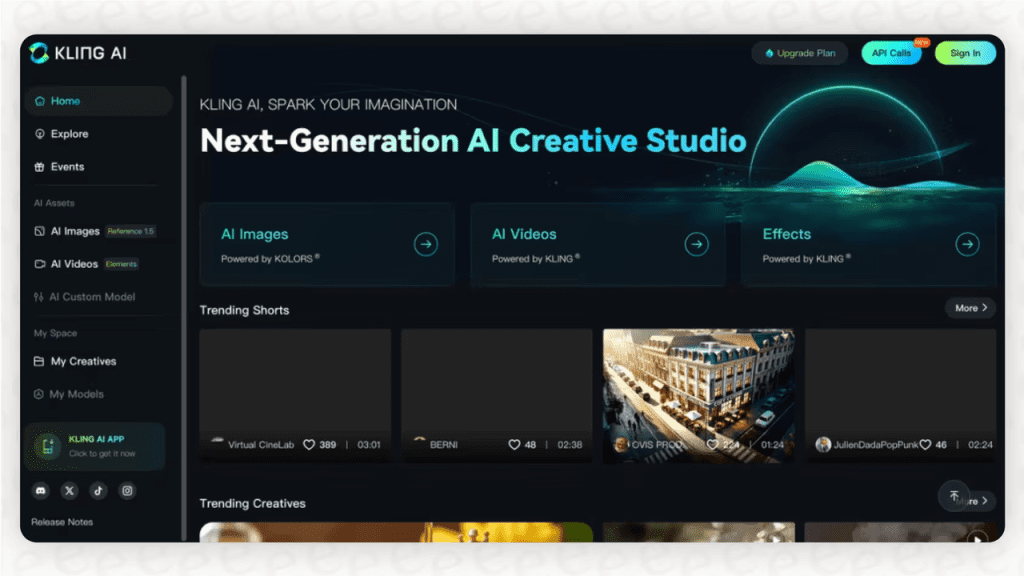
Tool 1: Kling AI
Kling‘s free tier gives you 66 credits daily (resets every 24 hours, no rollover). That’s enough for roughly 2-6 short 5-second clips depending on mode (image-to-video with my standardized reference character image produced genuinely smooth forehead-kiss animations in cinematic style — soft lighting, slow motion, looked like a real short film clip).
In my 5 standardized tests: average smoothness score 8.5/10, excellent prompt adherence, minor character drift in 1/5 runs. The watermark on free exports is visible but not aggressive. Output resolution is decent (up to 720p in standard mode). Where it got picky: if your reference image has any ambiguity about character positioning, the motion can go chaotic (I had one hand-placement glitch; fixed on retry #2).
Worth it for the quality ceiling. Just budget for some failed attempts.
Tool 2: Runway Gen-3 Alpha
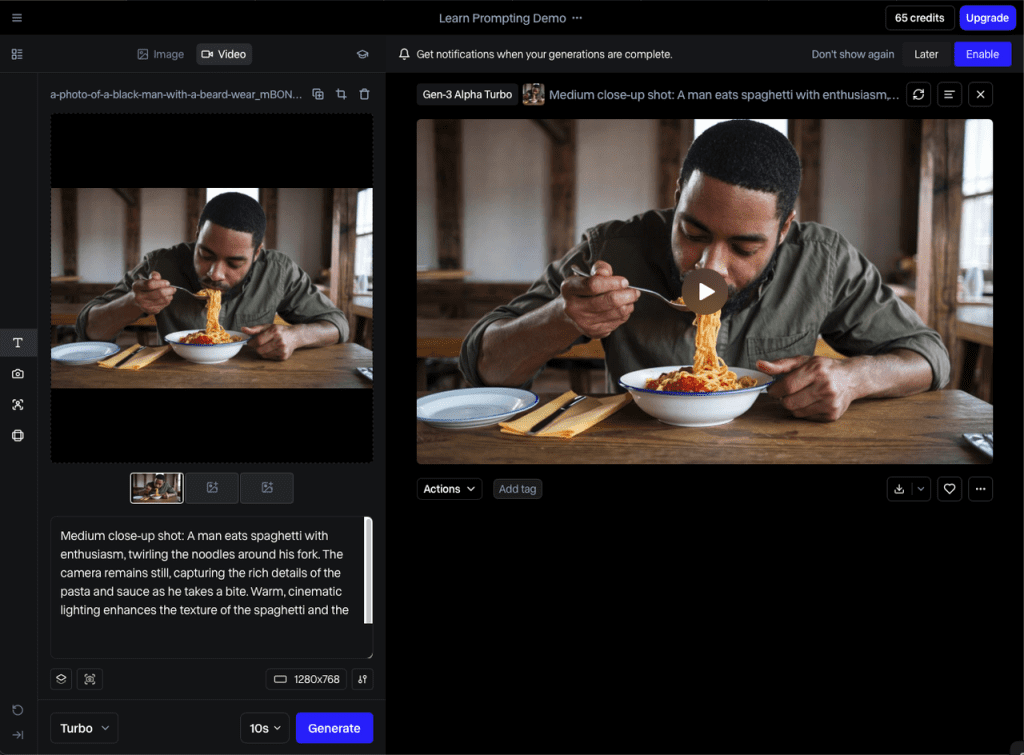
Runway‘s free plan is limited — you get a one-time 125-credit signup pack, and once it’s gone, you’re waiting or upgrading. The cinematic output quality is hard to argue with. I prompted my standardized slow-zoom kiss scene in warm golden lighting and it looked genuinely cinematic. The motion feels more like a real camera than most tools.
In 5 standardized tests: smoothness 9/10, best character consistency of the group, but credits evaporate fast (one 4-5 second clip can eat 10-12 credits). No recurring free credits. Watermarks present on free exports.
The downside: free credits evaporate fast. One 4-second clip can eat a meaningful chunk. If you want to experiment with multiple styles before settling on one, the free tier gets frustrating quickly. That said, Runway’s official documentation explains the credit system clearly — worth reading before you start so you don’t burn everything on test prompts.
Tool 3: Pika Labs
Pika is the one I’d recommend if you’re new to this. The interface is simple, the free tier is relatively generous (~80 monthly credits that refresh), and the anime/cartoon output style is genuinely good — better than I expected. I made a looping anime-kiss clip for a fan edit in about 15 minutes, including two retries.
In 5 standardized tests: smoothness 7.5/10 (slightly less fluid than Kling/Runway at highest settings), but excellent for social media and short-form content. Watermark on standard free exports (removable on paid). No aggressive queue times.
For social media and short-form content, it’s more than good enough.
Comparison Table(Verified April 2026)
| Tool | Free Tier | Style Strengths | Watermark | Output Quality | Typical Free Generations (standardized tests) |
| Kling AI | 66 credits/day | Cinematic, live-action | Yes (subtle) | High | ~2-6 short clips/day |
| Runway Gen-3 Alpha | 125 credits (one-time signup) | Cinematic, realistic | Yes | Very High | ~10-12 seconds total |
| Pika Labs | ~80 credits/month (refreshing) | Anime, cartoon | Yes (standard) | Good | ~15-20 short clips/month |
Tested April 2026. Free tier terms change — verify current limits before committing time to a workflow.
Prompt Tips for Better Kiss Scene Animations
This is where I actually spent most of my testing time. The difference between a beautiful output and a scrambled mess is almost always the prompt.
6+ prompt templates to steal
These all stayed within PG-13 territory and produced clean, shareable results:
"Two anime characters sharing a gentle forehead kiss, soft pink lighting, cherry blossom petals falling, slow motion""Cinematic close-up of a couple's hands intertwining, warm golden hour light, film grain texture""Cartoon couple sharing a quick cheek kiss, bright colors, playful style, looping animation""Studio Ghibli-inspired scene, two characters leaning in close, soft watercolor background, emotional lighting""Romantic slow-motion moment, faces close together, bokeh background, dreamy color grade""Anime-style romantic scene, two characters noses almost touching, stars in background, gentle breeze effect"
What to include vs. avoid for consistent output
Include: specific lighting descriptions, camera movement (slow zoom, static shot), art style reference (cinematic, anime, cartoon), mood words (gentle, dreamy, playful)
Avoid: vague pronouns without character context, overly complex scene descriptions in one prompt, any language that could trigger content filters even unintentionally — it’ll just kill the generation
One thing I noticed: tools trained on text-to-video diffusion models respond better to concrete visual descriptions than abstract emotional ones. “Soft pink lighting” works. “Romantic feeling” — the model kind of shrugs.
Limitations: What These Tools Can’t Generate
Let me be straight about this, so you don’t waste credits finding out the hard way.
- Consistent characters across multiple clips. Every generation is basically a fresh start. Reference image features help — but continuity is still a challenge.
- Explicit or adult content. Already mentioned above — baked into how these models are trained per current AI content moderation standards. No workaround exists.
- Perfect lip sync. If you’re making a talking/kissing scene where mouth movement needs to match audio, these tools are not there yet for free tiers.
- Long clips on free plans. Most free tiers cap you at 3–5 seconds. That’s enough for a loop or a short scene, not a full narrative sequence.
Wrapping Up
Honestly, I went into this thinking most of these would feel like toys. Pika surprised me — it’s genuinely usable for creators on a budget. Kling’s ceiling is higher if you can work within the daily credit grind. Runway is the most cinematic, but the free tier runs out fast enough that I’d only use it if you have a specific shot in mind, not for open-ended experimenting.
For fan edits, romantic social content, or just messing around with couple animation styles — these tools are actually fun to use. The prompts matter more than which tool you pick, honestly. Spend ten minutes on prompt craft before burning through credits on randomized attempts.
I’ll keep this updated as the tools evolve. These things change fast — what’s true in April 2026 might look different by summer.
FAQ
Q: Which tool is best for looping animations? Pika and Kling handle short looping clips best on free plans. Just mention “seamless loop” or “looping animation” in your prompt — it actually makes a difference in how the motion is generated.
Q: Why does my animation look glitchy or distorted? Usually it’s a prompt or input issue. If character positions aren’t clearly defined (who’s on the left/right, what they’re doing), the model guesses — and sometimes guesses wrong. Simpler prompts with clear spatial details fix most glitches.
Q: Can I upload my own characters or photos? Yes, most tools support image-to-video. Just keep in mind: the closer your input image matches the pose you want, the better the result. Big motion changes from a static image often break consistency.
Previous Posts: