Last month a tiny skincare brand slid into my DMs, handed me a small ad budget, and asked if I could turn something around by Friday. No film crew. No actors. Just me, a laptop, and a deadline that made my stomach drop a little. So I did the only thing that made sense — I tried to create TikTok ads with AI, start to finish, and see how far it actually got me.
Spoiler: it worked better than I expected, and worse in one specific way I’ll get to.
Dora here. Here’s the honest version of how I run this now — what makes them land, the exact workflow I run, the tools I lean on, and the disclosure rules you genuinely can’t skip in 2026. If you’re in a hurry, jump to the checklist near the end. Otherwise, stick with me.
What Makes a Good TikTok Ad
A good TikTok ad barely looks like an ad. It looks like a person who happened to point a camera at something useful.
I’ll be blunt about it: the glossy, color-graded brand spot? It tanks. Almost every time. The stuff that performs is messier — a real face, a real problem, a first line that snags your thumb before you can scroll past.
Three things matter more than anything else. The first 1–2 seconds have to earn the next five. The video has to carry one idea, not five. And it has to work vertical and sound-on, because that’s how people actually watch.
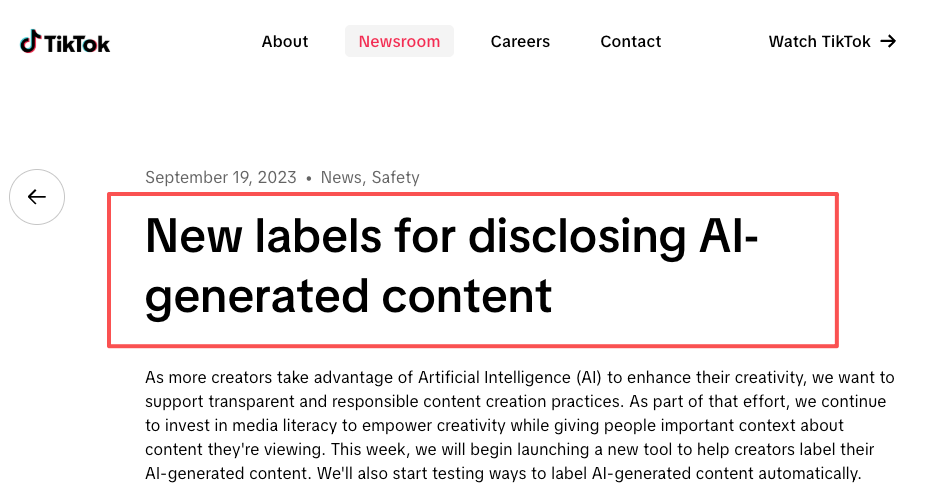
There’s a newer ingredient in “good” too: honesty. TikTok’s creator-facing AI content labels have been live for a while now, and a clean, properly disclosed AI ad performs about the same as a “real” one. Hiding the AI is what actually hurts you. More on that below.
Step-by-Step AI TikTok Ad Workflow
This is the loop I run for every ad. It takes me about an hour now. It used to take a day.
Pick the offer
One offer per ad. Just one. The mistake I see constantly is cramming three benefits into 15 seconds and landing none of them.
Pick the single thing a viewer can act on — a discount, a free sample, a “this fixes X” promise — and build the whole video around that. For the skincare brand, the offer was dead simple: a 7-day kit for the price of one product. That’s it. That’s the ad.
Write the hook
The first line is the whole game. I keep a notes file of hooks that stopped my own thumb, and I steal from it shamelessly.That focus on the opening isn’t just a creator habit — TikTok Creative Center has repeatedly highlighted how the first few seconds of an ad heavily influence whether viewers keep watching.
Three formulas that keep working for me:
- Problem call-out: “If your foundation looks cakey by noon, watch this.”
- Result first: “This took my edit time from 3 hours to 20 minutes.”
- POV / mid-scene: “POV: you found the cleanser that actually does what it says.”
Write five. Keep the two that make you want to keep watching. The rest are landfill.
Create UGC-style video assets
This is the part people overthink. You don’t need a studio to make ai ugc ads — you need footage that looks like a real person filmed it on a phone, in real light, with real hands.
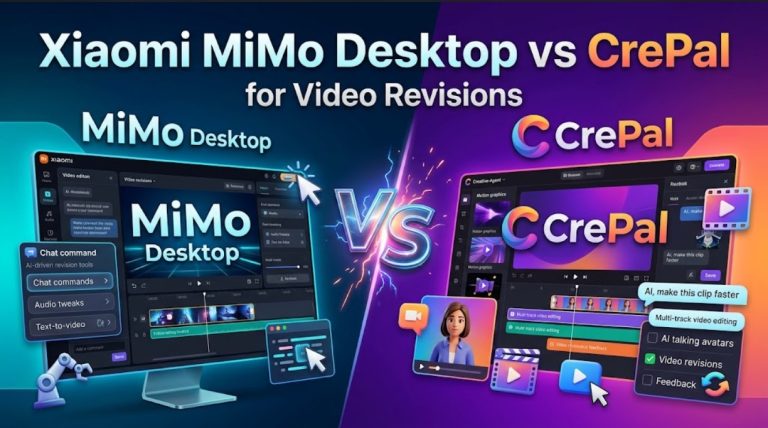
I run most of this through CrePal, the AI video agent I use day to day. I describe the script and the vibe, and it handles the storyboard, the visuals, the voiceover, and a rough first cut I can talk back to in plain language — “make the second shot tighter,” “swap the voice for something younger.” That chat-to-edit loop is the bit that saves me real time.
Now the honest part. Where it still trips up: realistic hands and fast-moving text baked into the generation. The skincare ad gave my model a sixth finger on take three, and I nearly closed the laptop right there. I fixed it by regenerating that one shot and adding the text myself in post. AI gets you 80% of the way fast — the last 20% is still you.
Add captions and variants
Most people watch on mute, so burned-in captions aren’t optional. Keep them big, high-contrast, one line at a time.
Then make 3–5 variants where you change only the hook. Same body, same offer, different first three seconds. This is the cheapest way to find a winner, and it’s the step beginners skip.
AI Tools You Can Use
There’s a new ai video ad generator launching basically every week, and honestly most of them are fine. What matters isn’t the brand name — it’s the job you need done.
| Tool type | Best for | Watch out for |
| AI video agent (e.g. CrePal) | Full script-to-export workflow, fast first cut | Fine detail still needs a human pass |
| Single-model generators (Runway, Kling, Veo-style) | One striking shot or b-roll clip | You stitch the rest yourself |
| Avatar tools (HeyGen, Synthesia-style) | Talking-head spokesperson | Can feel stiff for native UGC |
| Editors (CapCut-style) | Captions, trims, final polish | Not built to generate from scratch |
If you want the fewest tabs open, an agent doubles as your ai video ad maker and editor in one place. If you only need a single hero shot, a single-model generator is plenty. Pick the smallest tool that does the job — don’t buy a Swiss Army knife to open one letter.
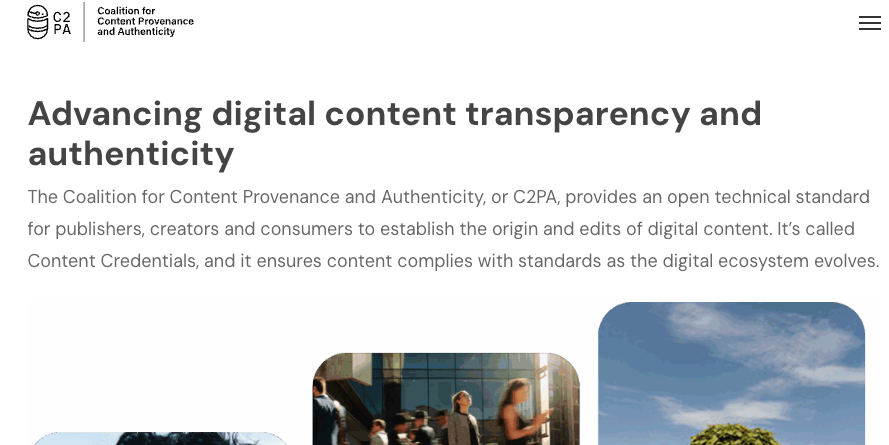
One thing nobody warns you about: a lot of these tools quietly stamp C2PA Content Credentials into your exports — invisible metadata that platforms read to auto-detect AI content. Worth knowing before you hit upload, because it ties directly into the next section.
Disclosure and TikTok Policy Notes
Okay. This is the part I almost skipped in my first draft, and it’s the part that can get your account smacked. Read it twice.
AI-generated content disclosure
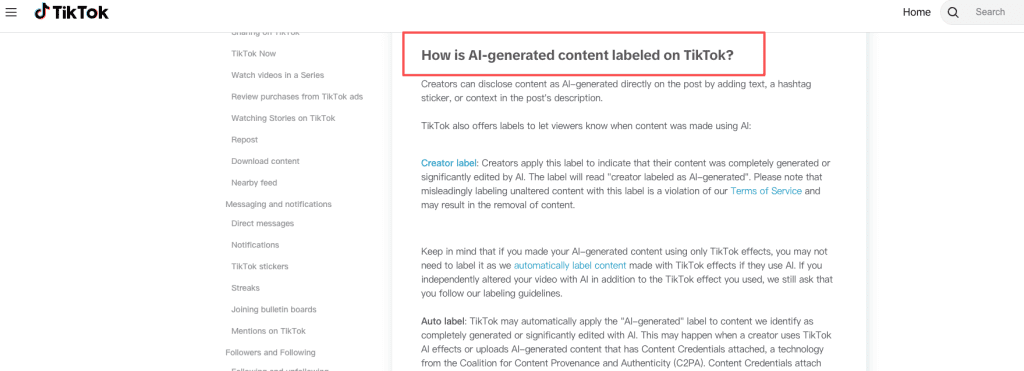
TikTok’s rule is easy to state and easy to forget: if your ad uses AI to create or significantly alter realistic people, voices, places, or events, you have to label it. Per TikTok’s own help docs on AI-generated content, you flip the “AI-generated content” toggle before posting, and a “Creator labeled as AI-generated” tag shows on the video.
A few things I had to learn the annoying way:
- AI-assisted work — scriptwriting, captions, hashtags — doesn’t need a label. It’s realistic AI visuals and audio that do.
- TikTok also auto-detects AI (partly via those C2PA credentials) and can label your video for you. Relying on that instead of self-labeling is what triggers strikes.
- Once a video is posted, you can’t remove the label. So decide before you publish.
Ad account and platform rule checks
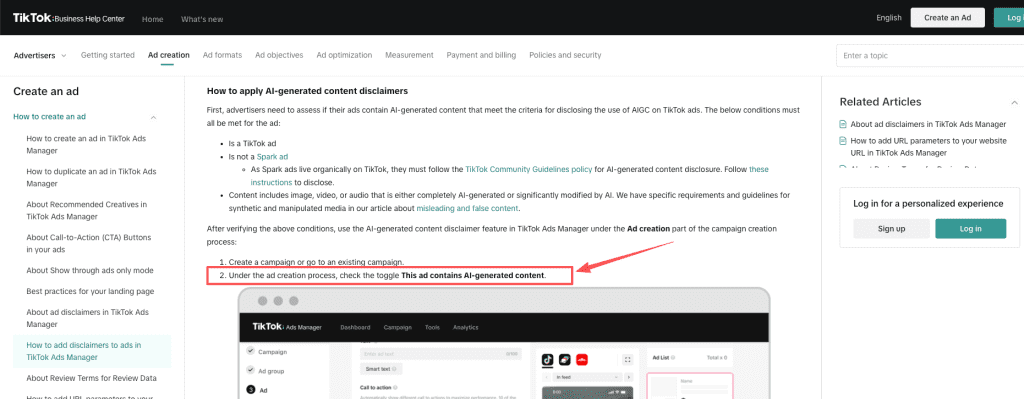
For paid campaigns it’s a separate step from the organic toggle. In TikTok Ads Manager you tick the “This ad contains AI-generated content” box during ad setup. Spark Ads built from an existing post inherit whatever disclosure that post already carries — you can’t bolt it on after the system processes the creative.
Quick gut-check before you spend a dollar: no political ads (banned outright), be careful with restricted categories like supplements and finance, and never promise a guaranteed or “miracle” result. Disclosure isn’t the thing that limits your reach. Skipping it is.
TikTok Ad Quality Checklist
Run this before every upload:
- Hook lands in the first 1–2 seconds
- Shot vertical (9:16), shot for sound-on
- One offer, one message
- Burned-in captions, big and readable
- AI label toggled on (and ad-level box ticked for paid)
- Looks native — not like a TV spot
- 3–5 hook variants ready to test
- Clear, single call to action
- No banned claims or restricted-category slip-ups
FAQ
Can I create TikTok ads with AI in 2026?
Yes, and it’s genuinely good now. You can run the whole thing from prompt to export, as long as you disclose AI-generated visuals and keep the hook human. The tech isn’t the bottleneck anymore — your offer and your first three seconds are.
Do AI-generated TikTok ads need disclosure in 2026?
Yes — when the AI creates or significantly edits realistic people, voices, scenes, or events, disclosure is required, not optional. Flip the in-app “AI-generated content” toggle, and for paid ads also enable the AI disclosure at the ad level in Ads Manager. Skipping it can mean content removal, reduced distribution, strikes, and — for repeat offenses — account or monetization penalties. AI-assisted scripting and captions are exempt. When in doubt, label it.
What AI tools are best for TikTok ad videos?
Depends on the job. An all-in-one ai video ad generator (an agent like CrePal) is best if you want one place for script, visuals, and a first cut. A single-model generator wins for one striking shot. An avatar ai video ad maker fits spokesperson-style ads. Most weeks I use the agent and finish captions in an editor.
How many TikTok ad variants should I test?
Start with 3–5, and change only one thing at a time — usually the hook. Give each a fair shot before you judge it, then pour budget into the one the data picks. Testing ten things at once just tells you nothing, slowly.
Conclusion
So — can you create TikTok ads with AI and actually run them this year? Yeah. I do it most weeks now, and the skincare brand’s “ugly” first cut quietly outperformed the polished version I made later. That still bugs me a little.
Here’s where I’d start: one offer, three hooks, captions baked in, the AI label honestly switched on, then let the numbers tell you which version lives. Don’t wait for perfect. Go make the rough first version — in my experience, that’s usually the one that works.
Tested on CrePal and a handful of other tools, March–May 2026. Tool features and TikTok policies change fast, so double-check the official pages before you publish.
Previous posts: