
I’m Leo, content engineer. I push tools until they break, then come back and tell you exactly where they fell apart. Someone dropped a link in the group chat last week — “Have you seen Sulphur 2?” — and within about 10 minutes I was down a rabbit hole checking repos, reading threads, and trying to figure out what exactly this thing is. The SulphurAI/Sulphur-2-base repository on Hugging Face and the r/StableDiffusion release thread both appeared in early May 2026, so this is a fresh release inside the current LTX 2.3 wave. That context matters: you’re looking at a community release that’s maybe a few weeks old, not a model with months of real-world stress testing behind it.
Short answer: it’s a community finetune of the LTX Video 2.3 base model, and it’s getting genuine traction. Whether it deserves that traction for your workflow is a different question. Here’s what I found after digging into it.
What Sulphur 2 Is
Sulphur 2 is an AI video generation model trained on top of the LTX Video architecture. It’s showing up on Hugging Face, being discussed in ComfyUI communities, and being compared to Wan 2.1 in terms of visual quality and motion consistency.
The short pitch you’ll see floating around: better skin tones, smoother motion, less of that typical AI “jelly” artifact on human subjects. I haven’t run a full project through it yet — I’ll get to that — but the sample outputs I’ve seen are legitimately less embarrassing than a lot of what I’ve been generating with models from three months ago.
What it is not: a new foundation model trained from scratch. That distinction matters, and I’ll come back to it.
Is It a Finetune or a Base Model?
This is where I want to be careful, because the community is still sorting this out.
Verification Status
As of this writing, the exact training methodology behind Sulphur 2 hasn’t been fully disclosed. What’s broadly understood — based on Hugging Face model card information and community discussion — is that it was fine-tuned from an existing video diffusion checkpoint, likely using LoRA or full fine-tune techniques. It is not a from-scratch trained model, regardless of how some posts are framing it.
I’ve seen two or three write-ups calling it a “new base model.” That’s either wishful thinking or careless reading. If you’re evaluating it for production use, treat it as a community finetune until the authors publish something more detailed. I’d rather mark that uncertainty upfront than have you build a workflow around an assumption.
Relationship to LTX 2.3
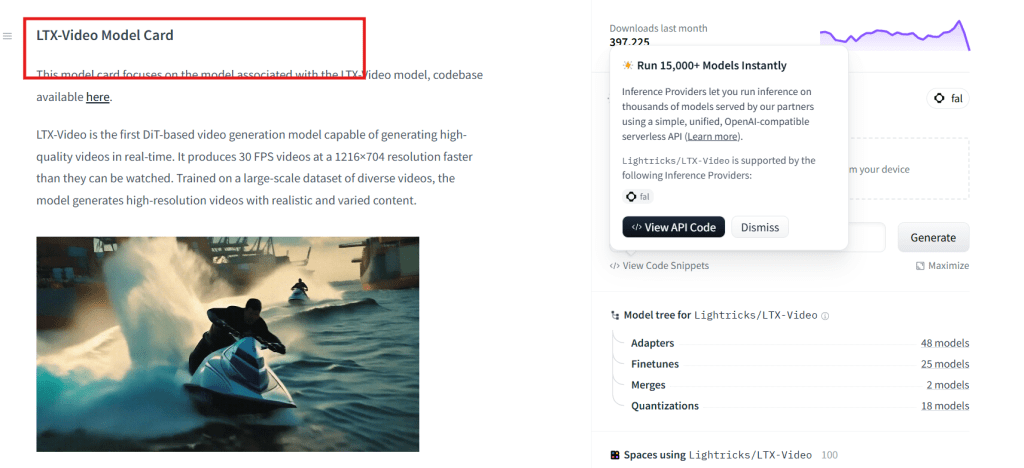
Sulphur 2 is built on LTX Video 2.3, Lightricks’ open-weight 22B parameter DiT-based video model released on March 5, 2026. LTX 2.3’s headline feature is efficiency relative to its parameter count — the architecture was designed to run at lower step counts than comparable models, and the distilled variant cuts inference to 8 steps. That said, “efficient” is relative here: full fp16 generation at 4K requires around 44GB VRAM, while FP8-quantized variants bring that down to approximately 24GB — viable on an RTX 4090, but not on a mid-range gaming card. If you’re on a 16GB card, you’re looking at the GGUF community quantizations or accepting sub-1080p output. I’d rather set that expectation clearly than have you hit a wall after downloading 46GB of weights.
That said — inheriting architecture also means inheriting its constraints. LTX Video has a known ceiling on long-form, complex motion. What Sulphur 2 brings (allegedly) is improved visual quality on human-centric content, not necessarily new motion complexity.
Why Creators Are Watching It
Look, the honest answer is: because the samples look good on social media and everyone is in “what’s the next Wan?” mode right now.
But there are a few more grounded reasons to pay attention:
Output quality on human subjects. Based on community comparisons I’ve seen posted on Hugging Face and Reddit, Sulphur 2 handles faces and skin tones better than the stock LTX 2.3 outputs. If you’re doing talking-head content, avatar work, or any video with visible people, that’s not a minor detail.
Inference speed. Early reports suggest it runs close to LTX 2.3’s speed profile — which, in distilled form, generates at 8 steps versus Wan’s higher step requirements. LTX 2.3 ranked #1 on the Artificial Analysis open-weight video leaderboard (Elo 1121 vs Wan 2.2 at Elo 1111) as of the March 2026 data, so the base is genuinely competitive. Whether Sulphur 2 maintains that speed advantage is something I haven’t benchmarked personally — I’m flagging that clearly — but the architecture inheritance makes it plausible. The distilled variant’s 8-step path is the one to test first if speed matters to your workflow.
It’s open weight. You can pull the checkpoint on Hugging Face, drop it into ComfyUI, and test it without a credit system or API waitlist. For anyone who wants to prototype locally before committing to a cloud pipeline, that matters.
Access Status
Currently, Sulphur 2 is available through Hugging Face as an open-weight model. You’ll find it searchable under community model listings. It’s compatible with standard ComfyUI video diffusion workflows — if you’re already set up for LTX Video or Wan, the pipeline adjustment is minimal.
There’s no official API product, no hosted demo you can test without running inference yourself. That’s typical for community-released models at this stage.
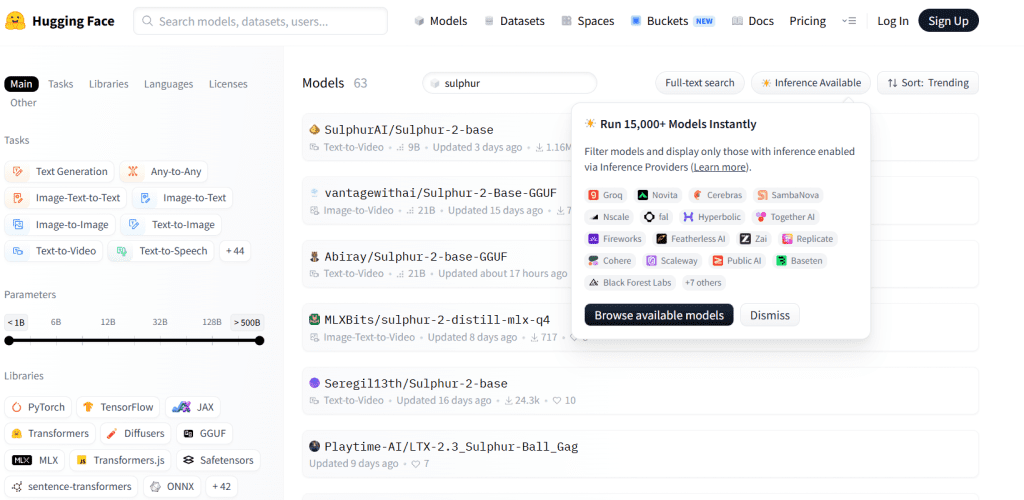
One thing worth noting: the model card and associated documentation are still thin. For a model this size, I’d normally expect more detail on training data, fine-tune methodology, and known failure modes. The Lightricks LTX-Video technical blog gives you the base architecture context, but Sulphur 2 itself hasn’t had a formal write-up as of when I’m writing this. That’s a flag I’m keeping in mind.
What to Test
If you decide to run it, here’s where I’d focus attention:
Human-centric short clips (under 10 seconds). This is where community members are seeing the strongest results. Talking heads, product demos with people in frame, lifestyle content.
Prompt sensitivity. Video diffusion models have very different prompt behaviors depending on how they were fine-tuned. Run the same prompt against LTX 2.3 and Sulphur 2 back to back. If the gap is meaningful, you’ll know quickly.
Failure mode on longer clips. Most community finetunes degrade noticeably past 6-8 seconds of motion. Test at 4s, 6s, 8s, and see where it starts to fall apart. For reference, research on video diffusion model capabilities shows temporal consistency is still one of the hardest problems for this generation of models — Sulphur 2 isn’t going to solve that universally.
VRAM ceiling. To set expectations: Sulphur 2 inherits LTX 2.3’s memory footprint. The sulphur_dev_bf16.safetensors variant is approximately 46GB on disk — that’s the full quality checkpoint, and it needs ~44GB VRAM for full-precision inference. The sulphur_dev_fp8mixed.safetensors (~29GB on disk) brings VRAM requirements down to roughly 24GB, viable on an RTX 4090 or RTX 5090. If you’re on a 16GB card, the community GGUF quantizations are your path — test at the lowest quant level first and work up. Document your settings: the community is still mapping optimal configurations, and what works on one card combination may not translate directly.
Limits
I want to be straight with you about what we don’t know yet:
- Training data is partially disclosed — but not formally documented. Per FusionCow’s public notes on the r/StableDiffusion release thread, training used approximately 125,000 video clips at 10 seconds and 24fps, totaling roughly 500GB, filtered to exclude illegal content and 2D animation. What isn’t disclosed: the specific sources of those clips, licensing status, or whether they were scraped or licensed. That matters for commercial use — “filtered for legality” is not the same as “cleared for commercial derivative production.” If you’re producing client work, treat this as unverified provenance until FusionCow or SulphurAI publishes more detail.
- No formal benchmark results. The quality comparisons circulating are informal and cherry-picked. That doesn’t mean they’re wrong, but it’s not the same as a reproducible eval.
- It’s unverified as a base model. I said this above, but it bears repeating: calling it a “sulphur 2 base model” in the sense that a foundation model is not accurate based on current information.
- Community maintenance is uncertain. This isn’t a Lightricks product. If the person or team behind it moves on, so does active development.

Transparency about model provenance is increasingly a publishing consideration — not just ethical, but practical. Lightricks’ LTX 2.3 technical documentation specifically notes that its training data was licensed from Getty Images and Shutterstock. Sulphur 2, as a community finetune built on that base, can’t make the same claim for its additional fine-tuning data — and that gap is the thing to keep in mind before you ship anything client-facing.
FAQ
What is Sulphur 2 AI video model?
Sulphur 2 is a community fine-tuned video generation model based on the LTX Video 2.3 architecture. It’s an open-weight model available on Hugging Face, focused on improving visual quality — particularly for human subjects — compared to the base LTX 2.3 checkpoint.
Is Sulphur 2 open source or still unverified?
The weights are publicly available on Hugging Face, making it accessible for local testing. However, training methodology and data details haven’t been formally disclosed, so it’s best treated as a community release rather than a documented open-source ai video model with full provenance.
Where can creators try Sulphur 2?
You can access the checkpoint directly on Hugging Face and run it via ComfyUI. There’s no hosted API or demo as of now — you’ll need to run inference locally or on a cloud GPU instance.

How does Sulphur 2 compare with Wan or LTX?
Based on community samples: Sulphur 2 shows a quality improvement over base LTX 2.3 on human-centric content, while potentially maintaining LTX’s speed advantage over Wan 2.1. Whether that trade-off works for your use case depends on what you’re shooting. For non-human content (landscapes, objects, abstract motion), the gap is less clear.
After digging into Sulphur 2, it’s clear that community finetunes are shaping how AI video creators can iterate quickly, improve human-centric output, and experiment without cloud constraints. If you’re serious about exploring what these models can do for your workflow, here are some curated resources and tools to take the next step.
Previous Posts: