Hi, I’m Leo. A creator once asked me which nsfw AI image to video generator was “best for testing.” I asked what image they planned to upload first. They sent a blurred preview of a real person reference and said the final video would be “just internal.” That is when the tool comparison stopped.
For adult image-to-video work, the first question is not which tool is most open, fastest, or least restrictive. The first question is whether the source image is allowed to enter any workflow at all. This guide compares tool categories by access path, moderation boundaries, output control, source image safety, consent review, and creator workflow fit. It does not recommend platforms, provide prompts, explain how to generate NSFW content, or compare which service has fewer limits.
This is not legal, privacy, copyright, or platform compliance advice. Adult content rules, likeness rights, copyright, platform policies, and commercial terms change. Always verify current official documentation before testing or publishing.
How We Compare NSFW Image-to-Video Tools
A safe comparison starts with workflow fit, not output intensity. A tool can generate an impressive clip and still be wrong for a creator team if it has unclear upload handling, vague commercial rights, weak deletion controls, or poor moderation boundaries.
I use six checks before any nsfw AI image to video test moves forward. First, access path: is it hosted, local, open-source, or a general video tool with strict rules? Second, source safety: can the team prove the input is synthetic, adult, non-identifiable, or explicitly authorized? Third, consent review: who approved the source and the motion use? Fourth, moderation boundary: what content is blocked, reviewed, or prohibited? Fifth, output control: can the team inspect, label, delete, and archive drafts safely? Sixth, publishing fit: can the output be used on the intended platform without violating policy?
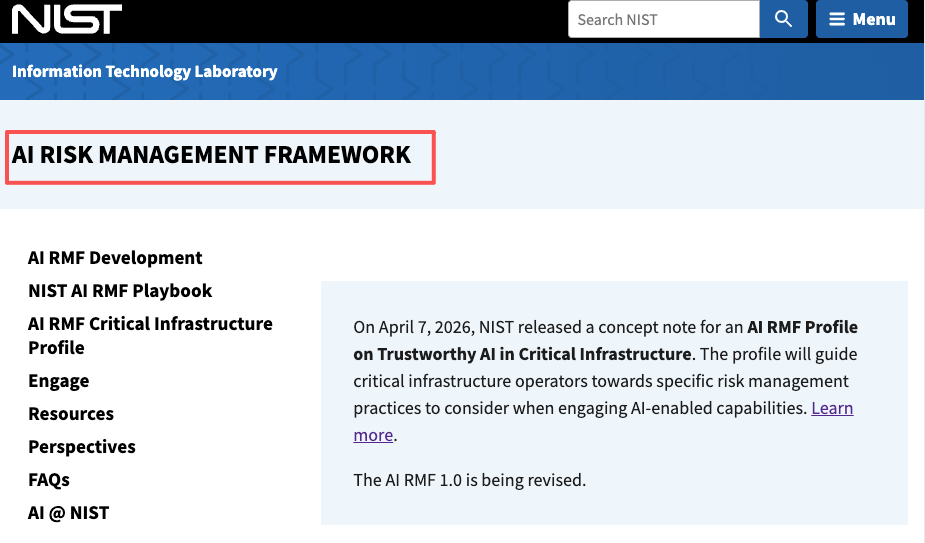
The NIST AI Risk Management Framework is useful here because it treats AI risk as a process across design, use, testing, and evaluation. That framing fits adult media work. The safest tool is not simply the one that creates the best-looking result. It is the one that leaves the fewest unmanaged risks.
Tool Categories to Know
This section is not a tool list. It is a map of the main categories creators are likely to encounter when researching image to video nsfw AI workflows.
Hosted image-to-video tools
Hosted tools run in a browser or cloud app. They are convenient because the creator does not maintain infrastructure. They may also offer easier uploads, previews, exports, and account management.
The trade-off is data exposure. Mature source images, prompts, and outputs may pass through external systems. Before testing, read the privacy policy, terms of use, content rules, deletion options, and commercial-use limits. If the tool does not explain retention, review, vendor processing, or output rights clearly, do not upload sensitive assets.
Hosted tools can work for synthetic, low-risk tests, but they are a poor fit for private images, performer files, client-owned adult assets, or anything involving real-person likeness unless permissions and data handling are clear.
Local or open-source workflows
Local or open-source workflows may give teams more control over files and dependencies. That can be attractive for technical creators, but control does not automatically mean safety.
Someone has to maintain the environment, verify licenses, manage model sources, secure storage, document outputs, and handle updates. A local setup can also make unsafe requests easier to execute because fewer platform guardrails appear during the process.
For adult projects, local workflows should still enforce eligibility rules. No private images. No celebrity lookalikes. No unclear-age content. No real-person likeness without explicit, use-specific consent. The tool may be local, but the responsibility is still public if the output leaks or gets published.
General video tools with strict policies
Some general AI video tools may have strict adult-content policies. Creators sometimes see that as a limitation. For professional teams, it can be useful. Strong boundaries can prevent source misuse, reduce accidental violations, and stop drafts that should not exist.
Strict tools may be better for non-explicit visual planning, storyboard tests, product-safe mood clips, or adult-adjacent concepts that do not require mature output. They are not the right place to force prohibited content, and creators should not look for ways around their rules.
Comparison Table
| Category | Best for | Main risk | What to verify | Safer fit |
| Hosted image-to-video tools | Quick synthetic tests and browser previews | Upload privacy and unclear retention | Terms, deletion controls, adult policy, commercial use | Low-risk synthetic drafts |
| Local or open-source workflows | Technical teams needing file control | Maintenance, model provenance, weak guardrails | License, storage security, model source, review process | Controlled internal experiments |
| General video tools with strict policies | Non-explicit concepts and safer planning | Limited adult output | Platform rules, allowed content, export limits | Storyboard and motion planning |
| Free-access tools | Early curiosity checks | Hidden data, watermark, rights, and usage limits | Privacy, retention, output ownership, attribution | Synthetic-only research |
| Production workflows | Client or commercial adult projects | Consent, source rights, platform rejection | Written approvals, source records, publishing rules | Authorized, review-ready work |
A table cannot decide the project for you. It only forces the right questions into the open.
Free Access Claims and Real-World Trade-Offs
Searches for free image to video AI nsfw usually come from creators who want to test before paying. That is understandable. The risk is treating a free export as harmless.
Free access often moves risk into places users do not inspect: upload handling, account ownership, watermark rules, output rights, deletion controls, and hidden content restrictions. A free tool may let you generate a file but leave commercial use unclear. It may allow testing but prohibit adult publishing. It may keep files longer than expected. It may add a watermark that makes the output unsuitable for client review.
Before testing any free path, use synthetic, non-identifiable assets only. Keep a tester account separate from client accounts. Record the tool, date, input category, output status, watermark or attribution condition, and deletion result. If the terms are vague, label the output internal-only and do not use it in production.
The NIST Privacy Framework is a helpful reference because adult source media is not just creative material. It is privacy-sensitive data that needs governance.
Compliance and Source Image Safety
Source image safety is the core of this topic. If the input is unsafe, no tool category can rescue the workflow.
A creator team should reject private images, leaked images, hacked files, hidden-camera material, revenge requests, unclear-age assets, celebrity references, public-figure lookalikes, and real-person sexualization without explicit permission. If the source involves a real adult performer or creator, consent should cover the original image, image-to-video transformation, adult context, distribution channel, commercial use, retention, and reuse.
StopNCII.org, focused on non-consensual intimate image abuse, is a strong reminder that intimate-media misuse creates real harm. For any possible under-18 source material, stop immediately and do not transform, upload, store, or circulate the file.
Platform rules also matter. YouTube’s nudity and sexual content policy treats sexual content, non-consensual imagery, unwanted sexualization, and minor safety as serious policy areas. Other platforms may differ, so always verify the destination before export.
Copyright should not be skipped either. The U.S. Copyright Office fair use index is a useful reminder that reuse questions are contextual. A source image, music track, reference clip, or brand asset may carry rights even when the output is AI-assisted.
FAQ
What is an NSFW image-to-video tool?
An NSFW image-to-video tool is a system that can turn a mature still image into a moving clip or video draft. In a professional creator workflow, it should be evaluated by source safety, consent handling, privacy, output control, and platform fit, not by how far it can push adult content.
Always check the latest official tool and platform policies before testing.
How do creators test an image-to-video tool safely?
Use synthetic, adult, non-identifiable test assets. Keep the tester account separate. Record the tool, date, input category, output status, deletion result, and whether the file is approved, rejected, or internal-only.
Do not test with private images, real-person likenesses, client performer files, or unclear-age content.
What are the risks of free NSFW image-to-video tools?
Free tools may leave privacy, commercial use, retention, watermarking, deletion, and output rights unclear. They may also change policies without much notice.
A free export can still create a sensitive file. Treat free testing as research, not production, unless the terms and safety controls are clear.
Which workflow is safer for creator experiments?
For early experiments, the safer workflow is synthetic-only, documented, and low-risk. Use non-identifiable assets, limited access, short review cycles, and clear deletion notes.
For commercial adult work, a governed workflow is safer: written consent, source records, platform review, export approval, and controlled archiving.
Conclusion
An nsfw AI image to video generator should not be chosen as an ordinary creative tool. Adult image-to-video work carries privacy, consent, rights, moderation, and publishing risks that need to be compared before output quality.
The best comparison is not “which tool has fewer limits.” It is “which workflow gives creators enough control to test safely, reject unsafe inputs, document decisions, and publish only when permissions and platform rules are clear.”
Previous Posts: