Hi, I’m Dora. I started testing the grok ai image generator with a very creator-specific question: can this thing help me make a usable visual faster, or is it just another shiny tab I’ll forget after one night?
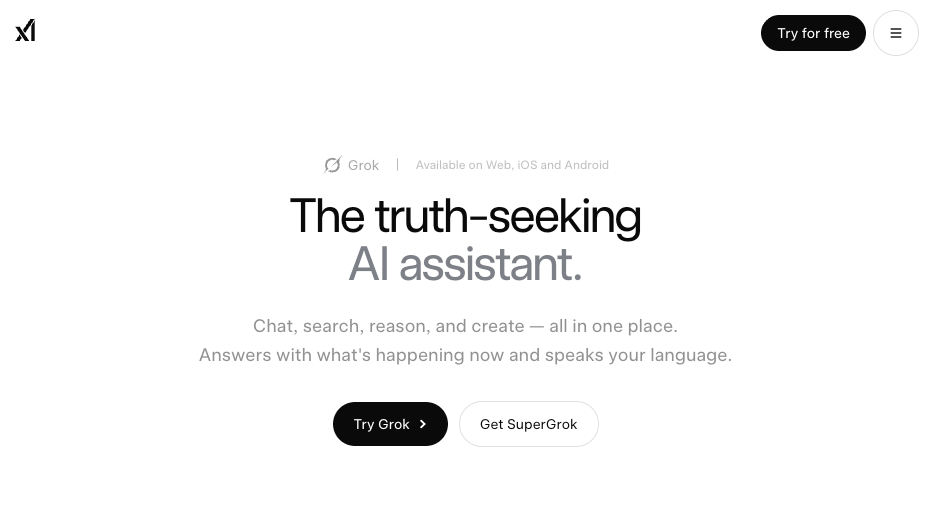
That matters because Grok is not only an image toy. xAI presents Grok as a broader assistant for answering, reasoning, coding, searching, and creating, with visual generation built into the same product experience. For creators, that makes it feel closer to a conversational grok ai image creator than a classic design app.
But I would not treat it as a “generate anything, publish anywhere” machine. Grok ai image generation is tied to changing access rules, safety policies, platform behavior, and commercial-use questions. So this review looks at what actually matters before you build a workflow around it: output style, prompt control, creator fit, alternatives, and the limits you should verify before publishing.
What Grok AI Image Generation Offers
Grok’s image feature is useful because it lives inside a chat workflow. You can ask for visual concepts, generate an image, then keep refining the direction in the same conversation. That sounds small, but when I’m building thumbnails or blog visuals, not having to rebuild context every time is a real time saver.
The official Grok product page positions Grok as a multimodal assistant, while xAI’s developer documentation includes image generation as part of its API ecosystem. That tells me xAI is not treating visuals as a side feature. It is part of the larger Grok experience.
For creators, the strongest use cases are:
- Blog hero images
- YouTube thumbnail backgrounds
- Moodboards
- Social post concepts
- Ad visual drafts
- Storyboard frames
- Product or character concept directions
Where it gets tricky is final production. Grok can give you a strong first visual, but if you need exact typography, layered editing, brand templates, print-ready files, or approval history, you will still need a design tool after generation.
That is my first practical takeaway: use Grok for speed and direction. Do not expect it to replace your whole creative stack.
How We Evaluate It
I evaluate image tools less like a model benchmark and more like a tired creator with a deadline. Pretty outputs are nice. Useful outputs are better.
Prompt flexibility
My favorite prompt test is not “make a beautiful fantasy castle.” Almost every modern image model can do that. I prefer prompts that sound like real content work:
“Create a warm YouTube thumbnail background for a video about creator burnout. Desk lamp, laptop, coffee, slightly messy workspace, leave clean space on the right for text.” That prompt checks composition, negative space, mood, object control, and usefulness. A good image generator should understand the job behind the words.
xAI’s API documentation is also worth checking if you care about structured generation or developer workflows. Even if you are not coding, docs reveal how seriously a company supports repeatable use. A casual image feature and a documented generation system are not the same thing.
In my creator workflow, prompt flexibility means three things. First, the model follows the main scene. Second, it respects layout instructions. Third, follow-up edits do not destroy the whole image direction. That last one is where many AI tools still wobble. If I ask for “make the lighting warmer,” I do not want a new room, new person, new desk, and a random plant appearing like it paid rent.
Output quality
Grok’s visual style leans toward fast, expressive, internet-native creation. That can be good for creators because most of us are not trying to make museum pieces. We need assets that catch attention and can be edited quickly.
Quality depends heavily on use case. For a moodboard, a slightly imperfect output may still be helpful. For a paid product ad, small errors matter. Weird hands, broken packaging, fake logos, warped text, or misleading likenesses can turn a useful draft into a liability.
When I test an image model, I look for:
- Clean subject focus
- Believable lighting
- Useful composition
- Room for text overlays
- Stable faces and hands
- Reasonable object detail
- Fewer strange artifacts around logos or labels
Text inside images is still a pain point across many AI tools. If your final asset needs readable words, I would usually generate the background first and add text manually in Canva, Photoshop, Figma, or another editor.
Workflow fit
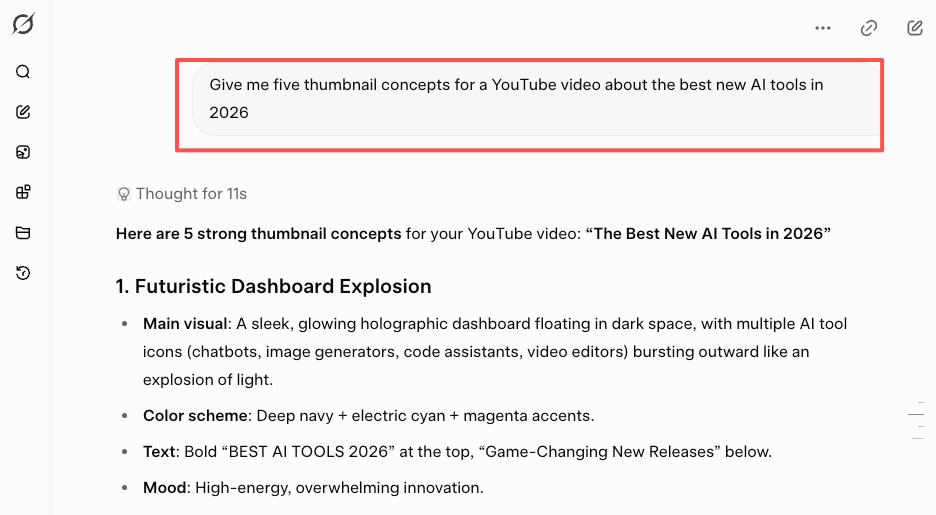
Grok fits best at the idea-to-draft stage. That is where chat-based generation feels natural. For example, I might ask Grok for five thumbnail concepts for a video about AI tools, pick one, generate a background, then ask for a cleaner version with more copy space. That flow is fast. It keeps me moving.
Where I would slow down is asset management. If you are creating images for a brand, keep your own record of prompts, dates, edits, source images, and final usage. Grok can help create the visual, but it should not be your entire production archive. This is especially true for commercial content. A fun image for a personal post and a campaign image for a client have very different risk levels.
Access and Creator Use Cases
Access can change, so creators should verify the current route before planning around Grok. Check whether you are using Grok through the web app, X, mobile app, or API, because feature availability may differ by surface, account type, and region.
The safest place to start is xAI’s official Grok and plan information rather than old screenshots from social media. If someone says “Grok is free” or “Grok is unlimited,” treat that as a clue to investigate, not a fact to publish.
Creator uses cases where Grok makes sense:
| Creator task | How Grok helps | Human check needed |
| Blog hero image | Creates fast visual directions | Brand fit and originality |
| Thumbnail background | Builds mood and composition | Add final text manually |
| Social post visual | Generates quick variations | Platform disclosure rules |
| Ad concept | Explores hooks and scenes | Legal and brand review |
| Storyboard frame | Tests scene ideas quickly | Continuity between frames |
| Product concept | Helps ideate early visuals | Trademark and accuracy checks |
I like Grok most when I am still exploring. It is less ideal when the asset is legally sensitive, client-facing, or tied to a strict brand system.
Grok vs Other Image Tools
Grok’s advantage is conversation. You can brainstorm, generate, critique, and revise without leaving the assistant. That makes it feel lighter than a separate image platform. Dedicated image tools may still offer stronger style systems, community presets, model choices, or visual controls. Design tools still win for final polish. Stock libraries still win when you need predictable licensing and realistic lifestyle imagery. A human designer still wins when the project needs art direction, taste, and accountability.
Here is the clean version:
| Tool type | Best for | Main weakness |
| Grok | Fast visual drafts inside chat | Less production control |
| AI image platforms | Style exploration and variations | More tool switching |
| Design tools | Final layout and brand control | Slower first draft |
| Stock libraries | Clearer licensing workflows | Less originality |
| Human designers | High-stakes creative direction | More cost and time |
So no, Grok is not automatically “better” than other tools. It is better when the chat workflow itself saves time. If I were making a quick blog visual, I would test Grok early. If I were preparing paid ads for a brand campaign, I would use Grok for concepts, then move the winning direction into a more controlled design process.
Limits, Policy, and Commercial Checks
This is where creators need to be careful.
First, if you are searching for grok ai image generator free, verify the current access rules directly from xAI before writing or planning around it. Free access may not include every visual feature, and availability can change by account, plan, or product surface.
Second, do not publish fixed claims about grok ai image generation limits unless you checked them from the live official source right before publication. xAI’s consumer terms say services may include usage limits and restrictions, so the safer editorial move is to tell readers what to verify rather than inventing a number that may expire.
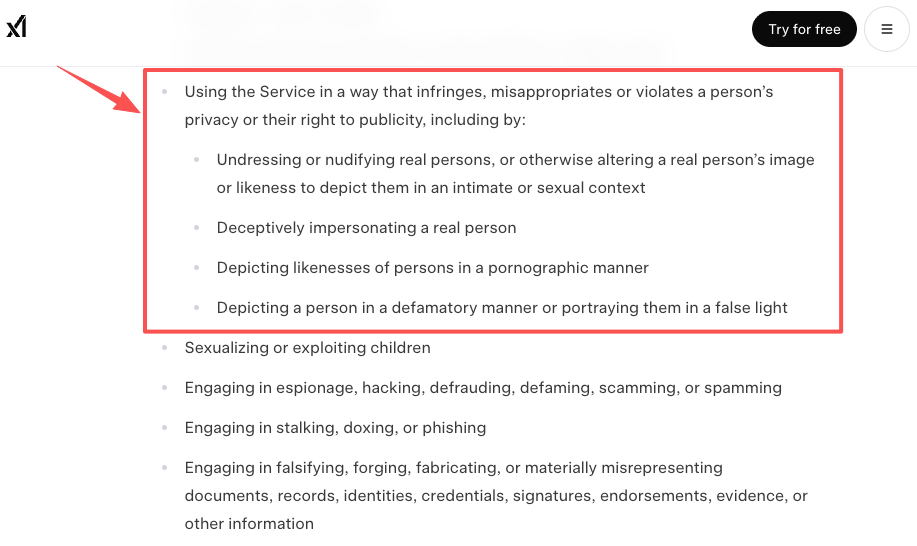
Third, read xAI’s Acceptable Use Policy. This is especially important if your prompts involve real people, sexual content, public figures, minors, deceptive imagery, political content, harassment, or attempts to bypass safeguards. Grok has attracted public scrutiny around image safety, so creators should be extra cautious here.
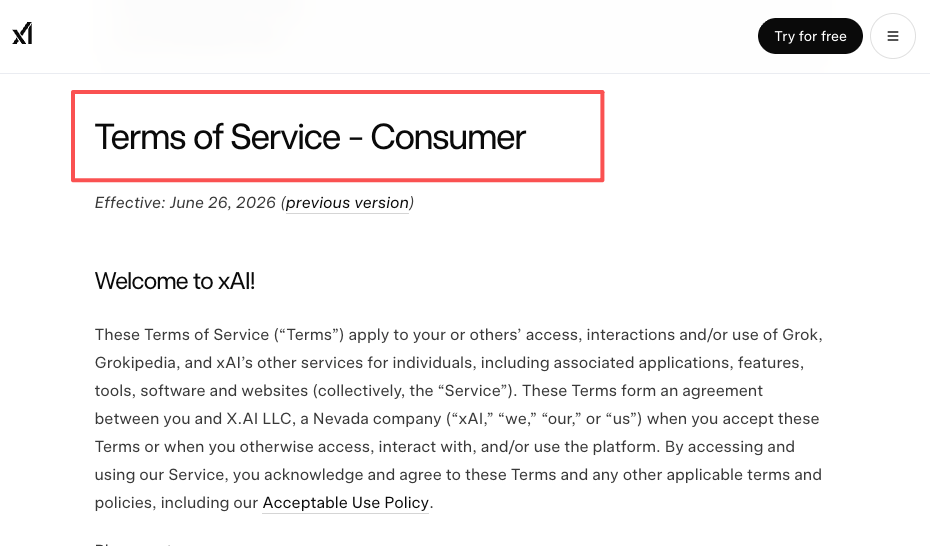
Fourth, read xAI’s Terms of Service before commercial use. The practical point is simple: even if a tool lets you generate something, you are still responsible for what you upload, what you publish, and whether you have the rights you need.
For copyright, the U.S. Copyright Office’s AI guidance hub is a good authority source. If you need ownership protection for a major commercial asset, human creative contribution, editing, selection, and arrangement matter. A raw prompt-to-image output may not give you the same legal comfort as a human-authored design.
I would also watch provenance. C2PA’s Content Credentials work is useful for understanding how digital content can carry origin and edit-history signals. Not every creator needs this today, but teams publishing AI-assisted visuals at scale should pay attention.
My commercial-use checklist:
- Did I use reference images I have permission to use?
- Does output resemble a real person?
- Are there logos, trademarks, or copyrighted characters?
- Could viewers mistake it for a real photo?
- Does the platform require AI disclosure?
- Did I save the prompt, date, tool, and edits?
- Did I check official policies before publishing?
Very worth it.
FAQ
What usage limits should creators verify?
Verify feature access, plan requirements, image generation availability, queue behavior, rate limits, editing access, resolution options, API availability, and whether failed or blocked generations affect usage. Also check whether the limits differ between Grok web, X, mobile apps, and API. Do this close to publication because the current answer may change.
What should users check before commercial use?
Check xAI’s latest Terms of Service, Acceptable Use Policy, and any plan-specific rules. Then check your own inputs: photos, client assets, logos, product packaging, character references, and likeness rights. For paid campaigns or sensitive topics, get legal review. The official latest documentation should always win over old tutorials.
When is Grok not the right image tool?
Grok is not the best fit when you need exact brand layouts, layered design files, print-ready assets, strict legal clearance, or highly controlled use of real people and trademarks. It is better for ideation, rough creative directions, fast visual drafts, and creator workflows where speed matters more than precision.
Conclusion
The grok ai image generator is useful because it turns visual creation into a conversation. That makes it fast, flexible, and genuinely helpful for creators who need ideas before they need polished files.
But I would use it with a clear boundary: Grok is great for drafts, concepts, thumbnails, moodboards, and early campaign visuals. For commercial publishing, slow down. Check rights, policies, disclosures, likeness issues, and current usage rules before the image goes live. That is the difference between a fun AI test and a creator workflow you can actually trust.
Previous posts: