Hi, Dora here. That little moment is the whole reason image-to-video took over my workflow this year. You don’t need a prompt-writing degree anymore. You need one decent still and a tool that won’t wreck it. The catch? The gap between tools is brutal. A few of them turn your photo into something you’d actually post. Others melt the face by second three and call it a day.
So I did the boring work. Same three source images — a portrait, a product shot, a landscape — pushed through every major model over the past few months. This is the honest ranking: the best image to video AI generator overall, the strongest free pick, the one for people who care about quality above everything, plus what to grab for product clips, anime, and quick social videos. Everything below was tested in 2026, messy parts included.
Quick picks (the 30-second version)
- Best overall: Google Veo 3.1 — realism plus real sound, if you can get access
- Best free: Kling 3.0 — 66 fresh credits every day (watermark on the free tier)
- Best for quality obsessives: Runway Gen-4.5 — tops the benchmarks, priced like it knows
- Best no-watermark free option: Hailuo
- One workspace, many models: CrePal
Now the details, because “best” depends entirely on what you’re making.
How We Picked the Best Tools
Motion realism, prompt control, consistency, access, and export quality
I didn’t grade these on vibes. Five things actually decide whether a still becomes a usable clip.
Motion realism is the obvious one — does the movement obey gravity, or does hair float like it’s underwater? Prompt control is whether the tool listens when I say “pan left, don’t move the subject.” Consistency is my favorite torture test: I call it the cup test. Give a character a coffee cup, have them turn, and see if the cup survives the turn or teleports into the other hand. Cheap models fail this constantly.
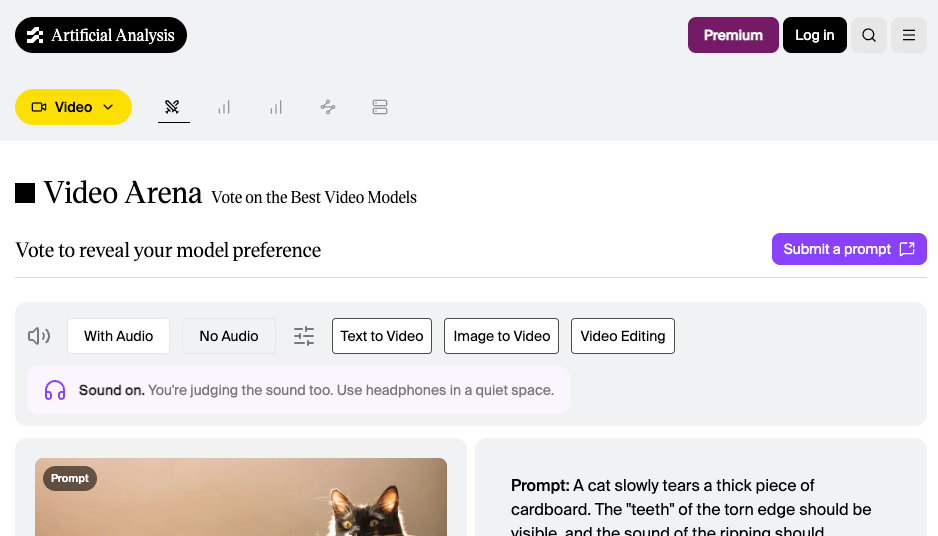
Then there’s the practical stuff: access (is there a real free tier or just a teasing trial?) and export quality (resolution, watermark, how it holds up on a phone screen). For the quality scoring I leaned partly on the independent Artificial Analysis Video Arena, a blind head-to-head leaderboard where evaluators pick the better clip without knowing the brand — about as close to neutral as this space gets.
Top Image-to-Video Generators
Best overall
Google Veo 3.1. Honestly, nothing else gave me this combo: believable motion, native audio baked in, and resolution that holds up at 4K. I dropped in my landscape photo, asked for drifting clouds and a slow tilt, and it added ambient wind sound on its own. That detail still gets me.
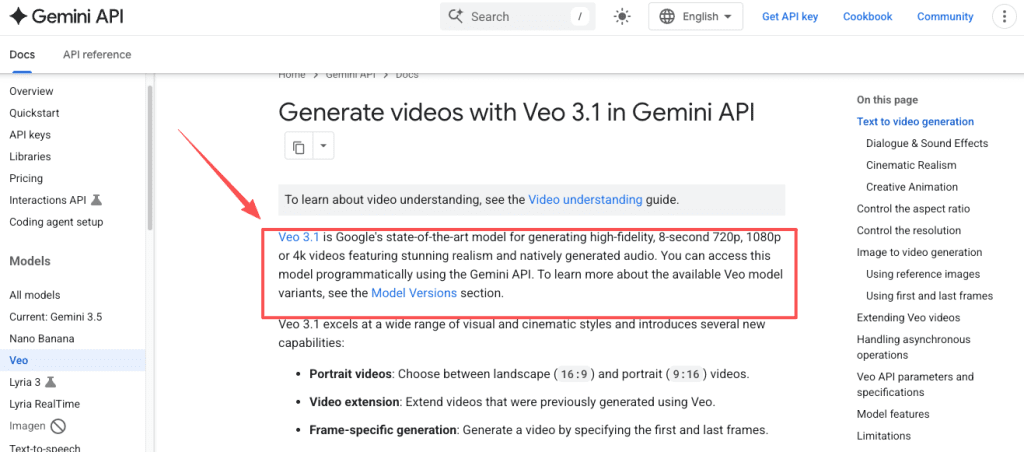
Per the Veo developer documentation, it generates 8-second clips at 720p, 1080p, or 4K, with synchronized audio and support for reference images to anchor your subject. The January 13, 2026 update added true 4K and native 9:16 vertical, which matters a lot if you’re posting Shorts or Reels and you’re tired of awkward cropping.
The honest downside? Access is a maze. You’ll find Veo inside the Gemini app, Flow, and Google AI Studio, with limited free credits floating around, but the full consumer firepower sits behind Google AI Ultra at $249.99/month. That’s a real number. The 8-second base clip also feels short until you chain extensions. For the quality though, it earns the top seat for image-to-video right now.
Best free pick
Kling 3.0. If your question is really “what’s the best image to video AI free option that I can use every single day,” this is it. The free tier hands you 66 credits daily, and they refresh — unlike rivals that give you a one-time pile and wave goodbye. That’s roughly one to three short clips a day depending on settings.
Built by Kuaishou and launched February 5, 2026, Kling 3.0 brings native 4K, clips up to 10 seconds, and an Element Lock feature that keeps a face from morphing mid-turn (it passed my cup test more often than I expected). For a free tool, the motion is genuinely smooth.
Two catches, because I promised honesty. Free generations are watermarked and capped at 720p — fine for testing, not for client work. And Kling’s content filter is strict; I got blocked on prompts that were completely harmless. If you scroll any best image to video AI Reddit thread, you’ll see the same two complaints on repeat, so it’s not just me.
Want free output with no watermark? Hailuo is the move. It’s the genuine best free AI image to video generator for watermark-free clips — around ten generations a day, capped at 720p and 6 seconds, but weirdly good at subtle human motion like breathing and blinking. The quality ceiling is lower than Kling’s, but nothing’s stamped across your video.
Best for quality-focused creators
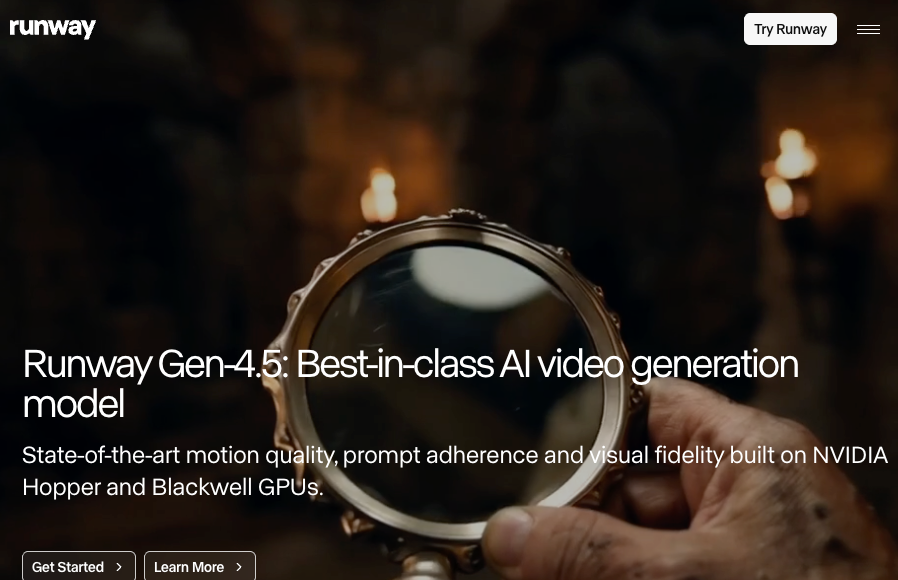
Runway Gen-4.5. When the shot has to look expensive, this is what I reach for. Runway’s own Gen-4.5 research breakdown notes it hit 1,247 Elo and the number-one spot on the Artificial Analysis leaderboard, ahead of Google’s and OpenAI’s models. In practice that shows up as weight and momentum — objects move like they have mass, fabric and hair stay coherent through motion.
It’s used in real production pipelines (Netflix has tapped it), and the character consistency is the best I’ve tested. The trade-offs are loud, though: Gen-4.5 outputs silent video, so you’re adding audio elsewhere. The free plan is basically a sample tray — 125 one-time credits that never refresh and don’t even unlock the Gen-4.5 video model. And it’s pricey: Standard runs $12/month billed annually for 625 credits, and at 25 credits per second of Gen-4.5, that’s about 25 seconds of finished video a month. Beautiful seconds, but you’ll count them.
Best for Specific Workflows
Product visuals, portraits, anime, and social clips
The overall winners aren’t always the right pick. Match the tool to the job.
- Product visuals / e-commerce: Kling 3.0. Its 4K output keeps packaging text and logos crisp, which is exactly where weaker models smear. Veo is a close second when you want a polished hero shot with sound.
- Portraits and talking heads: Hailuo for free, watermark-free people animation. Its micro-movements read as human, not uncanny.
- Anime and stylized art: Kling again, or PixVerse for short, punchy stylized clips — both handle illustration better than the photoreal-first models.
- Quick social clips: Pika 2.5. It’s playful, fast, and the free tier gives you 150 refreshing monthly credits. Lower-res, but perfect for viral-style throwaway content.
Here’s the thing nobody tells you: most real workflows touch three or four of these at once. A product reveal, a talking intro, a stylized outro. Juggling separate logins and credit systems for each gets old fast. That’s the lane CrePal sits in — instead of one model, it gives you a workspace that strings script, generation, editing, and export into a single chat-driven flow, with multiple models available so you’re not locked into one look. It won’t out-render Runway on a single cinematic shot, and I won’t pretend it does. But if your actual problem is “I don’t want five subscriptions and five workflows,” that’s a different question, and this is a cleaner answer than stitching tools together by hand.
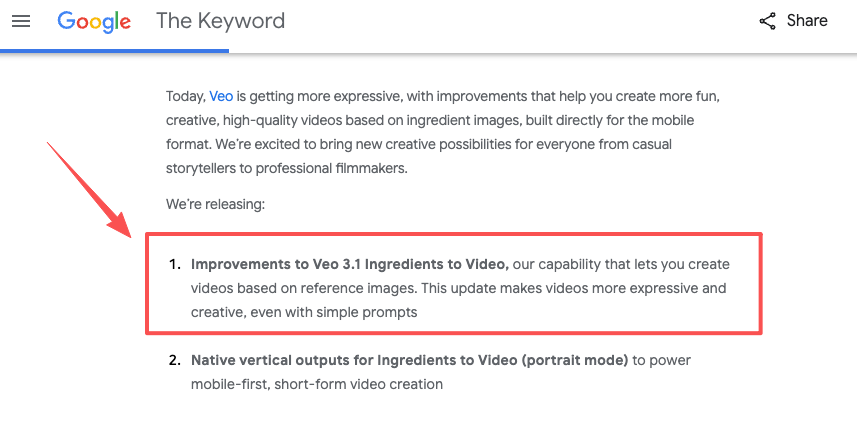
One more consistency note: if your project needs the same character across several clips, Veo’s Ingredients to Video lets you upload reference images so the face and outfit hold steady scene to scene. It’s the cleanest fix I’ve found for the “why does my character keep changing” headache.
Comparison Table
Quality, price model, free access, limits, and best fit
| Tool | Quality | Price model | Free access | Key limits | Best fit |
| Veo 3.1 | Top-tier, native audio | Credits / Google AI Ultra $249.99/mo | Limited free credits via Gemini | 8s base clip, access is fiddly | Best all-around, sound + 4K |
| Runway Gen-4.5 | #1 on benchmarks | $12/mo annual (625 credits) | 125 one-time credits, no Gen-4.5 video | Silent output, credits burn fast | Cinematic, quality-first work |
| Kling 3.0 | Strong, native 4K | Free + Standard $6.99/mo | 66 credits daily, refreshes | Watermark + 720p free, strict filter | Best free daily use, product shots |
| Hailuo | Decent, great on people | Freemium | ~10 gens/day, no watermark | 720p, 6s cap | No-watermark free, portraits |
| Pika 2.5 | Playful, lower-res | Freemium | 150 monthly credits | Lower resolution | Fast social clips |
| CrePal | Model-dependent | Freemium + credits | Free tier | Not a single-model quality king | Many models, one workflow |
How to Choose
Start from the asset you have and the output you need
Forget brand loyalty. Start with two questions: what’s your input, and where’s it going?
If you’ve got a clean product photo and need crisp commercial output, go 4K — Kling or Veo. If you’ve got a portrait and want it talking or subtly moving without a watermark, Hailuo. If you’re chasing a cinematic hero shot for a pitch or a reel and quality is non-negotiable, Runway, and budget for the credits.
If you’re just learning and don’t want to pay a cent, this is where the best free image to video AI generator question gets practical: stack the free tiers. Test prompts on Kling’s daily 66 credits, grab watermark-free clips from Hailuo, throw social experiments at Pika. You can run a surprising amount of production on $0 if you’re willing to platform-hop. And if hopping drives you nuts, that’s the moment a single multi-model workspace starts paying for itself.
Trade-Offs to Know
Speed, cost, consistency, and editing control
No tool wins on everything. The four tensions to plan around:
Speed vs. quality. Free tiers and high-res modes queue you behind paying users — Kling free generations can crawl during peak hours. Cost vs. volume. Runway looks affordable until you do the credits math and realize 25 seconds a month disappears in one good afternoon. Consistency vs. freedom. The models that lock a character in place (Veo, Kling) sometimes feel less spontaneous than looser ones. The cup test is real, and frame-to-frame drift is exactly what benchmarks like the public VBench leaderboard try to measure when they score image-to-video consistency.
And editing control. Generating the clip is half the job. If you need to trim, caption, restyle, and export, a raw generator leaves you opening three more apps — which, again, is the whole reason workflow-first tools exist.
FAQ
Which has the most realistic motion?
Runway Gen-4.5, on the current blind benchmarks — objects move with believable weight and momentum, and it holds up best in physics-heavy shots. Veo 3.1 is a hair behind on motion but pulls ahead the moment you need synchronized audio with it.
Is the best tool also the most expensive?
Not cleanly, no. Veo’s top-tier consumer access ($249.99/month) is the priciest, but Kling 3.0 delivers genuinely strong results from a free daily tier and a $6.99/month paid plan. Price tracks access and resolution more than raw quality these days. You can get excellent output without paying the most.
Do paid tools produce noticeably better results?
Mostly yes — but it’s about limits, not magic. Paying removes watermarks, unlocks 1080p and 4K, skips the queue, and grants commercial rights. The underlying model is often the same; you’re buying resolution, speed, and the legal right to actually use what you make. For testing and learning, free is plenty. For client work, pay.
That’s where I’ve landed in 2026. My actual routine? Kling for daily drafts because the free credits keep coming, Runway when a shot has to be flawless, and a single workspace when a project sprawls across too many steps to babysit by hand. Try two of these on the same photo this week — same image, same prompt — and you’ll feel the difference faster than any ranking can tell you. That side-by-side is the moment it clicks.
Previous posts: