Hi there, I’m Leo. Two weeks ago I had a product spot due Friday, and the client killed the concept Wednesday night. No reshoot budget, no time. So I rebuilt the whole opening in text-to-video, prompt by prompt, and shipped on time. That deadline is why I keep testing the best ai text to video generators 2026 keeps throwing at me — I need the one that holds up when a project’s on fire, not the one with the prettiest demo reel.
This isn’t a feature dump. I’ve been generating clips on paid plans for months, tracking credits, versions, and the moment each tool falls apart. Below: what to check before you pay, which tool wins for which job, what commercial use really costs, and where free tiers quietly stop being useful. Prices and versions move fast here, so I’ve flagged what to re-check on the official page before you commit.
What to Look for in a Text-to-Video Generator
Prompt control, motion quality, style range, and access
When someone asks me what the best ai for text to video is, I push back with a question: best at what? Every flagship model can make pixels move now. The gaps show up somewhere specific. Here’s my four-point checklist before I trust a tool with paid work:
- Prompt adherence. Does it actually do what I typed, or its own thing? I write one deliberately fussy prompt — “low-angle, handheld, dust in the light” — and see how much survives.
- Motion realism. Hands, hair, water, fast camera moves. This is where most models still face-plant. I push a 5-second clip with real motion and watch the edges.
- Style range. Can it swing from a clean product shot to a grainy 90s look without me fighting it for an hour?
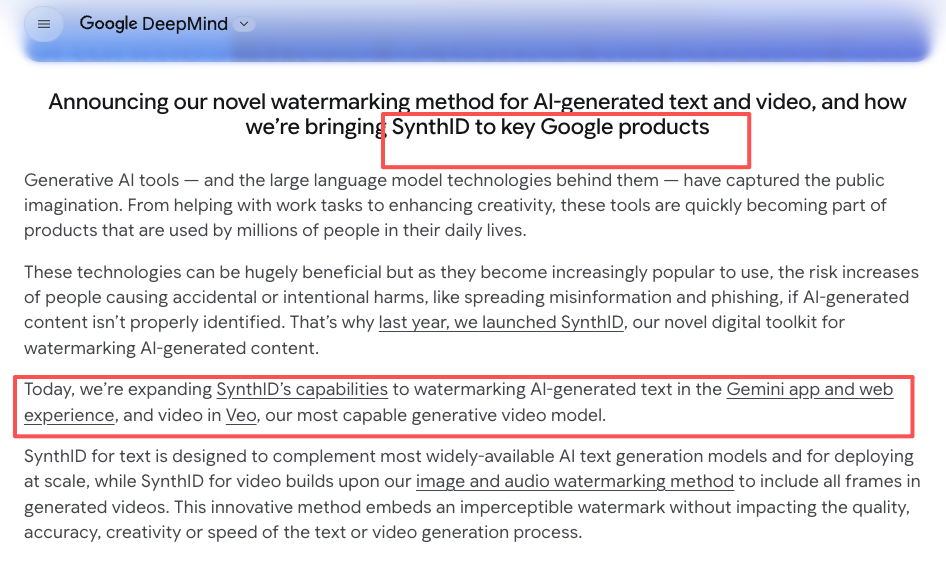
- Access and provenance. How do I get in (subscription, credits, API), and what’s stamped on the output? Worth knowing that Google embeds an invisible marker in every Veo clip via SynthID watermarking on generated video — that matters more than people think once you’re shipping commercially.
If a tool nails the first two and is reasonable on the rest, it’s in my workflow. If it only nails one, it’s a toy.
Top Text-to-Video Generators in 2026
The short version of the top text to video ai shortlist right now: three serious players, one painful exit, and a cheap upstart. Let me break them down by the job, because picking the wrong model for your use case means you’ll regenerate clips for half a day instead of finishing.
Best for cinematic quality
Google Veo 3.1. This is the one I reach for when the shot has to look like footage, not “AI footage.” Released January 2026, it does native synchronized audio — dialogue, ambient, effects in the same pass — plus 4K and native vertical for Shorts and Reels. Where it earns its keep is natural scenes: foliage, water, fabric, skin. I generated a forest establishing shot last month and sat there for a second because it read like a stock library clip.
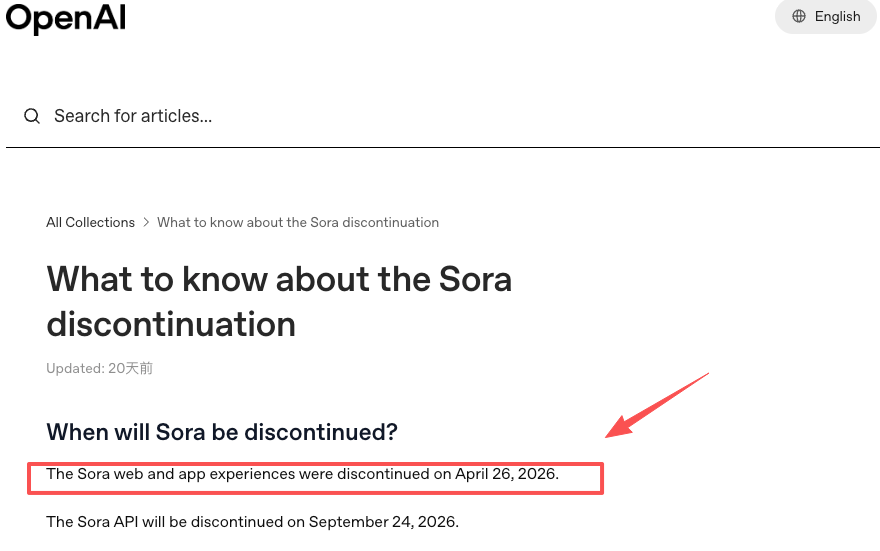
The honest catch: clips are short (8 seconds), so longer sequences mean chaining generations with scene extension, and the consumer entry is $19.99/month (Google AI Pro), with the heavy tier at $249.99/month. Quick reality check on the elephant in the room — Sora used to live in this conversation, but per OpenAI’s own Sora discontinuation notice, the app shut down April 26, 2026 and the API follows September 24. If you built a pipeline on Sora 2, you’re migrating — most ex-Sora folks I know landed on Veo for exactly this realism.
Best for social video speed
Kling 3.0. When I need volume — a batch of vertical hooks for a campaign, fast iterations, nobody’s pixel-peeping — Kling is my workhorse. The 3.0 release (February 5, 2026) added native 4K, a flexible 3-to-15-second window, and multilingual audio with lip-sync. The 15-second length alone saves me awkward cuts. And the price is the real story: the Standard plan runs around $6.99/month on the intro rate, the cheapest commercial-use entry point I’ve found.
It’s not flawless. Credits don’t roll over, failed generations don’t get refunded, and the intro price jumps at renewal — so budget for the renewal number, not the sticker. For pure throwaway-speed social experiments, xAI’s Grok Imagine is even cheaper and faster, but it’s a social-clip tool, not a commercial-4K tool. Don’t confuse the two.
Best for open or flexible workflows
Runway Gen-4.5. If your job needs hands-on control — motion brush, camera moves, inpainting, character consistency across shots — Runway is still the pro pick. What changed in 2026 is that one Runway subscription now routes multiple models (its own Gen-4.5 plus Veo, Kling, Seedance) from a single dashboard. That’s the flexible-workflow angle: stop juggling five logins.
Which is also why a lot of creators I talk to skip single-model subscriptions and run an orchestration layer like our own CrePal instead — one workflow that picks the model per shot, so you’re directing instead of operating. I’m biased, obviously. I’ll just say the “I don’t want five subscriptions” instinct is real.
Best for Commercial Use
Brand safety, licensing, and repeatable output checks
This is the section that actually matters if a client is paying, and it’s where the ai text to video best for commercial question gets messy. Three things I check before any output goes near an invoice:
Commercial rights by tier. Runway grants commercial use on its paid plans; the free tier carries a watermark, so it’s testing-only. Veo permits commercial use on paid subscriptions and the API. Kling’s paid plans clear commercial use too, but its free tier is personal-use only. Rule of thumb: free = experiment, paid = ship.
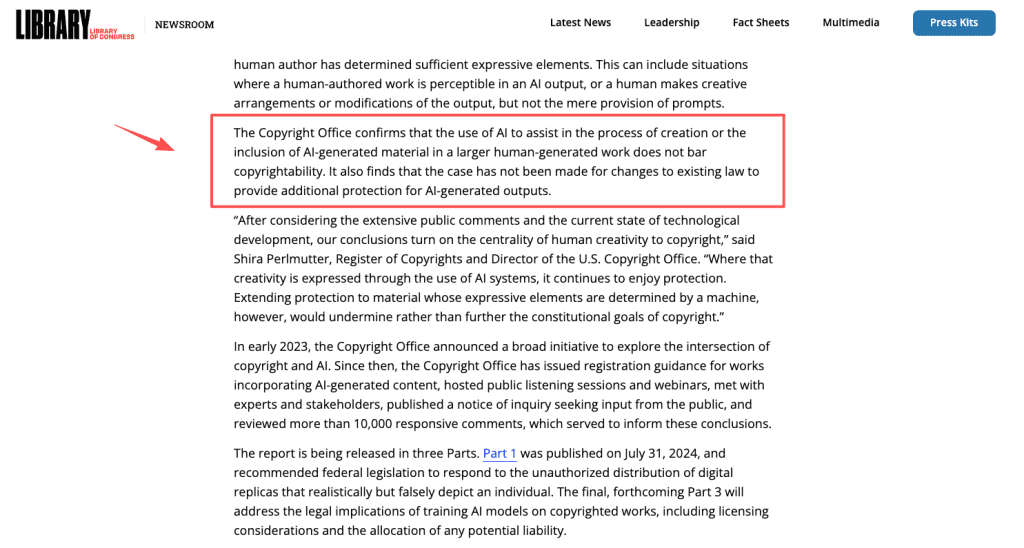
Copyright reality. Here’s the part nobody wants to hear. Per the US Copyright Office guidance on AI and copyright, work generated entirely by AI — even with a detailed prompt — isn’t copyrightable on its own; only your human creative contribution (editing, arrangement, combining) is protected. For branded assets, that means your AI clips may not be defensible IP unless a human meaningfully shapes them. I tell clients this upfront and put it in the contract.
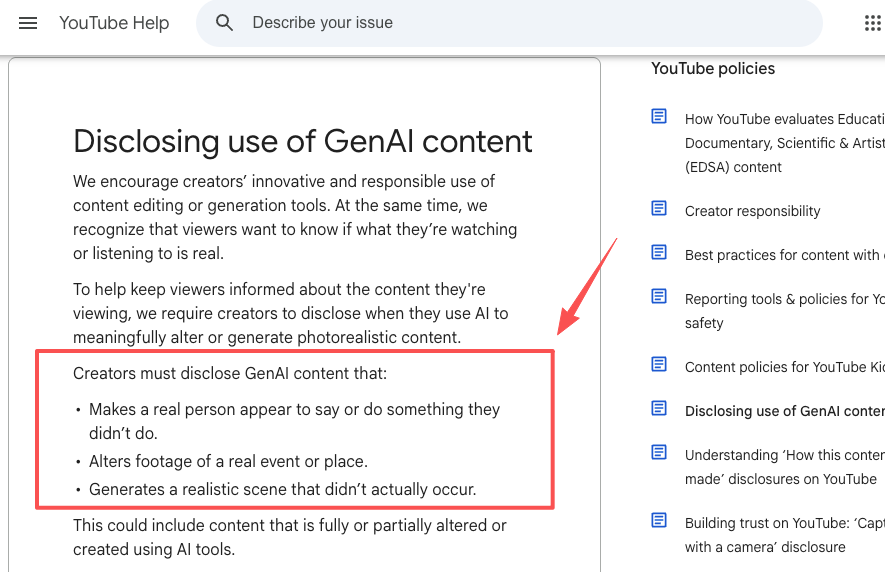
Disclosure and brand safety. If you’re monetizing realistic AI footage on YouTube, you have to flag it — YouTube’s altered/synthetic content disclosure rules require it when content could be mistaken for real. Production assistance (scripts, outlines) is exempt; realistic synthetic people or events are not. Build a repeatable check into your delivery: rights confirmed, disclosure set, provenance understood.
Free vs Paid Options
What free access usually limits
Every free tier is a test drive, not a car. Across the tools I use, free access reliably strips the same four things:
- Watermarks. Free Runway and free Kling stamp the output. Even on paid Veo, there’s no removing the invisible SynthID provenance marker — that’s by design, not a paywall.
- Resolution and duration. Free usually caps you at 720p and a few seconds. Kling’s free tier tops out at 5-second, 720p clips.
- Commercial license. Often missing entirely on free, as noted above.
- Volume. Kling’s free 66 daily credits buy you a couple of clips before they expire in 24 hours. Runway’s free 125 credits never renew — it’s a one-time taste.
My advice: use free tiers to judge quality on one real prompt, then pay for the tool that survived. Don’t try to run production on free credits; you’ll spend more time managing limits than creating.
Comparison Table
Quality, control, cost model, access path, and creator fit
| Tool | Best at | Entry price (verify on site) | Cost model | Commercial use | Creator fit |
| Veo 3.1 | Cinematic realism + native audio | ~$19.99/mo (Google AI Pro) | Subscription credits + API | Paid plans & API | Marketers, filmmakers |
| Runway Gen-4.5 | Creative control, multi-model | ~$12–15/mo (Standard) | Credits (25/sec for Gen-4.5) | All paid tiers | Pros, studios |
| Kling 3.0 | Social speed, value, 15s clips | ~$6.99/mo (intro Standard) | Credits, no rollover | Paid plans | High-volume creators |
| Grok Imagine | Cheap, fast social iteration | Low / bundled | Usage-based | Check current terms | Throwaway social clips |
| Sora 2 | (Discontinuing) | n/a | n/a | App ended Apr 2026 | Migrate off |
Prices shift with intro offers, annual billing, and region. Treat this as a starting map, then confirm the live number before you subscribe.
How to Choose
Match the tool to concept, ad, or short-form workflow
Stop looking for the single best text to video ai tool — it doesn’t exist, and chasing it wastes money. The best ai text to video generators 2026 has on offer each win at one thing, so match the model to the job:
- Concept / cinematic spot: Veo 3.1 for the look, Runway when you need shot-level control.
- Ad with brand requirements: Veo or Runway on a paid tier, with the commercial checks above done before delivery.
- Short-form at volume: Kling 3.0. The price-per-clip and 15-second window are built for it.
- You hate managing subscriptions: an orchestration layer that routes between models, so you brief once and direct, instead of logging into four tools.
Think of these models like an intern bench. Veo is the one who shows up polished, Runway is the one who takes detailed notes, Kling is the fast one who works cheap. You’re the director either way — the skill is knowing who to assign the shot to.
FAQ
Which text-to-video AI has the best commercial rights? Runway and Veo are the cleanest — commercial use is granted across paid tiers and Veo’s API. Kling’s paid plans clear it too. The bigger issue isn’t the tool’s license; it’s that pure AI output has limited copyright protection, so add human editing before you call it a brand asset.
How much do the top tools actually cost? Roughly: Kling Standard from ~$6.99/mo (intro), Runway Standard ~$12–15/mo, Veo via Google AI Pro at $19.99/mo, up to $249.99/mo for Veo’s Ultra tier. All run on credits, so your real cost depends on volume and resolution. Check the official pricing page — intro and annual rates differ a lot.
Any good no-watermark options? Paid Runway and paid Kling remove the visible watermark. Veo never removes its invisible SynthID provenance marker even on paid tiers, by design. So “no watermark” usually means “no visible watermark” — plan for that if provenance matters to your client.
When should I use image-to-video instead? When you need control over the starting frame — a specific product, a locked character look, an exact composition. Text-to-video is for generating a scene from scratch; image-to-video is for animating something you’ve already nailed. For consistent characters across shots, I almost always start from an image.
So here’s where I’ve landed: the best ai text to video generators 2026 gave us aren’t competing to be the one winner — they’re a toolbox, and the creators who ship fastest are the ones who stopped arguing about rankings and learned which tool to grab for which shot. Run one real project through your top two this week. You’ll know within a day. And if you’ve got a bug story or a workflow trick, drop it in the comments — I’m always stealing better setups.
Previous posts: