Hey, I’m Dora. I usually judge an ad creative tool by one boring question: does it help the team make better decisions before the expensive part starts? For UGC ads and fast paid-social tests, that expensive part is rarely the first image. It is the chain reaction after it: script changes, product reshoots, stakeholder comments, motion drafts, editor time, platform review, and a final export that still may not perform.
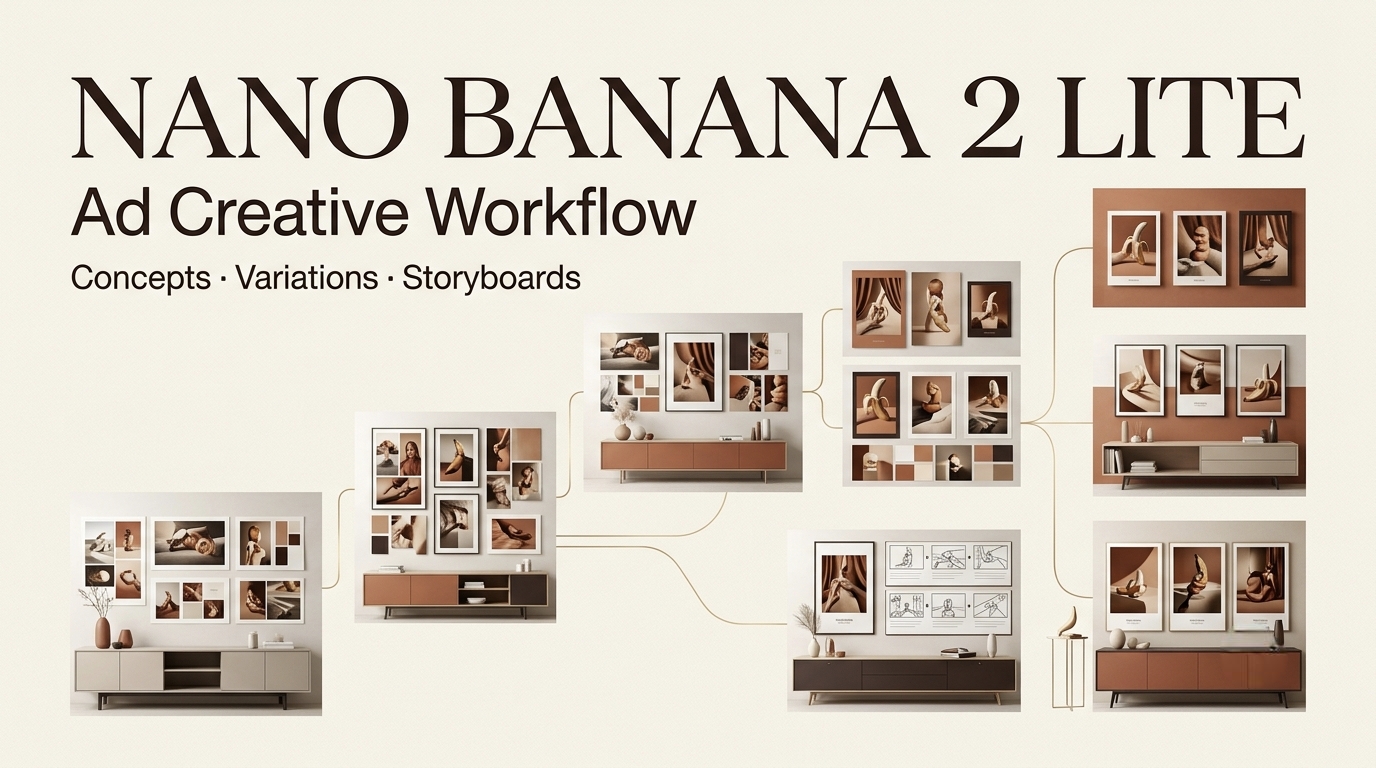
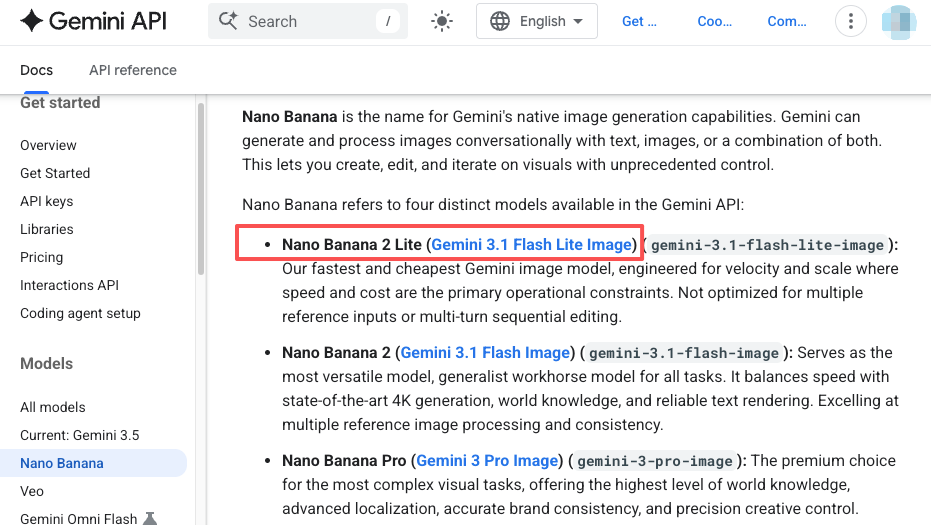
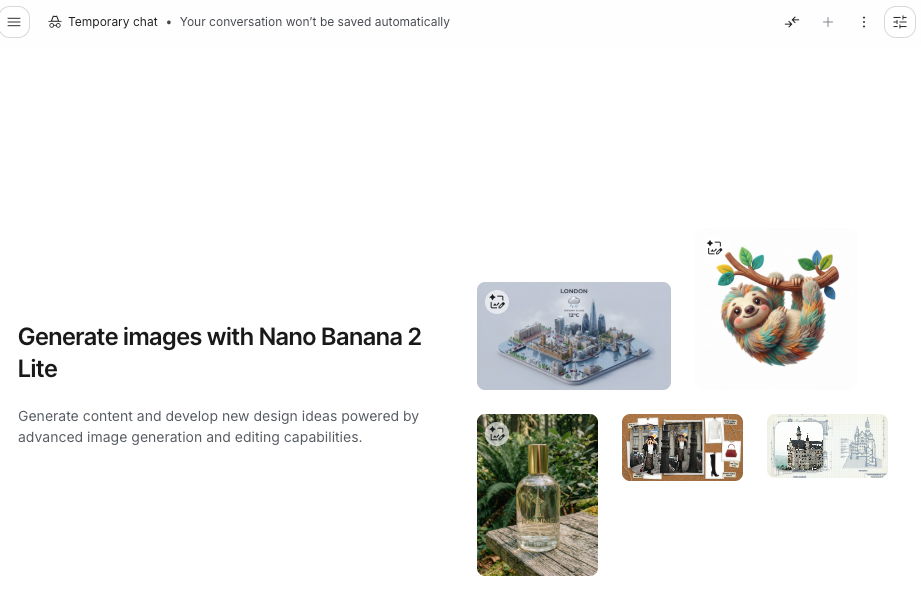
That is where Nano Banana 2 Lite makes sense. Google’s official Nano Banana image generation documentation describes Nano Banana 2 Lite, formally Gemini 3.1 Flash Lite Image, as the fastest and cheapest Gemini image model, built for velocity and scale where speed and cost are the main constraints. Google positions Lite for speed, low cost, high-volume workflows, and 1K output. For complex professional assets, character/style reference control, or longer sequential editing, teams should compare it with Nano Banana 2, Nano Banana Pro, or video workflow tools before choosing. That framing is important. This is not the model I would treat as the final high-fidelity product shot. I would use it as a low-friction exploration layer for AI ad creatives.
Where Nano Banana 2 Lite Fits in Ad Creative Work
rapid visual directions
The best use case is fast direction testing. When a marketing team has five possible UGC angles, waiting for polished assets too early slows the whole campaign. I would rather generate rough visual directions first, then ask which direction has a real ad idea behind it. In practice, that might mean testing “messy bathroom shelf before skincare routine,” “creator holding product near window light,” and “flat lay with problem-solution copy space” as rough image directions. The output does not need to be perfect. It needs to make the team react honestly: yes, this feels native to TikTok; no, this looks too staged; maybe, but the product moment is unclear.
product promo concepts
For a product promo, Lite is useful when the product is still being positioned, not when the product visual must be exact. I would use it to test lighting, context, composition, and consumer moment. I would not use it to invent packaging claims, alter regulated product details, or fake a product result.
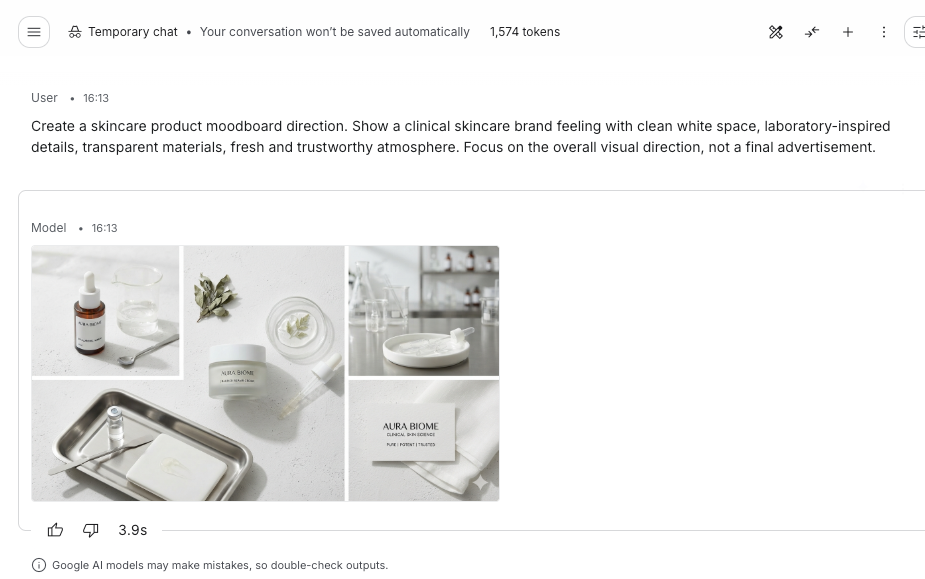
A real example from my workflow: before building a skincare ad storyboard, I tested three visual worlds. One looked like a clean bathroom counter, one looked like a creator’s travel pouch, and one looked like a close-up texture shot. The travel pouch direction won because it gave the script a stronger “I actually use this” feeling. The final product image still needed manual recreation with approved assets.
moodboard testing
Moodboards often get too polished too early. Then everyone starts debating colors and props before the hook is clear. Nano Banana 2 Lite works better as a moodboard scratchpad. It lets the team test whether “clinical,” “creator casual,” “premium giftable,” or “before-the-event panic” feels right before choosing production references.
Turning Fast Image Variations Into Video Concepts
hook angle
A strong static image can expose a weak video hook. If the image shows a creator staring at a cluttered desk, the hook might be overwhelmed. If the image shows the product next to a packed suitcase, the hook might be about travel convenience. This is where a Gemini image model can help creative teams move from abstract audience pain to a visible ad premise.
I like pairing each image direction with one hook sentence. If the team cannot write a sharp hook for the image, the direction probably is not strong enough for video.
scene sequence
A single image does not become a video by accident. It needs a sequence. Once a direction wins, I turn it into a rough video storyboard: opening problem, product entrance, use moment, proof cue, and closing CTA. I keep this loose at first because the goal is not shot perfection. The goal is to see whether the static idea has enough movement to support a 15- or 30-second ad.
product moment
Every ad direction needs a product moment. Not a beauty shot only. A moment where the product earns its place in the story. For UGC, that could be opening the package, comparing the old setup to the new one, showing texture, pointing to a result, or placing the product in a believable routine. If the image direction cannot support that moment, it may be good content but weak advertising.
Review Workflow for Marketing Teams
brand fit
Fast drafts are useful only if the team knows what “on brand” means. I check whether the image fits the brand’s color world, audience maturity, product category, and platform style. A wellness brand may reject an image that looks too medical. A SaaS brand may reject a visual that feels too playful for enterprise buyers. Brand fit should be judged before anyone spends time making motion drafts. Otherwise, the team is heading in the wrong direction.
claim sensitivity
Ad teams should be conservative with claims. If an AI image implies a product result, health outcome, financial improvement, or exaggerated before-and-after, it needs review. Google’s Generative AI Prohibited Use Policy warns against unlawful use, rights violations, deception, and misrepresentation of generated content. For advertising, that caution should be even stronger.
The FTC’s AI-claims guidance is worth checking when the ad claims AI-powered performance, superiority, or automation benefits. For ordinary product-benefit claims, teams should also use general ad substantiation review.
platform readiness
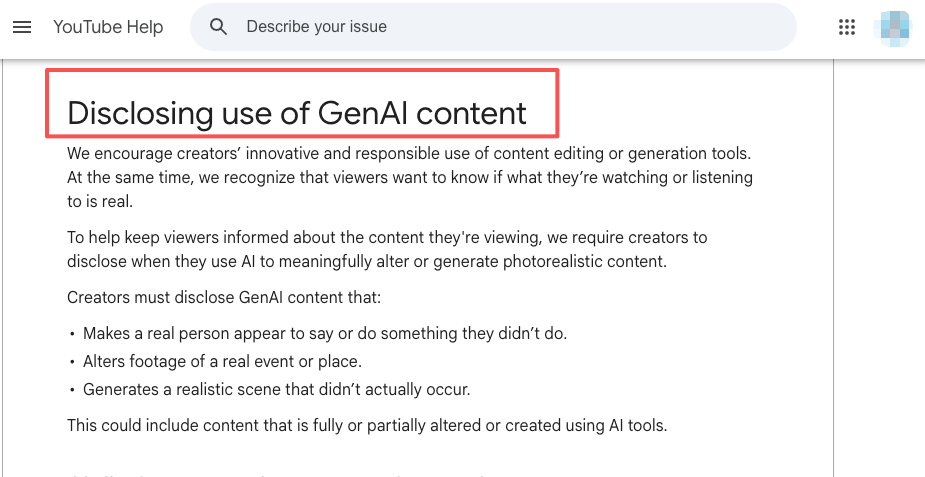
A visual direction that works in a moodboard may still fail in platform review. Google Ads has policies on misrepresentation, and YouTube has guidance on disclosing altered or synthetic content. Teams should review whether a draft could mislead users, imply false results, misuse likenesses, or require disclosure. For paid ads, platform readiness should happen before production, not after export.
From Static Options to Video Drafts
choosing winners
I choose winners based on ad function, not prettiness. The best image direction is the one that makes the hook clearer, gives the product a believable role, and suggests a sequence the team can actually produce. If two directions look equally good, I pick the one with fewer rights and production risks. A clean creator desk scene is often safer than a fake celebrity-style testimonial setup.
organizing variations
Fast generation creates file chaos quickly. I label variations by campaign, angle, product moment, platform, and review status. The team should be able to trace why a direction was approved, rejected, or held for later. This matters when one quick draft later becomes three ad tests.
preparing revision notes
Revision notes should describe the decision, not just the image. “Keep travel pouch context, make product larger, remove unrealistic skin-result implication, prepare vertical storyboard” is useful. “Make better” is not. Good revision notes turn an image batch into a production brief.
Limits, Rights, and Platform Risks
Nano Banana 2 Lite is best treated as a draft-stage or high-volume ideation tool. Google positions it around speed, cost efficiency, low latency, and 1K output; for complex professional asset production or advanced reference/control needs, teams should compare it with Nano Banana 2, Nano Banana Pro, or downstream video tools. For final product visuals, sensitive claims, branded packaging, regulated categories, or likeness-based UGC, teams should slow down.
The safest workflow is simple: use Lite to explore, use human review to choose, use approved assets to recreate anything that must be exact, and use platform policy checks before publishing.
FAQ
Who should approve AI-generated visual directions?
Approval should come from the person accountable for campaign quality, usually the creative lead, performance marketer, or brand owner. Designers can judge composition, but the approver must also understand product claims, audience fit, and platform risk.
What records should teams keep for ad concepts?
Teams should keep prompts, generation dates, selected outputs, rejected directions, source assets, reviewer notes, rights status, and the reason a direction moved forward. These records help if a client asks how an idea was developed or why a risky visual was rejected.
When should a product visual be recreated manually?
A product visual should be recreated manually when packaging, labels, proportions, claims, texture, or usage context must be accurate. AI drafts are fine for mood and framing, but final product truth should come from approved photography, 3D assets, or brand-controlled design files.
Can one fast draft support several ad tests?
Yes, if the core product moment is strong. One draft can become a hook test, a caption test, a landing-page hero test, or a short video concept. The mistake is treating one draft as one asset. Treat it as a direction, then adapt carefully.
Conclusion
Nano Banana 2 Lite is useful because it reduces the cost of early creative exploration. For ad teams, that means more angles tested before production, more honest reactions before editing, and fewer polished drafts built on weak ideas.
I would not use it as the final authority on brand visuals or product truth. I would use it where it is strongest: fast, low-friction image variation that helps the team decide which ad concept deserves a real storyboard, a cleaner product visual, and a proper review workflow.
Previous posts: