I do not trust an AI video tool after one good clip anymore. One lucky output can hide a messy workflow: unclear model access, changing free limits, weak downloads, watermarks, strange motion, or terms that make client use awkward.
That is the right frame for this Creen AI review. I am not treating this as a controlled hands-on benchmark with measured generation speed, failure rate, or side-by-side model scoring. Without a documented test set, that would be fake confidence. This is a review framework for creators and teams deciding whether Creen is worth testing, what evidence to keep, and where the tool may or may not fit in a real production workflow.
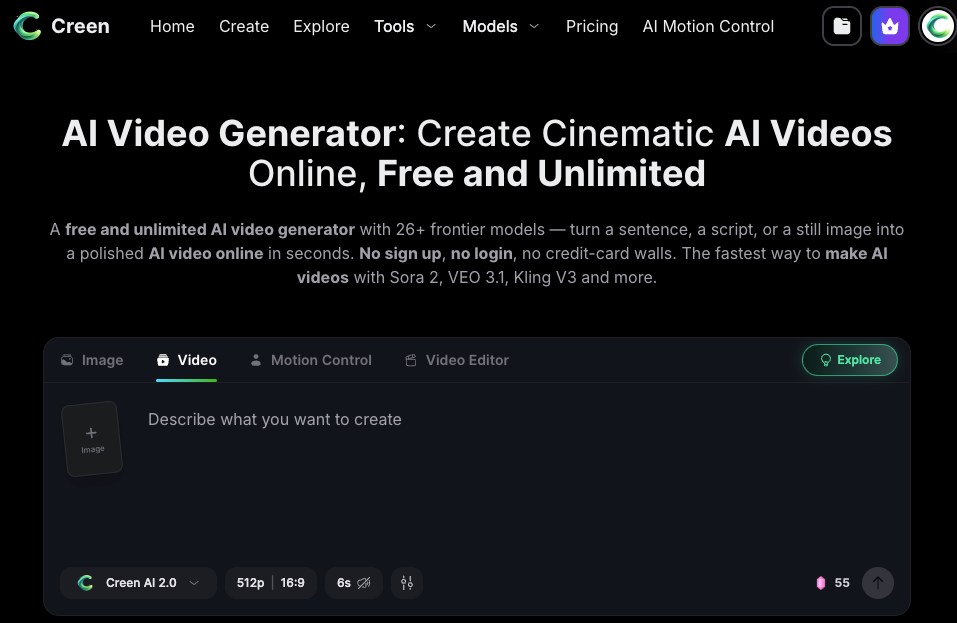
Current Creen AI video generator claims to position the product as a browser-based AI video workspace with text-to-video, image-to-video, model choice, image tools, and audio or voice options. That is useful context, but free access, pricing, model lists, export rules, resolution, watermarks, and commercial-use terms all need a fresh check before publication or client work.
Creen AI Review Summary
Best-fit users
Creen AI looks most relevant for creators, indie marketers, social teams, and small studios that want to test multiple AI video directions quickly. The strongest fit is early exploration: trying prompts, comparing visual styles, checking whether a product concept has motion potential, or making rough social video drafts before a proper edit.
If a creator wants one place to test text-to-video, image-to-video, and still-image ideas, Creen may be worth a trial. If a team needs final campaign delivery, legal review, asset approvals, and repeatable multi-scene editing, Creen should be only one part of the workflow.
Main strengths
The main strength is the workspace idea. Creen presents itself as a place to try multiple models instead of locking the user into one generation engine. That matters because AI video quality varies a lot by scene. A prompt that fails in one model may work better in another.
The second strength is low-friction testing. If the current access flow allows fast browser-based trials, creators can test more ideas before choosing what deserves editing time. That is valuable when the real goal is not one perfect clip, but a clearer creative direction.
Main limits
The biggest limits are verification and production depth. Public pages promote free access, many models, high-resolution clips, fast generation, and broad creative use. Those may be true in specific contexts, but the live product, account state, selected model, and current plan can change the experience.
The other limit is workflow completeness. A generated clip still needs script structure, captions, sound, music rights, brand approval, disclosure review, export settings, and editing. Creen can help create clips. It should not be mistaken for a full production pipeline.
What to Test in Creen AI
Text-to-video results
A fair test starts with the same prompt across several models. I would use one simple social prompt, one product prompt, and one more difficult scene with camera movement. The goal is not to crown the best model. The goal is to see how Creen handles common creator needs.
For Creen AI video quality, watch the first frame, subject clarity, camera motion, lighting, object stability, and whether the clip actually supports the intended hook. A pretty result that does not match the brief is not useful. I also check whether the generated clip gives me something an editor can work with, or whether it needs full regeneration.
Image-to-video consistency
Image-to-video is where many AI tools feel promising, then get weird. A strong still image can lose product shape, face consistency, text accuracy, or brand detail once motion starts.
A practical test should use an approved still frame, not a random image. If the input is a product visual, check label stability, logo shape, packaging proportions, shadows, and whether the motion makes the product more convincing or less trustworthy. A Creen AI limitations note should record exactly where the image broke, not just that the result felt “off.”
Model switching behavior
Model switching is only useful if reviewers can compare results cleanly. Current Creen pages advertise many models, while Creen AI text-to-video model claims and the main video page may show slightly different model counts or model names depending on the page. That is a reason to verify inside the live workspace before writing a final review.
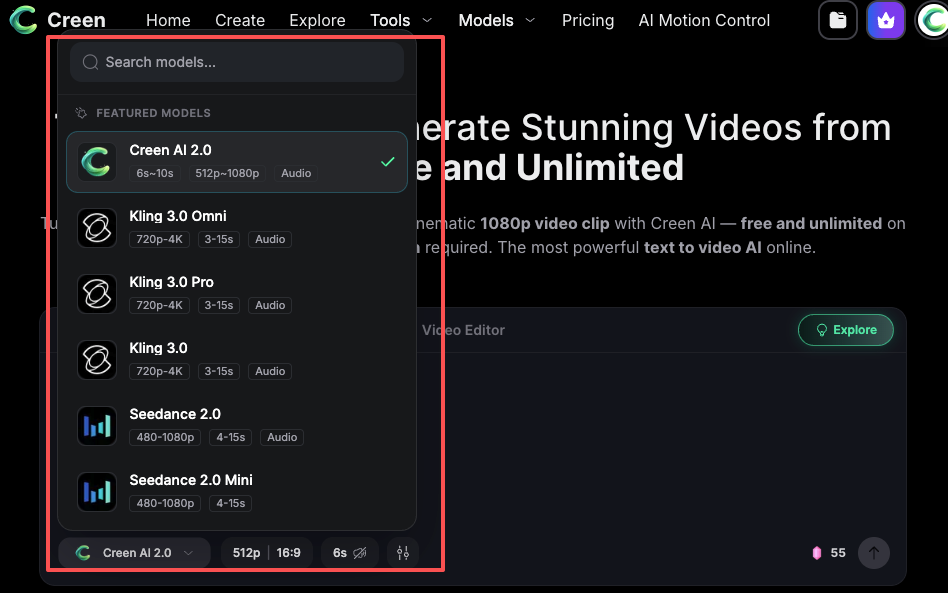
During testing, keep the same prompt, aspect ratio, duration, and input asset when switching models. If one model changes the framing, another changes the subject, and another ignores the camera instruction, those notes are more useful than a vague quality ranking.
Free Access, Downloads, and Usage Rules
Free quota claims
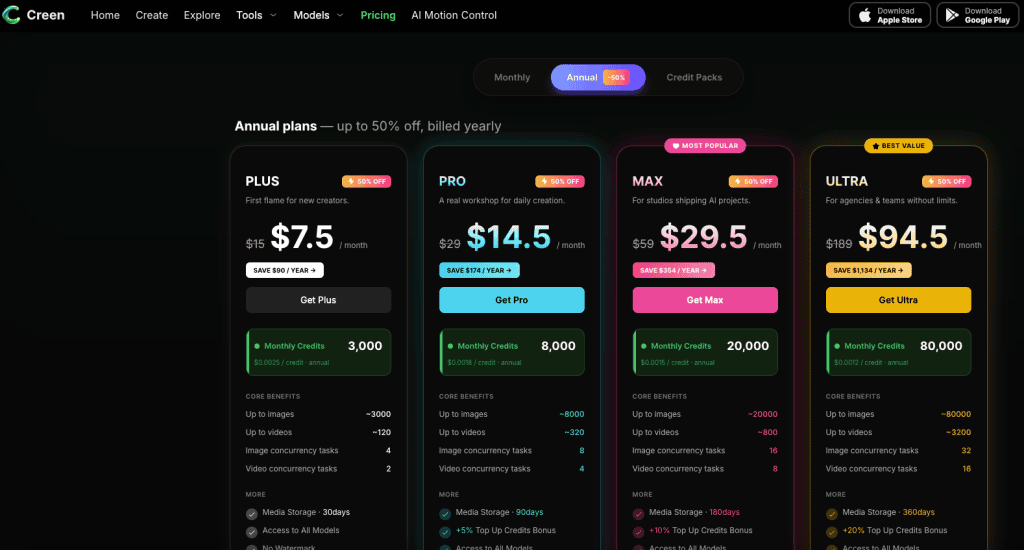
The question “Is Creen AI free?” needs a careful answer. Creen markets free access and free generation on select models, but serious reviewers should check the live quota, model restrictions, login behavior, credit use, and whether premium models behave differently.
Current Creen AI pricing and credit rules describe credits as generation-based, with cost depending on model, resolution, and duration. That makes the free experience more nuanced than a simple yes or no. A review should record which model was tested, whether credits were required, and whether the test happened logged in or logged out.
Watermark and export checks
Downloads and watermarks should be tested directly. I would generate a short clip, download it, inspect the file name, resolution, duration, visible watermark, metadata if relevant, and whether the output matches the selected settings.
Do not rely on a marketing page alone for export claims. For creator work, a watermark may be acceptable in private testing. For client work, paid ads, product demos, or public brand channels, watermark and export limits can decide whether the tool is usable.
Commercial-use terms
Commercial-use review belongs before client delivery, not after. Creen Terms of Service place responsibility on users for their content, include restrictions around illegal or rights-violating material, and note that outputs may vary in quality or accuracy. The same terms also mention payment, subscriptions, public content visibility, and licenses connected to submitted or public content.
For teams uploading client assets, Creen privacy and AI processing terms also matter because prompts, images, videos, and generated content may be processed to operate and improve the service. That does not automatically block use, but it should shape what teams upload during trials.
This article is not legal advice. Commercial use, copyright, privacy, likeness, and platform rules should be checked against current official terms and qualified counsel when needed.
When Creen AI Is Not Enough
Long-form structure
Creen may help generate clips, but long-form structure is a separate job. A five-second or ten-second visual test does not solve pacing across a 60-second ad, a two-minute explainer, or a multi-scene product story.
Longer videos need a script, scene order, transitions, voiceover, captions, and revision logic. If the team is still deciding the story, a clip generator alone will not fix the problem.
Multi-scene continuity
Multi-scene continuity is hard for AI video tools in general. A character may change, a product may drift, lighting may shift, or visual style may break between clips. If Creen is used for a multi-scene piece, each clip needs continuity review before editing begins.
This is where a team should separate generation tests from production assets. A clip that looks good alone may fail inside a sequence. The review note should explain whether it works as a standalone visual, a storyboard draft, or a final candidate.
Team review needs
Team workflows need more than generation. They need roles, approvals, shared folders, naming rules, prompt records, rights checks, and version history. If multiple people are testing Creen at once, results can become chaotic quickly.
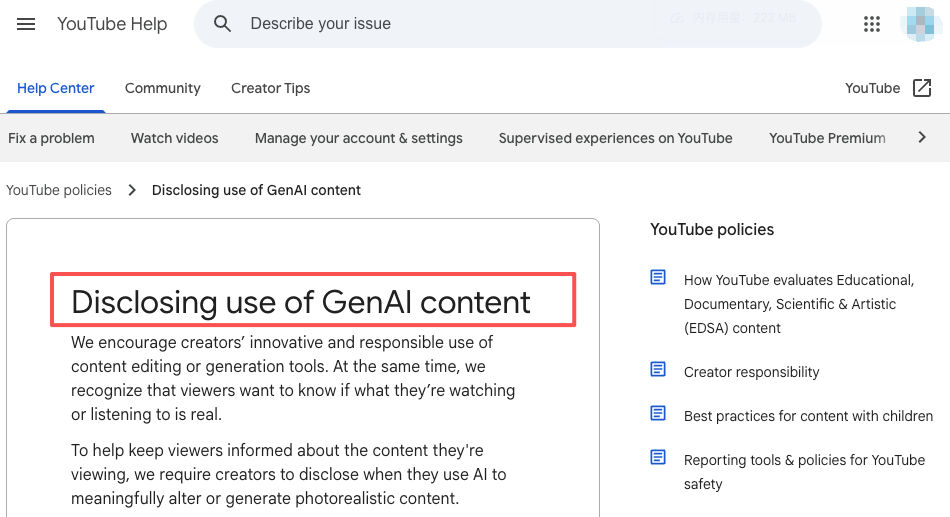
For realistic AI-generated video, YouTube GenAI disclosure requirements are a useful publishing reminder.
FAQ
What evidence should reviewers keep during a Creen AI test?
Keep the prompt, model name, account state, date, input asset, generation settings, credit or quota behavior, export file, and reviewer note. A screenshot of the model selector and export result can also help if the interface changes later. The goal is to make the review repeatable.
How often should free-access claims be rechecked?
Free-access claims should be rechecked before every article update, client recommendation, or team rollout. AI tools change quotas and model access often. A claim that was true during one test may be outdated a week later.
What makes a review result unreliable for client decisions?
A review is unreliable if it used only one prompt, tested only one model, ignored failed generations, skipped export checks, or did not document account status. It is also unreliable if the reviewer tested personal creative ideas but tries to apply the result to product ads, client videos, or brand campaigns.
Who should approve a tool before team-wide use?
The creative lead should judge output usefulness, but operations or legal should review account access, data handling, usage terms, and client asset rules. For larger teams, the best approval owner is usually the person responsible for both production quality and tool risk.
Conclusion
Creen AI review work should be practical, not hype-driven. Creen may be useful for creators who want to test text-to-video, image-to-video, model choice, and visual ideas inside one workspace. It may also help teams compare early clip directions before moving into editing.
But the tool still needs proof in your own workflow. Test the same prompt across models. Check downloads, watermarks, quota behavior, and export quality. Review privacy and commercial-use terms before uploading client assets. Then decide whether Creen is a useful testing layer or whether your project needs a deeper production workflow.
Previous Posts: