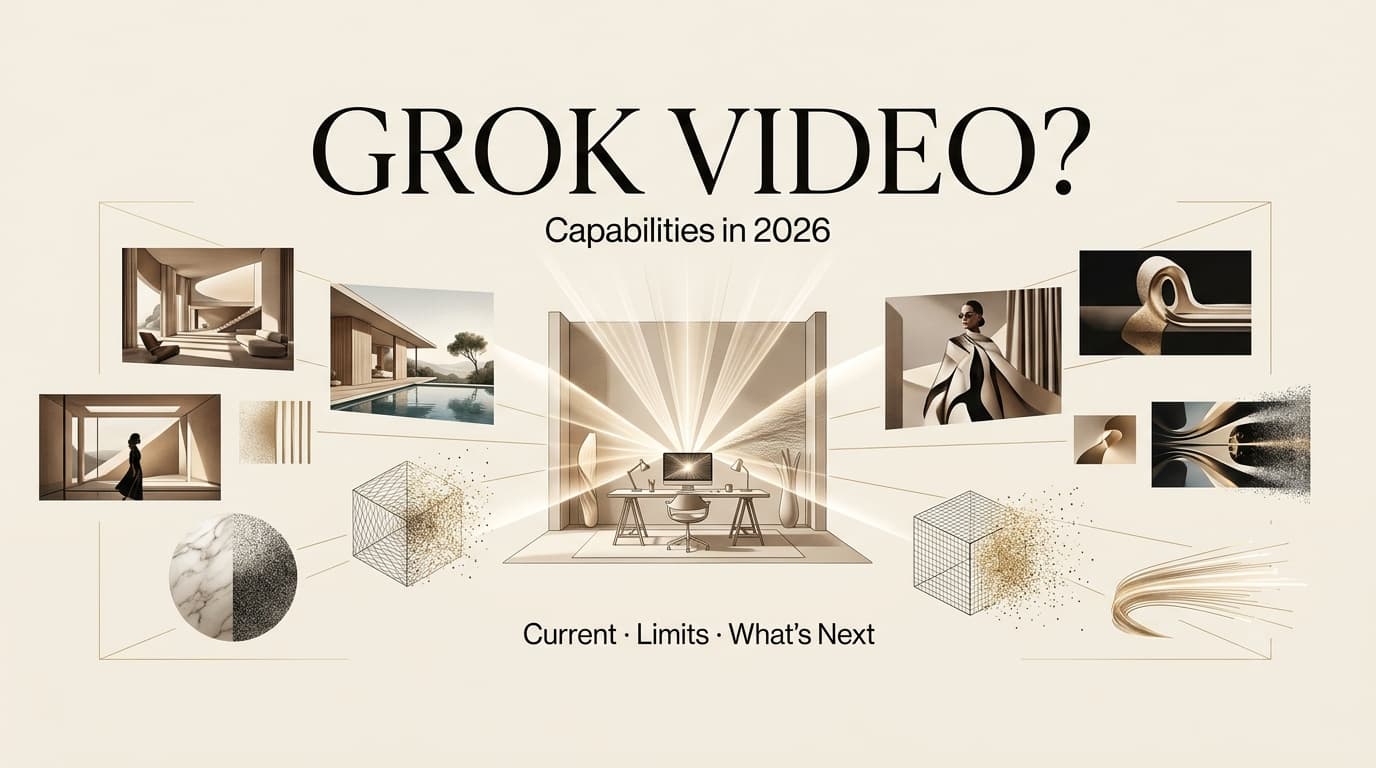
I’m Dora. I would answer the search question directly first: yes, based on current official xAI materials, Grok can generate videos in 2026 through Grok Imagine. But that answer needs a careful second sentence. Access, model names, duration, resolution, watermark behavior, API availability, and usage limits can differ by product surface and can change quickly.
So if you are asking does grok AI generate videos 2026, the useful answer is not just “yes.” The useful answer is: verify which Grok surface you are using, what version of Grok Imagine is available, whether you are using web, mobile, X, or API access, and whether your project needs text-to-video, image-to-video, editing, extension, or just visual concept work.
Does Grok AI Generate Videos in 2026?
What is currently verifiable
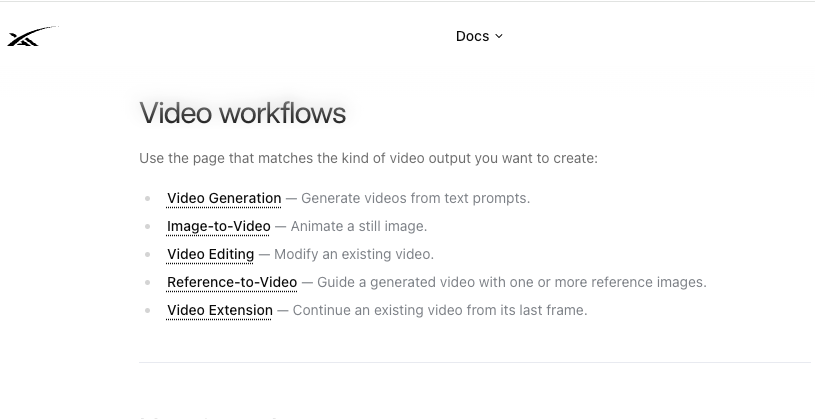
As of July 21, 2026, video generation is verifiable through multiple official xAI sources. The Grok Imagine Video 1.5 release presents Grok Imagine Video 1.5 as generally available on the Imagine API, with a faster version available on grok.com/imagine and the iOS and Android apps. The xAI video generation API documentation also documents video generation modes, including text-to-video, image-to-video, reference-to-video, edit-video, and extend-video.
That means “Grok AI video generator” is no longer only a rumor phrase. It maps to actual xAI video capabilities. For creators, the important question becomes narrower: which of those capabilities can your account actually access today?
What users may confuse with video generation
Some users mix up video generation with video understanding, image generation, or image editing. Those are related, but not identical.
Current Grok website and app capabilities include creating images and video with Grok Imagine, while Grok also supports chat, voice, file uploads, and analysis. A creator might upload a video for analysis, generate images for a storyboard, or create a short video through Imagine. Those workflows can feel connected, but they are different tasks.
This distinction matters when someone asks for Grok text to video. A text-only video prompt is not the same as animating a reference image. It also matters for Grok image to video, where the input image becomes the visual anchor for motion. If your project depends on product accuracy or character consistency, that difference is not small.
What still needs official confirmation
Before publishing a tutorial or client workflow, verify the current model name, plan access, regional availability, duration, resolution, pricing, watermark behavior, moderation behavior, and commercial-use terms. Do not rely on screenshots from social posts or old reviews.
The Grok Imagine watermark and moderation FAQ is especially relevant for publishing because generated images and videos include a Grok watermark, and the FAQ describes no user setting to remove it. That affects branded work, client approvals, and platform delivery.
Grok, Images, and Video Workflow Questions
Image generation versus video generation
Image generation is useful for concepting. Video generation is useful for motion testing. They solve different problems.
If I am planning a product promo, I might use Grok to test three still directions first: clean studio, creator desk, or outdoor lifestyle. Once one direction works, I would move into video. That is safer than asking for a complete video immediately and hoping the model guesses the right brand, camera, mood, and product moment.
Image-to-video handoff
Image-to-video is often the better creator workflow because the starting frame gives the model a visual reference. This helps when the scene, subject, or product setup matters.
Still, the input image needs review before animation. If the product label is wrong, the face is inconsistent, or the background creates a rights issue, motion will not fix it. It will only carry the problem forward. For client work, I would keep the original prompt, input image, model name, generation date, and reviewer notes with every serious test.
Creator workflow gaps
Grok can generate video, but generation is not the full production workflow. A publishable video still needs concept, script, storyboard, shot order, captions, sound, rights review, export settings, and platform checks.
This is where a creator may use Grok for concept images or short motion drafts, then hand the strongest assets into editing or an AI Director workflow. CrePal can sit after generation when a team needs to connect script beats, storyboard planning, clip review, and revision notes. That does not mean Grok and CrePal are integrated. It means a generated video still needs a production layer.
What Creators Should Verify First
Access and account requirements
Start with access. Check whether Grok Imagine video is available in your account, region, device, and plan. Free access may not behave like paid access, and API access may not match web or mobile behavior.
For teams, account type matters. If one person tests Grok on a personal account and another tries to build a client workflow from that result, the test may not transfer. Record the account state and access path every time.
Output rights
Output rights need direct review before commercial use. Current xAI consumer terms for user content place responsibility on users for inputs and outputs, including rights, licenses, permissions, accuracy, and appropriate human review. The same terms also allow rate limitations and can change over time.
For realistic people, brands, private assets, or client materials, be more conservative. The xAI acceptable use policy covers privacy, publicity, non-consensual intimate imagery, impersonation, intellectual property, watermark/provenance restrictions, and safeguard circumvention. Those categories should be part of any creator review process.
Current feature names
Feature names shift quickly in AI products. A post may mention Grok Imagine, Imagine Video 1.5, Video 1.5 Fast, grok-imagine-video, or another related name. Before writing instructions, match the exact name in the product or API you are using.
This is not pedantic. If the name changes, the access path, model behavior, pricing, or output limits may have changed too.
Alternatives When You Need Video Drafts
If you need a full video draft, Grok may be one tool in the chain, not the whole chain. Use Grok when you need fast visual concepts, image-to-video motion tests, short generative clips, or exploratory scenes. Use a dedicated video workflow when you need multi-shot planning, longer structure, asset organization, team review, subtitles, voiceover, and final delivery.
For creators, the practical split is simple. Grok can help generate materials. The workflow still has to decide what the video is saying, what order the scenes appear in, what needs to be fixed, and what can be published.
FAQ
How should teams track Grok feature changes over time?
Keep a dated feature log with the product surface, account plan, region, model name, settings, output format, watermark behavior, and any visible usage limits. Screenshots help when the interface changes.
What evidence should be saved before updating a workflow?
Save the prompt, source image or video, model name, generation date, output file, review notes, and terms checked on that date. For client work, also save who approved the output and what use was allowed.
Who decides whether Grok outputs can enter client projects?
The creative lead can judge quality, but legal, operations, or the account owner should review rights, privacy, likeness, disclosure, and client asset rules. One good clip should not bypass the approval path.
When should old Grok-related content be refreshed?
Refresh old content whenever xAI changes model names, access rules, pricing, watermark behavior, commercial terms, safety policy, or app availability. Hot AI search pages should not sit unchanged for months.
Conclusion
Does grok ai generate videos 2026 has a clear current answer: yes, Grok Imagine supports video generation in official xAI materials. But the creator-safe answer is more specific. Verify the exact feature, account access, model name, limits, watermark behavior, output rights, and policy rules before using it in a real workflow.
Grok can help with images, video drafts, and motion experiments. A finished creator video still needs planning, editing, review, and publishing judgment.
Previous Posts: