
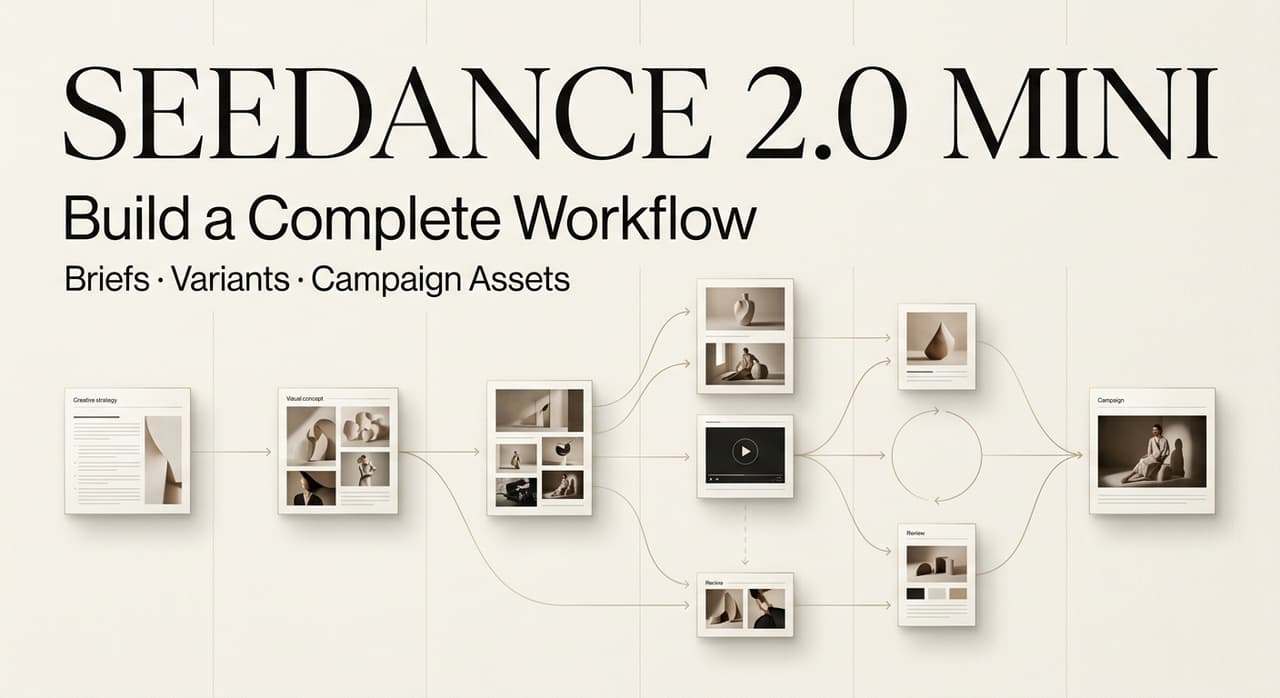
Hey, Leo here. A client pinged me last week with a 3-day ad delivery and changed the storyboard five times before we even shot anything. Old me would have panicked. This time I leaned on Seedance 2.0 Mini to spin up cheap shot drafts on every revision — and that’s exactly where most people get the model wrong. Cheap clips are not a campaign. They’re raw material.
The key lesson: Mini lowers the cost of trying a shot, not the cost of running an ad. Cheap clips are raw material, not a finished campaign. This post is the workflow I actually use — from brief to channel-ready creative — without pretending the model does the directing.
I’m writing this as workflow guidance, not a model review. Where I haven’t personally tested something I’ll say so. Let’s go.
Why Lower-Cost Generations Are Not a Campaign Workflow
Quick reality check before you open the model picker. Cheaper generations change your economics at the shot level. They don’t change the fact that a campaign needs a brief, brand rules, a review loop, and channel-specific exports. Skip those and you’ve just made cheap clips faster.
What Mini changes at the individual shot level
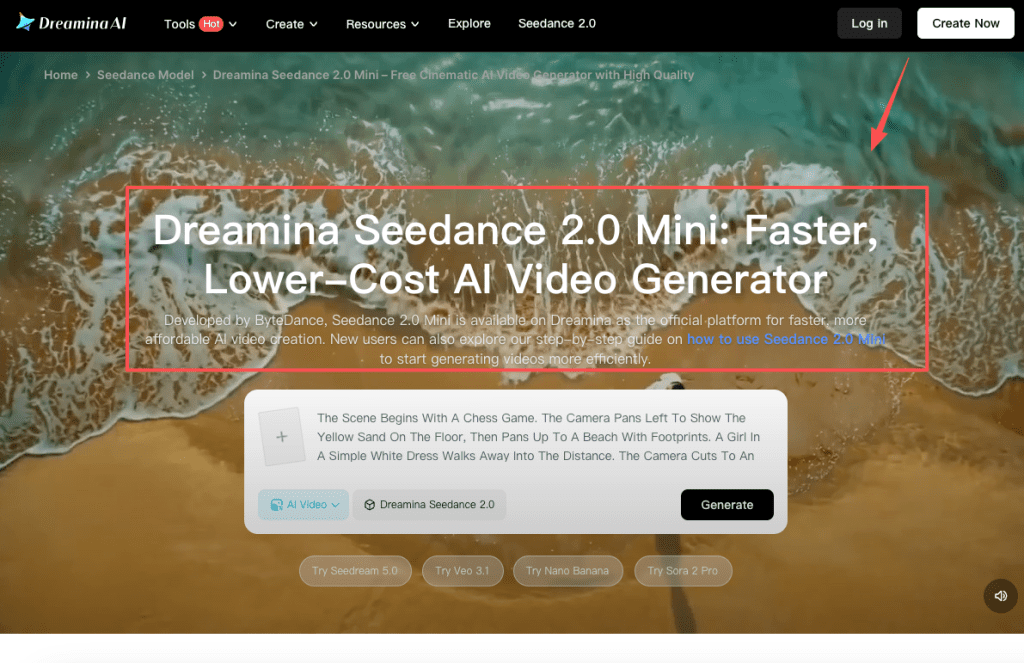
Dreamina positions Seedance 2.0 Mini as a faster, lower-cost member of the Seedance 2.0 family — built for drafting and iterating rather than chasing maximum fidelity. According to Dreamina’s Seedance 2.0 Mini page, it supports text-to-video and image-to-video, keeps characters consistent across shots, and gives you camera control like pans, zooms, and tracking moves. That’s a real shift for ad work: you can test a product reveal, an opening hook, or three lighting moods without burning your whole credit budget on one draft.
What it buys you, concretely:
- One fewer reason to commit early. You can throw away a shot that didn’t land.
- Faster variant testing — different hooks, different framings, same product.
- A lower floor for experiments that used to feel too expensive to bother with.
That’s genuinely useful. But notice all three are about the shot, not the campaign.
What still requires campaign-level direction
Here’s what Mini won’t do for you, no matter how cheap each generation gets: decide who the ad is for, what the offer is, which channel it ships to, and whether the product actually looks right. It also won’t catch brand-color drift or a logo that came out subtly wrong. A solid AI video workflow still needs a human deciding those things up front.
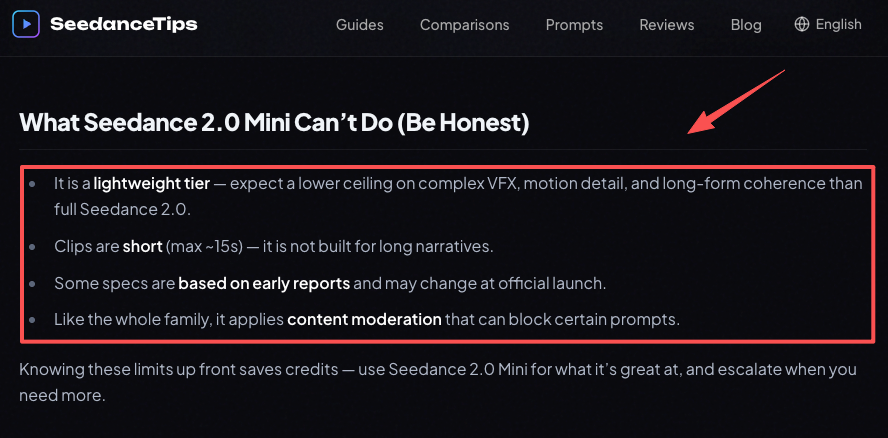
And there’s a real ceiling. Independent tracking from SeedanceTips notes Mini is a lightweight tier — expect a lower ceiling on complex VFX and long-form coherence than full Seedance 2.0, with clips capped around 15 seconds. Fine for a hook. Not a 30-second narrative in one shot. Plan around that, don’t fight it.
Plan the Brief, Shots, and Variants Before Generation
I don’t open the generator first. I open a doc. Every time I’ve skipped this step to “just try a few prompts,” I’ve ended up with twelve clips that don’t add up to anything. The planning is the part that makes the cheap generations worth it.
Define the audience, offer, channel, and brand rules
Before a single prompt, nail down four things:
- Audience — who’s watching, and on what platform mindset
- Offer — the one thing this ad is selling or saying
- Channel — 9:16 for Reels and Shorts, 16:9 for YouTube pre-roll, 1:1 for feed
- Brand rules — exact colors, logo placement, tone, what’s off-limits
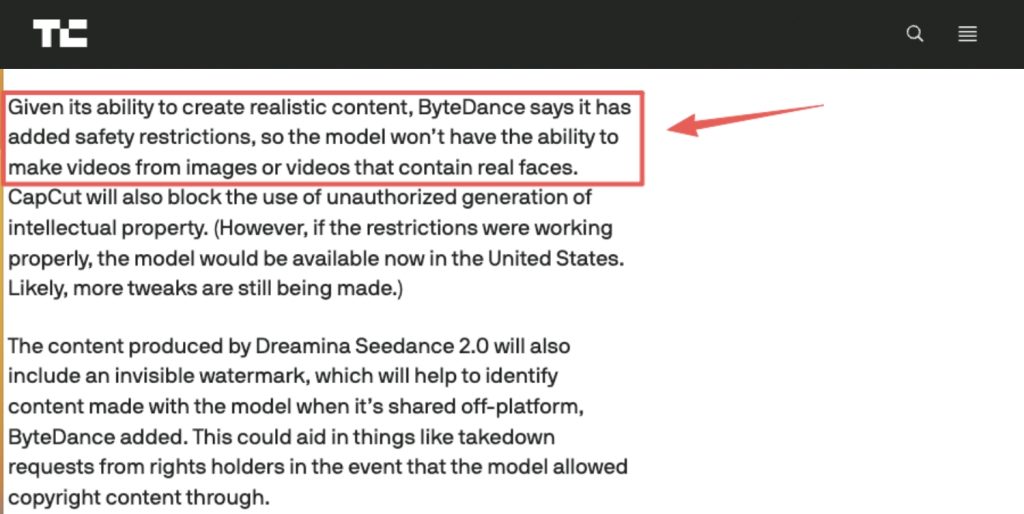
This is also where you handle a real constraint. ByteDance added safety restrictions so the model won’t generate videos from images or videos containing real faces, as TechCrunch reprted at the CapCut rollout. If your Seedance ads concept depends on a specific spokesperson’s face, you need a different plan before you waste credits discovering the filter.
Map the master concept into shots and creative variants
Take your one master concept and break it into shots — opener, product detail, payoff. Then decide what you’re varying. Vary one thing per batch: hook line, or camera move, or lighting mood. If you change three things at once across ten clips, you learn nothing about which choice worked.
For campaign video creation, I keep a simple variant grid: shot on one axis, the single variable on the other. Boring? Yes. It’s also the difference between a controlled test and a pile of guesses.
Direct Seedance 2.0 Mini as a Shot Generator
Now you generate. The mental model that helps me: Mini is a shot generator you’re directing, not a campaign machine you’re launching. You give it tight instructions and approved references, and you judge what comes back.
Prepare prompts and approved reference assets
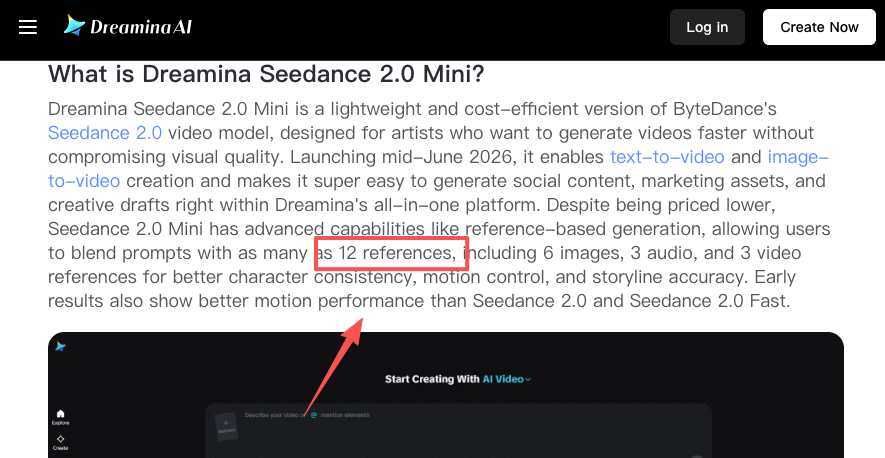
Mini’s strength for brand work is the reference system. Reporting on the model describes blending a prompt with multiple references — images, video, and audio — for tighter character and product consistency, with Dreamina’s own review citing support for up to 12 references across images, audio, and video. For ads, that means dropping in your actual product photo so the bottle, the label, the logo come out as themselves and not a hallucinated cousin.
Write prompts the way the model likes them: subject, action, camera, style — one clear action per shot. Set your aspect ratio and a short duration, leave audio off for drafts to save credits, and only turn the settings up once a shot is a keeper.
Generate, label, and evaluate controlled variations
Generate your batch, then — and people skip this constantly — label everything. Variant A, hook 1, warm light. Variant B, hook 1, cool light. Without labels, your controlled test collapses into “which one looked nice,” which defeats the point.
Evaluate against the brief, not against your mood. Did the product stay accurate? Did the camera move match the energy of the offer? I’m not going to tell you Mini “works better” than some other model for your specific shot, because I haven’t run your shot — judge it against your own brand checklist, not a leaderboard.
Turn Selected Clips into Campaign Assets
You’ve got keeper clips. They’re still not an ad. This is the step that separates a workflow from a clip dump, and it’s the step Mini doesn’t do for you.
Sequence clips and review product and brand accuracy
Lay your selected shots in sequence and watch the whole thing. Then do a brand-accuracy pass: is the logo right in every shot, are the colors consistent, does the product never warp or drift between cuts? AI footage is notorious for subtle inconsistencies that you only catch when shots sit next to each other.
One thing worth knowing for your records: ByteDance includes an invisible watermark in Seedance 2.0 content to help identify it off-platform, also noted in TechCrunch’s coverage. Doesn’t affect your edit, but agencies should know it’s there.
Add audio, captions, end cards, and channel variants
Now finish it. Dreamina keeps the post-production in one place — you can upscale resolution, raise frame rates, extend a shot to hit placement length, and generate a soundtrack without leaving the project, as Dreamina describes in its Mini comparison writeup.
Add Other Models or an AI Director When Needed
Mini is a draft engine. Sometimes a shot needs more than a draft engine can give, and sometimes the coordination across shots gets heavy enough that you want help managing it.
Switch models when a shot exceeds Mini’s strengths
When a hero shot needs more fidelity, native audio sync, or complex motion that Mini’s lightweight tier strains on, escalate it to full Seedance 2.0 or another model. A practical multi-model video approach is Mini for the volume — the variants, the throwaway tests — and a heavier model for the one or two shots that have to be flawless. Don’t pay premium generation cost on shots you’re going to discard anyway.
Coordinate briefing, storyboarding, generation, and revisions
This is where an AI Director layer earns its place. The pain in a real campaign isn’t generating one clip — it’s holding the brief, the storyboard, the model choices, and the revision rounds together while a client changes their mind. Tools like CrePal are built around exactly that: an agent that manages briefing, shot planning, multi-model selection, and chat-based revisions as one workflow instead of you tab-switching between five tools. (CrePal hasn’t announced Seedance 2.0 Mini as an integrated model, so treat that as orchestration of your process, not a claim that Mini lives inside it.)
Limits, Review Costs, and Workflow Decisions
Last thing, and it’s the one nobody puts in the tutorials: cheaper generation can quietly make your project more expensive in human time.
Why more generations can create more review work
Every clip you generate is a clip somebody has to watch, judge, and label. Generate forty variants and you’ve created forty review decisions. Cheap generation shifts cost from credits to attention — and attention is the resource that’s actually scarce on a deadline. Generate with intent, not because it’s cheap.
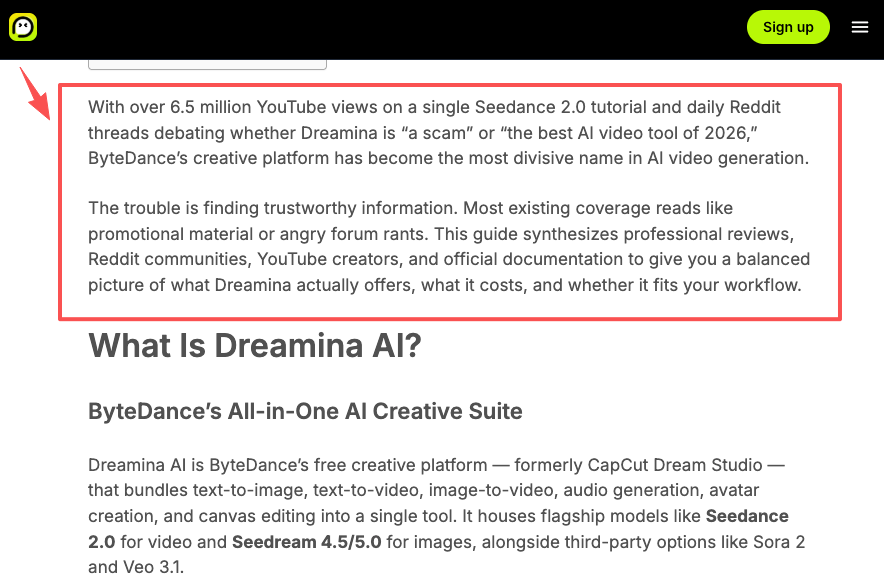
There’s also a commercial-rights wrinkle worth flagging: Dreamina’s commercial licensing has been described as vague, with no published IP indemnification, in a 2026 Dreamina review. For high-stakes client work, verify the current terms yourself before you rely on it.
Choose Mini-only, multi-model, or AI-directed production
So pick your production mode honestly:
- Mini-only — fast social tests, low stakes, you doing the assembly
- Multi-model — Mini for volume, heavier models for hero shots
- AI-directed — when coordination across many shots and revisions is the real bottleneck
There’s no “best” here. There’s what fits the job in front of you.
FAQ
Is Seedance 2.0 Mini available outside Dreamina?
Yes, but limited. It appears in CapCut and TikTok Symphony Creative Studio for advertisers. Availability varies by region and plan — always check the platform you actually use before planning a full pipeline.
Who owns footage generated with Seedance 2.0 Mini?
You own the output on paid plans, but commercial rights and IP indemnification are limited. Dreamina does not fully protect you if the generation resembles protected material. Review the latest terms before client delivery.
Can teams transfer Seedance projects between campaign editors?
Not easily. There is no native shared project format. Most teams export finished clips and share briefs manually rather than passing live projects.
What records should agencies keep for AI-generated ad assets?
Keep prompt text, model version, generation date, reference images used, and proof of commercial rights. This documentation is your main protection if rights questions arise later.
Conclusion
The trap with Seedance 2.0 Mini is reading “cheaper shots” as “easier campaigns.” It isn’t. What Mini actually gives you is a fast, affordable draft engine — and the campaign still depends on the brief you write, the variants you control, the brand accuracy you check, and the channel cuts you assemble. Do that part well and Mini becomes a genuine production accelerator. Skip it and you’ve just sped up the wrong thing.
If you’re starting this week, try it on one real ad: write the brief first, vary one thing per batch, and see how much of your time moves from generating to deciding. That ratio is the real tell. Drop your own workflow tweaks in the comments — I’m always curious how other people are handling the review-cost problem.
Previous posts:


[…] Agents for Marketers: Future of Ad Creative Seedance 2.0 Mini for Ads: Build a Complete Workflow Google Ads AI: How to Improve Video Ads How to Create TikTok Ads with AI Video Tools YouTube […]