
I’m Leo — the person in your group chat who says “don’t buy that, waste of money” or “this one’s actually worth it, get on board.” Two weeks ago someone dropped a side-by-side in the group chat — same prompt, same seed, LTX base model vs Sulphur 2. The motion handling felt noticeably different. Not night-and-day different, but different enough that I couldn’t let it go without understanding why. That’s the short version of how I ended up going deep on ltx 2.3 finetune variants for the past week.
This post covers what these community finetunes actually are under the hood, why creators reach for them instead of the base model, what Sulphur 2 specifically delivers (and where it doesn’t), and what you need to know before running any of this in ComfyUI.
What LTX 2.3 Finetunes Are
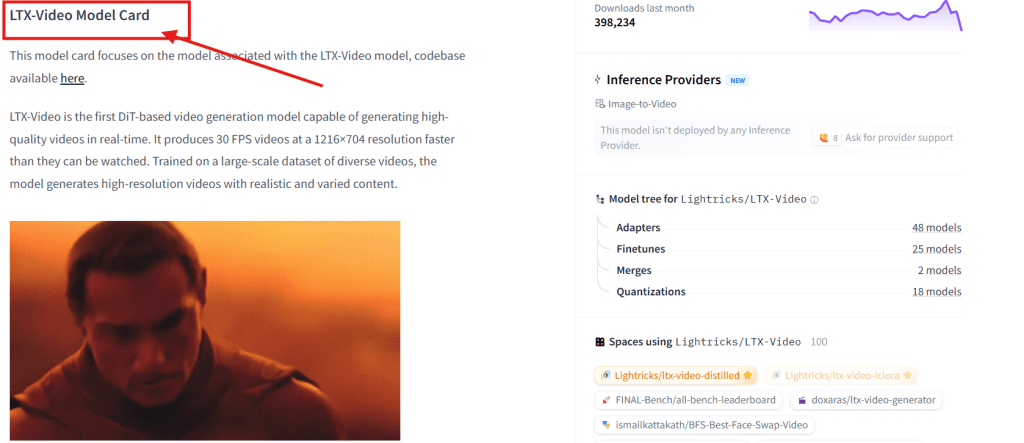
LTX Video — developed by Lightricks and available on their HuggingFace model page — is an open-source text-to-video diffusion model. Version 2.3 is a community-tracked release that improved motion consistency and temporal coherence over earlier iterations.
A finetune is what the community does with that base checkpoint: take it, continue training on a curated dataset, and push its output toward something more specific. Not a full retrain — more like sending the model back to school for one particular subject. The base model learns broadly; the finetune gets good at a narrower thing.
In practice, ltx video 2.3 finetunes tend to target:
- Specific visual aesthetics — film grain behavior, color temperature bias, contrast response
- Motion style — how fluid movement reads, how “cinematic” vs raw the motion feels
- Subject fidelity — how well the model holds character and object consistency across frames
The base model architecture and training approach are documented in the LTX-Video GitHub repository. The finetunes live in the community — primarily on HuggingFace and Civitai — and that’s where real differentiation happens.
Why Creators Use Finetunes
Honest answer: because the base model doesn’t nail a specific look consistently enough out of the box.
LTX 2.3 base is capable. It’s also general-purpose, which means it was trained on a wide variety of footage and it averages toward something competent but not always distinctive. If your content needs to read like it was shot in a particular style — a specific motion language, a particular color temperature, a specific era of filmmaking — the base model requires heavy prompt engineering to get there, and even then output is inconsistent run-to-run.
A finetune shifts that average. Instead of prompting against a generic starting point, you start from a checkpoint already biased toward the aesthetic you need. This is where open source video finetunes have become genuinely useful for creators who know what they’re going for visually. The community catalog is expanding — Civitai’s video model section is a reasonable place to see what’s actively maintained and getting traction.
The tradeoff nobody mentions enough: finetunes are less flexible. Push them outside their training distribution and you get artifacts. A finetune that’s excellent for controlled close-up subject shots might fall apart on wide architectural footage with complex motion. Understanding the envelope matters more than it does with the base model.

Sulphur 2 Case Study
Sulphur 2 is a community finetune built on LTX Video 2.3, specifically tuned for motion quality and subject retention. That’s the claim. Here’s what I found when I actually tested it.
I ran the same prompt set through LTX 2.3 base and Sulphur 2 six times each. The most consistent difference showed up in fast subject movement: base LTX produced temporal flickering around subject edges on panning shots. Sulphur 2 reduced that meaningfully — not eliminated, but the improvement was consistent rather than a lucky run. Four of six Sulphur 2 tests came out noticeably cleaner. Two were roughly equivalent to base. That’s the kind of honest number you should apply to any ltx 2.3 finetune before committing your workflow to it.
Where Sulphur 2 earns its place:
| Use Case | Sulphur 2 vs Base LTX | Verdict |
| Talking head / presenter video | Cleaner subject edges, better frame consistency | Worth the switch |
| Product shots, controlled motion | Better retention across frames | Worth the switch |
| Complex multi-subject scenes | Competing retention biases cause artifacts | Stick with base |
| Wide environmental shots | Marginal difference | Coin flip |
| Heavy stylistic prompt work | Finetune bias fights the prompt | Base gives more control |
The pattern: Sulphur 2 wins when the scene is controlled and the subject is the clear anchor. It loses when complexity fights the model’s narrower training.
One thing worth flagging — community finetunes iterate. The version I tested may not be what’s available when you read this. Check the release notes before you build a whole workflow around a specific generation’s behavior. This applies to any ltx 2.3 finetunes, not just this one.
Compatibility
This is where ltx 2.3 comfyui setup matters. ComfyUI is the standard environment for running LTX Video workflows locally or on cloud instances. LTX-specific custom nodes handle model loading, conditioning, and sampling more reliably than generic diffusion nodes — you want to use them.
Three things to verify before you start:
Node currency. LTX 2.3 finetunes require the correct ComfyUI LTX nodes, current version. ComfyUI-Manager is the fastest way to check and update — a stale node version produces either broken output or silent failures, and neither is fun to debug mid-project.
VRAM requirements. LTX 2.3 is not a lightweight model. Rough guidance:
| VRAM | Expectation |
| 8 GB | Runs with quality and resolution compromises |
| 12 GB | Workable at moderate resolution |
| 16 GB+ | Consistent output, full resolution |
| 24 GB | Headroom for longer clips and batch work |
Finetunes don’t change the VRAM floor, but some Sulphur 2 configurations at higher resolutions push toward the ceiling. Know your hardware before queuing a large batch.
Sampler settings. Community finetunes sometimes come with specific sampler and step recommendations that differ from base model defaults. Check the model release notes before assuming your LTX base settings transfer cleanly. Usually it’s a minor tweak; occasionally it’s not.
FAQ
What are LTX 2.3 finetunes?
Community-trained checkpoints built on top of the LTX Video 2.3 base model. The training continues from the base checkpoint using curated datasets, pushing output toward a specific aesthetic, motion style, or quality characteristic. They share the base architecture and run in the same environment — the difference is where the model’s learned biases land.
How is Sulphur 2 related to LTX 2.3?
Sulphur 2 is a community finetune built directly on the LTX Video 2.3 checkpoint, tuned specifically for motion quality and subject consistency. The underlying model is still LTX 2.3; what’s changed is the model’s defaults have been shifted toward smoother, more controlled movement. It’s one of the more discussed ltx 2.3 finetune releases in the community right now, though not the only one worth knowing about.
Do LTX 2.3 finetunes work in ComfyUI?
Yes, with the right nodes installed and current. Ltx 2.3 comfyui workflows load finetunes the same way they load the base model — you’re largely just swapping the checkpoint file. The LTX-specific nodes handle the rest. ComfyUI-Manager makes it easy to confirm you have the right node versions before you spend time debugging a workflow that’s actually a dependency problem.
When should creators use a finetune instead of the base model?
When you have a clear target aesthetic and the base model requires heavy, inconsistent prompting to get there. A finetune is a faster route to a specific visual output; the base model is more flexible across varied content. If you’re producing high-volume content in a consistent style, a finetune built for that style saves per-generation prompt engineering time. If your content varies widely in style and subject matter, the base model’s generality serves you better — finetunes trade flexibility for consistency, and that tradeoff only makes sense when you actually want the consistency.
There are a handful of smaller ltx 2.3 finetune releases that don’t get as much attention as Sulphur 2 but are doing interesting things — particularly around grain and color grading behavior. I’ll run those properly before writing them up. If you’re already running Sulphur 2 in production and have settled on sampler settings that work well, drop them in the comments. Specifically curious what step counts people are landing on for the motion quality sweet spot.
Previous Posts: