I’m Dora. A friend dropped a music video in our group chat at midnight, and I honestly couldn’t tell a human hadn’t shot it. So — naturally — I stayed up testing.
If you’ve ever fed a track to an AI music video generator from audio file uploads and gotten clips that completely ignore your drops, yeah, same. This is the honest version: which tools actually hear your song, which ones just paste visuals over a waveform on a timer, and what “free” really costs you in 2026.
One thing up front: I’m on the CrePal team, so take my CrePal notes with a grain of salt — I’ve flagged where it’s not the pick. Everything here comes from running my own tracks through these tools.
Here’s the 30-second version if you’re in a hurry:
- Full beat-synced video from one uploaded song, zero editing? → freebeat
- Abstract, audio-reactive visuals for a Spotify Canvas or DJ loop? → Neural Frames
- A cinematic lyric video you can fix by just chatting? → CrePal
- Fast social clips on no budget? → CapCut
- Best-looking individual shots, and you don’t mind editing yourself? → Runway (but it won’t sync to your beat)
How Audio-Synced AI Video Works
Audio input, beat matching, lyrics, and visual generation
The whole thing lives or dies on one question: does the tool analyze your music, or does it just cut every three seconds and hope?
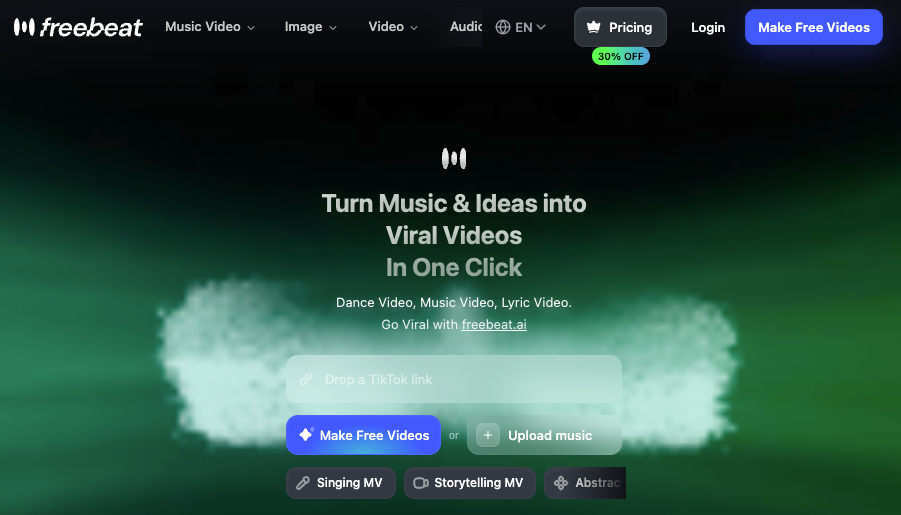
The good ones read the audio first. They detect BPM, find the onsets (the actual hits), map out song sections — intro, verse, chorus, drop, outro — and then plan where visuals change. freebeat, for example, breaks a song into structural levels before it renders a single frame, which is why its cuts tend to land on the beat instead of near it. You can read how its full-song beat analysis works on their site — it’s the clearest example of music-first logic I’ve seen.
Lyric videos add a second layer: the tool reads timed lyrics (often from an .LRC file) and drops words on screen in time with the vocal. When it works, it’s tight. When it doesn’t, words land late and the whole thing feels broken.
The difference between a tool that can truly sync video to audio and one that fakes it? You feel it in the first five seconds. One cuts on the drop. The other cuts on a stopwatch.
Top AI Music Video Generators
Best for audio files
For a finished track, freebeat is the strongest AI music video generator from audio file I tested. It accepts MP3 uploads or pasted links, analyzes the song’s structure, and generates a multi-scene video with lip-synced characters that stay (mostly) consistent across shots. It’s built as an “AI music video agent,” which is a fancy way of saying it does the whole job, not just one clip.
For something different, Neural Frames is what I reach for when I want abstract, pulsing visuals — DJ backdrops or looping Canvas art. Its 8-stem audio analysis maps each instrument to its own visual layer, so the bassline and snare drive separate movement. The limit: it’s a visualizer, not a storyteller. No characters, no narrative.

Best for lyric videos
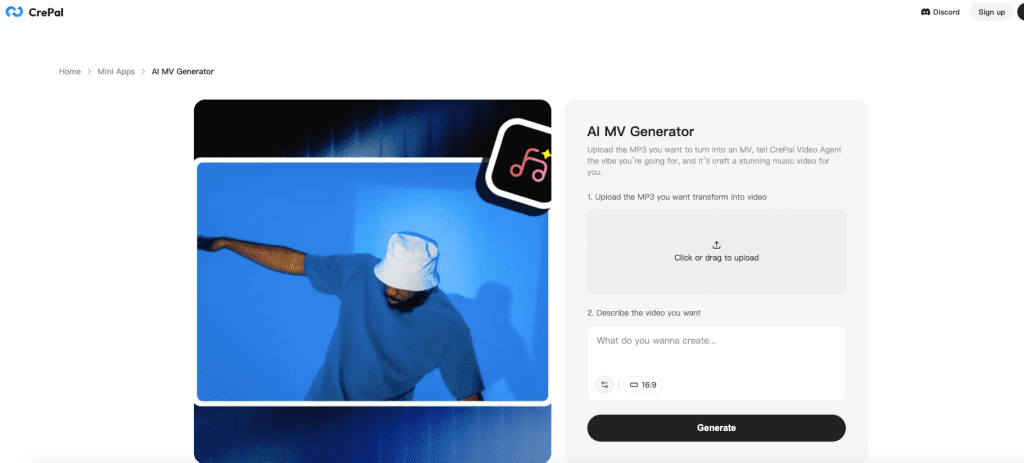
This is where CrePal earns its spot (disclosure still applies). I typed “dreamy neon Tokyo, lo-fi anime, sync the lyrics to the beat,” and it built a multi-scene video I could fix by talking to it — “shorter intro, warmer palette” — instead of fighting a timeline. The AI MV Generator is free to try and leans on several models under the hood. freebeat also does solid lyric videos with .LRC export if you’d rather stay in one song-first tool.
Best for quick social music clips
For 15-second TikToks where you just need something on-beat fast, CapCut is still the practical answer — template-based beat matching, mobile-first, and a genuinely usable free tier. It won’t generate original cinematic scenes, but for volume it’s hard to beat. Pika is worth a mention too, mostly for its weird, fun effect modifiers when you want one punchy accent moment rather than a full video.
| Tool | Best for | Real beat sync? | Lip sync? |
| freebeat | Full song → finished video | Yes (section-level) | Yes (~90%) |
| Neural Frames | Abstract visualizers | Yes (stem-reactive) | No |
| CrePal | Narrative + lyric videos | Yes | Yes |
| Runway | Cinematic individual shots | No | No |
| CapCut | Quick social clips | Template-based | No |
From Audio File
How source quality affects results
Most of these work as an AI music video generator from song files you already own — drop in an MP3, WAV, or FLAC and go. But the file you feed it matters more than people expect.
A clean master gives the beat detector crisp onsets to lock onto. A noisy, low-bitrate phone recording? The rhythm read gets mushy and cuts drift. I learned this the annoying way — uploaded a rough demo, got visuals that felt “near” the beat but never on it. Re-exported a proper mixdown, same tool, drops hit. Garbage in, garbage out, even for AI.
If your track has clear stems or a strong, present kick, you’ll get noticeably tighter sync. Quiet, washed-out lo-fi is the hardest case for any of these tools to read.
From Lyrics or a Song Concept
Matching visuals to theme, rhythm, and mood
Running an AI music video generator from lyrics is its own skill. The tool isn’t just timing text — the better ones try to match the mood of the words to the visuals. A melancholy verse should look different from a euphoric chorus, and a few tools now shift palette and energy by section instead of running one look the whole way through.
The honest catch nobody mentions: AI nails rhythm, not meaning. I gave one tool a road-trip song and got gorgeous, on-beat visuals that had nothing to do with a road or a trip. Energy matched, story didn’t. If your concept needs narrative logic, plan to nudge it scene by scene.
No finished track at all? Some agent-style tools (CrePal and a few others) can generate original background music from a text concept and build visuals around that — useful when you’ve got a vibe but no audio yet.
Free Options
What free tools usually limit
Searching for an AI music video generator from audio free is realistic — most tools have a free tier — but “free” almost always means one of these:
- Watermarks on the export
- Resolution caps (480p or 720p, with 1080p locked behind a paid plan)
- Length limits (often 30–60 seconds)
- One-time, non-renewing credits that don’t refill each month
- Credits that burn on previews and regenerations, not just final exports
That last one stings. I torched half my free credits in one session just trying style prompts — re-rolls cost too. CapCut has the most usable free editing tier, and freebeat’s free credits are fine for testing before you commit. But truly free, pro-grade output? Not really a thing yet — budget for an entry plan if you’re publishing.
Copyright and Licensed Audio
Why music rights matter before publishing
This is the part people skip and then regret. Using someone else’s copyrighted song does not become legal just because an AI assembled the visuals.
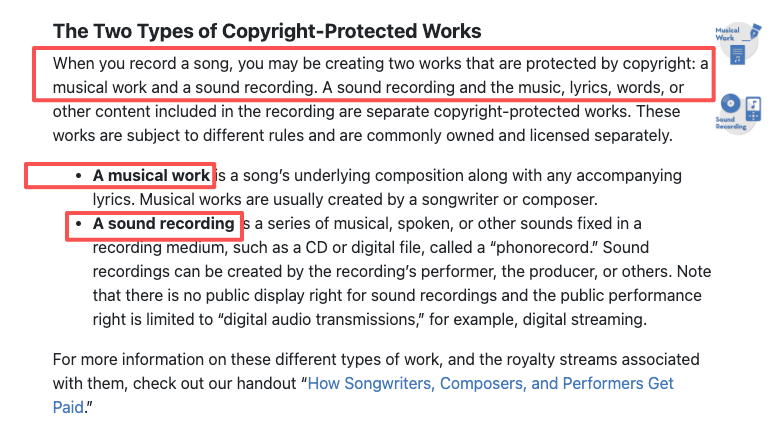
To publish or monetize a video with a commercial track, you generally need permission — usually a sync license from the publisher and a master license from the label. The U.S. Copyright Office’s guide on what musicians should know about copyright explains why: the composition and the recording are separate works, separately owned, and you clear both. The tool grants you rights to the visuals — not the music you uploaded.
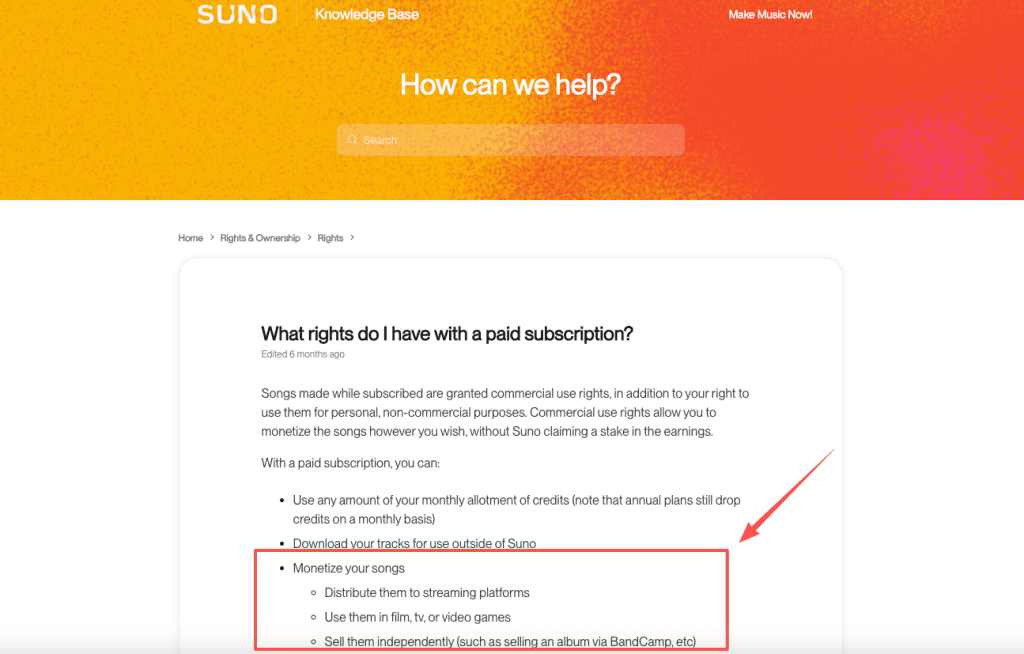
AI-generated music is its own maze. With Suno, free-tier tracks are non-commercial only, while paid-plan tracks come with commercial use rights — though that’s not the same as guaranteed copyright protection. So: use music you made, licensed or royalty-free audio, or AI music made on a plan that grants commercial rights. Don’t upload a chart single and hope. (Not legal advice — check the rights before you publish.)
Limits
Beat sync, visual coherence, and export control
None of these tools are magic. A few things to set your expectations:
- Beat sync is good, not flawless. On fast genres with rapid-fire vocals, expect minor drift.
- Character faces drift. They hold for 30–60 seconds, then wobble on longer clips. freebeat handles this best of the ones I tried — but “best” isn’t “perfect.”
- Coherence ≠ meaning. As I said — on-beat doesn’t mean on-story.
- Export control is gated. HD, aspect ratios, and watermark removal usually sit behind higher tiers.
My advice: render a 15–30 second slice first, judge the sync and the faces, then spend credits on the full song. Saves a lot of grief.
So where does that leave you? For a finished song with no editing, freebeat is the most complete AI music video generator from audio file I tested this year. For lyric videos you refine by chatting, try CrePal. Either way: start with a short test render, watch where the cuts land, and go from there.
Pricing and feature limits were checked against the official pages above as of June 2026. These change fast — always confirm current rates and plan limits before you commit.
FAQ
Which tool works best with audio files?
It depends on how you hand over the audio. If you only have links — Suno, Udio, SoundCloud, YouTube — freebeat lets you paste them directly, no download or conversion. Uploading raw files? Clean them first; a quick noise-reduce and normalize pass helps beat detection more than switching tools will.
How well do they match visuals to the beat?
Most tools do a decent job on clear, steady beats, but fast tempo changes or subtle breakdowns still cause minor drift. In my tests, freebeat handled complex drops better than most, while Neural Frames excelled at mapping individual instruments to visual layers. If sync feels slightly off, try uploading a cleaner mix or manually nudging key cuts in CapCut afterward — small tweaks often fix what the AI missed.
Can I use copyrighted music with these generators?
Not freely. Uploading a copyrighted track into one of these tools doesn’t grant you any rights to the song — you’d still need sync and master licenses from the publisher and the label to publish or monetize it. The generator’s commercial terms cover the visuals it produced, never the music you brought. Your safe lanes: music you wrote and recorded, properly licensed or royalty-free tracks, or AI-generated music made on a paid plan that includes commercial rights. This isn’t legal advice, but it’ll keep you out of the obvious trouble.
Previous posts: