It’s Leo. Last week, a client wanted a 60-second animated teaser by Friday, and on Monday, all I had was a half-baked plot in my head. So I did what I did when the clock’s against me: I dumped the premise into the Perchance AI story generator, let it draft the beats, and started carving the text into a video. Rough cut by Thursday. Nobody died.
This is the exact workflow — what the AI story generator Perchance hands you for free, where the text stops earning its keep, and how I turn paragraphs into scenes, images, and narration without gluing six tools together at 1 a.m.
Short version: Perchance is great for free, fast story drafts, and it even does images. It is not a video tool. The real work is editorial — pick an arc, cut the prose into shots, generate visuals and voice, then assemble somewhere else. Budget most of your time for that last part, not the writing.
What Perchance AI Story Generator Is Good For
The pitch is simple and, for once, accurate: the free AI story generator on Perchance needs no login and writes long stories one paragraph at a time. There’s a “what happens next” box so you can nudge the plot instead of re-rolling the whole thing.
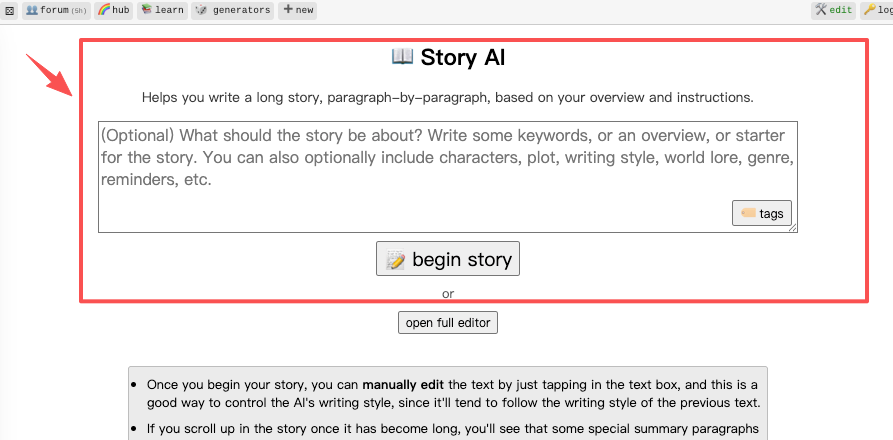
What it’s actually good for is raw material. Premises, character beats, a rough three-act skeleton — it spits those out fast. What it’s not good for is a finished script. The prose runs purple, it loves describing feelings nobody can film, and it’ll repeat itself if you let it run long. I treat the output like a first intern draft: useful, never final.
One quiet detail people miss — Perchance doesn’t store your sessions on a server. Close the tab and the Perchance story AI forgets you exist. Copy anything you like into your own doc before you wander off.
Where Text Stories Stop and Video Work Begins
Here’s the part that trips people up. A story that reads great can be nearly unfilmable. Text gets away with “she felt the weight of years pressing down” — try storyboarding that. Video needs a thing on screen: a place, a face, an action, a moment of light.
So the moment you stop reading and start planning shots, the job changes from writing to directing. The AI story Perchance hands you is the screenplay’s ugly cousin — you still have to decide what the camera sees. In my experience the writing takes about 20% of the time and this translation takes the other 80%. Plan for that, not the other way around.
Story-to-Video Workflow
Three steps, in order. Skip none of them — most bad AI videos come from rushing straight to image generation before the structure exists.
Choose the story arc
Don’t film the whole story. Pick one clean arc — setup, turn, payoff — that fits your runtime. For a 60-second teaser I cut everything except the inciting moment and one hook. If the AI Perchance story rambles across five subplots, I delete four. A tight 8-shot story beats a sprawling 30-shot one nobody finishes watching. The test I use: can I say the whole arc out loud in one breath? If not, it’s still too big for a short.
Break it into scenes
Now mark the text where the visual changes — new location, new time, new beat. Each of those becomes a scene. One paragraph often holds two or three of those changes, so don’t map paragraph-to-scene one-to-one. I literally paste the story into a doc and drop a “—” everywhere the picture should cut, then number what’s left. That shot list, not the prose, is what drives everything downstream.
Generate visuals & narration
For each shot, write a short image prompt — subject, setting, framing, mood — and generate the frame. Keep the prompts boringly literal; “moody” gets you noise, “low angle, rain, neon sign, wet pavement” gets you a shot. For voice, the Enhanced AI Story Generator adds local text-to-speech plus a story bible, which is handy for a quick scratch read-through. Be honest about the ceiling, though: system TTS sounds like a GPS unit reading a bedtime story. For anything a client sees, I export the script and run it through a proper voice tool. Scratch narration to check timing? Fine. Final delivery? Not a chance.
Using Images with Perchance Stories
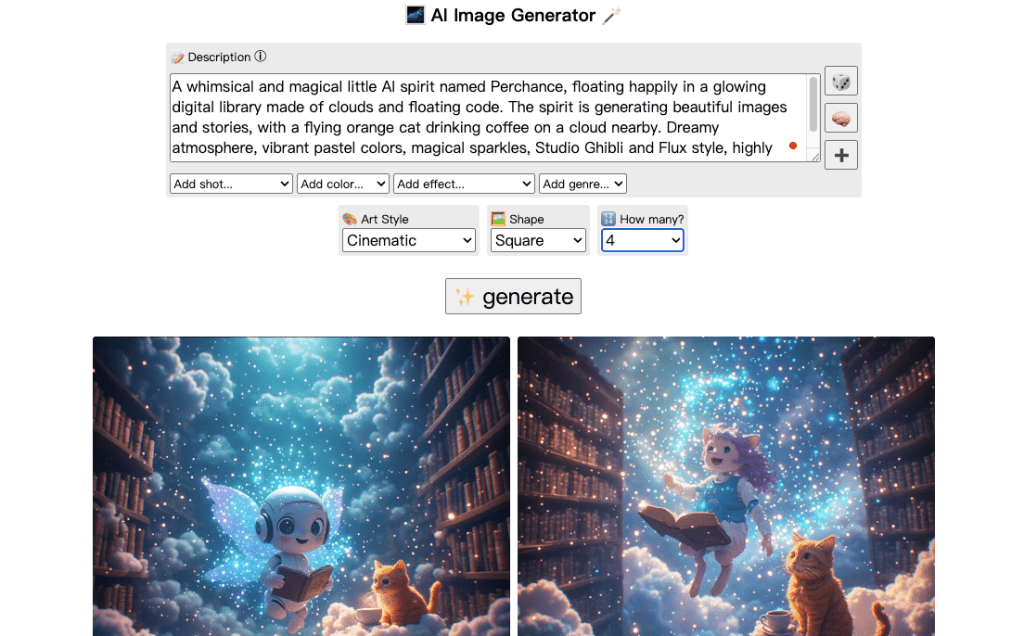
This is where Perchance quietly overdelivers. The free image generator runs Stable Diffusion and Flux models, batches images in seconds, no credits, no watermark. There’s also a combined AI story generator with images that drafts the text and illustrates it in one pass.
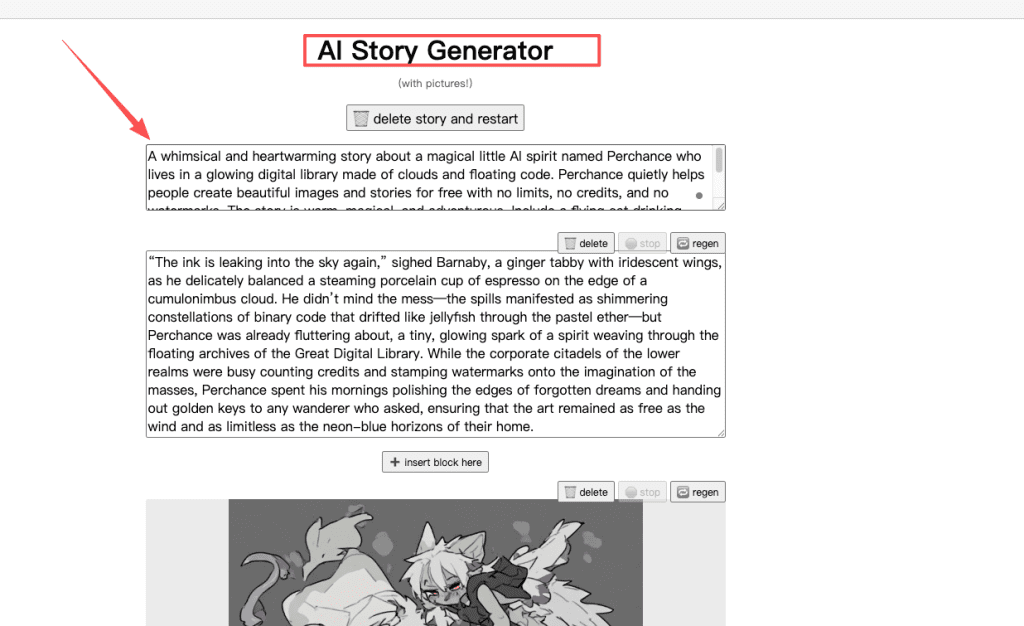
Two things I’ve learned the hard way. First, consistency is the enemy — the same character will have a different face in shot 3 than in shot 1 unless you lock a tight description and reuse it word for word. The Perchance AI story generator with images is convenient, but it won’t keep your hero on-model across a sequence on its own. Second, batch hard. Generate six options per shot and throw away five — it’s free, so there’s no reason to settle for the first roll. That curly-haired character I needed last week took eleven tries before the hair stopped looking like a motorcycle helmet.
Tools to Pair with Perchance for Video
Perchance gets you text, stills, and a scratch voice. It has no timeline, no editor, no way to actually assemble a video. So the real pairing question is: what stitches the pieces into a cut?
Here’s my current stack, by job:
| Job | What Perchance gives you | What I pair it with |
| Story / script | Story generator + story bible | A light rewrite in my own doc |
| Stills | Free SD/Flux image generator | An upscaler for the hero frames |
| Narration | Local TTS (scratch only) | A dedicated voice tool for finals |
| Assembly into video | Nothing | An editor, or an AI video agent |
For that last row — when I don’t feel like hand-placing twelve clips on a timeline — I’ll hand the shot list and frames to an AI video agent like CrePal and let it draft the sequence, then chat-edit the parts it gets wrong. That’s the “one less tool” win for me: Perchance for the raw story and images, an agent for the cut, instead of bouncing between five apps. If you already love manual editing, keep your editor. I’m just allergic to busywork the night before a deadline.
FAQ
What to save from a Perchance story?
Since Perchance keeps nothing once you close the tab, pull out four things before you leave: your character descriptions (exact wording, so the images stay consistent), any lines of dialogue you actually like, the numbered beat list, and the prompt you used to get there. If you’re on the Enhanced version, its story bible holds characters and events for you — but I still copy everything into my own file. I don’t trust one browser tab with a paying job.
How to turn paragraphs into scenes?
The body covers the basic cut-on-visual-change rule; the edge cases are where people stall. A single dialogue-heavy paragraph can be one continuous scene with several shots inside it — don’t force a hard cut between every line. A paragraph that’s pure internal thought usually maps to zero scenes; cut it, or convert it into an action you can show. My rough pacing rule: aim for one shot every 3–5 seconds of finished video, letting some paragraphs collapse into a single shot while others explode into four.
When does a story need rewriting?
Rewrite the moment the text leans on things a camera can’t see: emotions stated outright, backstory dumps, abstract description with no object in frame. If a sentence has no place, person, or action in it, it won’t survive the cut — rewrite it as something visual or drop it. I also rewrite any beat that needs more than one location to land; splitting locations mid-shot is exactly how teasers turn into mush.
Verify before commercial use?
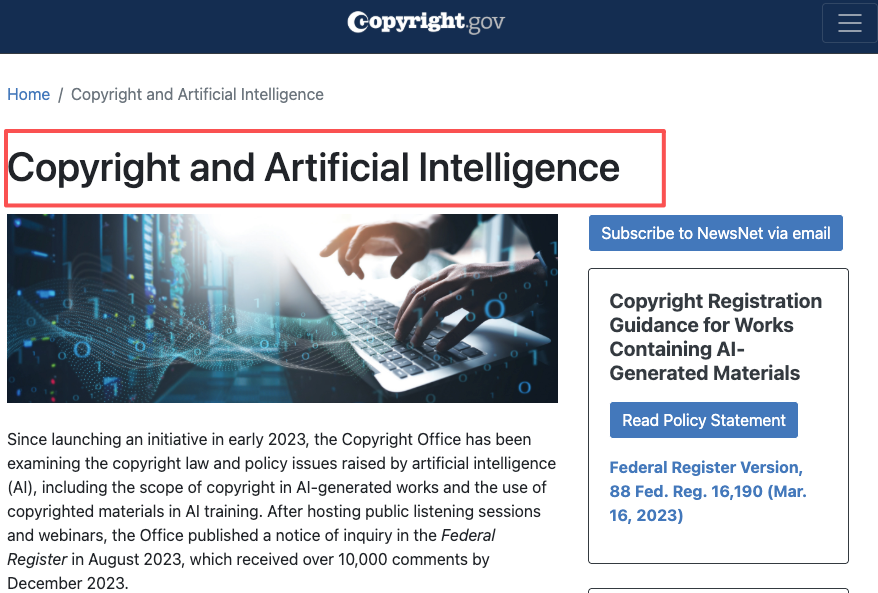
Two checks before anything ships for money. One, licensing: confirm the image model’s terms allow commercial use and that nothing you generated infringes an existing character or brand. Two, ownership: in the U.S., the Copyright Office’s AI guidance is clear that material generated purely from prompts isn’t protected by copyright — only your own creative selection, arrangement, and edits are. So a raw AI Perchance story generator output gives you something to use, but not necessarily something you own. Add real human editing if ownership matters to the deal.
Conclusion
So that’s the honest pipeline: the Perchance AI story generator for fast, free raw material and images, then a long editorial pass to turn paragraphs into a cut people will actually watch. The tool that writes the story is the easy 20%; directing it into video is the real job, and no generator does that part for you yet.
If you’ve got a slow afternoon, run one premise all the way through — draft, shot list, six images per shot, scratch voice — just to feel where the friction lives. You’ll learn more from one finished 30-second draft than from reading ten how-to posts. And if your character keeps swapping faces between shots, yeah — welcome to the club. Drop your fixes in the comments.
Previous posts: