Leo. Last month a client handed me a four-page script treatment on a Monday and asked for a 90-second teaser by Friday. No shoot, no crew, no budget for either. So I did what I do most weeks now — opened a few tools, generated scenes, and cut a draft. Somewhere around the third revision it hit me: picking the right movie generator mattered way less than understanding what each one is actually built to do.
That’s the gap I want to close here. An AI movie generator isn’t a “type one sentence, get a finished film” button. It’s a script → scene → draft pipeline. Get that mental model right and these tools save you days. Get it wrong and you’ll burn credits chasing a full feature no model on earth can deliver yet.
Below: how I judge them, which workflows fit which job, and where they fall apart.
The 30-second version: Today’s tools turn a script or idea into short, editable scenes — not full films. I reach for Runway when I want a cinematic live-action look, Google’s Veo when I need clips that ship with sound already baked in, Kling when I’m experimenting for free, and a workflow layer like CrePal when I want script, scenes, edit, and export coordinated in one place instead of juggling five tabs. Pick by the job, not the hype.
What an AI Movie Generator Can Actually Do
Strip away the marketing and an ai generated movie tool does three things: it interprets a prompt or reference, renders short motion clips, and gives you something to refine. That’s it. That’s the magic.
What it does not do is understand a 20-minute narrative. The good ones nail an 8-second beat — a character turning, a camera push down a wet neon street, a product rotating in studio light. String those beats together with intent and you get something that reads like a film. Skip the intent and you get a slideshow with motion blur.
The mental shift that saved me the most time: treat the model as a scene engine, not a director. You’re still the one cutting, sequencing, and deciding what the story means. The tool just stops you from needing a camera, a location, and three crew members to test an idea. That’s the real unlock, and it’s why I stopped calling these things “video makers” in my own notes and started calling them scene factories.
How We Evaluate AI Movie Generators
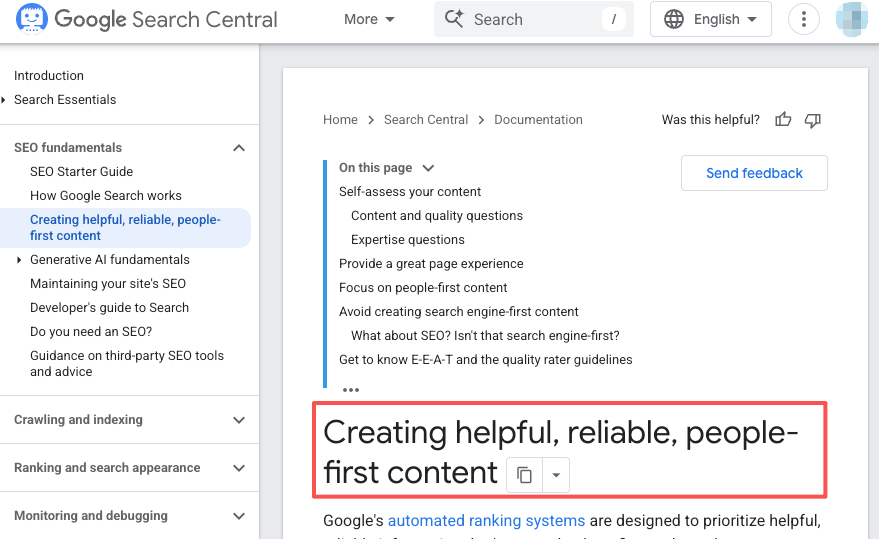
I don’t score these on a 10-point chart. I run a real project through each one and ask three brutal questions. Google’s own guidance on people-first, experience-backed content is basically my review philosophy too — if I haven’t shipped something with it, I don’t have an opinion worth reading.
Script-to-scene workflow
How far does a tool carry you from words to watchable? Some hand you a prompt box and nothing else. Better ones break a script into shots, suggest framing, and let you regenerate a single beat without nuking the whole sequence. When I’m figuring out how to make your own film from a loose idea, this is the step that decides whether I spend my afternoon directing or wrestling.
Visual consistency
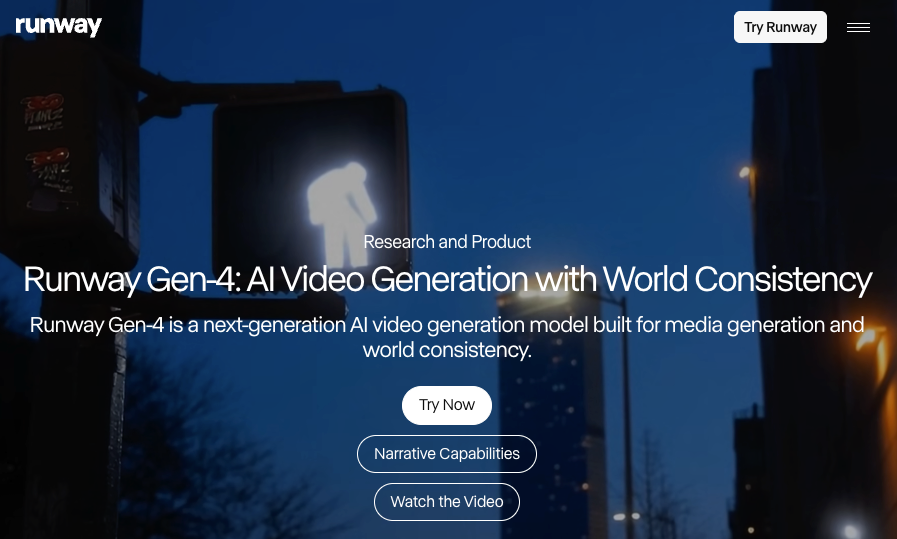
The number-one thing that breaks the illusion: a character whose face changes between shots. Runway built Gen-4 around “world consistency” — feed it one reference image and it holds the same character across lighting and locations. Honestly, this single feature is why I keep a Runway tab open. Most failures I see in amateur AI films aren’t bad prompts. They’re continuity that quietly falls apart by shot four.
Editing & export control
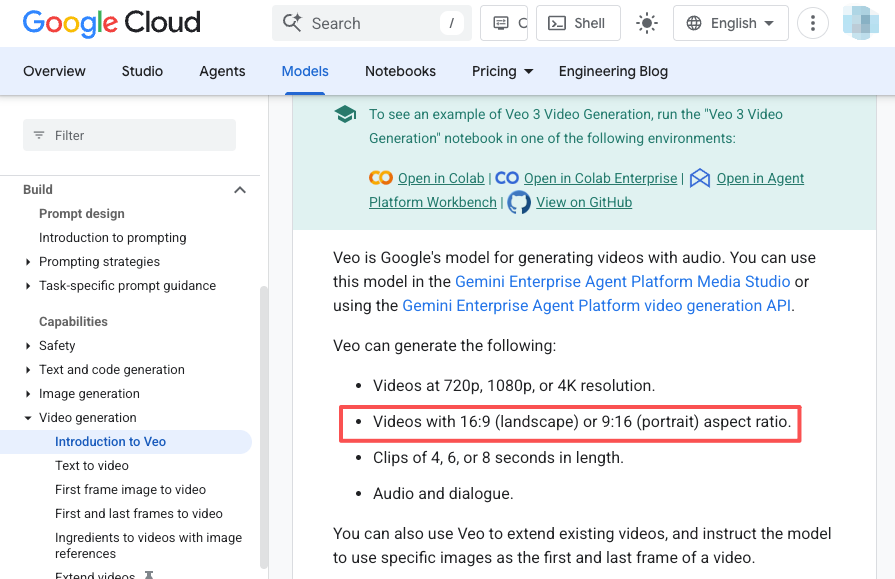
Can you trim, reframe, swap audio, and export clean? Or are you stuck with a watermarked 720p clip and no timeline? Google’s Veo, for instance, generates 16:9 or 9:16 clips at up to 4K with native audio — but the free consumer route caps quality and stamps a watermark. Always check what the export actually gives you before you fall in love with the preview.
Best AI Movie Generator Workflows by Use Case
There’s no single winner. There’s a right tool for the shot you’re making.
Short films
For narrative shorts, consistency wins over flash. I build a reference image for each main character first, then generate scenes around them. Runway’s image-required, motion-first approach forces you to lock the look before you animate — slower, but your protagonist stays recognizable. This is also where an orchestration layer earns its keep: instead of manually carrying references between tools, I let CrePal coordinate scripting, scene generation, and a first edit so I’m reviewing a rough cut, not assembling parts.
Trailers
Trailers are forgiving — fast cuts, music, half-second shots. You can get away with lower per-clip consistency because nothing’s on screen long enough to break. This is the use case where speed beats polish. Generate twenty 5–10 second beats, throw out fifteen, and cut the survivors to a track. If you want a film maker online free option to prototype a trailer, Kling hands out daily credits without a card, and Google Vids now bakes Veo generation straight into a free editor. Both are fine for a scratch cut.
Animated stories
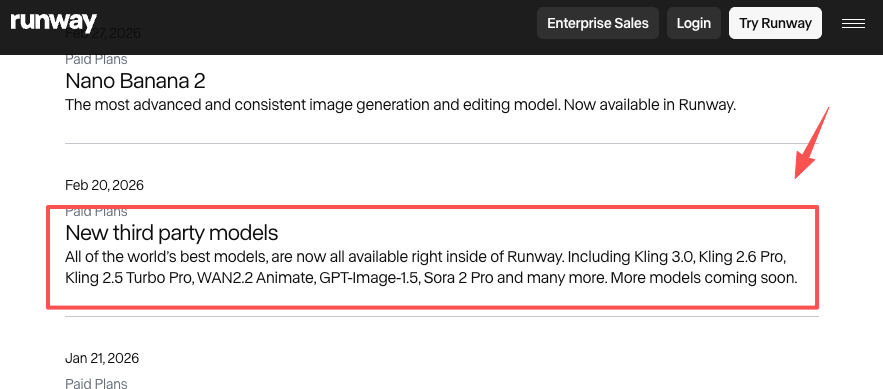
Stylized and animated work is where these models genuinely shine, because “realistic physics” stops mattering. Runway now hosts third-party models like Kling and Sora 2 Pro directly inside its workflow, so you can chase a specific animation look without switching platforms. For a kids’ story or an explainer, the closest thing to an actual ai filmmaker right now is a tool that lets you describe a world once and keep generating inside it.
AI Movie Generator vs AI Video Generator
People use these terms interchangeably and it causes real confusion, so let me draw the line the way I do in my own head.
An AI video generator makes a clip. One prompt, one shot, done — great for a social post or a B-roll insert. A movies generator (or movie generator, same thing) is supposed to think in sequences: multiple scenes, a throughline, characters that persist. The distinction isn’t the underlying model — it’s the workflow wrapped around it.
Here’s the practical test. If you type one sentence and expect one clip, you want a video generator. If you’ve got a script and you need it broken into shots, generated, and stitched, you want movie-generator workflow — even if it’s running the exact same Veo or Runway model underneath. That’s the whole pitch for orchestration tools: same engines, less tab-juggling.
| AI video generator | AI movie generator (workflow) | |
| Thinks in | Single clips | Scenes & sequences |
| You bring | One prompt | A script or idea |
| Best for | Social posts, B-roll | Shorts, trailers, drafts |
| Main risk | No continuity | Credits add up faster |
Limits Creators Should Expect
Time for the part the demo reels skip. I’ve burned enough credits to say this plainly.
Clip length is short. Most models top out around 5–10 seconds per generation. There are extension features that chain clips for longer runtimes, but continuity drifts the further you push. Physics still glitches — Runway itself documents causal-reasoning slips and objects that vanish between frames. A door opens before the handle moves. A cup disappears after someone walks past it. You’ll regenerate. A lot.
And results are streaky. I ran one scene six times last week — three looked stunning, three looked cursed. Prompt phrasing and luck both matter more than anyone admits. Budget for that. If your plan assumes every generation lands, you’ll blow through your credits before the project’s half done. Plan for a 50% keep rate and you’ll sleep better.
FAQ
Can AI movie generators create a full film?
Not in one pass, and not cleanly. Generation is capped at roughly 5–10 seconds per clip on most platforms. Some tools let you chain extensions — Veo’s scene-extension can push a sequence well past two minutes by analyzing the last second of each clip — but every join is a place continuity can crack, and extended sections often drop to lower resolution. Feature-length means hundreds of clips, manual continuity work, and a real editor. The tools draft your film; they don’t finish it.
What to prepare before generating scenes?
Do the boring prep and you’ll halve your credit spend. Before I generate anything: I write a tight shot list (one line per beat), lock the aspect ratio to the platform I’m publishing on, and build one clean reference image per recurring character or location. I also name files by scene so I’m not hunting through a download folder at 1 a.m. Walking in with references beats fixing inconsistency after the fact every single time.
When should AI clips move into an editor?
The moment you need precision the model can’t give you. Generation is great for raw scenes; it’s bad at exact pacing, color matching across shots, audio mixing, and cuts tighter than half a second. Once your beats exist, pull them into a real editor for the rhythm and the sound design. My rule: generate until I have usable footage, then never try to “fix” timing inside the generator — that’s editor work, and forcing it wastes credits.
What rights to check before publishing?
Three things, fast. First, commercial usage — on several platforms it’s tied to a paid plan, so confirm your tier actually grants it. Second, AI provenance: Google embeds an invisible SynthID watermark in Veo output, and some platforms add a visible stamp on free tiers. Third, anything you didn’t generate — licensed music, a real person’s likeness, branded elements — carries its own rights. Policies shift constantly, so verify against each tool’s official, current terms before you publish. When money or a public face is involved, that two-minute check is cheap insurance.
Conclusion
After a year of running real client work through these things, my honest take is simple: the best AI movie generator is the one that matches the shot you’re making, not the one with the flashiest reel. Runway for consistent, cinematic scenes. Veo when you want sound included. Kling and Google Vids when you’re testing for free. A workflow layer when you’d rather direct than assemble.
Try this: take one idea you’ve been sitting on, break it into five beats, and generate just those. You’ll learn more about what these tools can and can’t do in one afternoon than in ten comparison articles. Then come back and tell me which one broke first — I collect those stories.
Previous posts: