Gemini can generate and edit images, but it is not an unrestricted NSFW tool. Google’s current Gemini Apps guidelines prohibit sexually explicit material and sexual or intimate content of real people. For a creator, the first question is whether the brief stays outside those boundaries.
Quick Answer: Gemini Is Not an Unrestricted NSFW Generator
A search for “gemini ai image generator nsfw” can mean anything from suggestive to pornographic; Google’s rules depend on the content, context, subject, and use. Context-based exceptions may apply to educational, documentary, scientific, or artistic work, but they aren’t a reliable route for adult campaigns. The workable path is non-explicit work with authorized assets and confirmed account access. We checked official product and policy pages on October 28, 2026; this is not a hands-on test.
What Gemini Image Tools Currently Support
Image Generation in Gemini Apps
As of October 28, 2026, Gemini Apps help lists Nano Banana 2 for image generation. Paid subscribers can use Nano Banana Pro to redo an image for additional detail. The app supports generating and refining images, but its help page describes no unrestricted adult mode. Google presents Nano Banana as a general image feature, not an adult-content product; the same Gemini Apps rules apply.
Editing Generated and Uploaded Images
Gemini Apps can edit generated images and user uploads, including multiple reference images. Editing does not create a policy exception: the same guidelines apply to image generation, edits, and distribution. For real people’s photos, Gemini’s image editing restrictions are clear: uploading a photo does not authorize a sexual or intimate transformation.
Availability, Age, and Account Requirements
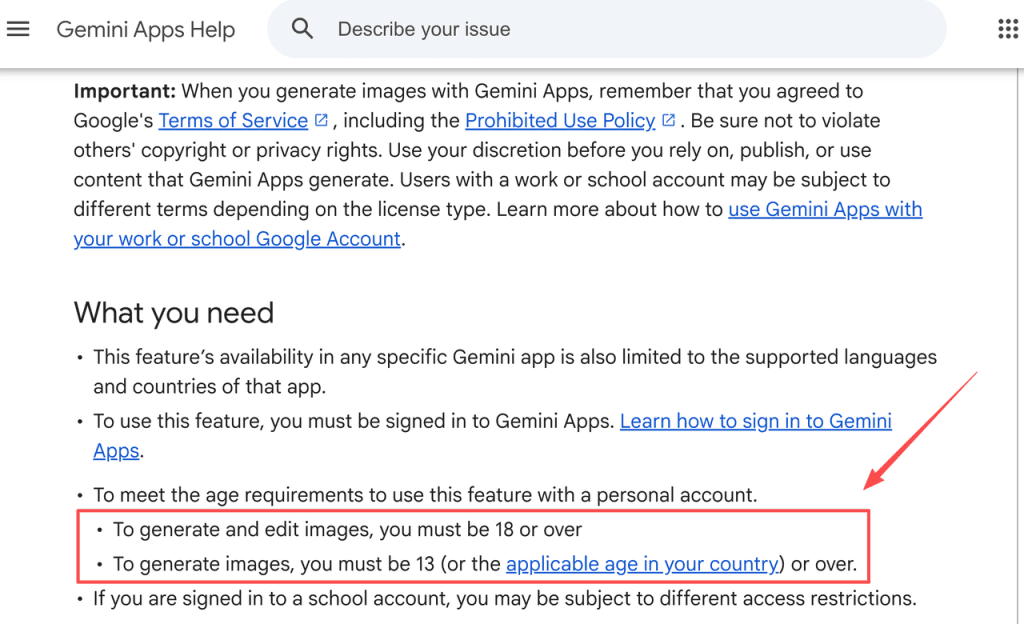
Users must be signed in, and feature availability depends on the app’s supported countries and languages. For personal accounts, Google lists 13 (or the applicable local age) for image generation and 18+ for image editing. Work accounts require users to be 18 or older, and availability depends on the Workspace license; school accounts have edition-specific access limits. Gemini Apps also applies compute-based use limits that can vary with prompt complexity, model, and feature. Check the current image requirements, personal-account availability, and work or school account guidance for the account that will do the work.
Where Google’s Rules Draw the Line
Sexually Explicit Content
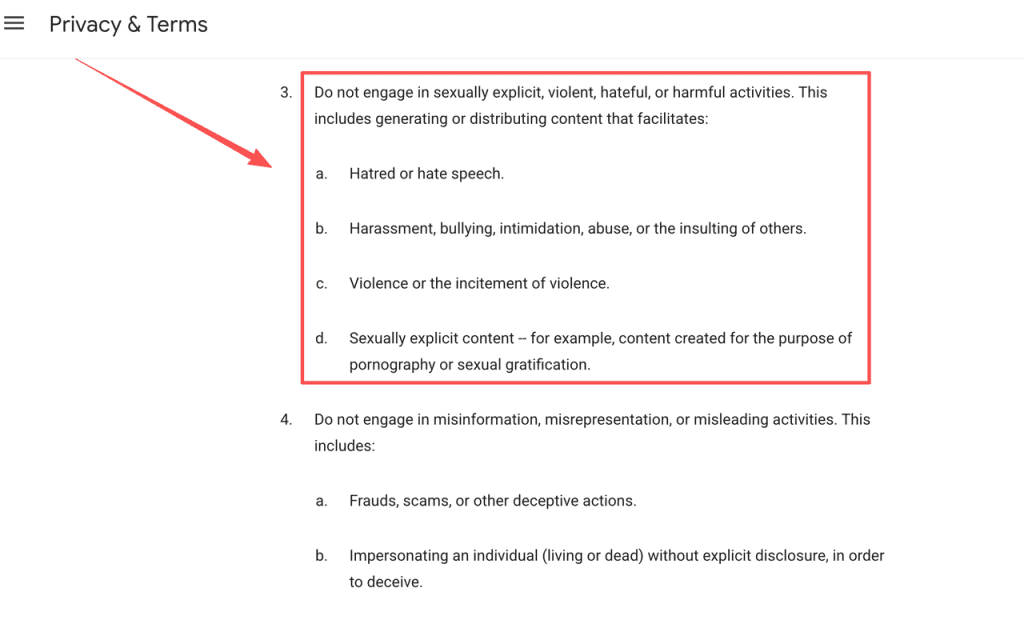
Google’s Gemini Apps User Guidelines prohibit sexual role-play and sexually explicit content, including depictions of sexual acts or nudity graphically or explicitly. The broader Prohibited Use Policy names pornography and sexual gratification. Google’s guidelines distinguish generation-based violations from distribution-based ones, so publishing or sharing an image is also a policy decision.
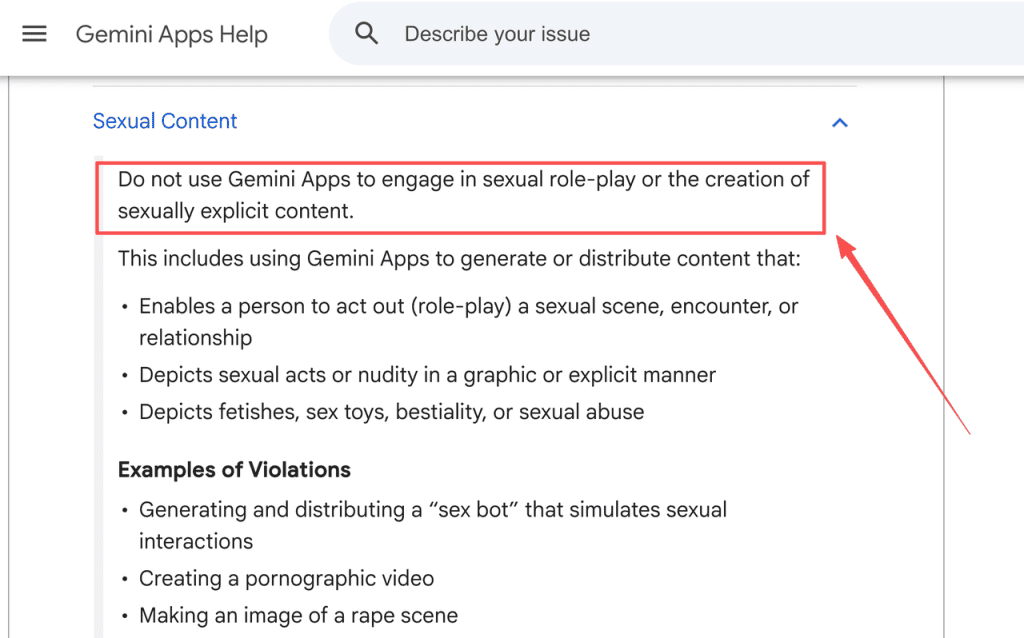
Google may make exceptions for educational, documentary, scientific, or artistic considerations, such as academic research or medical illustration. Gemini Apps’ guidelines expressly exclude non-consensual intimate imagery and child sexual abuse material from those exceptions. This is not a general adult-content allowance; calling a commercial erotic brief “art” does not establish eligibility. “NSFW” is a user shorthand, not a precise policy category: the subject, depiction, context, and intended distribution still matter.
Non-Consensual Intimate Imagery
Gemini Apps says not to generate or distribute sexual or intimate content of real people, including sexually suggestive depictions. Its examples include changing a real person’s clothing to expose them or depicting them in underwear. The Prohibited Use Policy also prohibits facilitating non-consensual intimate imagery and using personal data or biometrics without legally required consent.
A release or client instruction does not erase these product rules. Do not use an identifiable person’s image as a reference for sexual or intimate output. If the brief depends on a real person’s likeness, have someone review consent, rights, and product policy before proceeding.
Copyright, Privacy, and Real-Person References
Google’s image help warns against violating others’ copyright or privacy rights. Its current Terms of Service say users should have the necessary rights to uploaded or shared content and that Google will not claim ownership over content generated by some services. That does not clear rights for a client project.
Use non-explicit images your team created or is licensed to use, and check whether the license covers editing, commercial use, and client delivery. Keep permission records for recognizable people and third-party assets. Google’s ownership statement does not guarantee an output is free of third-party rights or suitable for every client use. This is not legal advice.
Evaluate Gemini for a Compliant Creator Workflow
Use Only Non-Explicit Assets You Created or Are Licensed to Use
Keep the brief non-explicit and rule out sexual or intimate depictions of real people. Check each uploaded reference for provenance, permission, and client restrictions. A license for ordinary photo editing does not override Gemini’s rules. If the brief expects work outside those limits, mark Gemini as a poor fit before asset preparation begins.
Record the Account, Model, and Test Date
For non-explicit work, record the Gemini surface and account type, model label, country and language, date checked, source permissions, and human reviewer. Add whether each deliverable was generated or edited with AI so the handoff to a client stays clear. Google’s names, availability, and usage limits can change; log what the target account actually shows. A record clarifies the decision but does not prove policy compliance or clear third-party rights. If no output was generated and reviewed in that account, describe the workflow as proposed, not tested.
Route Blocked Concepts to Human Review
If Gemini refuses a request or removes an image, stop. Google says its systems may remove images after detecting a possible Terms or policy violation. A block does not identify the exact trigger or establish that a modified version is allowed. Ask an editor, rights holder, or client contact whether to change the brief to a non-explicit, authorized concept or drop it. Do not retry the same concept through altered wording or another account.
When Gemini Is the Wrong Production Tool
Gemini is the wrong tool when a deliverable requires pornography, explicit sexual imagery, sexual or intimate images of real people, or unreviewed output. It is also a weak fit if a deadline depends on unconfirmed country, model, or account access, or if a client needs a rights guarantee that Google does not provide.
It may still suit non-explicit work such as a neutral mood board or editorial illustration, with authorized source material. Our article on the risks of reusing Gemini NSFW prompt boilerplates covers template reuse; this article focuses on current image features, rules, and product fit.
Limits and Trade-Offs
A policy page describes Google’s rules; it cannot predict every result or prove how a particular account behaves. Google’s Prohibited Use Policy shows a last-modified date of December 17, 2024; it was rechecked for this article on October 28, 2026. Gemini Apps may remove images it flags as possible violations, and access depends on country and language. Model names, limits, and account access can change. This review covers the Gemini Apps consumer workflow; the Firebase AI Logic page in the search results describes developer APIs, so its model list or SDK setup should not be treated as proof of app access.
Gemini has in-app image editing, but adult-image projects still face policy, rights, and consistency limits. If a team needs to validate a non-explicit workflow, use authorized material in the intended account and record the result. No generation test was performed for this article. Recheck the current rules before use; this is not legal or platform-compliance advice.
FAQ
Do Gemini’s NSFW restrictions also apply when editing uploaded images?
Uploading a photo alone does not determine whether an edit is allowed. The policy boundary applies to the requested transformation and resulting image. Nonsexual editing of an authorized image differs from turning a real person’s photo into sexual or intimate content. Check the source rights separately from the requested edit.
Are Gemini image features available in every country and account type?
Not necessarily. For personal accounts, Google’s image help lists 13 (or the applicable local age) for image generation and 18+ for editing. Work accounts require users to be 18 or older, and access depends on the Workspace license; school editions have separate access limits, with some features restricted to adults. Country and language support also varies by app. Check the options in the account you plan to use.
Why might Gemini refuse an image request or remove a generated image?
A refusal means Gemini did not provide the requested output. Removal is different: Google says the app may remove images when its systems detect a possible Terms or policy violation. The help page does not explain any individual refusal or removal, so do not infer its exact trigger from the outcome.
Can Gemini-generated images be used in a client or commercial project?
Google’s Terms say it will not claim ownership over content generated by some services. That describes Google’s ownership claim; it is not an affirmative commercial-use license or a clearance of uploaded images, identifiable people, or third-party material. Confirm the account terms, input permissions, and client requirements before delivery.
What should a creator disclose to a client when AI-generated imagery is part of the work?
Google’s product pages do not set a universal client-disclosure script. For a clear handoff, identify which images were generated or edited with AI, where source assets came from, what a person reviewed, and any delivery limits. Agree on the wording of the client. Google’s Terms prohibit deceptively presenting generative AI content as human-created.
Conclusion
Gemini can generate and edit images, but it is not an unrestricted NSFW production tool. Its rules restrict explicit sexual content and sexual or intimate depictions of real people, while access varies by account, age, country, and feature. Use it for non-explicit work with authorized assets, keep a dated record, and route refusals or unclear rights questions to a human. Recheck Google’s live documentation before building a client workflow around it.