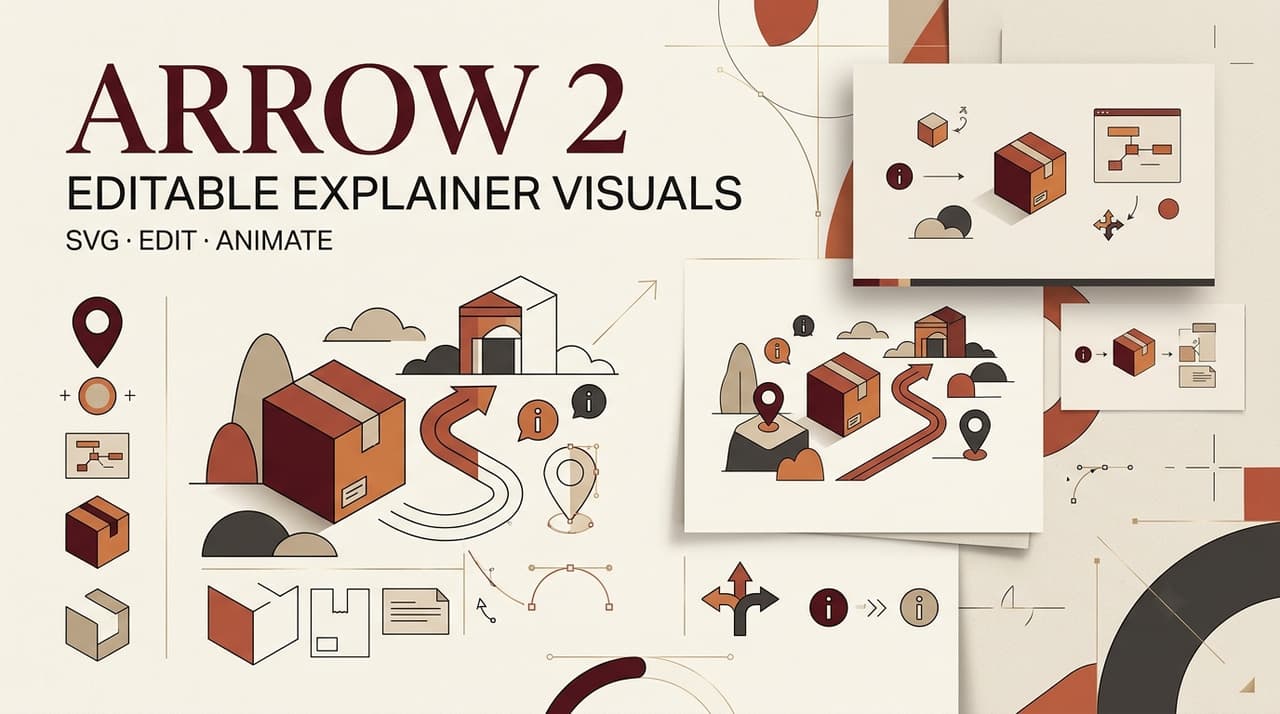
A polished explainer can fail because nobody can tell what the pictures mean. Arrow 2 explainer videos should begin with the explanation. Arrow 2 can turn approved ideas into editable vectors, but a producer still decides what each frame communicates.
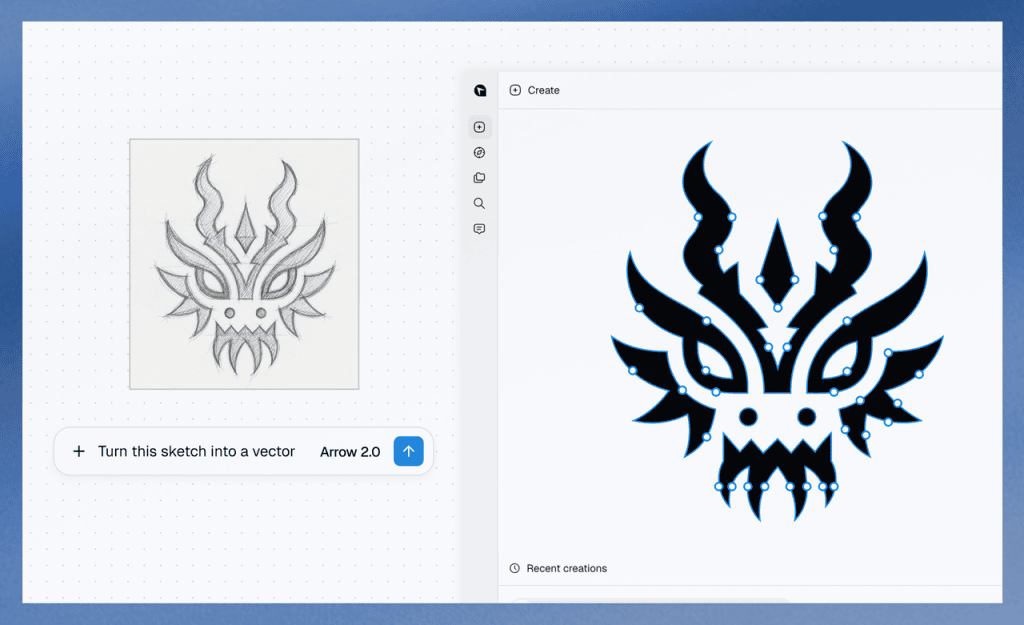
Released on September 7, 2026, Arrow 2 combines SVG generation, editing, vectorization, and animation.
Choose One Explanation and Audience
Finish this sentence before opening a generator: “After watching, this audience should understand…” Keep the answer to one idea.
Take a 45-second expense-app explainer for new employees. Its job is to show how a receipt moves from upload to approval. A dashboard tour would blur that lesson.
Turn the Script Into a Visual Asset List
Map Each Claim to an Icon, Diagram, or Illustration
Read the script beat by beat. Give each claim a visual job. Use an icon for a familiar object, a diagram for a relationship, and an illustration when the viewer needs context.
For the expense video, “upload a receipt” needs a phone-and-receipt icon. Data extraction needs an input-to-fields diagram. Approval may need a small scene. The costly mistake is generating unrelated art and forcing it onto the narration later. Name the explainer video assets by scene and purpose.
Set Brand Rules Before Generation
Write a one-page brief with exact colors, stroke weight, corners, perspective, label style, and forbidden motifs. Include brand art only when you hold the rights. “Friendly modern illustration” leaves too much room. “Two-color flat forms, 2 px rounded strokes, no shadows” gives the work a usable boundary.
Create Editable SVG Visuals
Generate a Coherent Asset Family
Start with three anchors: one icon, one diagram, and one scene illustration. If they resemble different campaigns, fix the direction before making the full set.
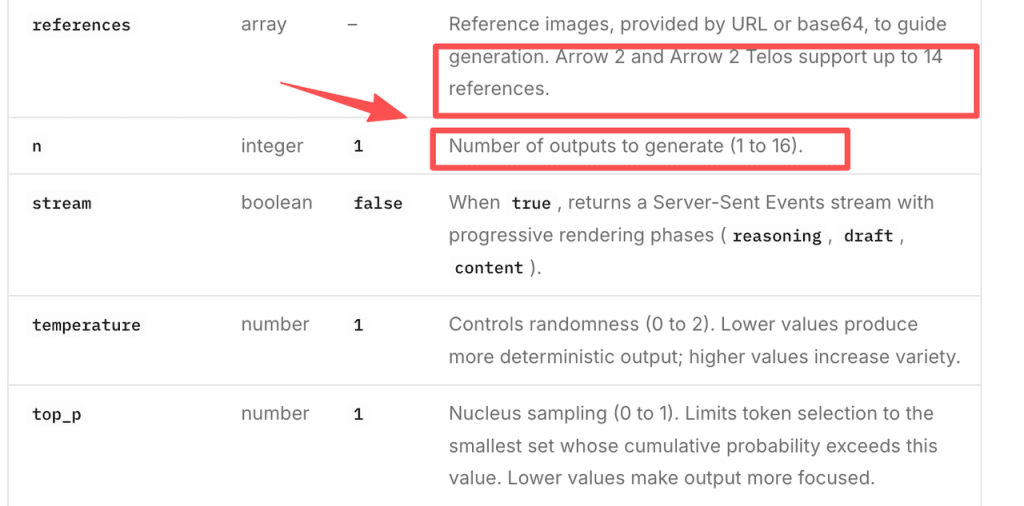
The current Arrow 2 SVG generator accepts optional references, with up to 14 inputs and 1 to 16 outputs per request. Those controls do not guarantee consistency. Give every asset the same visual rules, then describe its communication job separately. Good AI vector graphics need family resemblance, not cloned composition.
Revise Labels, Shapes, and Colors
Correct labels, simplify noisy paths, align repeated shapes, and replace near-match colors with approved values. Quiver describes the SVG output as clean and editable. Without inspecting files, treat that as a product claim, not proof of neat paths.
Check text at video size. Keep an editable text version even if production converts letters to outlines. Otherwise, a late wording change becomes a drawing problem.
Assemble the Visuals Into an Explainer Sequence
Match Assets to Voiceover and Timing
Place the assets under the voiceover. One visual can cover two sentences when the idea stays put; one sentence may need two frames when the process changes.
In the expense example, show upload first, extracted fields next, and approval last. That order often disappears when people judge each image alone. Add entrance, emphasis, and hold notes. Leave micro-animation decisions to the motion stage.
Prepare Files for Motion or Editing
Package each master SVG with a preview PNG, script beat, timing note, font details, version number, and rights record. This SVG visual workflow gives the editor context instead of a folder called final_final.
CrePal can serve as a downstream AI Director example for organizing approved visuals and revision notes. This does not imply a native Arrow 2 integration. Test import and rendering in the tools you will use.
Review Clarity and Accessibility
Watch the sequence without sound. If the process disappears, the visuals are decorative or incomplete. Then listen without images; the narration should still carry the lesson.
Check labels at delivery size, contrast, reading order, and whether color alone conveys meaning. WCAG guidance for non-text content also requires text alternatives in relevant contexts. SVG does not supply captions, transcripts, audio description, or an accessible player.
Ask someone from the intended audience to explain the process back. That catches visuals insiders understand and everyone else politely ignores.
Limits of SVG-First Explainer Production
SVG suits icons, diagrams, interface abstractions, and stylized illustration. It fits poorly when the lesson depends on photorealistic evidence, nuanced performance, or an actual product recording.
Fonts, masks, gradients, filters, and clipping paths may change after import. Quiver does not promise lossless transfer into every editor, so test one representative file before approving a batch.
Current QuiverAI content terms make users responsible for uploaded material, while free-tier content carries a personal, noncommercial restriction. Recheck plan rights when production begins. The privacy policy gives no universal retention period, and API controls can vary by organization, project, or contract.
All client assets, fonts, logos, and illustrations require appropriate rights. This article provides general production information, not legal or licensing advice.
FAQ
Does Arrow 2 embed fonts in exported SVG files?
Quiver does not publish a blanket font-embedding guarantee. Inspect a sample SVG on a machine without the font. Keep the licensed font, editable text, and outlined fallback together.
Can an existing brand SVG be used as a reference?
The current API accepts SVG among direct reference formats. A reference guides generation; it does not promise exact preservation. Use an authorized file and compare the result with the source.
Can Arrow 2 return several SVG variants in one request?
Yes. Current controls allow multiple outputs. Label each variant and preserve its brief, because one batch can contain options of different quality.
Can exported SVG files be edited in Figma or Illustrator?
Both applications handle SVG, but Quiver gives no lossless-import guarantee. Test text, masks, gradients, clipping paths, and layer behavior before committing the production package.
How long does QuiverAI retain uploaded client assets?
No single public duration covers every service and account. Review the effective data controls, contract, and privacy terms before uploading client work. Workspace deletion alone does not prove every stored copy has been erased.
Conclusion
Arrow 2 fits explainer production when it gets one bounded job: turn an approved script and brand brief into editable explainer visuals. People still choose the argument, reject distractions, inspect the files, and prepare the handoff. That discipline keeps a changed label or brand color from sending the whole sequence back to the drawing board.