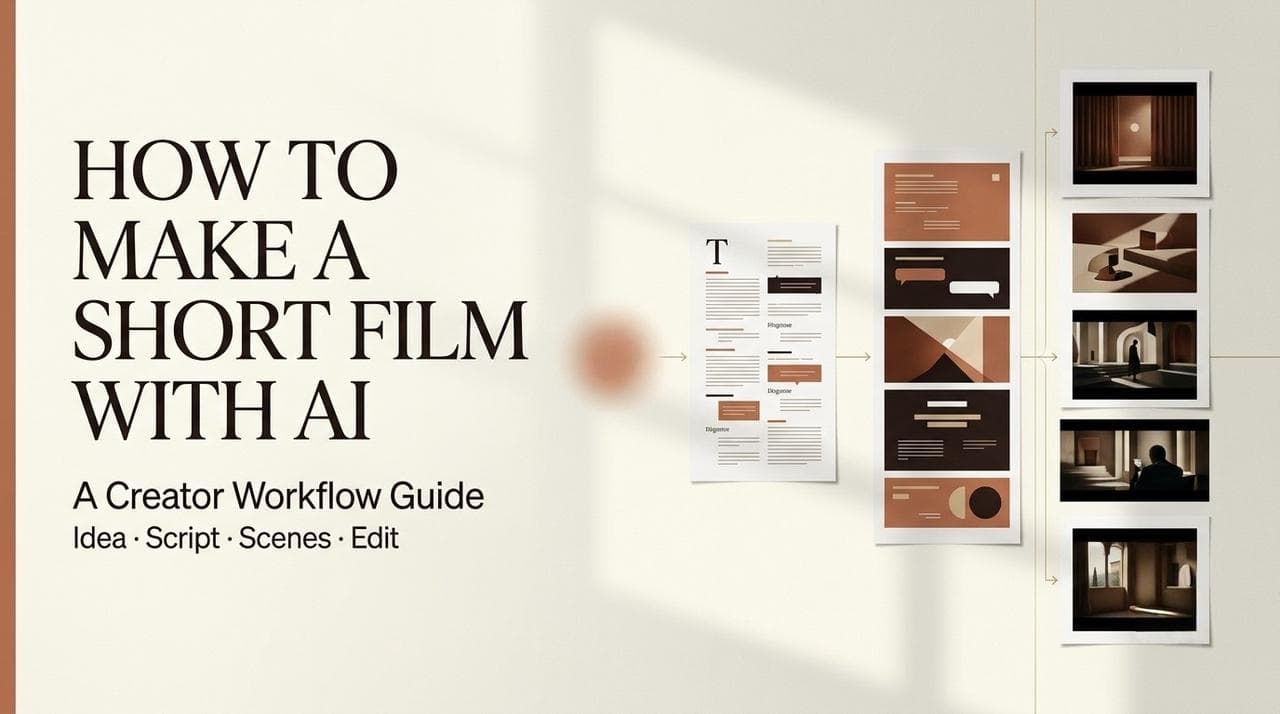
I’m Leo. Last month a client cut my location budget two days before the shoot. No crew, no set, no reshoot window — just me, a script, and a deadline that refused to move. So I worked out how to make a short film with AI instead, start to finish, in my studio at 1am. It wasn’t magic. Scene three came back with my lead wearing a different jacket than scene one, and I almost shut the laptop for the night. But the thing shipped, the client signed off, and nobody asked where the camera was.
If you’ve been wondering how do you make a short film with no camera, no cast, and no free weekend — this is the workflow I actually run, not a feature tour. I’ll walk through it the way I’d explain it to a friend in our group chat: idea, script, shots, clips, edit, and the last pass before you hit publish. I’ll also be honest about where it breaks, because it does.
One thing up front: an ai short film in 2026 isn’t one button. It’s a chain of small decisions, and the people who get good results treat it like directing, not like a slot machine.
What Kind of Short Film AI Can Help You Make
Quick reality check before you start. AI is great at some shorts and genuinely bad at others.
It’s strong on mood pieces, sci-fi and fantasy worlds, dream sequences, story-driven micro-dramas, and stylized brand vignettes. It struggles with two people talking for 60 straight seconds, exact brand logos, real hands doing fiddly tasks, and continuity-heavy plots where one face has to hold across 20 shots.
So pick a concept that plays to the strengths. My rule: if the story leans on vibe, motion, and one clear emotional beat, AI can carry it. If it leans on tight lip-sync and legal-accurate detail, you’ll fight the tool the whole way.
There’s also a gap between a one-prompt clip and a directed piece. If you just want a single atmospheric shot, a one-prompt AI movie generator does that in seconds — type, wait, download. This guide is the other thing: stitching many generated shots into something with a beginning, middle, and end.
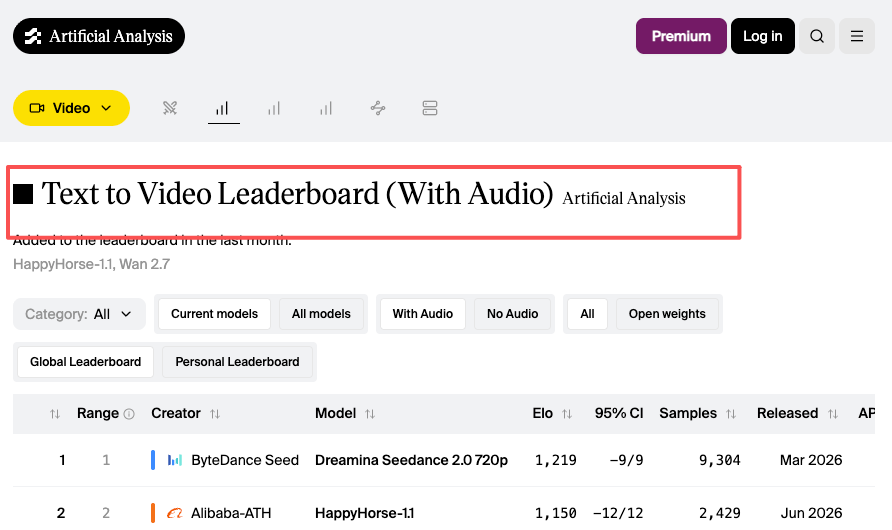
Heads up that the model landscape shifts almost monthly. I keep a tab open on the Artificial Analysis video arena just to see which models are actually winning blind comparisons this week — last quarter’s “best” is this quarter’s second choice. Don’t marry a model. Marry the workflow.
Start with the Story and Constraints
Here’s where most first AI shorts die: people open the tool before they know what they’re making. The question I get most in my chat is some version of “how do i make a short film that doesn’t look like a random AI reel?” The answer starts before any generation.
One core idea
One short, one idea. A 60-to-90-second piece holds exactly one emotional turn — a reveal, a loss, a punchline. Write it as a single sentence first: “A lighthouse keeper realizes the ship he’s guiding is his own.” If you can’t say it in a line, the AI won’t find it for you.
Character & setting
Lock your character and setting before you generate anything. I write a short “bible”: age, build, hair, wardrobe, the location’s light and color — two or three sentences each. This becomes the reference you paste into every shot prompt, and it’s the single biggest thing standing between you and the jacket-changing nightmare from the top of this post.
Visual style
Decide the look once and commit. Film stock or clean digital? Warm or cold? Handheld or locked-off? I pick three or four style words — “35mm, muted teal, slow push-ins, overcast” — and repeat them in every prompt. Consistency in language is what buys you consistency on screen.
Write a Short Film Script for AI Video
A script for AI isn’t a screenplay you’d hand an actor. It’s closer to a shot list with feeling.
I write two columns in my head: what happens, and what the camera sees. The AI doesn’t understand “she feels abandoned.” It understands “wide shot, woman alone on an empty platform, last train pulling away, cold blue light.” Describe the picture, not the psychology.
Keep beats short. For a 90-second short I’ll plan 8 to 12 beats, each a single visual moment. A loose script is the fastest way to make your final ai short film feel like random clips stitched together instead of a real story. So don’t skip this step.
Break the Script into Shots
This is the engineer part, and it’s where the quality actually lives.
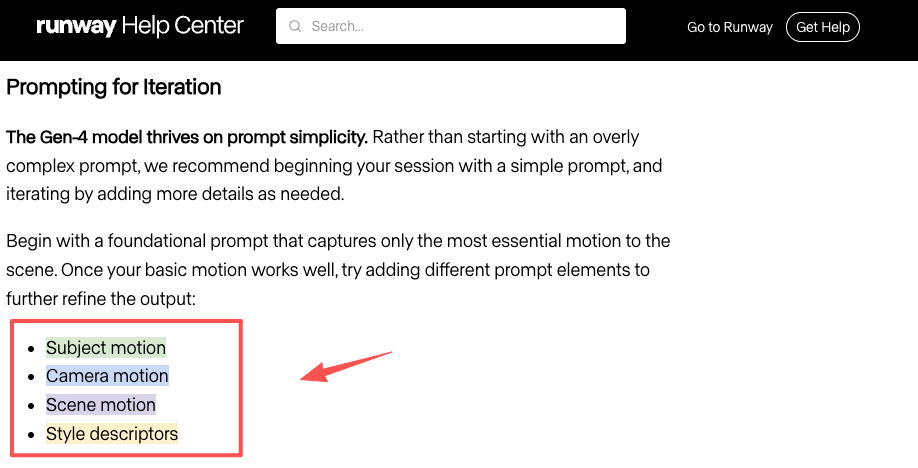
Take each beat and write it as a self-contained shot prompt: subject, action, camera, lens feel, lighting, mood — plus your locked character and style words. Treat every prompt like it has amnesia. The model doesn’t remember the last shot, so each one has to carry its own full description.
A few things I’ve learned the hard way:
- Specify camera movement explicitly. “Slow dolly in” beats “cinematic.”
- One action per shot. Two actions in one prompt and the model picks one — usually the wrong one.
- Reuse a reference image for your character on every shot. Text alone won’t hold a face.
Runway’s Gen-4 video prompting guide is worth reading even if you use a different model, because the structure it teaches — subject, then motion, then camera — transfers everywhere. And if you’re chasing the same character across many shots, know going in that even Runway’s Gen-4 world-consistency research describes consistency as close, not perfect. Plan for fixes.
Generate, Select, and Edit Clips
This is the stage people picture when they imagine how to make a short film with AI — and it isn’t the whole job, not even close.
Generate in batches, not one at a time. For each shot I run three or four variations and expect to keep one. My honest hit rate sits around one usable clip in three on a first pass — sometimes better, sometimes I burn a whole afternoon on a single stubborn shot that never lands. That ratio is normal. Budget for it.
Picking which model to run matters more than people admit. One’s better at faces, another at camera moves, another at clean motion. I check text-to-video leaderboards before committing credits instead of guessing. And expect clips to come back short by design — Veo, Google DeepMind’s video model, generates in bursts of a few seconds with native audio, so a 90-second film is genuinely dozens of small pieces.
Then edit like a human. Drop the keepers on a timeline in story order. Cut on motion. Trim the dead frames at the head and tail of each clip — AI loves to tack on a half-second of nothing. Add sound: even rough music and ambient layers do more for “feels like a film” than another generation pass. This is also where keeping planning, generating, and editing in one place saves you the tab-juggling tax — fewer tools, fewer handoffs, one less reason to rage-quit at midnight.
Final Review Before Publishing
Before you publish, watch it once straight through with sound, like a stranger would. Then watch again hunting for the three things AI gets wrong: a face that drifts between shots, a hand with a sixth finger, a wardrobe or light jump. Fix those, even if it means regenerating one shot.
Check pacing. First AI shorts almost always run long because every generated clip feels precious. Kill your darlings — a tight 70 seconds beats a baggy two minutes.
One more thing, since most people make these to build an audience: the principle that makes Google reward a page rewards a film too. Google’s own people-first content guidance is really just “have a real point of view and actually help someone feel something.” A short with a genuine idea travels further than a technically clean clip that says nothing.
FAQ
What should a beginner make first?
A 30-to-60-second mood piece with one character and no dialogue. Skip talking heads on your first try — lip-sync is the fastest way to get discouraged. A wordless story carried by visuals and music gives you a real win and still teaches the whole pipeline.
How many scenes for a first AI short?
Three to five distinct scenes, eight to twelve shots total. Enough to tell a story, few enough that you can actually finish it in an evening. More scenes mean more consistency problems, and consistency is the hardest thing to hold.
What to edit manually?
Pacing, sound, and color — always. The AI hands you raw clips; the rhythm and the audio are what turn them into a film. I never publish straight out of a generator. The manual edit is maybe 30% of the work and 80% of the “this feels real.”
When is AI not enough?
When you need exact dialogue performances, real product accuracy, or a recognizable real person. For those, AI can still handle establishing shots and B-roll, but the hero moments need a camera or heavy manual work. Know that line before you promise a client.
Conclusion
So that’s the actual chain: pick a story AI can carry, lock your character and style, write a shot-shaped script, generate in batches, then edit like the footage came off a real camera. Learning how to make your own film this way isn’t about one magic button — it’s about directing a very fast, very literal-minded intern that never sleeps and occasionally gives your hero an extra finger.
If you’re figuring out how to make a short film this weekend, don’t start with the tool. Start with the one sentence. Get that right and the rest is just iteration. Make the dumb first one, screw it up, and send me your worst continuity fail — I collect them.
Previous posts: