
Leo here. Last month, I reviewed a 40-second product video with a script that was actually pretty good. The voiceover said, “Show how the dashboard saves time for a small marketing team.” The generated scene showed a glass laptop floating in a blue room. That is exactly why script visuals for ai generation matter. A script tells the audience what the video says. Visual planning tells the team what the audience should see while those words happen. When that bridge is missing, AI fills the gap with generic scenes, random motion, or stylish clips that do not support the message.
This is not a writing tool tutorial. It is a planning workflow for video creators and content teams who need to move from script to visual direction, then from visual direction to usable generation prompts.
What Script Visuals Mean in AI Video
Script visuals for ai generation are the visual notes attached to a script before generation begins. They translate voiceover, dialogue, or text beats into scene direction: who appears, where the scene happens, what action takes place, what mood it should carry, and which details must stay consistent.
In traditional production, this might live in a storyboard, shot list, or creative brief. In AI video, it becomes even more important because the model does not know which details are flexible and which details are sacred. A line like “Our tool helps teams move faster” is not visual enough. Should the scene show a tired creator sorting files? A clean dashboard replacing a messy spreadsheet? A small team reviewing campaign assets? Each choice tells a different story.
Good AI script visuals do not describe every pixel. They define the job of the scene. That keeps the creative open while still giving the model and editor a clear target. Google’s guidance on helpful, reliable, people-first content is useful here because it asks whether content serves the audience. Video teams should ask the same thing about every shot: does this visual help the viewer understand the point, or is it only decoration?
Turning Script Beats Into Visual Scenes
A script beat is a unit of meaning. It might introduce a problem, show a turn, reveal a product, prove a claim, or lead into a CTA. The visual scene should support that beat instead of competing with it. When I plan a short AI video, I mark the script in two passes. First, I identify what each beat needs the viewer to understand. Then I decided what visuals would make that idea easier to grasp. That keeps the script to visual workflow grounded in purpose, not just style.
Characters, setting, and action
For a creator video, the character might be a solo founder, a marketer, a teacher, or a buyer comparing options. The setting might be a home studio, a product dashboard, a classroom, or a small office. The action might be opening a campaign report, rearranging a storyboard, recording a clip, or checking comments after publishing.
A weak visual note says, “Modern, cinematic, inspiring.” That sounds polished, but it gives the generation process very little to work with. A stronger note says, “A solo creator at a cluttered desk turns a rough script into a clean shot plan on a laptop, warm desk light, realistic home studio.” Now the scene has a person, place, action, and tone.
Shot intent and visual mood
Shot intent is the reason the shot exists. Visual mood is how it should feel. You need both. If the script beat is about confusion, the shot intent might be to show scattered notes, too many tabs, or a creator hesitating before recording. If the next beat is about clarity, the visual might shift to a clean storyboard grid, organized assets, and calmer pacing.
This is where video script visuals become more than image prompts. They define rhythm. A product reveal may need a steady close-up. A problem moment may need quicker cuts. A testimonial line may need a warmer human shot. A tutorial step may need a clear screen view.
Building a Visual Brief Before Generation
A visual brief is the handoff between script and generation. It should be short enough to use, but clear enough that the team does not need to guess. For a solo creator, the brief might be one page. For a campaign, it might include approved assets, reference images, scene notes, brand limits, rejected directions, and export requirements. NIST’s AI Risk Management Framework is not a video production guide, but its broader risk-management framing—govern, map, measure, and manage—supports the idea of defining production expectations before reviewing AI output.
That is the practical heart of AI generation planning.
Scene notes
Scene notes should explain what appears, what happens, and what must not change. They should also connect each visual to a script beat. For example, a product teaser might use three simple notes. Scene one shows a creator looking at a messy content calendar late at night. The beat is that planning feels scattered. Scene two shows the product dashboard organizing ideas into scenes and assets. The beat is that the workflow becomes structured. Scene three shows the creator reviewing a clean preview in morning light. The beat is that the project feels ready to publish.
Notice what this does not include. No long technical prompt. No model settings. No overbuilt camera essay. The notes protect meaning first.
Reference assets
Reference assets can include product screenshots, brand colors, previous campaign visuals, character references, set photos, approved typography, or mood boards. The important part is labeling why each reference exists. Do not send a folder called “refs” and hope the editor understands it. Write, “Use this screenshot for UI accuracy.” Write, “Use this lighting mood, not the wardrobe.” Write, “Use this image for composition only.” Small notes prevent big misunderstandings, especially when one person writes the script, another generates scenes, and a third edits the final cut.
Continuity cues
Continuity cues keep scenes from feeling like separate videos. AI generation can drift across character, lighting, product details, wardrobe, setting, and style. If the team does not define continuity early, it usually tries to repair it late.
Write down recurring details: the same character, same room, same interface, same object, same palette, or same visual metaphor. If the first scene uses a yellow sticky note to show chaos, the final scene might show that same note placed neatly beside the completed storyboard.
For teams working with synthetic or heavily edited media, documentation also matters. The C2PA specification shows why content credentials and media history are becoming more important. Even without formal provenance tools, teams can still record what was generated, edited, approved, and exported.
Common Planning Mistakes
The first mistake is treating a script as a shot plan. A script can be clear and still produce weak visuals because it tells the audience what to hear, not what to see.
The second mistake is writing prompts too early. When teams jump straight from script to generation, they often approve the first nice-looking result. That can pull the video away from the message. Planning first gives you a better standard than “looks cool.”
The third mistake is failing to define what can change. Maybe the background can change, but the product UI cannot. Maybe the wardrobe can vary, but the character’s age should stay the same. Maybe the metaphor can shift, but the CTA must remain fixed.
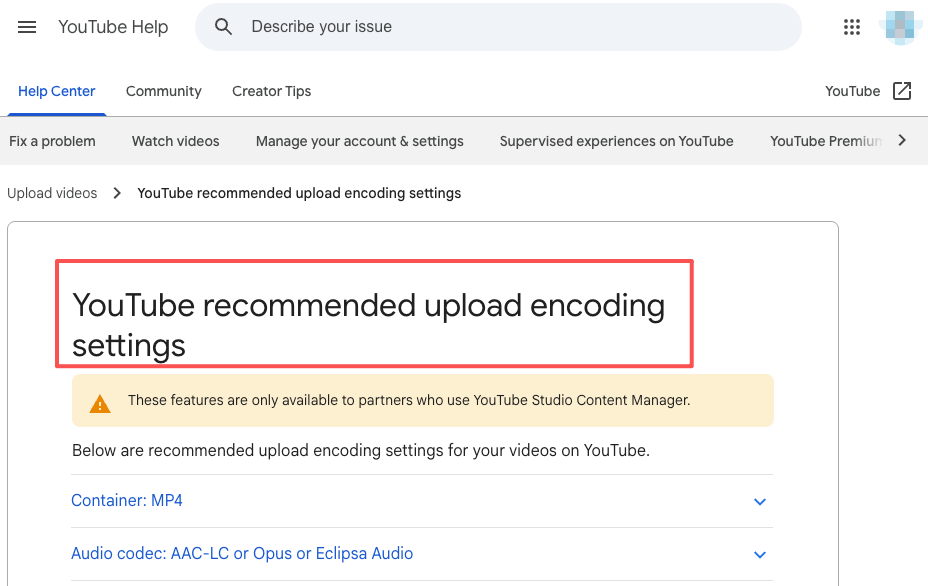
The fourth mistake is ignoring format. A vertical short, a horizontal YouTube explainer, and a landing page video may share one script, but they need different framing, pacing, and safe zones. YouTube’s recommended upload encoding settings are a useful reminder that delivery requirements should not appear only at the export stage.
FAQ
How should teams hand off context to editors?
Give editors the script, scene notes, approved references, rejected directions, continuity cues, and final format requirements. Do not only send generated clips. Editors need to know why each shot exists. A good handoff says, “Scene two must show the dashboard clearly. The blue lighting reference is for mood only. Do not use the old logo. Keep the CTA under five seconds.”
Which failed examples should be archived?
Archive failures that teach a future rule. Keep examples where the style was wrong, the product was inaccurate, the character drifted, the pacing felt slow, or the visual metaphor confused the message. Do not archive every bad output. That creates clutter. Save the failures that explain what to avoid next time.
Who updates the brief after feedback?
One person should own brief updates. Feedback can come from clients, editors, and creative leads, but the brief should not become a messy group document. For small teams, this owner is often the producer or creative lead. For solo creators, it can simply be a separate review pass before regenerating.
When should one script support multiple formats?
One script can support multiple formats when the core message stays the same but the framing changes. A product story might become a vertical short, a horizontal demo, and a landing page hero video. The key is not to reuse the same visuals blindly. Each format needs its own visual brief, pacing, safe zones, and CTA treatment.
What should be documented after handoff?
Document what was handed off, which assets were approved, which references were rejected, who owns the next step, what remains unresolved, and where the final export should go. The best handoffs reduce memory work. Nobody should need to scroll through a chat thread to understand the visual plan.
Conclusion
Script visuals for ai generation to turn written beats into usable visual direction. They help creators move from script to scenes, from scenes to references, and from references to generation without losing the point of the video. For content teams, this planning layer is where many AI video projects are won or lost. The model can generate motion, but the brief gives that motion meaning.
Previous posts:

[…] Prompt Generator for AI Video Workflows Script Visuals for AI Generation Workflow How Creators Use Seedance to Make AI Videos AI Video Workflow: From Brief to Final Cut AI […]
[…] Turn the brief into short beats and shot cards. CrePal can help turn a concept into a script, a storyboard, scene order, and revision notes, so the team is directing rather than prompt-shuffling. Its value is not that it replaces the image or video model; it preserves the intent when those assets move between tools. For the planning side of that handoff, see CrePal’s script-to-visual workflow. […]
[…] AI Turns Long Script To Storyboards Automatically Script Visuals for AI Generation Workflow Google Pics for AI Video: A Reference Asset Workflow Qwen-Image-2.1 Storyboards From Reference […]
[…] Image Storyboards to Animated Videos with AI Script Visuals for AI Generation Workflow Storyboard Free Video Creation: Idea → AI → Final Cut How to Write Better Scripts That AI […]
[…] Opus 5.5 for Storyboards: What to Test Claude Opus 5.5 Prompts for Consistent Video Scenes Script Visuals for AI Generation Workflow AI Video Review Checklist Before […]