
ComfyUI face swap work should begin with a refusal boundary, not a node graph. If the project involves a real person, the first question is not whether the result can look convincing. It is whether the team has permission to use that person’s likeness, whether the source assets are allowed for this use, and whether the final output can be reviewed before anyone publishes, shares, or reuses it.
This article is a consent-safe workflow guide for creators and teams who already understand the general ComfyUI environment. It does not provide a face swap tutorial, node settings, prompt examples, bypass methods, or guidance for celebrity, private, deceptive, or non-consensual edits.
What ComfyUI Face Swap Workflows Involve
Source identity inputs
A ComfyUI face swap workflow usually begins with source identity material, target imagery, and a visual goal. That is already sensitive. A face is not just a design asset; it can identify a person, imply endorsement, or change how viewers interpret a scene.
Before testing, teams should label each input by source, owner, permission status, intended use, and expiration date. A creator’s own face, a contracted performer’s face, a client-provided actor image, and a random online portrait are not the same category. If the source cannot be traced, the asset should not enter the workflow.
Model and node workflow context
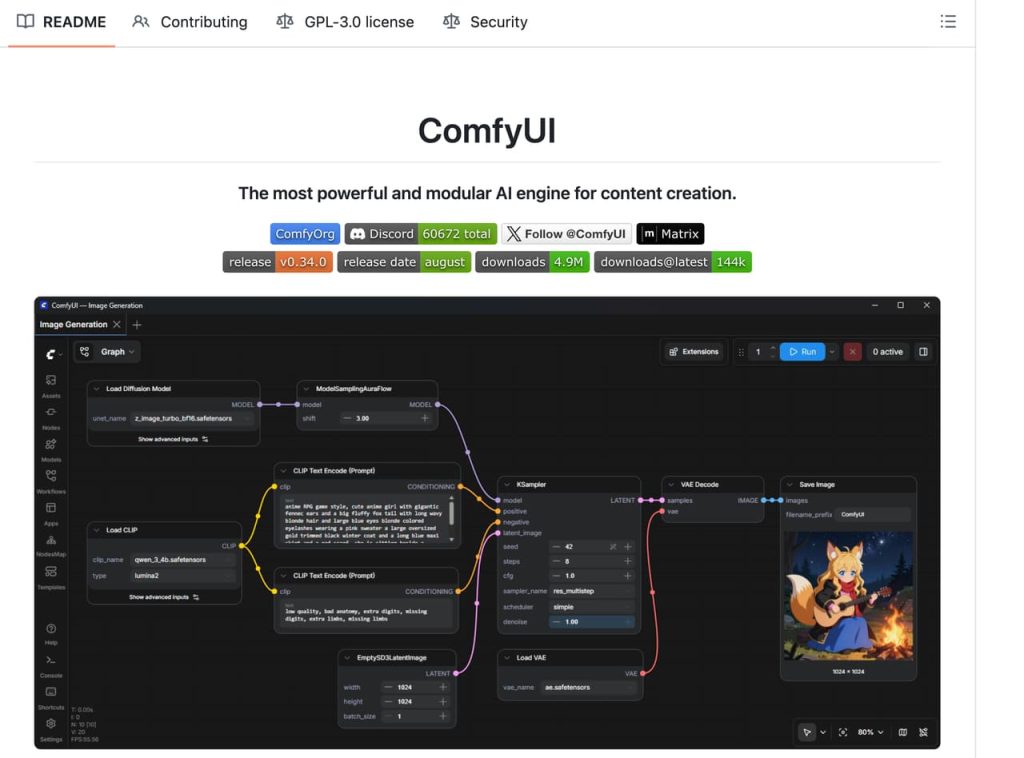
ComfyUI is widely used because it gives visual creators a modular graph environment. The ComfyUI project describes a node-based AI creation engine for images, videos, audio, 3D, and production workflows, with support for local use, cloud options, API nodes, and workflow files. That flexibility is why face swap consent matters: a graph can combine models, references, masks, and video steps in ways that are hard to audit later.
For a safe workflow, the node graph should be treated like a production file. Save the workflow version, model names if known, source files, reviewer, and output folder. Do not let experimental nodes blur the record of which identity input produced which result.
Output review
Output review should happen before the file moves to a client folder, campaign draft, or ComfyUI video workflow. A technically clean AI face swap can still be wrong if it changes age cues, expression, body context, or implied behavior. Reviewers should ask whether the person would reasonably recognize the use as approved.
I have seen teams reject good-looking outputs because the identity looked too close to an unapproved person, the expression changed the message, or the edit made a testimonial feel like a real endorsement. Those are approval issues.
Consent and Source Asset Checks
Permission records
Face swap consent should be written, specific, and tied to the project. A broad photo release may not cover AI face replacement, ad use, paid media, adult context, parody, political messaging, or cross-platform reuse. Keep the signed permission, source image list, allowed use, review owner, and withdrawal or expiration terms in the archive.
If intimate or private images are involved, do not treat consent as a casual checkbox. StopNCII’s work on non-consensual intimate image abuse shows why teams should avoid moving sensitive identity media through unnecessary systems. For minors or images taken when someone was under 18, NCMEC’s Take It Down resource is a reminder that explicit minor imagery is a separate safety category and should be escalated, not edited.
Likeness boundaries
Likeness boundaries should be stricter than the tool allows. Reject requests involving celebrities, public figures, private people without consent, revenge framing, hidden-camera material, impersonation, or content meant to make someone appear to say or do something they did not approve. Also reject lookalike requests designed to evade a person’s refusal.
For commercial work, likeness can affect advertising truth. FTC guidance on endorsements, influencers, and reviews is relevant when an edited face could imply a recommendation, testimonial, or brand relationship. If the person did not actually endorse the product, the edit should not create that impression.
Client asset handling
Client assets should be stored separately from experiments. Use restricted access folders, clear naming, and retention dates. Do not mix client faces with personal test files, public model samples, or reusable prompt libraries. If a freelancer needs access, give the minimum files required and remove access after delivery.
Quality Checks Before Use
Identity artifacts
Face swap quality checks should look for both visual defects and identity risks. Visual defects include warped eyes, changed facial proportions, uneven skin texture, broken teeth, mask edges, and unnatural expressions. Identity risks include making the subject look younger, older, more sexualized, angrier, sick, intoxicated, or associated with a context they did not approve.
A quality reviewer should compare the output against the permission record, not just the source image. The question is not only “does it look like them?” It is “does it match the approved use?”
Lighting mismatch
Lighting mismatch is one of the fastest ways to reveal an unsafe or low-quality swap. If the target footage has side lighting but the inserted face is front-lit, the result may feel fake or uncanny. If the face color does not match the neck, hands, or environment, the viewer may focus on the manipulation instead of the message.
Frame consistency
Frame consistency is the main video problem. A still output may pass, while a sequence fails because the face flickers, drifts, changes expression between frames, or loses alignment during motion. Teams should review the output at normal speed, around transitions, and in the final aspect ratio.
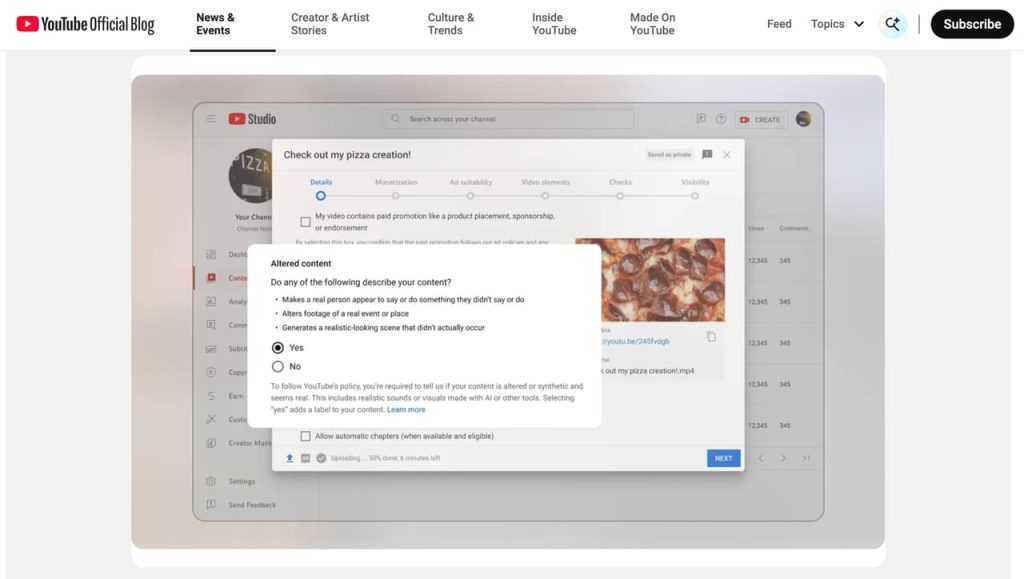
YouTube’s altered or synthetic content disclosures highlight why realistic face replacement may need platform disclosure. Disclosure alone does not make an unsafe edit acceptable, but it is part of publishing review when realistic synthetic media could confuse viewers.
Requests That Should Be Rejected
Reject any ComfyUI face swap request that lacks clear permission from the person whose likeness is being used. Reject celebrity swaps, public-figure impersonation, private images, leaked images, sexualized edits of real people, age-ambiguous subjects, minors, coercive scenarios, revenge framing, blackmail, political deception, fake endorsements, or attempts to bypass platform rules.
Also reject requests where the client wants secrecy more than consent. A request like “make it look like this person but do not say we used them” is a red flag. NIST’s AI Risk Management Framework is useful here because it treats AI risk as something organizations should govern, map, measure, and manage. For face swaps, that means logging refusals, escalating disputes, and keeping risky assets out of reusable libraries.
This article does not constitute legal or platform compliance advice. Likeness rights, privacy, advertising law, platform policy, employment agreements, performer releases, and client approvals should be checked against the latest official rules and project-specific authorization.

FAQ
Who audits access after a face swap test ends?
The project owner should assign one person to audit access. That audit should confirm who accessed source images, who downloaded outputs, which folders still contain test files, and whether temporary collaborators were removed.
What should be escalated if a likeness dispute appears?
Escalate the source files, permission record, output versions, publication status, client instructions, reviewer comments, and any takedown request. Freeze the files and route the issue to legal, compliance, or the designated client approver.
When should outputs be banned from cross-project reuse?
Ban reuse when the output includes a real person’s face, client-provided identity material, campaign-specific wardrobe, private locations, unreleased products, or any consent limited to one project.
What can be shared with external reviewers safely?
Share the minimum needed for review. In many cases, that means a watermarked preview, a consent summary, and a risk note rather than raw source faces, workflow files, or full-resolution exports.
Conclusion
ComfyUI face swap projects are not just technical image edits. They are identity workflows. A consent-safe process starts with permission records, source checks, likeness boundaries, client asset handling, quality review, and clear rejection rules before any output is treated as usable.
For creator teams, the mature approach is simple: keep the graph powerful, but keep the approval process stronger. If the identity use cannot be explained, documented, reviewed, and defended, it should not move forward.






[…] ComfyUI Face Swap: Consent-Safe Workflow How to Create an Evidence-Led Sex Education Video AI Video Generator NSFW: Rules and Consent NSFW AI Tools: A Creator Safety Guide NSFW Images to Video: Adult Workflow Boundaries […]
[…] an Adult AI Creator Workflow in 2027 Sex Education Porn Videos: Education or Entertainment? ComfyUI Face Swap: Consent-Safe Workflow How to Create an Evidence-Led Sex Education Video NSFW AI Tools: A Creator Safety […]