Leo. A small policy change can make an otherwise finished training video wrong. The screen recording still works. The captions need one edit. The narrator now says, “Ask your supervisor,” when the new rule requires approval from the returns lead. Should the team regenerate that line or book a human pickup?
That is the practical question behind ai text-to-speech vs human voiceovers for training videos. This is an evidence-led comparison, not a report of a listening test. The example below uses one fictional lesson so the trade-offs stay tied to work a training team has to approve.
Quick Verdict by Training Scenario
Choose text-to-speech when lessons change often, the script carries most of the meaning, and a reviewer can catch errors before release. Choose a human narrator when delivery helps learners judge a sensitive situation, or when an identifiable instructor’s presence matters to the course. Either way, check the words, captions, and on-screen instructions together.
That last point deserves care. In a controlled educational-video experiment, 40 university students watched lessons with human or synthetic narration at normal or double speed. The researchers found no significant comprehension difference across those conditions, though participants noticed unnatural inflection in normal-speed synthetic speech. The study used older voices and a narrow task. It cannot rank today’s TTS tools or predict what your learners will understand.
Compare Both Voices on the Same Lesson
Imagine a short lesson for a fictional retailer: “Open the order, create an RMA record, and select ‘Damaged on arrival.’ If the customer asks about a refund, explain that the returns lead must review the request first.” The instructional goal is narrow: staff should select the right category and avoid making an unapproved promise.
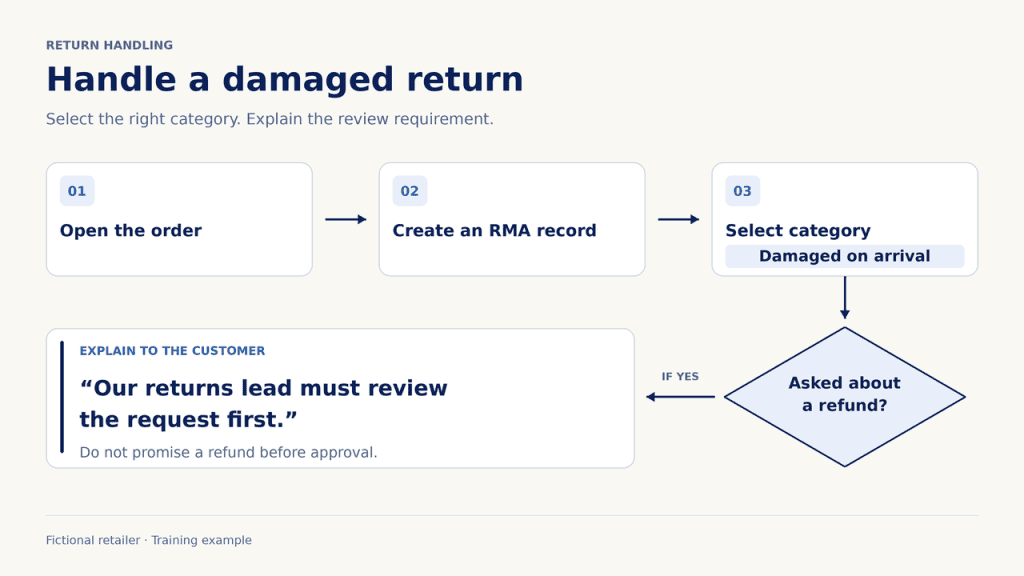
Give the approved script to a human narrator and a licensed TTS service. Keep the pictures, captions, music, playback device, and target duration the same. Match perceived loudness as closely as the editor can. Ask a subject-matter reviewer to flag errors and a few intended learners to explain the next action in their own words. Those are proposed test conditions, not results from this article. A listener’s preference for one voice is useful feedback, but a mistaken refund instruction matters more.
Pronunciation and Comprehension
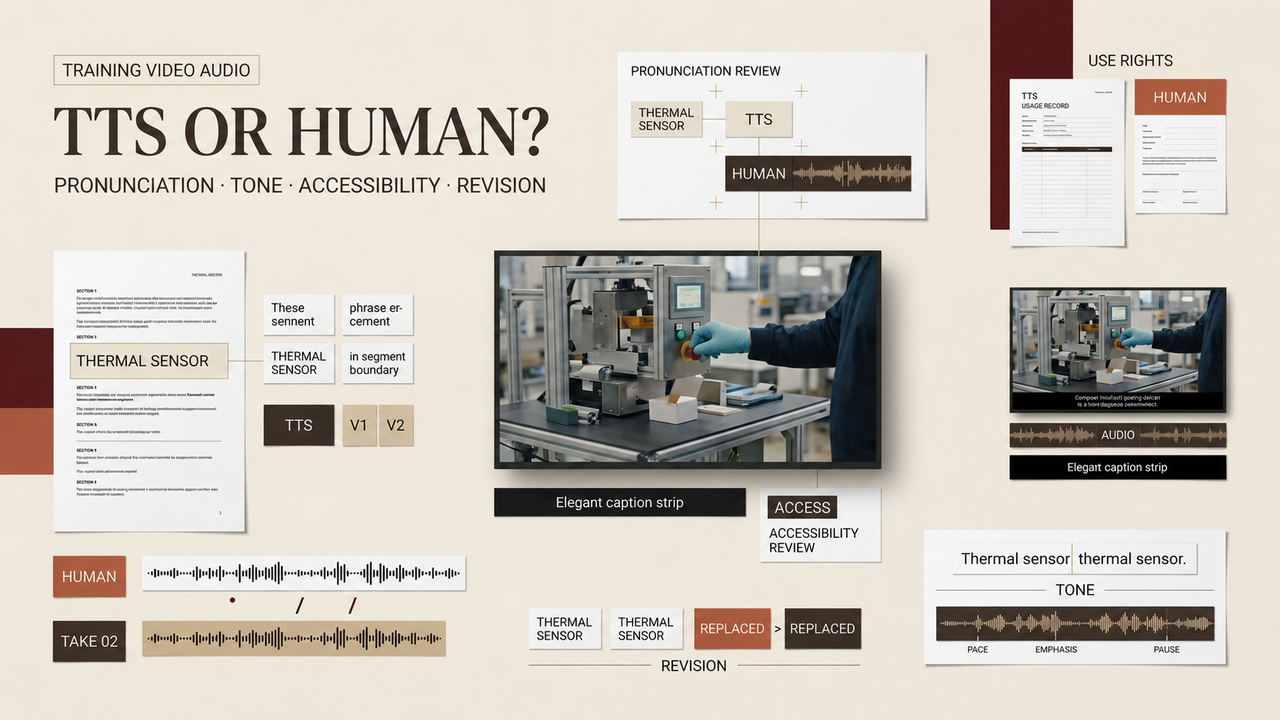
“RMA” might be spoken as letters, while a product name or local place name may require a pronunciation the system cannot guess. Put the approved reading in a terminology sheet before recording either version. Human narration can still get it wrong; a fluent delivery may hide a mistaken term until someone checks against the script.
Some TTS systems offer phoneme and custom-lexicon controls. That gives teams a repeatable way to correct a term, subject to the chosen tool and language. The test is what a learner hears in the finished mix. Ask whether they can distinguish the letters, understand which screen field to use, and recall that refund approval remains pending. If both versions communicate those facts, pronunciation alone may not decide the purchase.

Revision Speed and Version Control
Now change one line: “The returns lead must review the request” becomes “The returns lead must approve the request in the ticket.” TTS may let the editor replace that section from text. A human pickup depends on the narrator’s availability, matching the earlier recording, and getting a clean edit. But the fast route can lose its advantage if regenerated audio changes the pace, pauses, or pronunciation of nearby lines.
Judge revision time from approved script change to approved lesson, including transcript, caption timing, mix, and final listen. Count the reviewer’s time, not just the render. Keep the script version, voice setting or narrator take, correction note, and published file together. Otherwise the next editor may patch an old audio track while the learning platform serves a newer caption file.
Tone, Trust, and Accessibility
The example contains a refusal: staff must avoid promising a refund. Read it cold, and the instruction may sound evasive. A director can ask a human narrator to make “explain” sound calm rather than apologetic. A synthetic voice may also deliver that tone, but the team must hear the line and check it with the same learners. Neither category owns warmth or clarity by default.
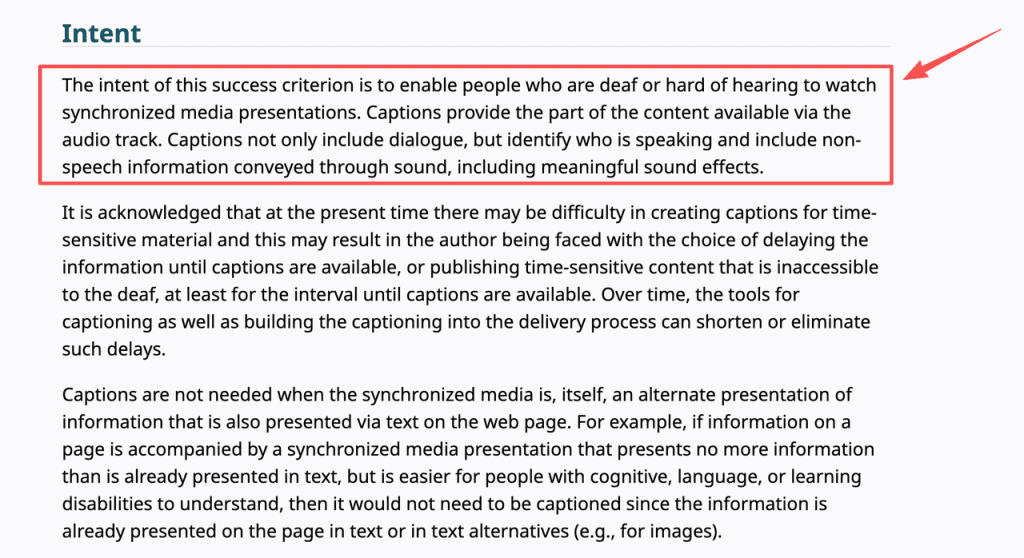
For training video accessibility, a clear voice is one part of the job. Captions need to convey speech and meaningful sounds, while a transcript lets learners revisit the wording. If the video shows an unlabeled button that the narration never identifies, neither TTS nor human narration fixes that gap. Accessible media planning also covers descriptions of important visuals and the player’s controls. Test the lesson with sound off, then without looking at the screen. Each pass exposes a different omission.
Choose AI Text-to-Speech When Updates Dominate
An AI voiceover training video earns its place in a catalog of short, changeable modules: software fields move, policy owners rename steps, and teams publish versions for different roles. The attraction is a controlled text source and a repeatable correction path. It is less persuasive when every change still needs several generations, manual sound repair, and fresh stakeholder rounds.
Before buying, pilot one real lesson with a permitted, nonsensitive script. Price the whole approved revision: service charges, staff review, caption repair, and any extra editing. Check the provider’s current terms for commercial use, script retention, voice selection, and export before uploading internal material. If those points are not disclosed, ask the provider rather than treating a demo as a contract. Avoid cloning an employee merely to make synthetic narration sound familiar; a stock voice may meet the instructional need without creating a reusable likeness asset.
Choose a Human Voice When Delivery Carries Meaning
Consider a lesson on responding to a distressed customer or reporting workplace misconduct. The exact policy words matter, but so do pauses and emphasis. A human narrator can discuss intent with the course owner, question a line that feels accusatory, and record an alternative reading. That conversation can improve the script itself. It is a reason to commission a performer, not a claim that every human take beats every synthetic one.
Budget for pickups and future use in the agreement. Who can reuse the recording in another course? What happens when the policy changes? Does the fee cover translated versions or new distribution channels? Human narration also needs accurate captions, a transcript, and an editor who checks audio against the approved lesson. A polished read of an outdated rule is still an outdated rule.
Build a Hybrid Narration Workflow
The useful hybrid is often modest: a human records the opening of a sensitive module, while TTS handles frequently revised screen instructions. Another team may use synthetic drafts for timing and commission one human performance after the script stabilizes. In either case, write the boundary into the production brief. Mixing voices inside a single scene without a reason can make learners wonder whether the speaker changed or the policy did.
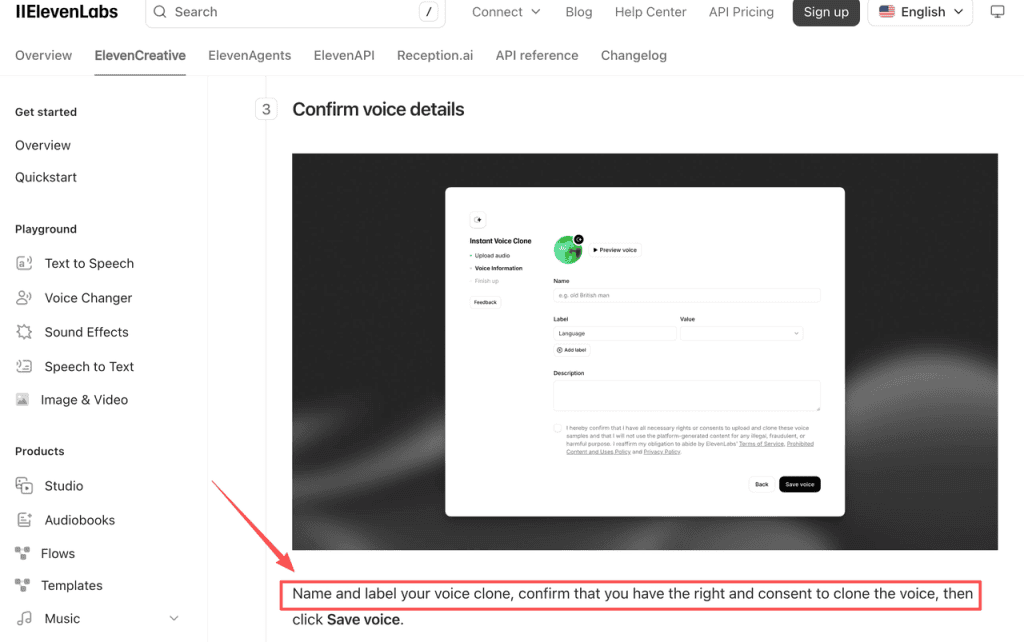
Use one approval chain for both tracks. The course owner signs off on instructional accuracy; an audio editor checks joins, loudness, and pauses; an accessibility reviewer checks captions and the information conveyed only on screen. Keep a separate decision record for any synthetic voice modeled on a person. Voice-cloning controls require rights and consent, and provider rules differ. Record the person’s permission, allowed courses, languages, duration, revocation route, and who can generate new lines. Never make an employee or expert appear to endorse words they did not approve.
The final TTS comparison is a maintenance question as much as an audio question: which approved track can your team correct, explain, and retire without losing the history of what learners heard?
FAQ
Who should approve pronunciation for technical terms?
The subject-matter owner should approve the spoken form, with a language reviewer for localized courses. Put acronyms, product names, and exceptions in a shared pronunciation sheet. The audio editor can flag inconsistencies but should not decide technical meaning alone.
How should consent be recorded for a cloned voice?
Keep a signed, dated authorization that names the voice owner, the permitted uses, distribution channels, languages, access holders, and the process for stopping new generations. Store it apart from raw voice samples, with access limited to the people who administer the clone. Check the provider’s current rules and applicable law before use.
Can one narrator cover multiple languages?
Only if that narrator can deliver each language clearly and the course owner accepts the performance. A multilingual synthetic voice also needs a native-language review of meaning, accent, and terminology. Using the same timbre across languages does not prove that the translation teaches the right action.
What audio format should a training platform receive?
Use the learning platform’s current ingest specification for codec, channels, sample rate, and file size. Keep a high-quality master separately, then export a delivery copy and test it inside the course player. A file that plays on an editor’s laptop may fail after the platform transcodes it.
How often should an old narration track be reviewed?
Tie review to the underlying policy and screen changes, not just a calendar reminder. Assign an owner and a review date, then trigger a new listen when terminology, interface labels, legal requirements, or learner complaints change. Archive superseded audio with its script version so an old line does not return in a later cut.