Leo. An AI video can look ready long before its identity, asset-rights, and platform checks are complete. Before planning a video for OnlyFans, confirm the current rules for the account, the people depicted, and the intended post format. A fictional adult character is a creative concept, not proof that the resulting video is eligible for publication. This guide covers adult-only, consent-based planning and review. It excludes real-person impersonation, non-consensual intimate imagery, and review evasion. It provides general information, not legal advice or an OnlyFans compliance guarantee.
Check the Current OnlyFans Rules Before Production
Confirm AI Media and Adult Content Requirements
Start each production batch with the current OnlyFans Terms of Service, Acceptable Use Policy, Help Center, and any AI or synthetic-media guidance available to the account. Record the check date, account region, relevant wording, and intended use of each asset. Check the video, cover image, paid message, and promotional copy separately rather than assuming one rule settles every format. Repeat the check close to publication, particularly when a 2026 plan will be released in 2027.
If official guidance does not clearly address a planned format or appeal route, record it as unresolved and contact OnlyFans support before relying on that use. A forum post or third-party summary cannot establish current permission. Keep any support response with the release record, without treating it as a blanket approval for future posts.
Verify Identity, Consent, and Collaborator Documentation
Tie every video to a rights record. For another adult appearing in the video, confirm age, identity, use-specific consent, likeness and voice permissions, and future-use limits. The co-authored-content terms describe a tagged Creator or an adult for whom proof of identity and written, informed consent has been obtained; provide the required documents when OnlyFans requests them. These collaborator steps do not remove the AI-content requirement that the verified account Creator be clearly featured. Keep agreements separate from account credentials; editing access grants no reuse rights.
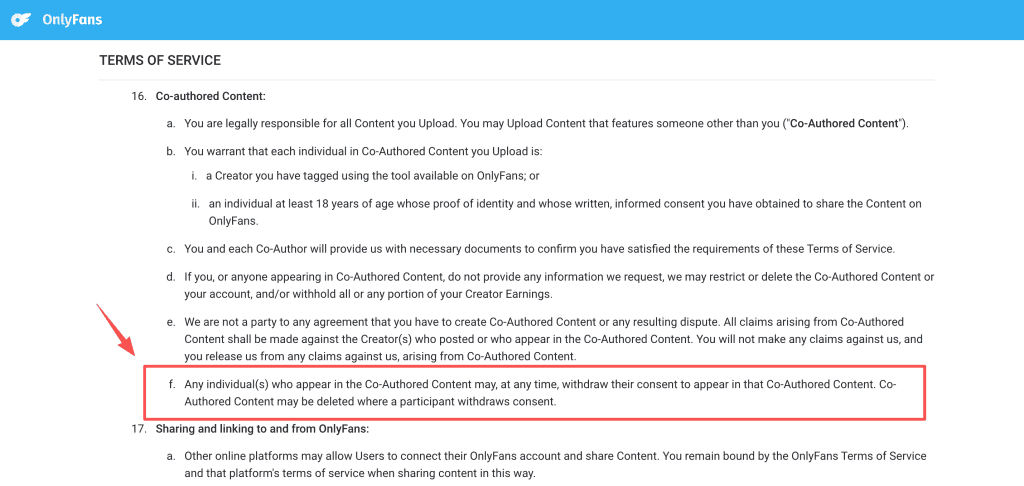
Name the account holder who can approve the final post. That person should be able to reach the source records without digging through chats and expired links. The paperwork feels dull until a participant withdraws consent or a post gets questioned.
Plan an AI-Assisted Video Without Impersonation
Use Fictional or Fully Authorized Characters
Set the identity boundary before drawing a storyboard: under the OnlyFans AI-content guidance, the finished content must clearly feature the verified Creator. A fictional adult character sheet can help a team avoid real-person resemblance, but fictional age and clean source rights alone do not satisfy that publishing condition. If a proposed video shows only a standalone fictional persona, do not present it as an eligible OnlyFans route. Ask support about any borderline concept before production.
If another real adult is involved, obtain specific permission for the planned use of their appearance and voice, then complete the applicable co-authored-content checks. Their permission does not substitute for clearly featuring the verified Creator in AI-assisted content. The agreement should address editing, publication, promotional crops, future reuse, and withdrawal requests. The U.S. Copyright Office’s digital-replica work gives context for a changing legal area, not a global permission slip.

Record the Source and License for Every Asset
Ask four questions of every asset: who supplied it, what right permits it, where can it appear, and when does that right end? Apply the same discipline to music, stock footage, reference images, model outputs, voices, and branded details. Add the tool’s current terms, data-handling note, commercial-use basis, and labeling requirement. “Found online” is not a rights status.
Keep one private asset register with source links, file IDs, approval dates, license notes, and a reuse field. “One campaign only” beats “I think we cleared that” when an old clip resurfaces months later.
Produce and Review the Video
Move From Script to Storyboard to Generated Clips
State the audience, approved character, scene goal, intended tone, and content boundary in the first brief. A storyboard turns that material into reviewable shots before a final export exists. CrePal can organize the planning, storyboard, assets, and revision notes. It does not replace a model’s rules or OnlyFans review.
Generate in small batches. Stop when a clip drifts from the approved character or introduces a source concern. In an AI video workflow for OnlyFans, extra variants do not repair a weak brief. They add more files to audit.
Check Faces, Bodies, Voice, and Continuity
A human reviewer should inspect selected clips for identity drift, adult presentation, body or wardrobe changes, voice mismatch, visible marks, background details, and continuity. A polished clip can still fail the release brief if the character resembles a real person or the voice resembles someone who never approved the work.
Write a rejection reason. “Wrong character,” “unclear source rights,” and “voice not cleared” give the next reviewer a usable record. Keep rejected material isolated under the team’s retention policy.
Complete Final Editing Outside the Generator
Bring approved clips into editing with source IDs and review notes. The editor can tighten pacing, add captions, correct audio levels, and build the upload version without reopening rejected concepts. Keep a high-quality master outside the generation service.
No label repairs a video that violates consent, rights, or account rules. Editing belongs after those questions have a clear answer.
Prepare the Post for Platform Review
Add Required Labels and Accurate Descriptions
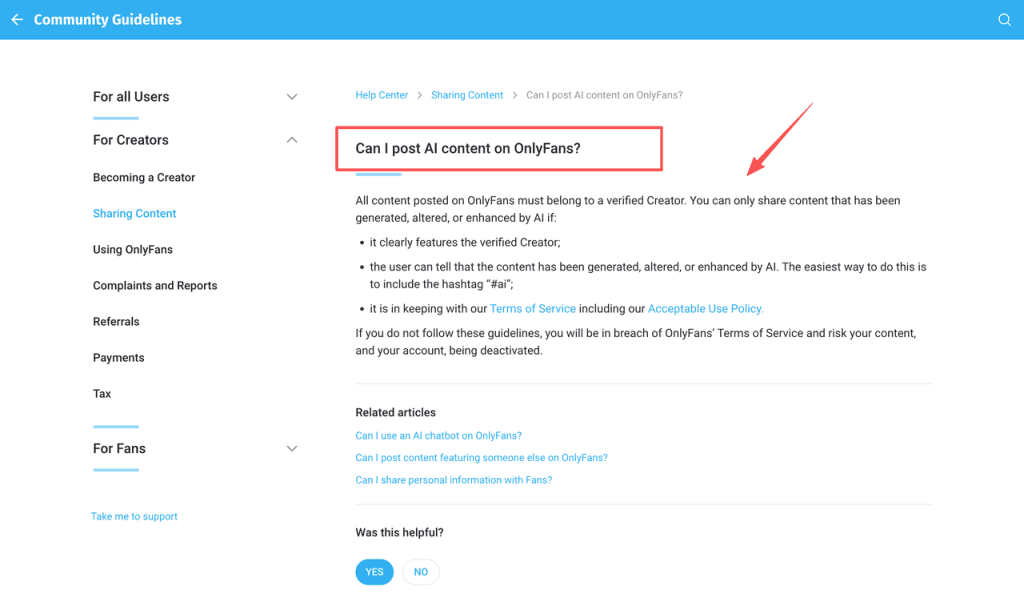
Clearly and conspicuously identify AI-generated, altered, or enhanced content in the post caption. The OnlyFans Terms give #ai and #AIGenerated as examples, while the AI-content guidance requires viewers to be able to tell AI was used. Make the description accurate; a label does not resolve identity, consent, or other content-rule problems. It should not suggest that a real person performed scenes they did not perform or hide that a character is fictional. Check the current rules for AI-generated, altered, or enhanced content before upload because policy text and enforcement can change.
Review the description, thumbnail, and sales message alongside the video. A compliant file paired with a misleading caption is still a poor release decision.
Keep Approval Records With the Master Files
Store the final master, source list, consent records, approved copy, policy-check date, reviewer name, and release version together. Add a brief note explaining what changed from draft to final. That record gives the team a place to start when a platform question or consent withdrawal arrives.
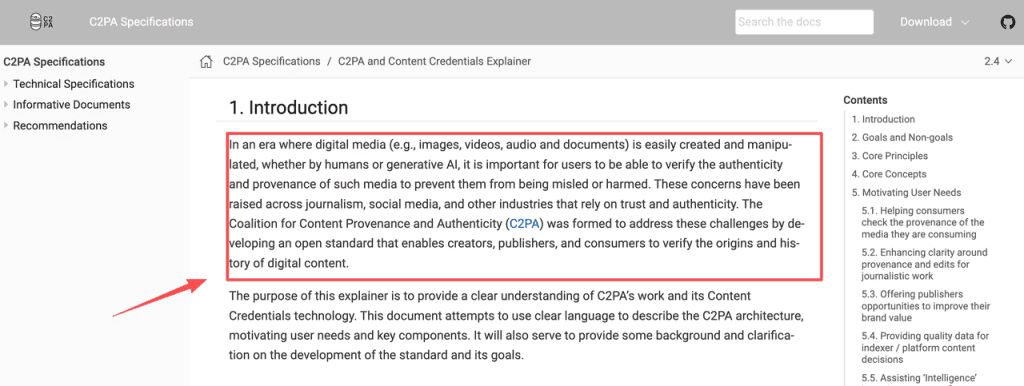
Content Credentials and provenance records can preserve information about an asset’s origin and edits when a tool supports them. They do not prove consent, commercial rights, or platform approval. Keep those decisions in controlled records too.
FAQ
Do heavily edited real videos count as AI-generated content?
Do not assume that light retouching, major alteration, or a fully generated scene receive the same treatment. Compare the planned edit against current platform wording and keep a production note describing what changed. When the rule does not map cleanly to the edit, pause the release and ask support.
Can collaborators receive earnings separately on OnlyFans?
This guide does not treat separate revenue distribution as a confirmed platform feature. Do not share account credentials to improvise a split. Use a written agreement for payment responsibilities, then confirm current account and payout options with OnlyFans before promising a collaborator a specific arrangement.
Are AI video files retained after a draft is deleted?
A deleted draft does not prove that every copy disappeared from platform, provider, backup, or reviewer systems. This guide cannot confirm an OnlyFans retention promise for AI drafts. Keep sensitive sources in access-controlled storage, document deletion requests, and check current privacy terms and support guidance.
How much video quality does OnlyFans preserve after upload compression?
This guide does not rely on an unverified upload-compression figure. Keep a high-quality master, create a private non-sensitive test export, and inspect the posted result in the account environment before committing a campaign to a visual treatment.
Can captions and audio descriptions be added to an OnlyFans video?
Confirm current player and upload options before telling viewers that a native accessibility feature is available. Plan readable captions and clear audio in the edit. Treat accessibility as part of the release brief, not a last-minute decoration.
Conclusion
A workable adult creator video workflow begins with an adult identity boundary, a dated policy check, and an asset record that survives the next revision. Build from there. The process takes longer at the start and makes later review, correction, and publishing decisions far easier.