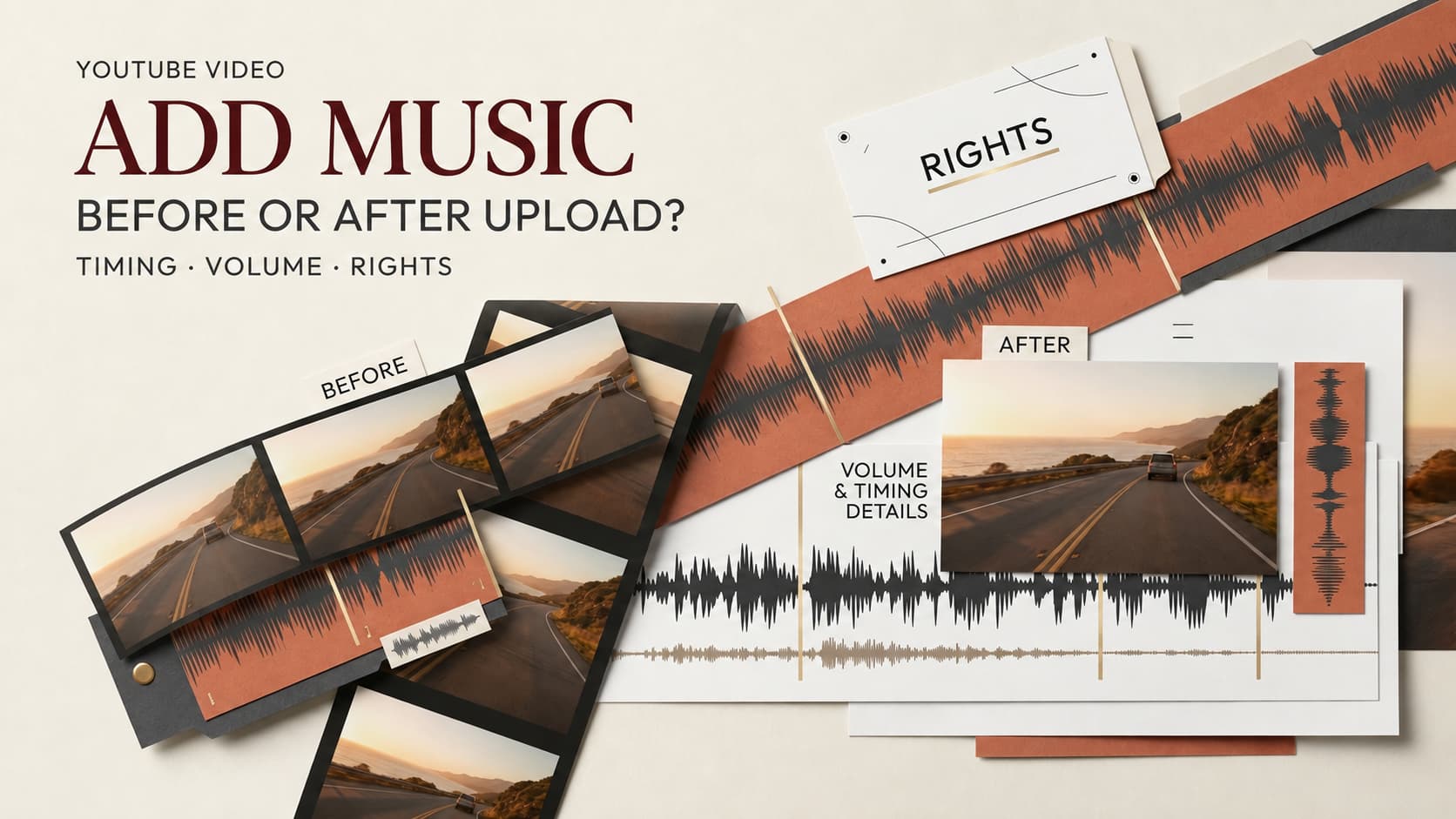
The voiceover is clear, the cuts work, and then someone asks for music. In your editor, you can mix around each line. On YouTube, your choices depend on that upload’s available controls. Here is how to add music to a YouTube video without losing track of the mix or the rights.
Choose the Pre-Export or Post-Upload Route
Choose pre-export mixing when music must duck under speech, hit visual beats, or travel to other platforms. You control the music, voice, and effects on separate tracks. A rough cut planned in CrePal can mark music cues; review the final mix in an editor.
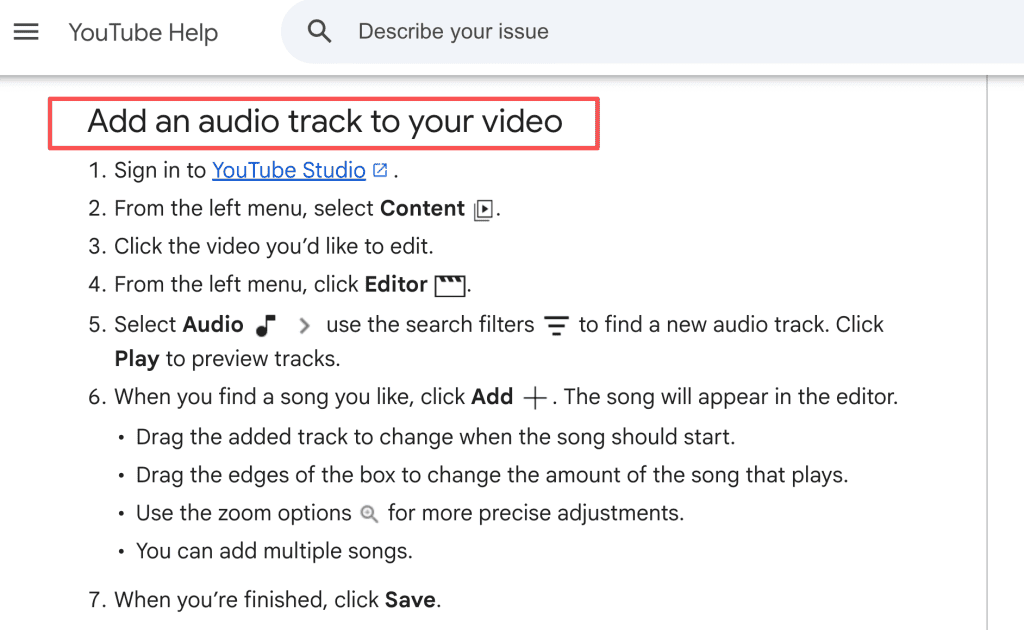
Post-upload editing covers adding an Audio Library track to an existing upload or dealing with a claimed song. The YouTube Studio audio editor lets eligible creators place and trim library tracks. If the change must also appear in your local master, edit that file first.
Consider a narrated tutorial with music under the opening, silence for a tricky instruction, then a return to the theme. Build those changes before export. For an already published montage that only needs a simple music bed, check Studio first. The difference is the amount of control the edit demands.
Checked against YouTube’s public help pages on September 30, 2026. Controls can vary by account, region, and video status.
Add Music Before You Upload
Select Music You Are Allowed to Use
Start with the intended use. Will this edit run as an ad or appear on another channel? A license for one upload may not cover those uses. Keep the track title, artist, license, permission record, and credit language with the project.
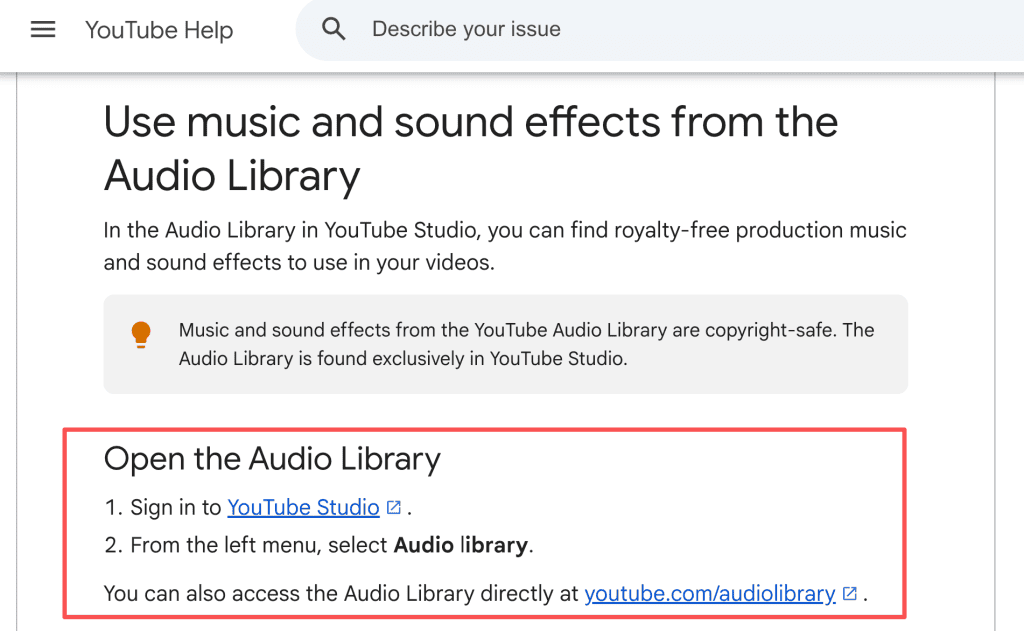
For background music for YouTube, the Audio Library offers downloadable tracks that you can place in your editing project. Check the license type on the chosen track. Some require Creative Commons attribution in the video description; others do not. A track described elsewhere as “free” does not grant a general right to use it, and a credit line cannot fix a missing license.
Set Timing, Ducking, and Final Loudness
Place music against the picture before adjusting volume. In a product demo, a lift during a silent reveal may help; under instructions, it may swallow a detail. Fade at scene changes and lower music wherever the voice needs space.
Use meters to catch clipping, then listen on headphones and a phone speaker. If an instruction disappears on the phone, lower the music there. Save separate audio tracks for later rights or wording changes.
Pay special attention to the first word after a music swell. It is easy to miss in the timeline and painfully obvious once the video plays through a small speaker.
Export and Check the Finished Mix
Play the exported file outside the editing app. Check its opening, ending, fades, stereo balance, and any accidental silence. Match it to your track license before upload.
Use YouTube’s audio upload checks if sync or mobile playback sounds wrong. Upload privately or unlisted for a playback and copyright check before publishing. Keep the source project and exported master.
Add or Replace Music in YouTube Studio
Confirm Which Editor Controls Are Currently Available
On a computer, open YouTube Studio, choose Content, select the video, then open Editor and Audio. Preview a library track, add it, move its start point, and trim its ends. YouTube also allows multiple library songs. The mobile app cannot change an uploaded video’s audio track through this route.
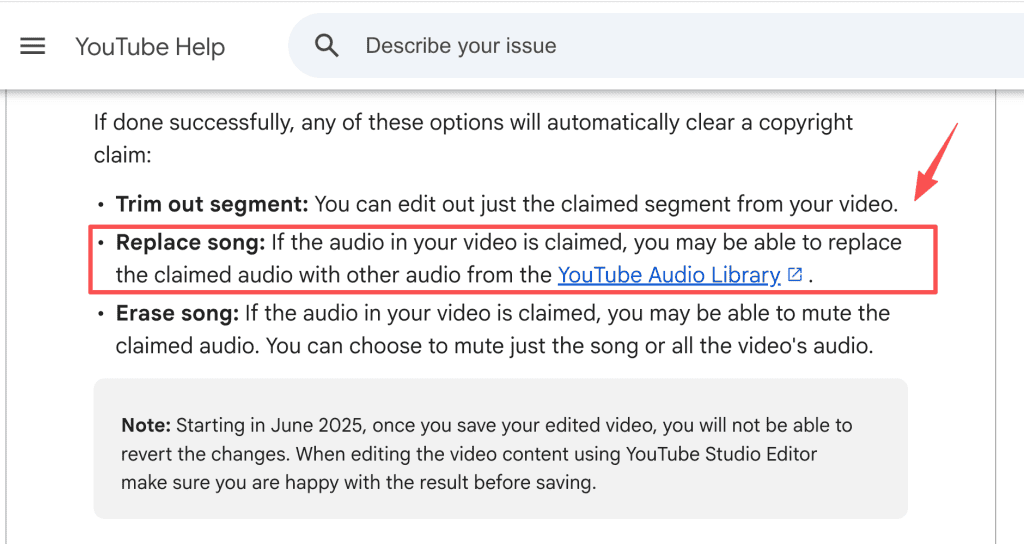
That is the ordinary YouTube add music path. A Content ID claim sends you to a different control: open the claim details and look for Replace song, Erase song, or Trim out segment. The claimed-content editor may let you swap the claimed section for an Audio Library track. If any claimed audio remains, the claim may remain too. Check the controls shown on your own video before planning the edit; YouTube currently limits ordinary audio-track edits to videos shorter than six hours, with additional save restrictions on some high-view videos.
Preview the Change Before Saving
Play the full edited section, including a few seconds on either side. Listen for buried dialogue, a song that starts mid-word, or a gap where the original sound should remain. A claim replacement deserves another check: did the new track cover the entire claimed section without damaging speech or useful ambient sound?
Save only when the preview works. Since June 2025, Studio edits cannot be undone with the former revert-to-original option. Keep your export and project file. After processing, reload the video and listen again.
Resolve Copyright and Content ID Problems
A Content ID claim calls for checking the matched track and video restrictions. It does not prove your license is invalid. Compare it with your agreement, channels, territories, and dates. Dispute only with supporting evidence; otherwise, remove or replace the music and review the result.
A clean upload check is useful, but keep watching for later notices. Save the claim details and the license as they existed when the video went live; a later email thread is a poor substitute for the original permission.
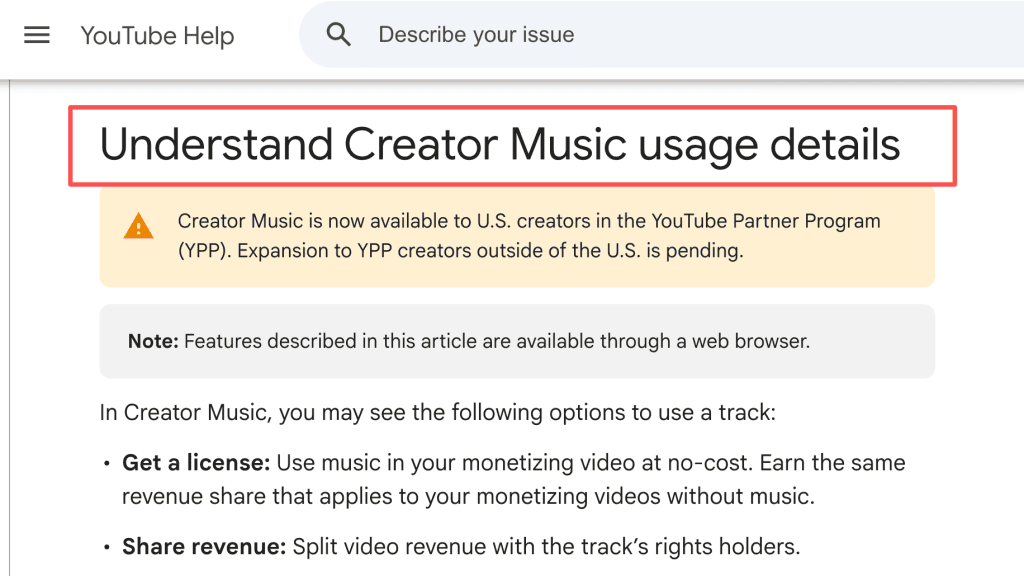
Keep YouTube Studio audio separate from broader music rights. A YouTube Audio Library track, a Creator Music license, and a third-party music license can carry different conditions. In particular, Creator Music licenses are tied to specific uses; do not assume one purchase covers another video, channel, or platform. Rights-holder agreements and YouTube’s current policies govern. This article offers workflow information, not legal advice.
FAQ
Can music be added to a scheduled YouTube video?
A scheduled video is already uploaded. Check whether its Editor shows Audio, then allow time for processing and playback. If you need a new mix, revise the master, upload it as a new video, schedule that upload, and cancel the original schedule.
Will replacing music change the video URL?
Editing the existing upload in Studio keeps that video’s URL. A new upload gets a new URL. Tell the team which route you used before updating links and embeds.
How should music credits appear in the description?
Follow the track’s actual license text. For a Creative Commons track from YouTube’s Audio Library, use the attribution supplied for that track in the description. For other music, include any wording required by the rights holder. Credit identifies a source; it does not grant permission.
Can one licensed track cover multiple channels?
Read the specific license. YouTube Audio Library tracks and Creator Music tracks have different usage terms, while third-party licenses vary by vendor. If a team manages several channels, document each channel and intended use in the rights request before reusing the track.
What files should be saved to prove music rights?
Keep the license or permission, receipt, track identifier, download date, permitted uses, required credit, and final video version. Save claim notices and dispute correspondence too. A track-title screenshot cannot show the agreed scope.