Hey there, Leo. I burned through a whole day’s worth of free credits on Kling last week before I’d even rendered one clip I’d actually use. Two failed generations stuck at 99%, one prompt rejected, and just like that — gone. So when people ask me is Kling AI free, my honest answer is: yes, technically, but “free” here means something very specific, and if you don’t understand what, you’ll waste a week figuring it out the hard way like I did. This piece breaks down exactly what the free tier gives you, what it doesn’t, how the credit math actually works, and whether paying is worth it — with the numbers checked against Kling’s own docs, not somebody’s outdated screenshot.
Short Answer
Yes, Kling AI has a genuinely free tier. No, it is not a free pass to unlimited video. The free (Basic) plan hands you a small pool of credits, and every generation eats into it. Output is watermarked, capped at lower resolutions, and — this is the part people miss — not licensed for commercial use.
What free access usually means and what must be verified
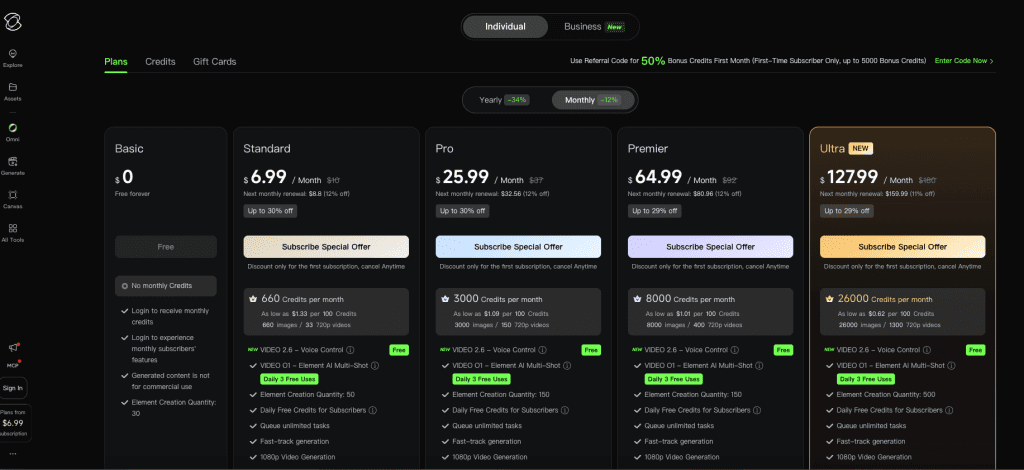
Here’s the thing about writing pricing posts in this category: the numbers move. Kling has changed its tiers more than once in the past year, so anything I write today should be treated as a snapshot. Before you pull out a card, verify against Kling’s official membership page — that’s the source of truth, and it shows three prices per card (list, first-time offer, and renewal) that trip a lot of people up.
One myth to kill right now: “unlimited” is not a Kling concept. As of April 2026, there’s no publicly indexed Kling plan literally called Unlimited. It’s a credit economy top to bottom. Plan around credits, not around some fantasy of unrestricted generation.
Free Tier Limits
The free tier is best understood as a permanent sampling environment — not a 7-day countdown trial. You can come back to it month after month. But the guardrails are real.
Credits, queue priority, watermark, and export restrictions
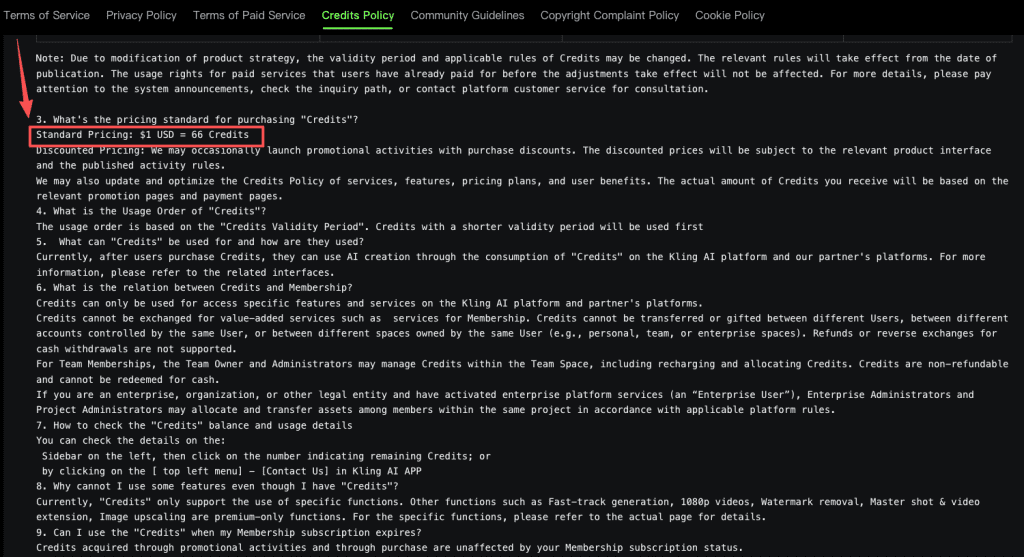
Per Kling’s official credit policy, the standard pricing benchmark is $1 USD = 66 credits, and that 66-credit figure is roughly what free users get to play with. Sources disagree on whether it lands daily or monthly (Kling’s policy has shifted, and community reports are genuinely split), so don’t bank your workflow on a fixed daily refill — check your own account dashboard.
What that small balance buys you, realistically:
- A handful of short clips. A 5-second video runs roughly 20–35 credits depending on mode and model. So you’re looking at one or two usable generations before the well runs dry.
- Watermarked output. Every free export carries a visible Kling logo.
- No commercial rights. Free-tier content is personal/portfolio use only. Full stop.
- Lower resolution. 720p ceiling at best on free; 1080p and 4K sit behind the paywall.
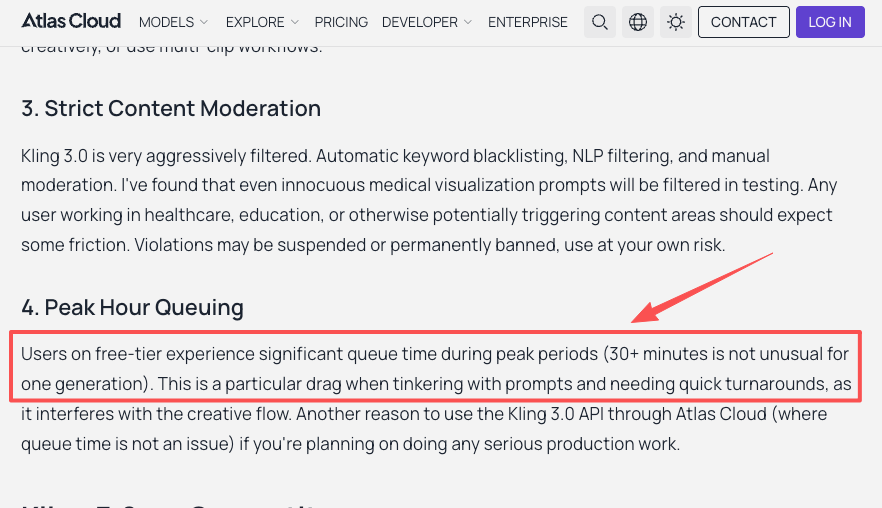
- Back-of-the-queue priority. During peak hours I’ve watched free generations crawl. Independent testing has clocked free-tier waits past 30 minutes for a single clip — one session hit 47 minutes.
And the one that actually stings: failed generations still consume credits. No refund. On a tiny free balance, one bad prompt can wipe your whole allotment.
Paid Plans Compared
Once you outgrow testing, you’re into the membership ladder: Standard, Pro, Premier, Ultra. Each is just a bigger credit bucket with better priority and feature access.
What to compare across plan tiers without assuming fixed values
I’m deliberately not going to write the prices in stone, because they’ve moved twice already this year and they’ll move again. Instead, here’s the framework I use — and the rough lay of the land as verified across multiple roundups in mid-2026.
| Tier | Rough monthly price (2026) | What it unlocks | Best for |
| Basic (Free) | $0 | 66-ish credits, watermark, no commercial use | Testing prompts |
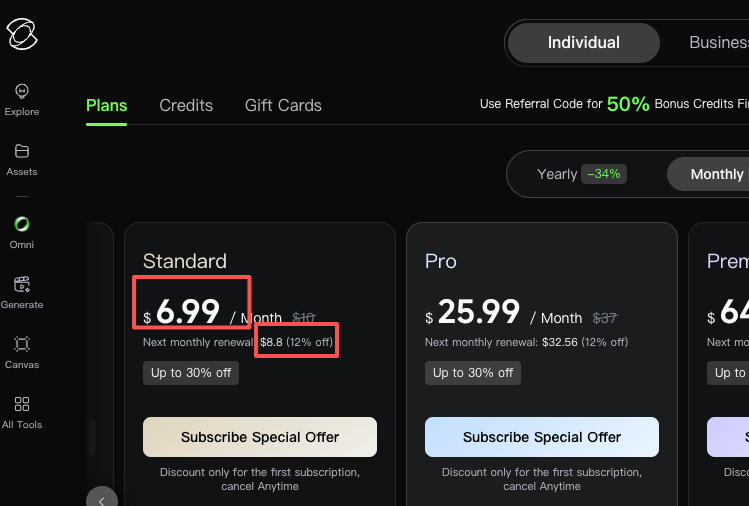
| Standard | ~$6.99 intro / ~$8.80 renewal | 660 credits, watermark removal, 1080p, commercial rights | Hobbyists, 5–15 clips/mo |
| Pro | ~$25–37 | 3,000 credits, priority queue, Pro mode | Regular creators, small agencies |
| Premier | ~$65–92 | 8,000 credits, high priority | Volume teams |
| Ultra | ~$128–180 (monthly only) | 26,000 credits, highest priority | Production studios |
Prices and credit allocations were checked against official and third-party sources as of June 2026. Verify the latest on Kling’s membership page before deciding.
A few things to flag on the how much is Kling AI question, because the table hides them:
- The intro price is a one-time first-billing discount. Budget on the renewal number — the $6.99 Standard plan reverts to roughly $8.80.
- Ultra has no annual option as of mid-2026, and it jumped from $128 to $180 in about six months. That’s a cautionary data point, not a stable price.
- Standard is the lowest tier that gives you commercial use rights — the real reason most people upgrade isn’t credits, it’s the license and the watermark removal.
When people compare Kling AI pricing plans against rivals, the short version: under ~30 videos/month, Kling’s Standard undercuts most competitors; above ~50, Runway’s flat unlimited-style tier starts winning because there’s no per-clip credit drain.
Real Cost Considerations
The headline price is the trap. The number that matters is cost per usable output.
Cost per usable output vs cost per generation
Marketing math says “3,000 credits = 150 videos.” Reality says something else. Most creators run Professional mode (Standard mode looks noticeably worse), which costs roughly 3.5x more credits. Add native audio and a single clip can hit 50–200 credits. Layer in failed generations — Reddit users report 30–40% failure rates during peak hours — and that 3,000-credit Pro plan quietly becomes 20–40 finished videos, not 150.
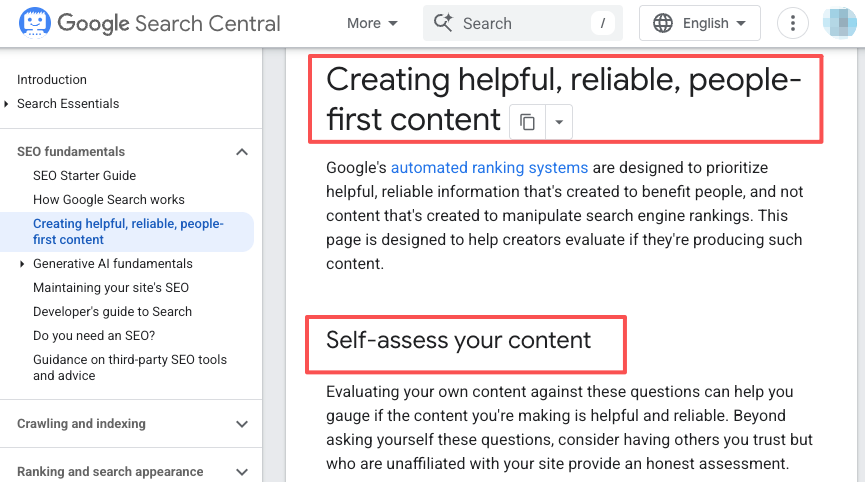
So my rule: take any “X videos per month” claim, assume Pro mode, add a 25% buffer for reruns, and recalculate. That’s your real ceiling. Google’s own guidance on helpful content rewards posts that tell you this kind of thing honestly — and frankly, the credit-to-video gap is the single most under-explained part of Kling’s pricing.
Is It Worth Paying?
When free access is enough and when paid access helps
Free is enough if: you’re learning prompts, testing motion quality, building a personal portfolio, and you don’t mind a watermark. The image-first trick helps a lot here — nail your composition as a still first (image generation is cheap), then animate only the winners. Saves you from torching video credits on framing experiments.
Paid is worth it the moment any of these are true: you need the watermark gone, you need 1080p+, you’re doing client or monetized work (you legally need commercial rights), or the free queue is eating your afternoons. For most people crossing that line, Standard is the natural first step — cheap enough to not hurt, and it flips on everything the free tier locks.
What to Verify Before Publishing
Official pricing page, plan terms, and current credit rules
If you’re making a buying decision, confirm three things at the source, because every one of them has changed recently:
- Current plan price (intro vs renewal) on the official membership page.
- Whether your credits roll over. Per Kling’s policy, subscription credits are valid one month from distribution — so plan credits broadly expire at cycle end. Purchased top-up packs are the exception. (More on this in the FAQ.)
- Commercial-use terms for the exact tier you’re on.
This isn’t me hedging — it’s that do Kling AI credits roll over and “what’s the price” are both questions where the official page can contradict a three-week-old blog. Check it yourself.
FAQ
How many videos can I make on the free tier per day?
You’ll typically get credits for 1–2 short clips per refresh. To maximize them, first generate a strong still image (very low cost), then use it as the starting frame for video. This cuts wasted credits on framing or motion issues. Check your dashboard for exact daily balance, as refresh timing can vary slightly by region.
Cheaper to buy credit packs or subscribe?
Subscriptions offer better per-credit value for steady monthly use. For irregular, bursty workflows, standalone packs are more flexible since they don’t expire monthly. Note that small top-up packs cost more per credit than subscriptions — use them mainly as emergency bridges. Review your recent usage before choosing.
What happens when I run out of credits?
Generation stops until the next refresh (free) or billing cycle (paid). You can buy a one-time top-up pack or upgrade your tier. Top-up packs usually stay valid much longer (up to 1–2 years) than subscription credits, making them good for stockpiling before big projects. Check current pack options in the app.
So — is Kling AI free? Free enough to fall in love with the output, gated enough that real work means paying. Start on the free tier, run the image-first workflow, and watch where you actually hit the wall. If it’s the watermark, jump to Standard. If it’s volume, do the cost-per-usable-clip math before committing to anything bigger. Either way, check the live pricing page first — by the time you read this, a number in here has probably already moved.
Pricing and plan details were checked from Kling’s official documentation and multiple independent sources as of June 2026. Always verify current rates and terms on the official membership page before making a purchase decision.
Previous posts: