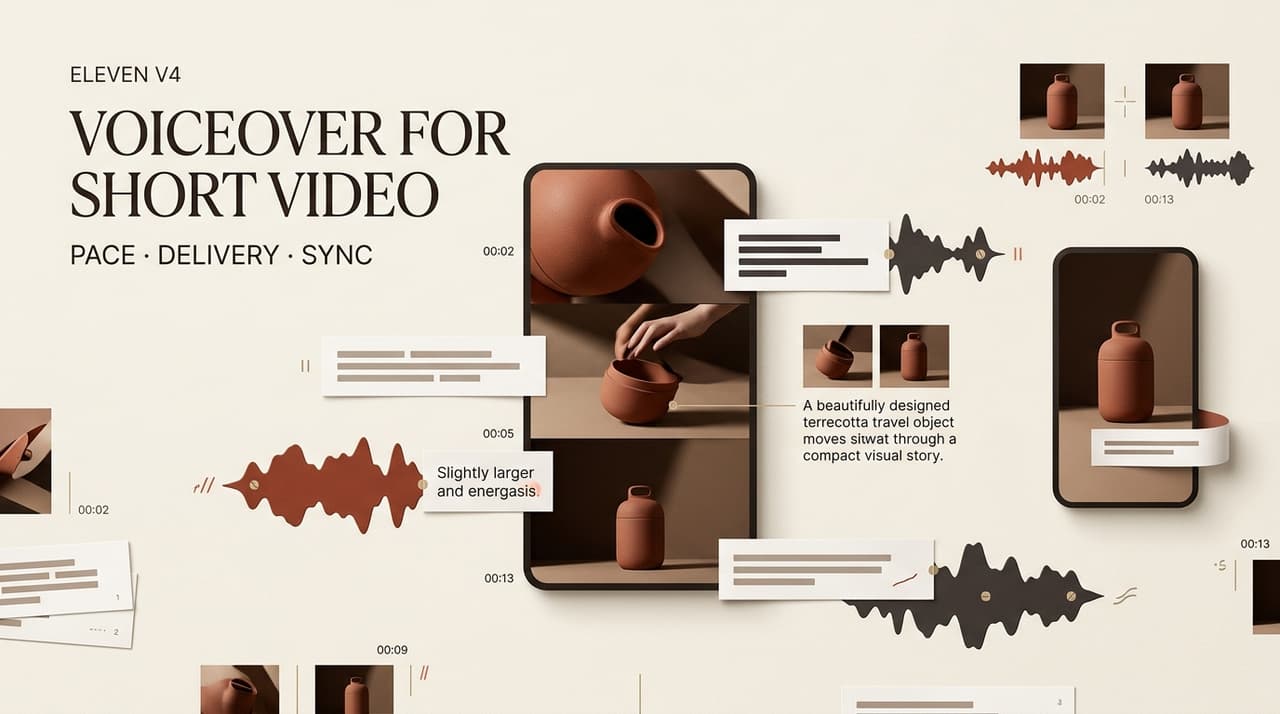
A voice can sound convincing in preview and still miss the cut. An Eleven v4 voiceover should start with the edit: where must each line land? Eleven v4 launched on September 28, 2026. As of the October 1 update, ElevenLabs describes more control over tone and pacing through inline direction, but those are vendor claims, not a hands-on result for this video. This documentation-based guide is not a hands-on audio test. It focuses on the ElevenLabs video workflow that matters after generation: making a spoken line survive the actual cut.
Choose One Short-Form Video and Voice Goal
Pick one job for the narration: clarify an action, carry emotion, or supply missing information. If it repeats every caption, it may be doing too much.
Imagine a 20-second reusable-bottle ad: a bag tips, a sealed lid appears, then a shop link. The voice connects problem to product; it need not describe the bottle’s color. If the lid action already proves the point, let that small click remain audible instead of filling every second with speech.
Prepare a Timed Voiceover Script
Split the Script Around Visual Beats
Write against the rough cut. Mark the problem, product, proof, and video CTA. Read each line aloud with a stopwatch. A short sentence can crowd a brief shot once it includes a natural pause.
Let the bottle’s first line finish before the lid close-up, and give the viewer silence to read a claim. A timing note beside each sentence should name its target shot and latest acceptable end point. This illustrates planning, not a measured v4 result.
Mark Delivery Without Overdirecting Every Line
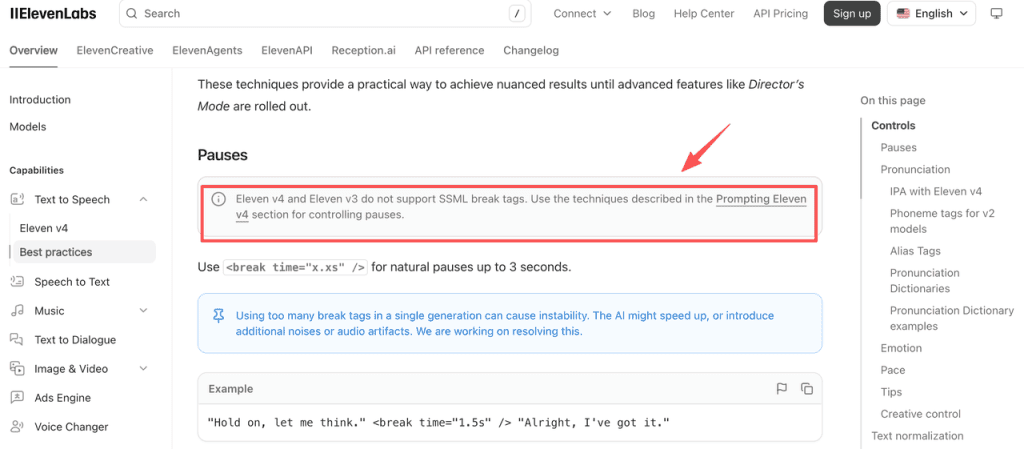
Set a simple delivery arc: curious, assured, direct. V4 audio tags and pacing guidance also warns that tags are imperfect and SSML breaks are unsupported. Test one tag at a time; dense direction can hide whether the voice or wording needs work. Keep the approved copy separate from performance directions so a client can revise a product claim without accidentally changing the reading style.
Generate the Voiceover in Manageable Sections
Keep Voice and Direction Consistent
Generate by story beat. Save the voice, model, script revision, and settings with each file so pickup lines can match. eleven_v4 is the model ID for produced speech; Turbo targets low latency, not this edit’s quality by default.
If adjoining lines differ sharply in tone, regenerate the beat rather than burying the join under music. For an AI video narration track, preserving the same speaker is only part of consistency; pauses and energy need to feel as though they belong to one performance.
Save Alternate Reads for Key Moments
Keep alternate reads for the hook or close. Compare them against picture at normal volume. A dramatic read may sound fine alone and overplay a quick social cut. Label the options ‘restrained’ and ‘energetic’ rather than ‘good’ and ‘bad’; the choice may change when music and captions arrive.
Match the Voiceover to the Edit
Align Pacing With Cuts and On-Screen Text
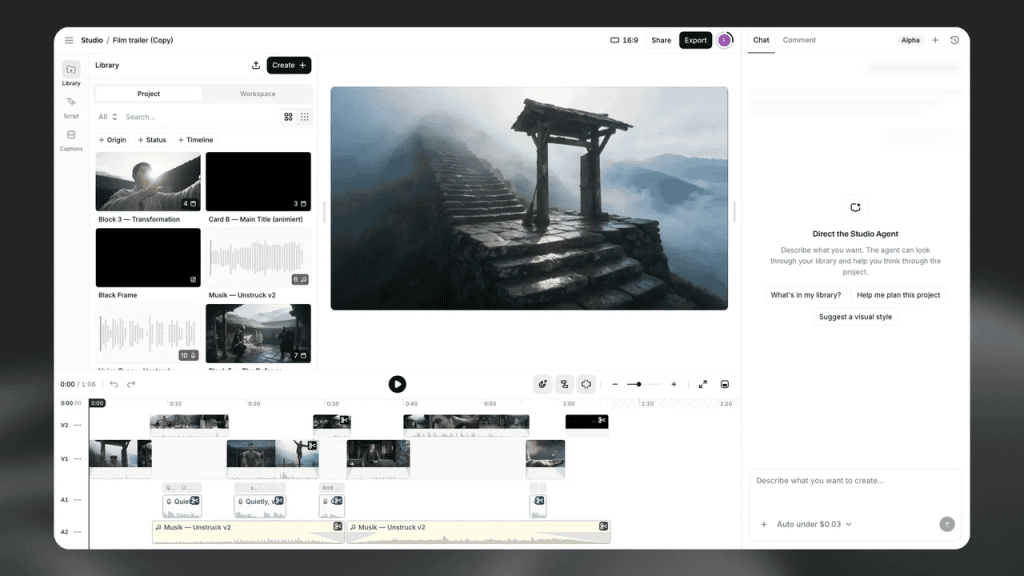
Place the audio under the picture. The product name should meet its shot; a claim should not spill over unrelated footage. Studio’s timeline can align speech and video, but watch the export and correct captions against the final audio. Mute the track briefly, too: if the visual cannot show the product at the moment it is named, the problem may be the edit rather than the voice.
Fix Timing Before Rebuilding the Whole Track
If the social video voiceover runs long, trim silence or shift a cut first. If the sentence is crowded, shorten and regenerate that beat. After each pickup, check the next join. Avoid stretching a key phrase so far that its consonants blur. When timing remains impossible, ask whether the shot needs more space or the message needs fewer words.
Review Clarity, Emotion, and Disclosure
Watch without the script. Can you understand the claim over music on a phone speaker? Does the emotion fit the scene? Then check names, captions, and export. Ask someone who has not seen the script what they heard. If they miss the offer, revise the line or the sound mix before adjusting emotion tags.
Use your own or a properly licensed voice. Disclosure rules for synthetic YouTube content distinguish routine assistance from making a real person appear to say something they did not say. Check each destination’s rules; voice access is not blanket permission to portray someone.
Limits of AI Voiceover for Short Videos
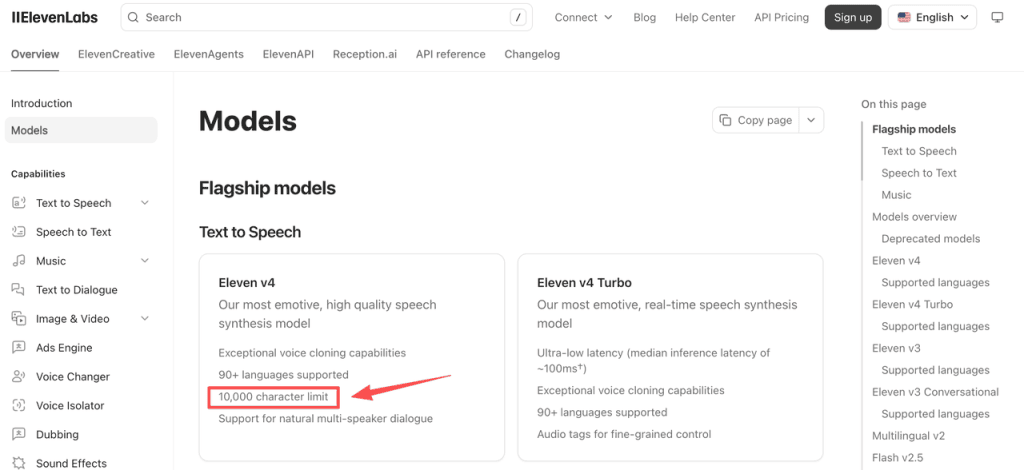
Eleven v4 supports up to 10,000 characters per generation, but edit timing matters more here. Emotion, pronunciation, and duration still need review. An expressive TTS voiceover is a production asset, not a guarantee of acting direction. Keep a human-read fallback for sensitive claims or lines that repeatedly resist the intended tone.
Commercial-use conditions bar free-plan output from commercial projects and place limits on paid-plan use. Check current terms, beta restrictions, and client-script data handling. A private ad script may carry an unreleased product name, so its upload deserves the same approval as any other external production service. This is not legal advice.
FAQ
Which ElevenLabs products currently include Eleven v4?
As of October 1, 2026, ElevenLabs lists v4 and Turbo in ElevenCreative, ElevenAgents, and ElevenAPI. Check your workspace’s model selector; controls differ.
Which audio formats can Eleven v4 export?
V4 lists MP3, WAV/PCM, and mu-law. Quality and options vary by route and plan; confirm the export before handoff.
How are Eleven v4 generations billed?
Text to Speech draws credits from a shared balance. Plan, voice, product, and retakes affect cost; check the account estimate first. Do not budget from the duration of the final clip alone.
Can a v3 project be reopened with Eleven v4 selected?
Studio allows model changes, but seamless v3-to-v4 project migration is not clearly documented. Duplicate the project and compare regenerated sections before replacing approved audio.
What commercial-use terms apply to cloned voices?
Paid-plan commercial rights remain conditional; free-plan output is noncommercial. Professional clones require your own verified voice. Keep permissions and check current product-specific terms. A collaborator’s consent to record an ordinary voiceover is not automatically consent to create a reusable clone.
Conclusion
Treat the first export as a sync test. For an Eleven v4 short-form video, a timed script, purposeful takes, and a phone-speaker check reveal more than a polished sample outside the edit.